如何在 Higgsfield 製作擬真的 AI UGC 角色
可信的 AI UGC(用戶生成內容)創作者,是一個虛構的人物,只選角一次,每個鏡頭都沿用同一個人。在 Higgsfield 上要走六個步驟:先寫下這個人是誰,生成臉孔並鎖定;接著讓他和產品同框、開口說話,最後去掉 AI 的修飾感。
| 步驟 | Higgsfield 工具或模型 | 你得到 | 點數 |
|---|---|---|---|
| 1、選角表 | 不需要:一份筆記或一段對話即可 | 一頁說明這個人是誰 | 無 |
| 2、臉孔 | Soul 2.0 或 Nano Banana Pro | 候選肖像 | Soul 2.0 每張 0.12,Nano Banana Pro 每張 2 |
| 3、鎖定 | Soul ID,或角色參考表 | 每個鏡頭都是同一張臉 | Soul ID:每月有生成上限;一張參考表 2 |
| 4、場景與產品 | Nano Banana Pro 搭配參考圖 | 起始畫面,手持產品 | 每格 2 |
| 5、開口說話 | 含聲音的 Seedance,或 Speak 2.0 | 對嘴影片 | 每 5 秒約 22(Seedance 2.0、720p);每 5 秒約 14(Speak 2.0、720p) |
| 6、去除 AI 感 | 你的剪輯軟體,再用放大畫質工具 | 剪輯、調色、加字幕的成品 | 剪輯軟體不需點數 |
左右滑動查看全部 4 欄
AI UGC 創作者怎樣才看起來真實?
真正的 UGC 是在某個人自己的生活中,用手機拍的影片。AI 創作者會被四個破綻拆穿:
- 塑膠般的皮膚:沒有毛孔、沒有痕跡、膚色均勻得毫無瑕疵。
- 來路不明的光:只有一扇窗的廚房裡,卻有柔和的攝影棚光。
- 沒人拿著的鏡頭:正中央構圖、對焦完美、背景整齊得像布景。
- 鏡頭之間變臉:特寫是一個新的鼻子,下一段影片又換了髮際線。
Higgsfield 自己列出的成因也指向同一個方向:沒有固定身分的依據、參考圖逐漸跑掉、選錯模型,以及沒有對嘴這一層。
Why AI Characters Look Weird: The Root Causes
No identity anchor. When you describe a character in text only, the model interprets that description freshly each generation.
Reference image drift. When the scene changes, the anchor weakens and the face starts to drift.
Wrong model for the use case. Some models handle human subjects better than others.
Missing lip sync layer. When audio and video generate separately and get combined in post, the mouth movements are approximated rather than driven by the actual audio. The result looks dubbed.
Low-resolution prototyping at final quality expectations. A face that looks acceptable at 720p can look wrong at 1080p because the higher resolution reveals artifacts the lower resolution masks.
下面每個步驟,都會去掉其中一個破綻。
步驟 1:寫一份選角表
選角表就是創作者的身分證。在寫任何提示詞之前先寫好,因為之後每一條提示詞都會逐字從它複製。
依產品選角,不要只挑最漂亮的臉:賣給輪班工作者的水瓶,就該找一個真的在輪班的人。
Name: Dana. Age: 34. British, Nigerian parents.
Life: A&E nurse on 12-hour nights, two kids, small terraced house.
Why she films: short honest clips about getting through night shifts.
Where: her kitchen just after a shift, her parked car, the hospital car park.
Camera: her phone, front camera, held in one hand.
Wardrobe: grey marl sweatshirt with a stretched collar, black leggings, white trainers with no logo.
Two signature details: a healed scar through one eyebrow, a black hair band.
Voice: London accent, low and dry, a little tired, quick to laugh.
每個鏡頭都檢查那兩個招牌特徵:這是最快看出角色走樣的方法。
步驟 2:生成臉孔
先在素色牆面前單獨生成臉孔,再做任何場景。肖像只交給模型一項工作;場景則要它同時創造房間、光線和臉孔。
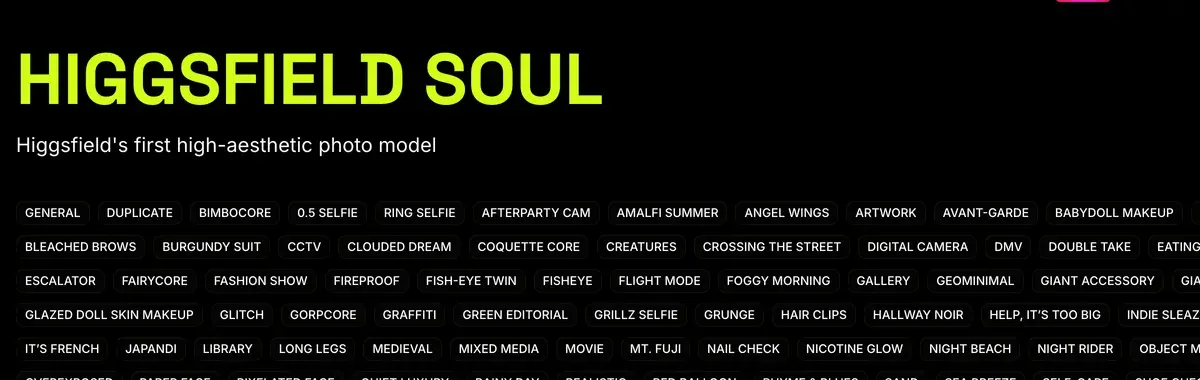
Soul 2.0 是 Higgsfield 自家的人像圖片模型,每張 0.12 點;Google 的 Nano Banana Pro 每張 2 點。同一條提示詞兩邊都跑一次,留下比較好的臉。
A head-and-shoulders photo of a 34-year-old British woman with Nigerian parents, short natural hair pushed back with a black band, small gold studs, a grey marl sweatshirt with a stretched collar. She sits against a plain off-white wall, lips closed, a tired half-smile that reaches her eyes. Soft overcast daylight from a window off frame to one side, about 5600K, the far cheek in gentle shadow. Taken by her sister about a metre away on a phone at eye level. Skin after a night shift: pores across the nose, faint dark circles, a healed scar through one eyebrow, a light oil sheen on the forehead. Muted colour, fine phone grain, no plastic skin, no watermark, no readable text anywhere.
提示詞要寫明光源與色溫(5600K 是日光)、誰拿著相機,以及一整天留在皮膚上的痕跡。「ultra-realistic」、「8K」或「perfect lighting」這類字眼,只會把模型推向你想避開的精修質感。
每張臉都用原尺寸檢查:看得到毛孔、兩眼顏色一致、各自映著一小片窗戶的反光。只要有一項不過,就重新生成。臉一旦不夠好,動起來只會更糟。
Lera AiLab 的這支教學,完整示範用 Soul 2.0 打造一個角色,從第一條提示詞到最終臉孔:

步驟 3:鎖定角色,讓每個鏡頭都是同一個人
鎖定,就是讓 Higgsfield 有一份固定的臉部紀錄,不再每次重新發明。第一種做法是 Soul ID,也就是 Higgsfield 的訓練式角色。它的說明文章要求「同一個人的 20 張以上照片(最多支援 80 張)」,訓練「只需幾分鐘」。
What is Soul ID?
Train once and reuse the identity.
A trained Soul ID works across the Soul family.
虛構的創作者,Higgsfield 的做法是「先生成那些肖像,再用它們訓練 Soul ID」:用你選定的臉生成 20 張肖像,角度與表情要有變化,其中一張要是全身照。訓練好的角色「會自動出現在 Elements 裡」,臉就是這樣進入 Seedance 影片的。
Higgsfield 的標準是各次生成之間「明顯是同一個人」,並不保證臉孔連像素都完全相同。每個方案都限制每月的 Soul ID 生成次數:Starter 為 9 次,月繳 Plus 為 40 次。
Code And Create 示範如何用上傳的照片訓練 Soul ID,從頭到尾完整走一遍:

第二種做法是參考表:把同一個人的四個視角放在一張圖裡,每次寫提示詞都附上。成本是一張 Nano Banana Pro 圖片。
Image 1 is the woman: face, hair and build only. One photo, a 2 by 2 grid of this exact woman against the same off-white wall in the same window daylight. Top left: facing the camera, lips closed. Top right: three-quarter view. Bottom left: full profile. Bottom right: full length, hands in the sweatshirt pocket, black leggings, plain white trainers. The hair band, gold studs and eyebrow scar in every panel. Unretouched phone photo, no plastic skin, no watermark, no readable text anywhere.
特寫要早點測試,因為臉最先在那裡走樣。52 個公開資料來源中,有五個認為 Soul ID、Elements 和參考表能讓角色保持一致(YouTube、Reddit)。完整的訓練方式請見 Soul 指南。
步驟 4:讓他們和產品一起出現在真實的房間裡
這些圖片會變成影片的起始畫面。在 Image 裡選 Nano Banana Pro,附上主肖像、參考表和一張產品實拍照,再說明每張圖的用途:沒有交代用途的圖,會被整張照抄。
How do I generate with Nano Banana Pro?
Open higgsfield.ai → Image → Nano Banana Pro.
Choose your input mode: Text-to-Image, Multi-reference, or Image-to-Image.
Write a clear, specific prompt. Describe the subject, setting, lighting, and any specific quantities or text. Be explicit.
Add references if needed (up to 14), and describe the role of each reference in the prompt.
Set the resolution. Start at 1K when iterating, scale to 2K or up to native 4K for final assets.
Generate and iterate. If something is off, change the prompt or the reference, not both at once.
Images 1 and 2 show the woman: face, hair and build only. Image 3 is the product only: shape, colour and label exactly as shown. She stands at her kitchen counter at 8:10 in the morning, just home from a night shift, in the grey sweatshirt. She holds the sage-green steel bottle at chest height, four fingers round it, thumb on the far side, label flat to the camera and a little closer to the lens than her face. She films herself on her phone's front camera at arm's length, just above eye level. Behind her: a kettle, a fruit bowl, her lanyard face down on the counter. Cool daylight from a window behind the phone, about 5200K, and a warm 2700K under-cabinet light. The label reads "FIELDWELL" in large white capitals. Mild phone HDR, slight wide-angle stretch at the edges, no plastic skin, no watermark, no other readable text.
標籤上的每一個字都要用引號打出來,沒寫的部分,模型就會自己編。另外,一定要用真實產品的照片,不要用 AI 生成的產品圖。
手要用原尺寸檢查:四根手指加一根拇指,握得有重量感。握法、比例與標籤的修正方式,詳見 AI UGC 手持產品。
步驟 5:讓他們開口說話
說話的影片,台詞要短到能自然唸完。以每秒約兩個半字當預算:15 秒的一段,就是 36 到 40 個字。字數太多會唸得很趕,太少則模型會用含糊的碎念來填滿空檔。
台詞要寫成創作者在自己的日常中,對著鏡頭展示產品。刪掉老套說法(像「game changer」、「I’m obsessed」)和產品做不到的效果。各種廣告形式的範本:UGC 腳本範本。
Higgsfield 自己的說話影片檢查清單,針對臉僵住的問題另外給了兩個解法:讓來源圖片帶著輕微自然的表情,並在台詞裡寫入情緒提示。
How to make an AI Talking Video Feel Real?
A believable LipSync video coordinates six elements simultaneously: lip movement aligned to speech phonemes; facial expressions that shift with emotional content; eye movement; subtle head motion that follows speech rhythm; gestures that match meaning; voice delivery with pacing, pauses, and tonal variation.
Frozen facial expressions. The cause is usually a source image with a neutral, flat expression. Use an image where the subject has a light, natural expression, not a passport-photo neutral face. Adding emotion cues to the script also helps: words like [excited], [thoughtful], or [warm] in brackets give performance-based models a signal to animate from.
第一種做法是 Seedance,它能「一次生成帶原生聲音的影片,並支援多種語言的對嘴」(Seedance 說明文章)。
Seedance 2.0 的長度為 4 到 15 秒;Seedance 2.5 最長 30 秒,Plus 以上方案才有。用 @ 從 Elements 選出你的 Soul 角色,或上傳參考表。想固定同一個聲音,就上傳一個聲音檔並用 @audio 標記。
9:16, 15 seconds, one continuous selfie take, no cuts. Spoken language: British English.
Start frame: the kitchen still. THE WOMAN is @Dana. THE BOTTLE keeps its shape, colour and the word "FIELDWELL".
0 to 3 s: THE WOMAN lifts the bottle into frame and speaks within the first half-second. DANA (dry, tired, warm): "The label says ice for twenty-four hours. Night shift, so fair test."
3 to 10 s: She tilts the bottle towards the lens and shakes it once; ice knocks inside. DANA (matter-of-fact): "Listen to that. Ice, and plenty of it, still knocking about in there."
10 to 15 s: She lowers the bottle onto the counter, out of frame. DANA (a small laugh): "Which is more than I can say for my coffee. Right, bed." She settles, eyes on the lens.
Camera: we look through the phone in her other hand: a small breathing bob, a slight wrist roll, quick reframing. Real time, normal speed.
Sound: her voice, ice, a fridge hum, no music. Only Dana speaks, only these lines. Pores stay on her skin; four fingers and a thumb on each hand; no subtitles, no watermark.
每個動作都只用一隻手,因為另一隻手拿著手機:單手轉開瓶蓋,就是步驟 6 要剪掉的手部瑕疵。鏡頭那一行要描述拿著手機的手臂,模型處理這種寫法,比處理「handheld shake」好。
剪輯時,用一段 3 秒、冰塊落進水瓶的畫面開場,背景是暗的窗戶。這樣,產品的宣稱就是秀出來的,而不只是說說而已。
GameTrainer US 示範在 Higgsfield 裡,從一張虛擬人像圖做出會說話的 UGC 廣告:

第二種做法是 Lipsync Studio,用一張圖加上打好的台詞,就能做出說話的影片(對嘴說明文章);Higgsfield 對嘴教學有完整步驟。
How do I use lipsync, voiceover, and aspect ratios?
Voice generation, voice change, and translation live in Audio, while making a character talk (lip sync) lives in Lipsync Studio, which offers several models for image-to-video and video-to-video talking clips. Some video models also generate audio together with video in a single pass. Aspect ratio is set per generation inside each tool: common options are 9:16 for vertical, 16:9 for horizontal, and 1:1 for square, and not every model supports every ratio.
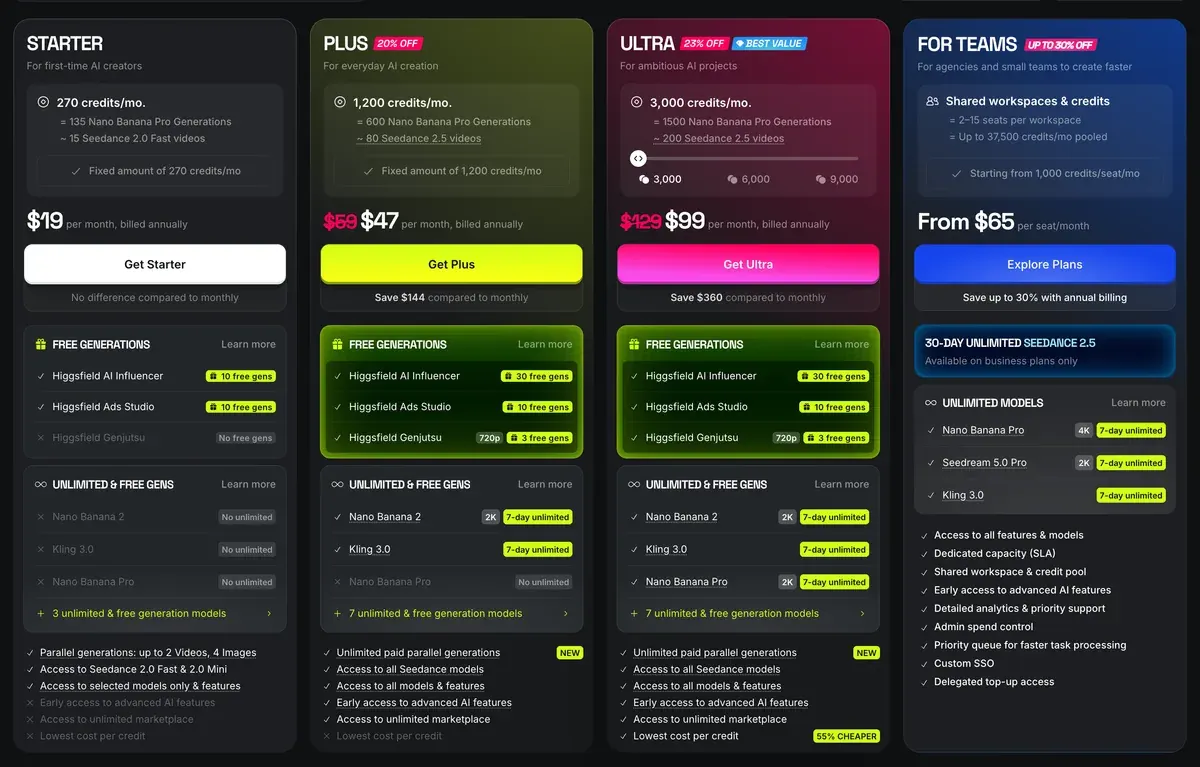
它的 Higgsfield Speak 2.0 引擎在 Plus 與 Ultra 方案提供,720p 每 5 秒約 14 點。聲音複製僅限「你自己的聲音,或已取得本人許可使用的聲音」。
Plus 方案可使用 Seedance 2.5 與 Speak,每月 49 美元(價格頁;完整方案請見 Higgsfield 價格)。
比較表(2026 年 10 月 19 日查閱)列出每 5 秒 22 點。這樣一支 15 秒、720p 的 Seedance 2.0 影片約 66 點。Plus 每月 1,000 點,全部用完的話,約可做 15 段這樣的影片。
步驟 6:去掉 AI 感
未經後製的 AI 影片太乾淨:對比強烈、色彩濃郁、鏡頭穩得不會晃。用剪輯軟體修掉這些。
- 每段影片都剪到第一個音節開始,並剪掉手或標籤出錯的片段。
- 每隔幾秒就切到其他畫面。創作者提到產品時,就給產品特寫。切換畫面也能遮掉一段對嘴不順的地方。
- 整支影片上方加一個調整圖層。把對比降到不再像算圖的程度,再把色彩拉回來。
- 加上輕微到觀眾察覺不到的晃動效果。
- 字幕在剪輯軟體裡加,不要在生成時加,因為 AI 生成的文字會變成亂碼。
- 以 1080p、9:16 匯出。
如果是大尺寸的廣告版位,Higgsfield 的影片放大畫質工具可透過 ByteDance 或 Topaz,把影片提升到 1080p、2K 或 4K。從剪輯到上線的完整流程,請見 AI UGC 廣告怎麼做。
哪裡會出錯,怎麼修
多數失敗的結果,都能追溯到漏掉的一項指示。先找出來,再花點數重試。
| 你看到的狀況 | 原因 | 解法 |
|---|---|---|
| 皮膚像塑膠、過度磨皮 | 用了修飾字眼,沒列出皮膚痕跡 | 刪掉「ultra-realistic」;列出 4 到 7 個一整天留在皮膚上的痕跡 |
| 室內出現攝影棚般的發光 | 沒有寫明光源 | 寫明是窗戶還是燈、在哪一側,以及色溫 |
| 置中、擺拍、直盯鏡頭 | 沒有人拿相機 | 寫明是誰拍的、距離多遠、拿多高 |
| 每個鏡頭換一張臉 | 沒有鎖定 | 訓練 Soul ID,或每次都附上參考表 |
| 特寫時臉部走樣 | 參考表缺少近距離視角 | 加一格特寫;先測試特寫 |
| 標籤文字會變 | 標籤上的字沒有打出來 | 用引號標出標籤上的每個字;使用真實的產品照 |
| 招牌或字幕變成亂碼 | 模型自己編造文字 | 畫面中不要出現文字;字幕在剪輯時加 |
| 嘴型慢半拍或含糊不清 | 台詞太長或太短 | 改寫成每秒約兩個半字 |
| 每段影片聲音不同 | 每次生成都是新的聲音 | 上傳同一個聲音檔,並用 @audio 標記 |
左右滑動查看全部 3 欄
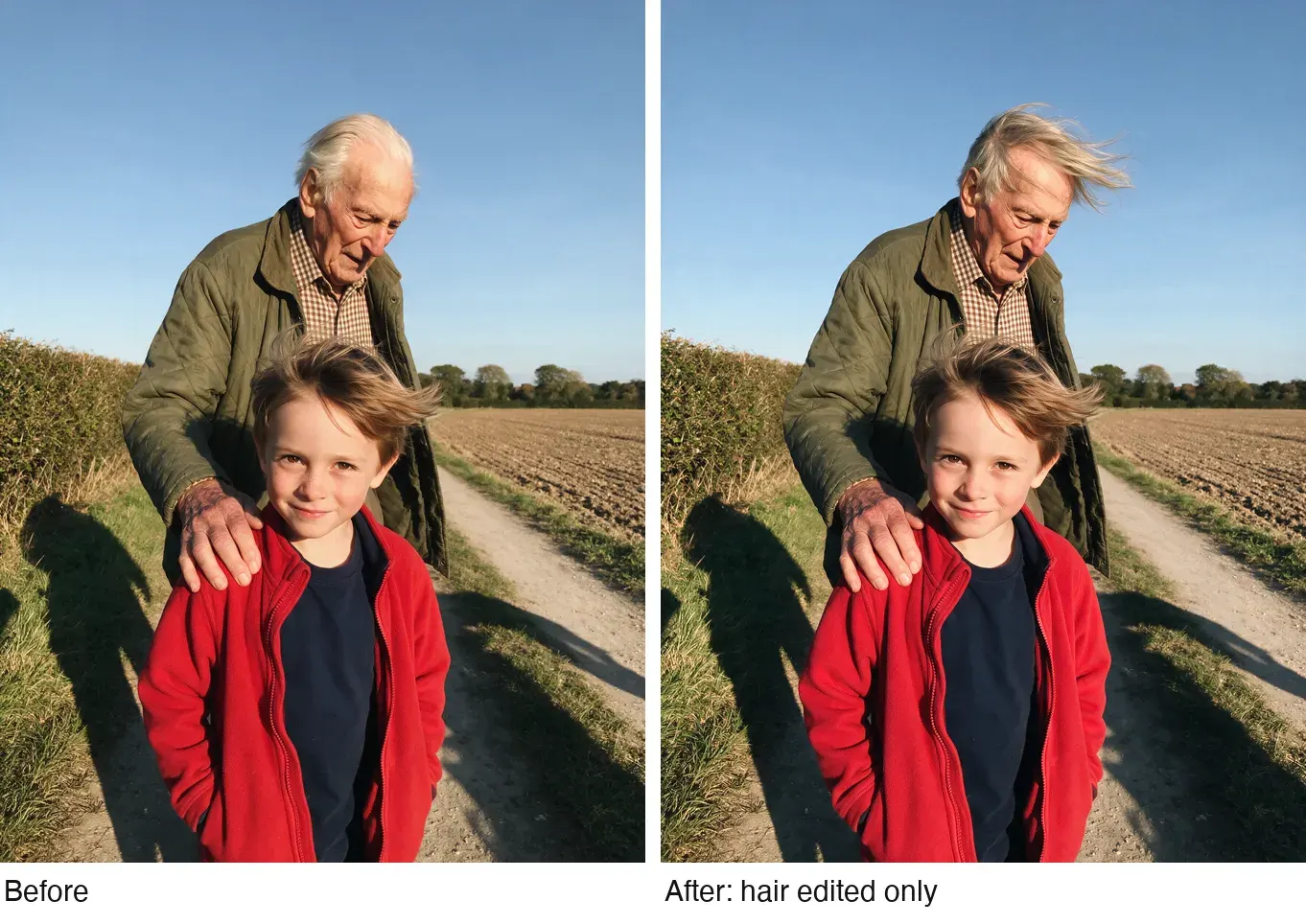
圖片大致正確時,就用編輯的方式修:一條只改一個地方的提示詞,其他部分都會維持原樣。下面這一組,一條提示詞只改了男子的髮型;請看男孩的臉、手和背景,都和原來一樣。
另外四個可直接套用的 UGC 角色
Dana 的選角表在步驟 1,這裡再提供四個。每條提示詞都把一位創作者做成肖像,供步驟 2 與 3 使用。細節可依你的產品替換,但順序要維持:人物、地點、光線、誰拿相機、皮膚。
愛下廚的爸爸,適合廚房與食品品牌:
Head-and-shoulders photo of a 58-year-old Korean American man, thinning grey hair, reading glasses pushed up on his forehead, a faded navy apron over a flannel shirt, against a plain cream wall, lips closed, a patient half-smile. Warm 3000K pendant light from above one side. Taken by his daughter a metre away at eye level on a phone. Skin: deep smile lines, age spots on one temple, stubble missed under the jaw. Fine phone grain, no plastic skin, no watermark, no readable text anywhere.
護理系學生,適合零食、讀書與記帳類 App:
Head-and-shoulders photo of a 24-year-old Mexican American woman in navy scrubs, dark hair in a loose clip with strands falling out, sitting in the driver's seat of a parked car after a shift, head resting back, lips closed. Flat grey daylight through the windscreen, about 6000K. Taken on her own front camera, held just below her chin. Skin: a red mask mark across the nose, mascara softened under one eye, oil sheen on the forehead. Mild phone HDR, no plastic skin, no watermark, no readable text anywhere.
跑者,適合運動服飾與運動恢復產品:
Head-and-shoulders photo of a 41-year-old white Scottish woman, auburn hair in a damp ponytail, a black running jacket zipped to the chin, against a stone park wall in fine drizzle, breathing hard, lips closed, a tight satisfied smile. Overcast light from above, about 6500K. Taken by her running partner a metre away at chest height on a phone. Skin: windburn on both cheeks, freckles, water beads on the forehead, flyaway hairs stuck to one temple. Fine grain, no plastic skin, no watermark, no readable text anywhere.
退休的園丁,適合居家、園藝與健康品牌:
Head-and-shoulders photo of a 67-year-old Black British woman of Caribbean heritage, short silver curls, small hoop earrings, a mustard cardigan with soil on one cuff, at her back door against a pale green frame, lips closed, smiling with her eyes. Low late-afternoon sun from one side, about 3500K. Taken by her grandson a metre away at eye level on a phone. Skin: fine lines around the eyes, dark marks on the cheekbones, dry knuckles. Fine grain, no plastic skin, no watermark, no readable text anywhere.
當成廣告投放的規則
- 平台要求標示的地方就要標示。TikTok 的廣告政策規定,含有「完全由 AI 生成的圖片、影片或音訊」的廣告必須加上標籤(TikTok AI 標籤)。Meta 只要求政治與社會議題廣告自行揭露,其他廣告在偵測到 AI 時,由 Meta 自己加上標籤(Meta AI 揭露)。
- 標示同時也讓 AI 創作者符合 Higgsfield 的條款 5.2(xi);該條禁止在輸出內容並非人類生成時,宣稱「任何輸出內容是人類生成的」。
- 讓角色以創作者的身分對著鏡頭展示產品,不要扮成顧客來講自己的使用成果。依 FTC 的規定,AI 臉孔說出「我已經用了好幾個月」就是虛假的使用者見證(AI UGC 與法規)。Dana 唸出品牌的宣稱並展示冰塊,從不說自己用了幾個月。
- 沒有書面同意,不要使用任何真人的臉或聲音。同一份條款的第 5.3 條規定,你上傳的所有臉孔與聲音,都要由你保證已取得同意。
延伸閱讀
本頁的做法依據 AI Video Bootcamp 教授的技巧,這是 Skool 上的付費課程。Higgsfield 每個分頁的功能請見 Higgsfield 怎麼用,所有 Higgsfield 相關頁面則在 Higgsfield 專區。
- 模型:Seedance、Kling、Nano Banana、AI UGC 提示詞。
- 現成的虛擬人像:Marketing Studio、AI Influencer。方案與條款:Higgsfield 工具介紹。
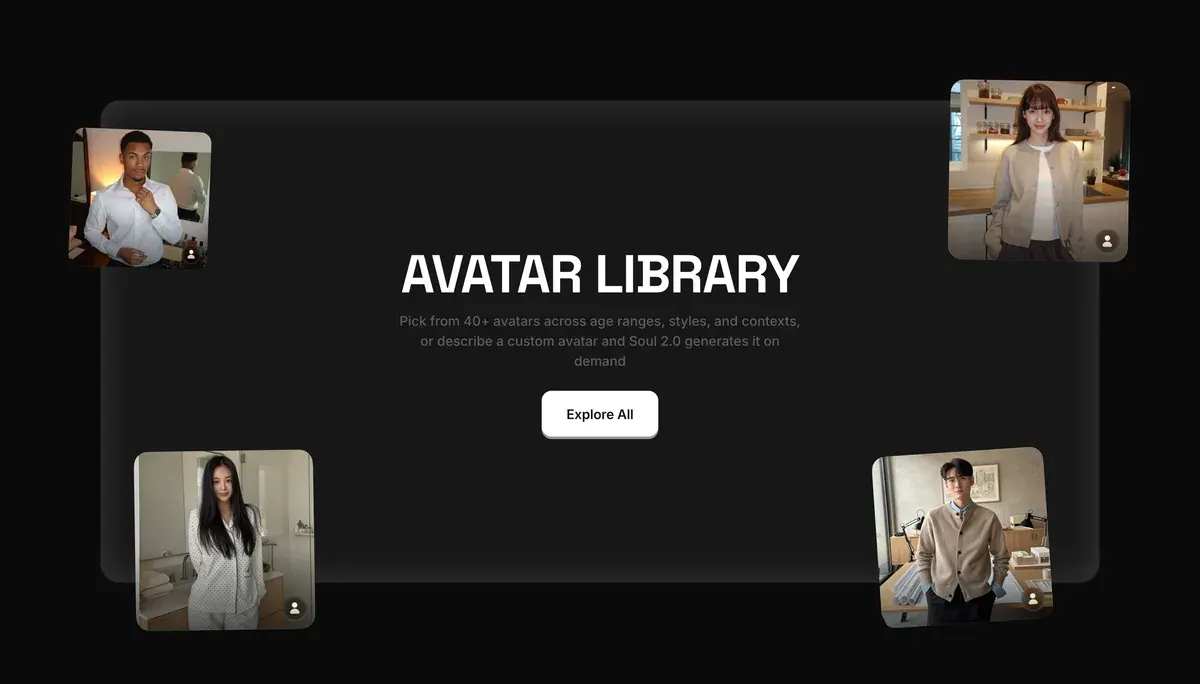
Marketing Studio 是捷徑:Higgsfield 列出 40 個以上的現成虛擬人像,也可以用 Soul 2.0 做一個客製的。
Higgsfield 擬真 AI UGC 常見問題
Higgsfield 做得出擬真的 AI UGC 嗎?
各個環節都有:Soul 2.0 與 Nano Banana Pro 負責臉孔、Soul ID 負責鎖定、Seedance 與 Speak 負責說話影片。公開評價肯定它的圖片表現:一則關於美妝廣告活動的 Trustpilot 評價稱 Soul 的圖片擬真又一致,Reddit 評價討論串也給予好評。
AI 創作者會說法語或西班牙語嗎?
會。Seedance 生成的對嘴支援「多種語言」,Higgsfield 的聲音工具也能把台詞翻成 18 種語言(對嘴說明文章)。用目標語言寫台詞,並在提示詞第一行註明說話的語言。
可以做出自己的 AI 分身嗎?
可以,在 Soul ID 中放入 20 到 80 張自己的照片即可。Higgsfield 自己的規定是:「只能上傳你自己的照片,或已經允許你使用其肖像的人的照片。」
資料來源
- Higgsfield 說明中心:How do I create and use a Soul ID character?,同一個人的 20 張以上照片,最多 80 張;虛構的臉用生成的肖像訓練;Soul 角色會出現在 Elements;更新於 2026 年 9 月 2 日。確認於
- Higgsfield 說明中心:How do I use Soul to generate images?,Soul、Soul 2.0 與 Soul Cinema,比例從 9:16 到 16:9,每批 1 到 4 張,附上參考圖時提示詞欄位會關閉。確認於
- Higgsfield 說明中心:How do I use Seedance?,影片長度、參考圖上限、@character 與 @audio 標記、支援多語言對嘴的原生聲音、Plus 以上方案的 Seedance 2.5;更新於 2026 年 9 月 9 日。確認於
- Higgsfield 說明中心:Lipsync, voiceover and aspect ratios,Lipsync Studio 的引擎從 Higgsfield Speak 2.0 到 Sync Lipsync 3、經授權的聲音複製、翻譯成 18 種語言;更新於 2026 年 9 月 1 日。確認於
- Higgsfield:Higgsfield 價格,在瀏覽器中查閱的比較表:Soul 2.0、Nano Banana Pro、Seedance 2.0 與 Soul ID 上限(2026 年 10 月 19 日);Speak 2.0 與各方案的 Speak(2026 年 10 月 9 日)。確認於
- Higgsfield:AI video upscaler,ByteDance 與 Topaz 提升解析度到 1080p、2K 或 4K。確認於
- Higgsfield:Higgsfield Terms of Use(2026 年 7 月 26 日),4.2(b) 與 5.3 說明肖像與同意、5.2(xi) 說明冒充人類生成的輸出內容、5.5 說明 AI 揭露。確認於
- TikTok:TikTok ads policy, misleading and false content,完全由 AI 生成的圖片、影片或音訊的廣告必須加上標籤;更新於 2026 年 4 月。確認於
- Trustpilot、Reddit 與 YouTube:Higgsfield 使用者反映,彙整 52 個公開來源,確認於 2026 年 9 月 28 日。確認於
本頁更新紀錄
- Higgsfield 價格回落:Starter 按月或按年計費皆為每月 15 美元、200 點,Plus 每月 49 美元,按年計費每月 39 美元,含 1,000 點(原為 Starter 19 美元、270 點;Plus 59 美元,按年計費 47 美元、1,200 點);Ultra 維持每月 129 美元,按年計費每月 99 美元。
- Higgsfield 價格再度上漲:Starter 按月或按年計費皆為每月 19 美元、270 點,Plus 每月 59 美元,按年計費每月 47 美元,含 1,200 點(原為 Starter 15 美元、200 點;Plus 49 美元,按年計費 39 美元、1,000 點);Ultra 維持每月 129 美元,按年計費每月 99 美元。
- Higgsfield 價格調回:Starter 每月 15 美元、200 點,Plus 每月 49 美元,按年計費每月 39 美元,含 1,000 點,Ultra 每月 129 美元,按年計費每月 99 美元,重新有了方案卡(原為 Starter 19 美元、270 點;Plus 59 美元,按年計費 47 美元、1,200 點)。

相關頁面
-
 指南 用 Seedance 製作 AI UGC 廣告
在 35 則使用者評價中,有 10 則提到 Seedance 的人臉過濾會擋下真人與 AI 臉孔。本文說明它的條款要求哪些同意,以及怎麼為 UGC 影片寫提示詞。確認於 2026 年 10 月 2 日。
-
-
 指南 Higgsfield Motion Control
Higgsfield 的 Motion Control 與動作預設怎麼運作、哪些模型支援、要花多少點數,以及適合廣告的範例。確認於 2026 年 10 月 16 日。
-