用 Nano Banana 製作 AI 網紅
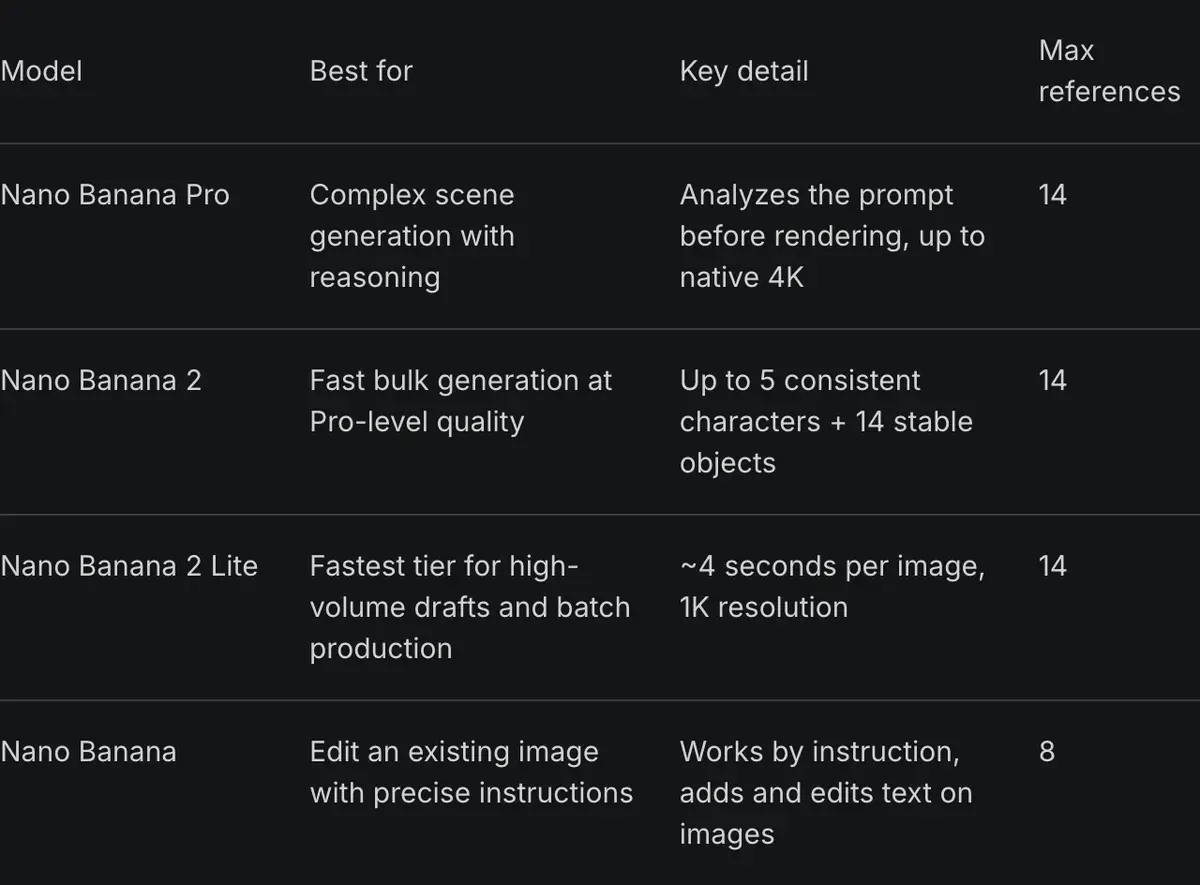
Nano Banana 是 Google Gemini 圖像模型的暱稱,其中 Nano Banana Pro 最適合用來做 AI 網紅,關鍵在參考圖。Google 表示,Pro 一次提示最多可融合 14 張圖片,並維持最多 5 個人物的相似度(Google,2025 年 11 月 20 日)。
對 AI 網紅來說,這代表你可以直接把角色的臉給模型看,不必每次從頭用文字描述。本頁會介紹在哪裡執行、從第一張臉到完成一組照片的 6 個步驟,以及專為本頁撰寫的 10 則提示詞(prompt)。
| 位置 | 取得 Pro 的方式 | 可見的 Gemini 標記 | 入門價 |
|---|---|---|---|
| Gemini App(免費) | 僅限 Nano Banana 2;Pro 需訂閱方案 | 有 | 免費 |
| Gemini App(Google AI Plus) | 「用 Pro 重做」 | Google 未說明 | 每月 4.99 美元 |
| Gemini App(Google AI Pro) | 「用 Pro 重做」 | 有 | 每月 19.99 美元 |
| Gemini App(Google AI Ultra) | 「用 Pro 重做」 | 否 | 每月 99.99 美元 |
| Google AI Studio 與 API | 按張計費 | 否 | 每張 0.134 美元 |
| Higgsfield | 點數,Starter 方案起 | Higgsfield 未說明 | 每月 15 美元 |
左右滑動查看全部 4 欄
Nano Banana Pro 在哪裡用
Nano Banana 模型有 4 個地方可以用,你選哪一個,決定了有沒有浮水印,也決定每月花多少錢。
Gemini App 是免費的入門管道,預設模型是 Nano Banana 2;只要訂閱任一 Google AI 方案(Google AI Plus 以上),就能透過「用 Pro 重做」改用 Pro。Google 說明頁面指出,有方案時可下載 2K,沒有方案則是 1K(Gemini Apps 說明)。
Google AI Studio 與 Gemini API 按張計費。Nano Banana Pro 在 1K 或 2K 解析度下,每張 0.134 美元,API 的圖片輸出沒有免費額度。Google 的發表文章表示,在這裡產生的圖片不帶可見的 Gemini 標記。
Higgsfield 在自家 App 裡提供 Nano Banana Pro,和影片模型共用同一套點數。Pania Thong 的教學影片就在那裡跑 Pro,最高到 4K。

Higgsfield 說明文章指出,Pro 最多可放 14 張參考圖(Higgsfield 說明,2026 年 9 月 9 日修改)。
每張圖片要花多少點數,以及 Unlimited 的使用時段,請看 Higgsfield 上的 Nano Banana。
Higgsfield 還有一條不用先寫提示詞的路。它的 AI Influencer Studio 用 19 項選單設定來建立臉孔,每次執行會產出一張特寫肖像和一張全身照,花費 1.12 點(2026 年 10 月 3 日)。
接著把這兩張圖帶進 Nano Banana Pro 當參考圖。Higgsfield AI 網紅操作導覽有每個畫面的說明。
用 Nano Banana 製作 AI 網紅的步驟
這些步驟依據 Google 的提示詞指南和 Higgsfield 的說明文章,任何能跑 Nano Banana Pro 的地方都適用。
-
把基礎臉孔寫成一個場景。Google 的原則是「描述場景,別只列關鍵字」(Google Developers Blog,2025 年 8 月 28 日)。依序寫出年齡、臉型、髮型、膚質、一個辨識特徵,再寫光線和鏡頭。下面的提示詞 1 就是這樣寫的。
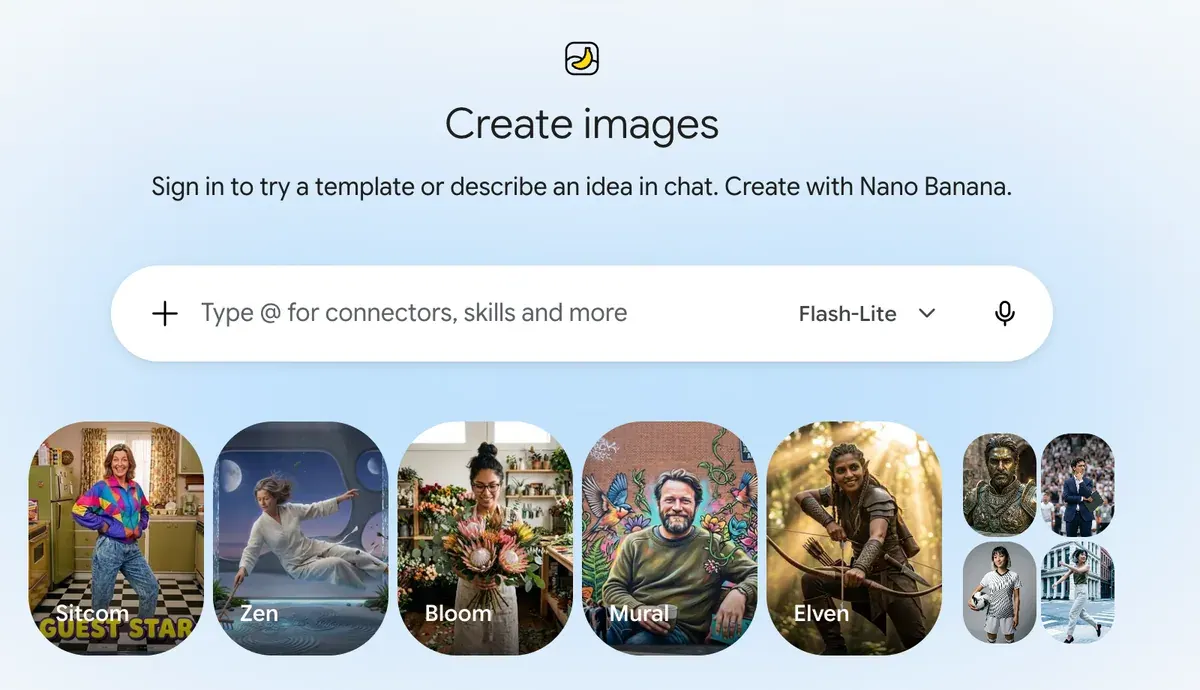
Gemini 的圖片畫面,在這裡用提示詞描述基礎臉孔 Gemini 建立圖片畫面,擷取於 -
從中挑一張定案,建立參考圖組:要求同一個人的正面、四分之三側面和側臉(提示詞 2)。往後每次都附上這三張圖。
創作者在 Nano Banana Pro 中建立角色設定圖,讓後續圖片都維持同一張臉 影片:Consistent Character Sheets Explained: The Nano Banana Pro Method That Actually Works 🚀,JACKY AI FLOW,YouTube,。 -
附上參考圖,並說明每一張的用途。Higgsfield 說明文章建議「在提示詞中說明每張參考圖的角色」(Higgsfield 說明)。寫成「第1到第3張圖裡的男人」,模型就知道這幾張是臉,其他的圖則是產品或場景。
How do I generate with Nano Banana Pro?
Open higgsfield.ai → Image → Nano Banana Pro.
Choose your input mode: Text-to-Image, Multi-reference, or Image-to-Image.
Write a clear, specific prompt. Describe the subject, setting, lighting, and any specific quantities or text. Be explicit.
Add references if needed (up to 14), and describe the role of each reference in the prompt.
Set the resolution. Start at 1K when iterating, scale to 2K or up to native 4K for final assets.
Generate and iterate. If something is off, change the prompt or the reference, not both at once.
Higgsfield 的說明文章列出製作 Nano Banana Pro 圖片的五個步驟,起點是先開啟 Image,再選 Nano Banana Pro。 Higgsfield, Help centre: Nano Banana, -
換裝和換場景,一次只改一樣。臉部參考圖保持附上,用白話描述要改的衣服或背景(提示詞 3 和 4)。Higgsfield 對重試的建議:提示詞和參考圖只改一個,別兩個一起改。
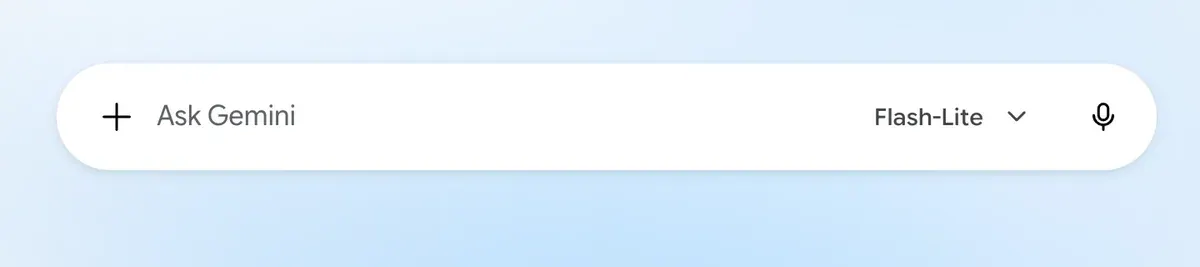
Gemini 的對話框:先用加號按鈕附上臉部參考圖,再輸入要修改的內容 Gemini 對話輸入框,擷取於 -
產出整組照片。用同一組參考圖,依序跑提示詞 5 到 10。照 Higgsfield 的建議先用 1K 出草稿,滿意的再用 2K 或 4K 重跑。
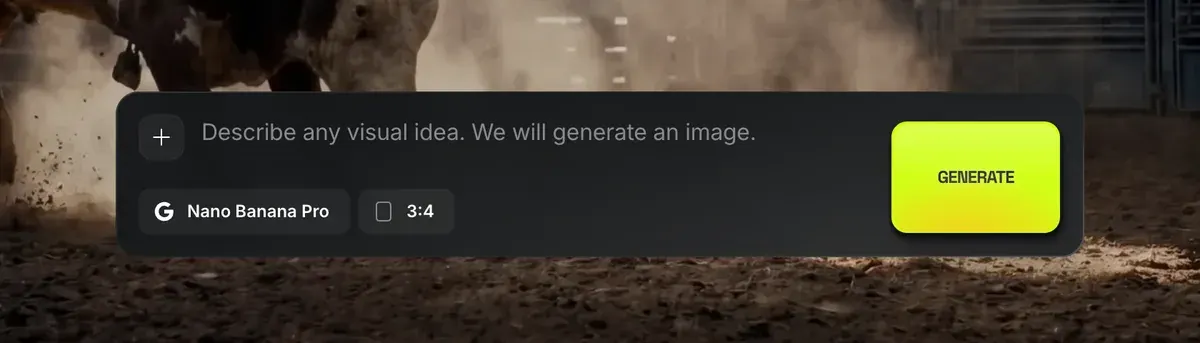
Higgsfield 的 Nano Banana Pro 提示詞列:用加號按鈕加入參考圖 Higgsfield Nano Banana Pro 提示詞列,擷取於 -
臉開始走樣就重來。Google 的指南指出,多次編輯後特徵偏掉時,開新對話並貼上詳細的角色描述會有幫助。開一個新對話,貼上提示詞 1 裡的描述,再重新附上那三張參考圖。
Gemini 側邊欄:按「New chat」開新對話,就能重置走樣的臉 Gemini 側邊欄 New chat,擷取於

使用者也提到同樣的優點:臉在不同圖片之間能維持一致,一則提示詞可以合併多張參考圖(38 項來源中有 5 項提到:r/midjourney、r/nanobanana)。
10 則 AI 網紅 Nano Banana 提示詞
這裡的角色是 Theo,一位 31 歲的家庭廚師。把他的設定換成你自己的角色,有了參考圖之後,仍保留「第1到第3張圖裡的男人」這個寫法。
1. 基礎臉孔
A photorealistic close-up portrait of a 31-year-old man with a square jaw, light brown skin, short black curly hair faded at the sides, a neatly trimmed short beard, warm brown eyes and a thin white scar through his left eyebrow. He looks straight at the camera with a relaxed half-smile. Soft daylight from a large window on his right, plain off-white wall behind him. Captured with an 85mm portrait lens at eye level, emphasising natural skin texture and pores. Square 1:1 format.
2. 參考圖組
Using the man in image 1, create a character reference sheet of the same man shown three times side by side on a plain light grey background: front view, three-quarter view facing left, and side profile facing left. Keep his face, scar, beard and hair exactly the same in all three. He wears a plain charcoal crew-neck T-shirt. Even soft studio light. 16:9 format.
3. 換裝
Keep the man in images 1 to 3 exactly as he is: same face, scar, beard and hair. Change only his clothes to a dark green chore jacket over a white T-shirt, with a canvas apron tied at the waist. Same pose, same background, same light.
4. 換場景
Place the man in images 1 to 3 in a small home kitchen with open wooden shelves, jars of spices and a gas hob behind him. He stands at the counter facing the camera, sleeves rolled up, both hands resting on a wooden chopping board. Morning light from a window on the left. Keep his face exactly as in the references. Shot on a phone at chest height, 4:5 vertical.
5. 下廚抓拍
A candid photo of the man in images 1 to 3 tossing vegetables in a steel pan over a high flame, looking down at the pan and laughing, steam rising. He wears a dark green chore jacket over a white T-shirt, sleeves pushed up. Warm light from the hob and a cooler window light behind him. Shot by a friend on a phone, slight motion blur on the food, 4:5 vertical.
6. 市場採買分享
A photo of the man in images 1 to 3 at an outdoor food market, holding a paper bag of tomatoes in one arm and pointing at a crate of lemons with the other hand, talking to someone off camera. He wears a navy overshirt and a grey beanie. Overcast daylight, colourful produce stalls behind him. Shot with a 35mm lens at eye level, 4:5 vertical.
7. 手持產品
把產品照片附成第4張圖。
The man in images 1 to 3 holds the olive oil bottle in image 4 at shoulder height, label facing the camera, in his kitchen. He smiles with his mouth closed. Keep the bottle's label, shape and colour exactly as in image 4. Soft window light from the left. Shot on a phone at arm's length, the bottle in sharp focus, 4:5 vertical.
8. 晚餐餐桌俯拍
A top-down photo of a wooden dinner table set for four, with a large dish of roast chicken and vegetables in the centre. The man in images 1 to 3 leans in from the top of the frame, placing a bowl of salad, his face visible and smiling down at the food. Warm evening light from a pendant lamp. 4:5 vertical.
9. 鏡子自拍(出門準備)
A mirror selfie of the man in images 1 to 3 in a hallway, holding a phone at chest height, wearing a camel wool coat over a black roll-neck. The phone covers part of his chin. Daylight from a door behind the camera, a coat rack beside the mirror. 9:16 vertical, phone camera look.
10. 帶文字的限時動態封面
A vertical 9:16 photo of the man in images 1 to 3 holding up a wooden spoon and raising one eyebrow at the camera, in his kitchen. At the top of the image, in bold white sans-serif letters, the words "5 MINUTE PASTA". Leave the bottom third of the image clear of text. Bright, even light.
提示詞 10 會把文字放進圖裡。38 項使用者來源中有 4 項指出,Nano Banana 很貼近提示詞,短文字也能拼對(r/midjourney、r/ideogramai)。想看跨工具的更多提示詞,請見 AI 網紅提示詞。
Nano Banana 浮水印與其他限制
每張 Nano Banana 圖片的像素裡,都藏著肉眼看不到的訊號,也就是 Google 的 SynthID 浮水印。Google 開發者頁面寫明「所有生成的圖片都包含 SynthID 浮水印」(Gemini API 文件)。Google 的發表文章也提到,可以把圖片上傳到 Gemini App,確認是否由 Google AI 製作。
可見標記則是另一回事。Google 發表文章指出,免費使用者和 Google AI Pro 使用者的圖片,會保留 Gemini 閃光標記;Google AI Ultra 訂閱者和 Google AI Studio 則會移除。如果你的動態想營造手機相簿的隨手拍感,這個閃光標記就決定了你該在哪裡跑模型。
Google 的條款對帳號本身也有規定,禁止「誤導他人,讓人以為生成式 AI 內容是由人類創作」(Google 服務條款)。把角色當成真人發文就違反這一條,所以要標示為 AI。各平台要求標示的位置,請見 AI 網紅合法嗎?
根據 38 項公開來源中的使用者反映,角色帳號還會碰到另外 4 項限制:
- 內容審查會拒絕無害的編輯,使用者自己的臉還被判定為公眾人物(38 項來源中有 5 項提到:r/nanobanana、r/nanobanana)。
- 付費訂閱 Gemini 的使用者,下載到的是 1K 或壓縮過的檔案,而不是 2K(38 項中有 4 項:r/GeminiAI、r/GeminiAI)。
- 每日額度會在沒有預警的情況下下降,Pro 還會退回較弱的模型(38 項中有 4 項:r/nanobanana、r/GeminiAI)。
- 同一則提示詞,每次跑出來的圖都不一樣(38 項中有 3 項:r/GeminiAI、r/nanobanana)。
最後一項的解法,就是步驟 2 的參考圖組。想讓同一張臉撐過上百篇貼文,訓練專屬的角色身分效果更好;如何讓 AI 角色保持一致比較了各種做法。
把 Nano Banana 靜態圖變成影片
Nano Banana 只做靜態圖,影片要靠第二個模型。上傳最滿意的那張圖,描述哪裡要動。Rose Creates AI 的教學影片走的就是這條路:從 Nano Banana Pro 靜態圖到 Seedance 2.0 影片。
Kling 的指南把提示詞寫成「主體加動作」,適用於 5 秒或 10 秒的影片(Kling 指南,2025 年 11 月 24 日)。
Higgsfield 把兩個步驟放在同一個點數餘額裡。它的 AI Influencer 工具能把 3 到 30 秒影片的動作,套到你的角色身上(產品頁面);發表文章寫的是 4 到 30 秒。AI 網紅專區整理了所有影片做法,包括對鏡頭說話的那種。
Higgsfield 使用者認為,一個帳號、一份餘額就能用多個模型是優點(52 項來源中有 6 項:YouTube、YouTube)。他們也反映 Unlimited 走的是慢速佇列,等待時間從 20 分鐘到 2 小時以上不等(52 項中有 8 項:Trustpilot、Reddit)。
Nano Banana AI 網紅常見問題
Nano Banana Pro 能免費用來做 AI 網紅圖嗎?
Gemini App 裡不行。Google 說明頁面寫的是,要有 Google AI 方案才能用 Pro,API 的圖片輸出也沒有免費額度。Google Flow 提供有限的 Pro 免費使用額度。免費版 Gemini App 跑的是 Nano Banana 2,並帶有可見的 Gemini 標記。
 做 AI 網紅,該選 Nano Banana 2 還是 Nano Banana Pro?
臉孔和參考圖組選 Pro,Google 表示最多可用 14 張圖維持 5 個人物的一致性。多人場景選 Nano Banana 2:Higgsfield 說明文章指出,它在同一個場景中最多可維持 5 個角色一致。
參考圖要用幾張?
本頁用 3 張臉部圖:正面、四分之三側面和側臉。每個產品或場景再各加一張圖,並在提示詞裡說明每張圖是什麼。
Nano Banana 的浮水印可以移除嗎?
SynthID 浮水印不行,每張圖都會留著。可見的閃光標記在 Google AI Ultra 和 Google AI Studio 則不會出現。
下一篇 Higgsfield:Nano Banana Pro 應用案例
資料來源
- Google:Introducing Nano Banana Pro,2025 年 11 月 20 日發布:最多融合 14 張圖片、維持最多 5 個人物的相似度;所有圖片都有 SynthID;免費與 Google AI Pro 使用者的圖片保留可見的 Gemini 閃光標記,Google AI Ultra 與 Google AI Studio 則移除。確認於
- Google AI for Developers:Image generation with Gemini,各模型的參考圖上限、1K、2K 與 4K 輸出,以及
「所有生成的圖片都包含 SynthID 浮水印」
。確認於 - Google Developers Blog:How to prompt Gemini 2.5 Flash Image Generation for the best results,2025 年 8 月 28 日發布:
「描述場景,別只列關鍵字」
、寫實照片範本,以及特徵走樣時改開新對話並貼上完整描述。確認於 - Google Gemini Apps Help:Generate and edit images with Gemini Apps,Google AI 方案可用 Nano Banana Pro 作為重做步驟、有方案可下載 2K,沒有則為 1K、可合併多張上傳的圖片。確認於
- Higgsfield 說明中心:How do I use Nano Banana?,2026 年 9 月 9 日修改:Nano Banana Pro 與 Nano Banana 2 最多可放 14 張參考圖、在提示詞中說明每張參考圖的角色、Nano Banana 2 在同一場景最多維持 5 個角色一致、反覆調整時先從 1K 開始、提示詞和參考圖只改其中一個。確認於
- Higgsfield:AI Influencer,2026 年 10 月 3 日:19 項選單設定、每次執行產出一張肖像和一張全身照,花費 1.12 點、可從 4 到 30 秒的參考影片轉移動作。確認於
- Higgsfield:AI Influencer Studio,動作取自 3 到 30 秒的參考影片、1080p 輸出。確認於
- Google:Google 服務條款,Google 不主張生成內容的所有權;禁止誤導他人,讓人以為生成式 AI 內容由人類創作。確認於
- Kling AI:Image to video guide,2025 年 11 月 24 日:主體加動作,5 秒或 10 秒影片。確認於
- Reddit、Trustpilot 與 YouTube:使用者對 Nano Banana 與 Higgsfield 的反映,彙整 90 項公開來源:Nano Banana 38 項、Higgsfield 52 項。確認於

相關頁面
-
 工具介紹 Nano Banana 產品廣告
Google API 上,1K 的 Nano Banana 2 圖片每張 0.067 美元,Pro 為 0.134 美元;Gemini App 未公布圖片張數。條款與 SynthID 於 2026 年 10 月 2 日確認。
-
 指南 Higgsfield 上的 Nano Banana
Higgsfield 上的 Nano Banana Pro 每張圖 2 點,與 Nano Banana 2 相同,4K 則要 4 點。免費使用、Unlimited 與操作步驟。點數於 2026 年 10 月 9 日查閱。
-
 比較 Midjourney vs Nano Banana 廣告比較
年營收超過 1 百萬美元的公司,必須用 Midjourney Pro 或 Mega 才能擁有輸出內容;低於 Pro 的方案,圖片是公開的。Nano Banana 2:API 每張圖 0.067 美元。確認於 2026 年 10 月 2 日。
-