AI 網紅提示詞
AI 網紅提示詞,就是一段文字描述,圖像模型會依它生成你的角色。訣竅是為這個人寫一份基本描述,每個場景都逐字沿用。臉孔不變,周圍的咖啡館或健身房則隨場景更換。
本頁提供整套做法:五段式公式、一份基本角色設定圖、依此延伸的 12 組套圖提示詞,以及 4 組影片提示詞。這些提示詞全部是為本頁撰寫的。可直接貼到 Nano Banana、Midjourney、ChatGPT 或 Higgsfield,各工具的差異請看後面說明。
| 部分 | 要寫什麼 | 解決什麼問題 |
|---|---|---|
| 主體 | 年齡、臉型、髮型、膚質、體型、一個特徵記號 | 每次都是同一個人 |
| 服裝 | 衣物、顏色、布料 | 符合領域的衣著 |
| 場景 | 地點、時段、道具 | 每則貼文都會變的場景 |
| 相機 | 鏡頭類型、焦段、角度、手機或相機 | 看起來像自拍還是專業拍攝 |
| 光線 | 光源、方向、顏色 | 整體氛圍,以及自然受光的膚質 |
左右滑動查看全部 3 欄

AI 網紅提示詞公式,逐項拆解
依序寫出這五個部分,並且用完整的句子。Google 對自家圖像模型的建議很直白:「描述場景,不要只列關鍵字」(Google Developers Blog,2025 年 8 月 28 日)。像「woman, 25, blonde, beach, 8k」這種標籤堆疊,會讓模型自己去猜中間所有的細節。
Higgsfield 的說明文章,為它的 Popcorn 模型提供了一套相近的結構,並補充說明:要用編號來指定每張參考圖。
How do references work?
Popcorn accepts up to 4 image references (portraits, props, locations) and merges them into one sequence: address each by its number in the prompt. For example: “Man from image one in the setting of image three, wearing the outfit from image four.”
Structure the prompt like a film cue: Subject, Setting, Style, Action, Atmosphere.
主體是你永遠不改的部分。為角色定下固定的年齡、臉型、眼睛顏色、髮型、膚色和體型,再加上一個明顯特徵,例如小疤痕或門牙縫。這個特徵讓模型在每張圖裡都有固定的依據。
服裝和場景每則貼文都會換。描述要具體:「一件鏽紅色亞麻襯衫」給模型的線索,比「休閒服」多得多。
相機與光線,決定畫面看起來像手機照片還是攝影棚作品。Google 的範本要求寫出鏡頭類型、光線描述和「相機/鏡頭細節」,並以 85mm 人像鏡頭作為柔焦背景的範例。要做 Instagram 動態,就寫「shot on a phone」,下面 12 組提示詞中就有 8 組這樣寫。
基本角色設定圖提示詞
先做一張角色設定圖:一張圖裡呈現同一個人的多個角度,之後每個提示詞都把它當參考圖使用。這裡的範例角色是 Maya,一位 27 歲的跑步教練;換成你自己的設定,結構照用即可。AI Video School 的教學影片,示範了如何在 Nano Banana 製作這樣的設定圖,並公開了提示詞。
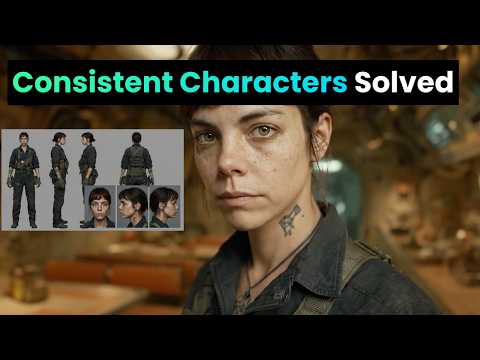
A character reference sheet of one woman, shown four times on a plain light grey background: front view, three-quarter view, side profile and full body standing. She is 27, with an oval face, warm olive skin, dark brown eyes, thick straight eyebrows, a small beauty mark under her left eye and shoulder-length dark brown wavy hair with a centre parting. Athletic, slim build, 170 cm tall. She wears a plain white fitted T-shirt and black running leggings. Neutral expression, mouth closed. Even soft studio light from the front, no shadows on the background. Photographed with a 50mm lens at eye level, sharp focus, natural skin texture with visible pores. Same face, hair and proportions in all four views.
把從「She is 27」到「centre parting」的那段描述存成一個文字區塊。這個區塊就是你的主體,下面每個提示詞都原封不動放進去。後面的提示詞裡,[SUBJECT] 就代表這個區塊。
12 組 Instagram 套圖提示詞
下面每個提示詞都保留主體區塊,只改服裝、場景、相機和光線。工具允許的話,請附上角色設定圖當參考圖。每次只改一個部分,這樣才看得出是哪個改動影響了結果。
咖啡館的早晨
A candid phone photo of [SUBJECT], sitting at a small marble table by the window of a busy neighbourhood café, holding a flat white with both hands and laughing at something off camera. She wears an oversized cream knit jumper. Morning sun from the window on her left, warm and soft. Shot on a phone at table height, slight grain, 4:5 vertical.
健身房訓練
A photo of [SUBJECT], mid-set on a cable machine in a concrete-walled gym, focused expression, a light sheen of sweat on her forehead. She wears a black sports bra and grey high-waisted leggings, hair tied in a low ponytail. Overhead fluorescent light mixed with daylight from a high window. Shot by a friend on a phone from three metres away, 4:5 vertical.
鏡子自拍
A mirror selfie of [SUBJECT] in a bright bedroom, holding a phone in a clear case in front of her chest, the phone covering part of her chin. She wears high-waisted light blue jeans and a white cropped tank top. Daylight from a window behind the camera. The mirror has a thin wooden frame, an unmade bed is visible behind her. 9:16 vertical, phone camera look.
手持商品
A close-up photo of [SUBJECT] holding a small amber glass serum bottle at chin height, label facing the camera, smiling with her mouth closed. She wears a white towelling robe. Soft bathroom light from a frosted window on her right, white tiles behind her. Shot on a phone held at arm's length, the bottle in sharp focus, 4:5 vertical.
旅行:老城區街道
A full-length photo of [SUBJECT] walking down a narrow cobbled street lined with pastel houses, looking back over her shoulder at the camera. She wears a rust-coloured linen shirt, white wide-leg trousers and flat leather sandals, a canvas tote on one shoulder. Late afternoon golden light from behind her, long shadows. Shot on a 35mm lens from street level, 4:5 vertical.
海邊慢跑
A photo of [SUBJECT] running along wet sand at the edge of the sea, mid-stride, arms pumping, relaxed face. She wears a teal running vest, black shorts and white running shoes. Early morning, low sun to her right, light mist over the water. Shot from the side with a 70mm lens, slight motion blur on the waves, 4:5 vertical.
廚房備餐
A photo of [SUBJECT] standing at a wooden kitchen counter, chopping vegetables on a board, glass meal-prep boxes lined up beside her. She wears a sage green T-shirt and an apron. Daylight from a window above the sink, warm under-cabinet lights. Shot from across the counter at chest height on a phone, 4:5 vertical.
屋頂黃金時刻
A portrait of [SUBJECT] leaning on a rooftop railing at sunset, city blocks soft in the background, wind moving her hair. She wears a black slip dress and small gold hoop earrings. Low warm sun behind her as a rim light, her face lit by the bounce from a pale wall. Shot with an 85mm lens, shallow depth of field, 4:5 vertical.
書桌:在家工作
A photo of [SUBJECT] sitting cross-legged on a desk chair, laptop open, writing in a paper notebook, a plant and a mug on the desk. She wears a grey hoodie and her hair in a loose bun with a pencil through it. Overcast daylight from a window to her left. Shot from the side at desk height on a phone, 4:5 vertical.
夜晚外出
A flash photo of [SUBJECT] at a small bar, sitting on a stool and raising a glass towards the camera, a friend's shoulder blurred at the edge of the frame. She wears a satin emerald top and red lipstick. Direct on-camera flash, dark warm background with bokeh from string lights. Phone camera with flash, 4:5 vertical.
公園伸展
A photo of [SUBJECT] stretching her hamstring on a park bench after a run, smiling at the camera, earbuds in. She wears a lavender long-sleeve running top and black leggings. Bright overcast morning, soft even light, autumn trees behind her. Shot at eye level from two metres with a 50mm lens, 4:5 vertical.
開箱:俯拍
A top-down photo of [SUBJECT]'s hands and lap as she opens a matte black shoebox on a light wooden floor, tissue paper folded back, new trainers inside. Her face is visible at the top of the frame, looking down and smiling. She wears a cream sweatshirt. Daylight from a nearby window. Shot from above on a phone, 4:5 vertical.
AI 網紅影片提示詞
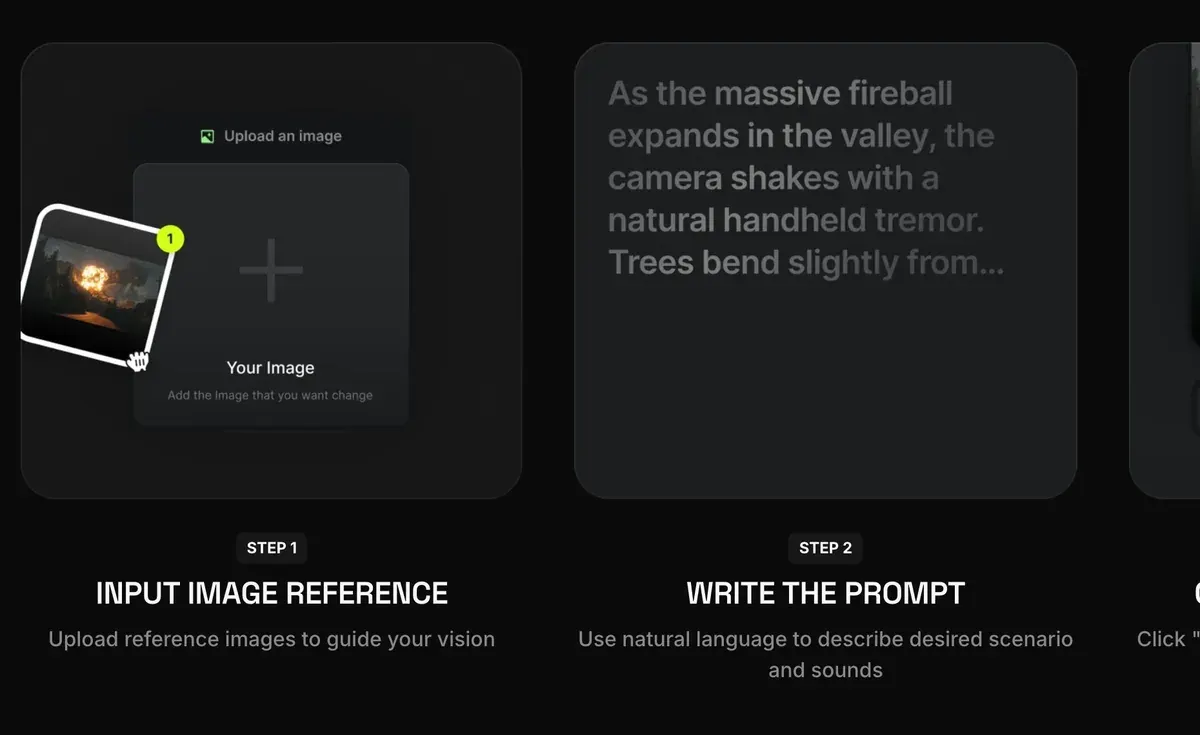
影片工具從一張你滿意的角色靜態照出發。你上傳照片,提示詞只描述會動的部分。Rose Creates AI 的教學就是走這條路線:從 Nano Banana Pro 靜態照,做到 Seedance 2.0 影片。

Kling 把圖片生成影片的公式定為「主體加動作」,適用於 5 秒或 10 秒的影片(Kling 指南,2025 年 11 月 24 日)。它也提醒,描述和圖片差太多,可能會造成鏡頭切換。所以提示詞裡絕不重新描述她的臉。
咖啡館靜態照變成 5 秒影片
The woman lifts the cup, takes a sip, then lowers it and smiles towards the window. Steam rises from the cup. The camera stays still at table height. Natural, unhurried movement.
從鏡子自拍到穿搭檢視
The woman turns slowly to her left to show the side of her outfit, then back to face the mirror, keeping the phone in front of her chest. Her hair moves with the turn. The camera does not move.
限時動態用的產品短片
The woman raises the serum bottle closer to the camera, tilts it so the label catches the light, then lowers it and nods. Slow push-in on her face and the bottle. No cut.
說話短片,10 秒
The woman looks straight into the camera and speaks in a friendly, relaxed tone, small head movements and natural blinking, as if recording a story on her phone. The camera is handheld and moves very slightly. Background stays the same.
想用自己的腳本和聲音做說話影片,可以用唇形同步工具,依音訊生成嘴部動作。Higgsfield 的唇形同步介紹這條路線,AI 網紅專區則整理了從臉孔到發布影片的完整流程。
Midjourney、ChatGPT、Higgsfield 與 Nano Banana 的提示詞須知
上面的提示詞都是一般句子,貼到哪個工具都能用。差別在於各工具保持臉孔一致的方式。
 Midjourney AI 網紅提示詞
Midjourney 在 2026 年 7 月 24 日推出 V8.2(Midjourney)。較早的 Omni Reference 參數 --oref(搭配權重 --ow),只適用於 Version 7。Midjourney 說明頁把權重範圍訂為 1 到 1,000(預設 100),並建議不要超過 400。使用 Omni Reference 的圖片,消耗的 GPU 時間是一般 V7 圖片的兩倍(Omni Reference)。
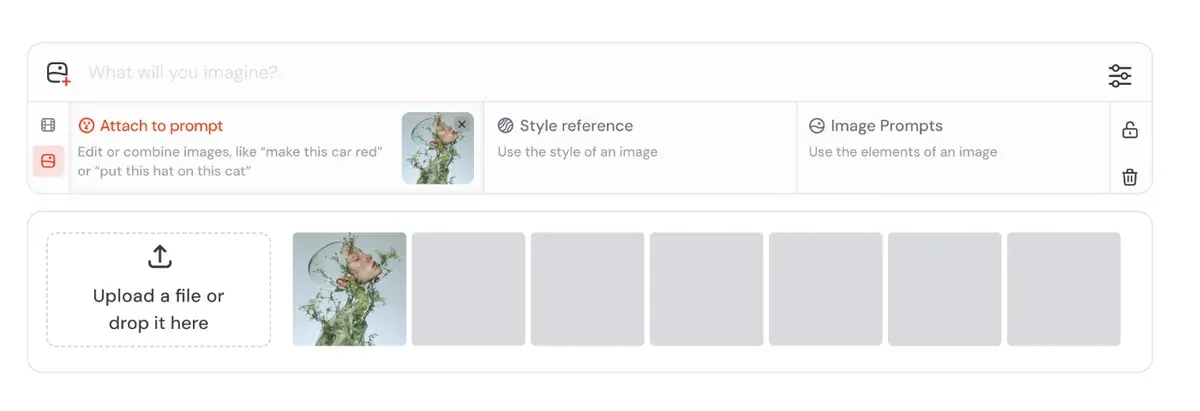
在 V8.2 上,Edit Model 一次最多可帶入 4 張圖片參考,並且「取代 omni-reference」。Midjourney 在 2026 年 8 月 27 日開始「讓所有人測試」(Midjourney 更新)。把角色設定圖附在那裡,或在 Discord 使用 --edit。
使用者肯定 Midjourney 有風格化、電影感的畫面(47 個來源中有 13 個:r/midjourney、G2)。至於整組圖維持同一張臉,使用者反映它不如 Nano Banana 和 GPT Image(47 個中有 5 個:r/midjourney、r/midjourney)。
Midjourney 沒有免費方案,方案每月 10 美元起。
 ChatGPT AI 網紅提示詞
ChatGPT 是以對話方式運作:上傳角色設定圖、貼上一組套圖提示詞,再用白話請它修改。OpenAI 的說明文章提到,有可以只編輯某個區域的選取工具,以及長寬比選擇器,並補充說,在提示詞裡點名要修改的區域,修改比較不會跑到別處(Images in ChatGPT)。
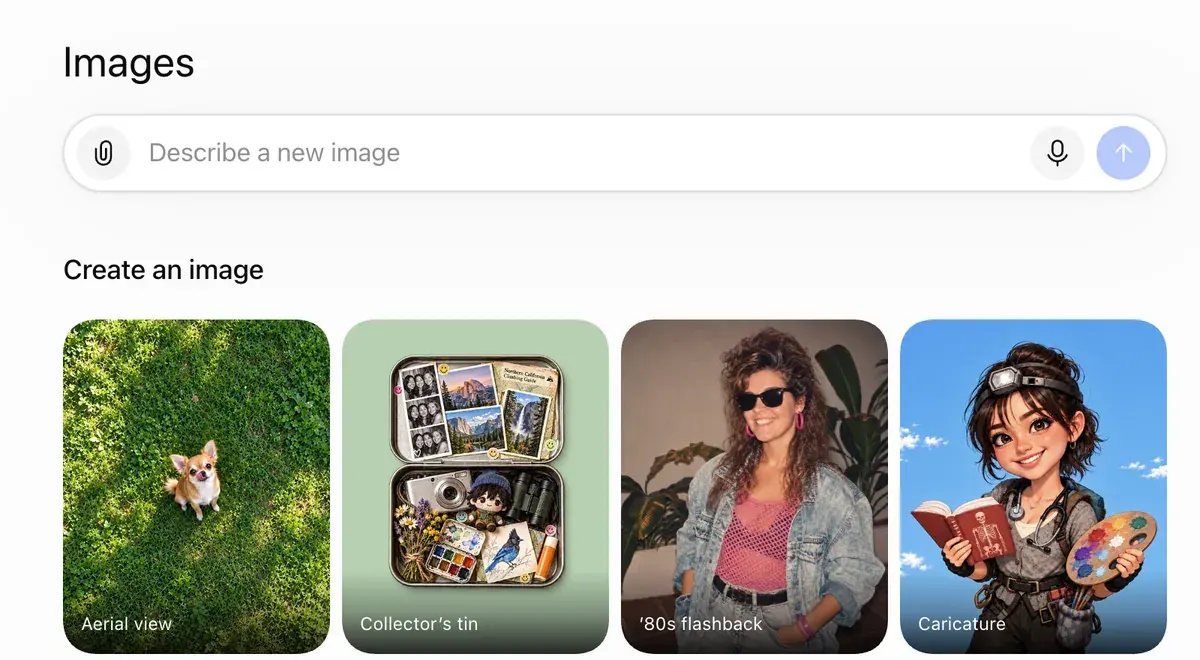
每次要求修改,都要點名哪些部分要保持不變:「臉、頭髮和美人痣都維持原樣,只換毛衣」。使用者反映,修改時會連不該動的地方一起改掉(34 個來源中有 7 個,其中包括 Trustpilot)。
另有 34 個來源中的 6 個表示,不仔細下提示詞的話,人物看起來會很有 AI 感(YouTube、r/FacebookAds)。公式裡的相機和光線兩項,就是為了解決這個問題。
ChatGPT 也能幫你寫提示詞。把公式表貼給它,請它用同樣的五個部分寫出十個新場景,主體區塊則維持不動。
 Higgsfield AI 網紅提示詞
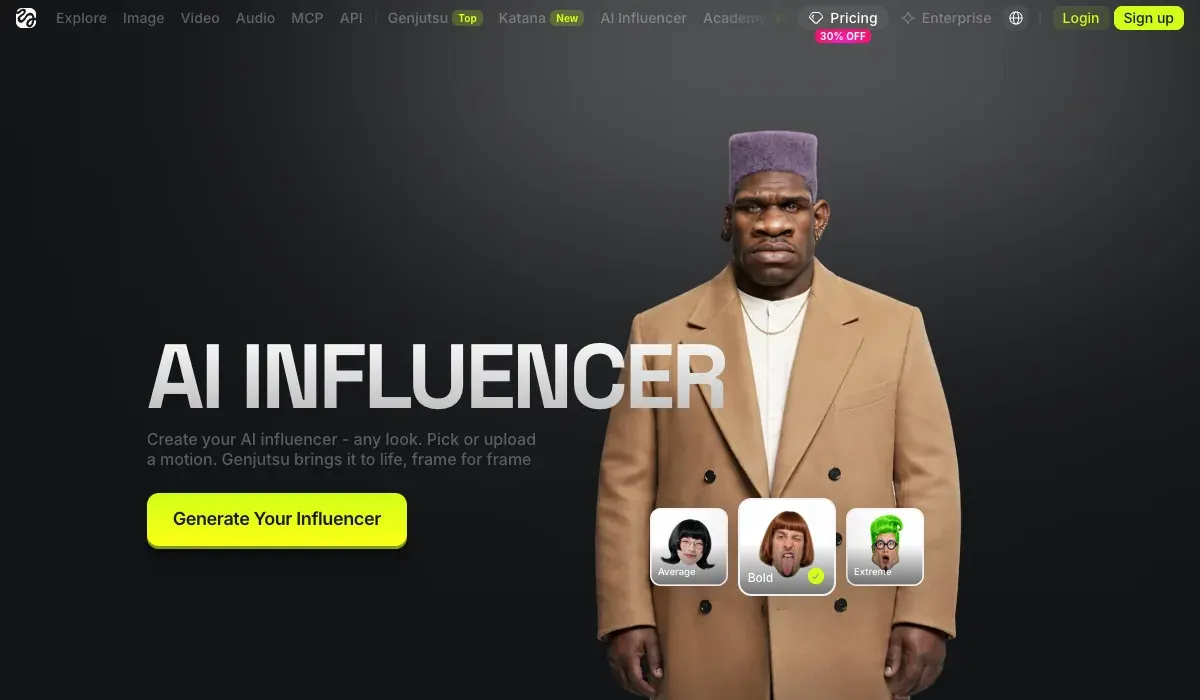
Higgsfield 的 AI Influencer Studio 不需要為臉孔寫提示詞,角色由 19 個選單設定建立。每次生成會產出一張特寫肖像和一張全身照,需 1.12 點數(2026 年 10 月 3 日)。之後要輸入的文字,只剩簡短的修改指令,產品頁舉的例子是「幫她剪成平頭」。
How do I use AI Influencer?
AI Influencer is Higgsfield’s visual character builder for virtual personas. Every attribute is configured from menus in the Builder panel, with no prompt writing required, and characters generate at up to 4K. AI Influencer supports human and non-human characters, finished characters are saved to your character library for reuse, and you can turn a character into video or refine it with a text edit right there.
What is AI Influencer? AI Influencer works like a game character creator: you select each attribute from menus. The Builder panel covers the base identity: Character Type, Gender, Ethnicity / Origin Base, Skin Color, Eye Color, Skin Conditions, and Age. Below it, Advanced settings opens three tabs, Face, Body, and Style, with the full attribute set. Reset clears the configuration and starts over.
製作套圖時,提示詞又派上用場。Soul ID 用 20 張以上的角色照片訓練,約需 3 到 5 分鐘;訓練完成後從 Character 分頁選取,就不用再描述臉孔(Soul ID 發表文章,2026 年 6 月 15 日)。
What is Soul ID?
Train once and reuse the identity.
A trained Soul ID works across the Soul family.
使用 Soul ID 時,把上面套圖提示詞中的 [SUBJECT] 拿掉,其後的內容照原樣保留。
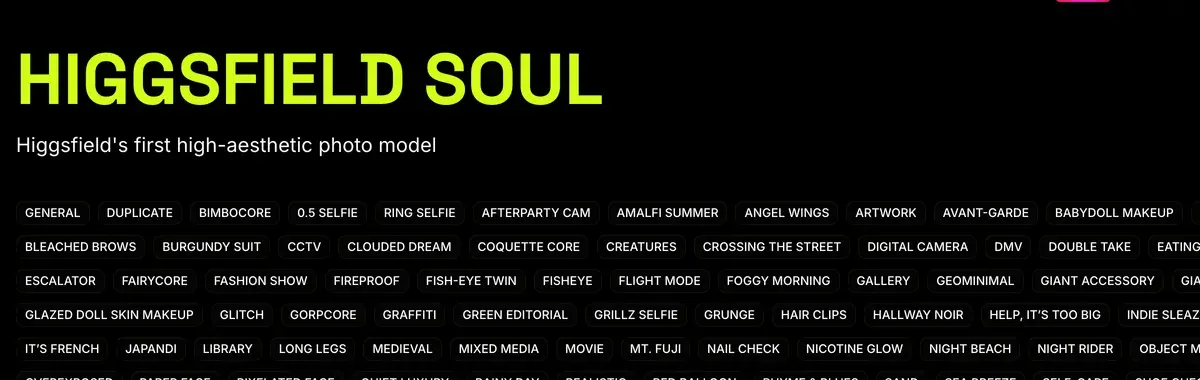
同一個方案也能用 Nano Banana Pro 和影片模型。它的動作分頁,可以把 3 到 30 秒影片中的動作,以 1080p 套到你的角色上(產品頁)。發表文章寫的是 4 到 30 秒。使用者認為,一組帳號、一份餘額就能用很多模型是優點(52 個來源中有 6 個:YouTube、YouTube)。
使用者也反映,Unlimited 走的是慢速佇列,等待時間從 20 分鐘到兩個多小時不等(52 個中有 8 個:Trustpilot、Reddit)。方案每月 15 美元起。
Higgsfield AI Influencer 教學逐一展示每個畫面,Higgsfield Soul 指南則說明訓練方式。
 Nano Banana AI 網紅提示詞
Nano Banana Pro 一個提示詞最多可融合 14 張圖片(Google,2025 年 11 月 20 日),很適合角色設定圖的做法。Higgsfield 的說明文章對這些參考圖補充了一條規則:要在提示詞裡說明每張圖各自的用途(Higgsfield 說明)。
How do I generate with Nano Banana Pro?
Open higgsfield.ai → Image → Nano Banana Pro.
Choose your input mode: Text-to-Image, Multi-reference, or Image-to-Image.
Write a clear, specific prompt. Describe the subject, setting, lighting, and any specific quantities or text. Be explicit.
Add references if needed (up to 14), and describe the role of each reference in the prompt.
Set the resolution. Start at 1K when iterating, scale to 2K or up to native 4K for final assets.
Generate and iterate. If something is off, change the prompt or the reference, not both at once.
它專屬的步驟,以及為它撰寫的 10 組提示詞,請見 AI 網紅專用 Nano Banana。
圖與圖之間臉孔跑掉時
三種解法,照這個順序試。
- 開一個新對話,完整貼上主體區塊。Google 的指南指出,改了很多次、五官開始跑掉時,開新對話並附上詳細描述會有幫助。
- 每次生成都重新附上角色設定圖當參考,而且一次只改提示詞的一個部分。
- 訓練臉孔。使用者認為 Soul ID 和參考設定圖能讓角色在不同畫面中保持一致(52 個來源中有 5 個:YouTube、YouTube)。如何讓 AI 角色保持一致比較了各種方法,AI 網紅 LoRA 則說明如何訓練自己的模型。
不管用哪個工具,有一條規則都適用。平台要求你把角色標示為 AI,Google 的條款也禁止「誤導他人,讓人以為生成式 AI 內容出自真人之手」(Google 服務條款)。各平台的規定,請見 AI 網紅合法嗎?
這些提示詞用來為帳號製作靜態照和短片;要寫有腳本的廣告影片提示詞,是另一回事,請見 AI UGC 提示詞。
AI 網紅提示詞常見問題
好的 AI 網紅提示詞長什麼樣?
一份永遠不變的人物基本描述,加上每張圖都不同的新場景。固定的用字,才能讓臉孔在每則貼文都一樣。
有免費的 AI 網紅提示詞產生器嗎?
ChatGPT 的 Free 方案就能寫。把五段式公式和你的主體區塊給它,請它用同樣的格式寫出新場景。
AI 網紅圖片怎麼做出手機拍照的感覺?
在提示詞中指定光源和相機,例如「morning sun from the window」和「shot on a phone」。再要求看得見皮膚紋理和毛孔,姿勢也維持自然隨性。
Midjourney 和 Nano Banana 可以共用同一個提示詞嗎?
可以,這些句子兩邊都能貼。兩者維持臉孔的方式各不相同:Midjourney 的 V8.2 Edit Model 已開放所有人測試,最多可用 4 張參考圖;Nano Banana Pro 一個提示詞最多可融合 14 張圖片。
Higgsfield 下一篇:把提示詞變成時尚等級的畫面
資料來源
- Google Developers Blog:How to prompt Gemini 2.5 Flash Image Generation for the best results,發布於 2025 年 8 月 28 日:
描述場景,不要只列關鍵字
、含鏡頭類型、光線、相機與長寬比的擬真照片範本,以及五官跑掉時,開新對話並附上完整描述。確認於 - Midjourney:Omni Reference,僅適用於 Version 7;--ow 範圍 1 到 1,000,預設 100,建議低於 400;GPU 時間為一般 V7 圖片的兩倍;單張參考圖。確認於
- Midjourney:Version 8.2,2026 年 7 月 24 日:V8.2 圖像模型推出。確認於
- Midjourney:Edit Model for V8,2026 年 8 月 27 日:所有人都能測試 V8.2 Edit Model,一次最多 4 張圖片參考,取代 Omni Reference;Discord 上使用 --edit。確認於
- OpenAI 說明中心:Images in ChatGPT,用文字描述修改內容即可編輯生成或上傳的圖片;可選取單一區域的工具、長寬比選擇器;所有方案皆可使用。確認於
- Higgsfield:AI Influencer,2026 年 10 月 3 日:19 項選單設定、不用寫提示詞、每次產出一張肖像和一張全身照、每次生成 1.12 點數、可從 4 到 30 秒的參考影片轉移動作、可選擇上傳本人或已授權者的照片。確認於
- Higgsfield:AI Influencer Studio,可輸入簡短修改指令,例如
幫她剪成平頭
;動作取自 3 到 30 秒的參考影片;輸出 1080p。確認於 - Higgsfield:Soul ID character consistency,2026 年 6 月 15 日:20 張以上照片、訓練約 3 到 5 分鐘、之後不必再描述五官。確認於
- Kling AI:Image to video guide,2025 年 11 月 24 日:公式為「主體加動作」,影片長度 5 或 10 秒,並提醒描述與圖片差距太大可能造成鏡頭切換。確認於
- Google:Introducing Nano Banana Pro,發布於 2025 年 11 月 20 日:一個提示詞最多融合 14 張圖片,並維持最多 5 個人的相似度。確認於
- Higgsfield 說明中心:How do I use Nano Banana?,Nano Banana Pro 最多 14 張參考圖;在提示詞中說明每張參考圖的用途。確認於
- Higgsfield 說明中心:How do I use Popcorn?,提示詞依序寫主體、場景、風格、動作、氛圍;以編號指定每張參考圖。確認於
- Google:Google Terms of Service,禁止誤導他人,讓人以為生成式 AI 內容出自真人之手。確認於
- Reddit、Trustpilot、G2 與 YouTube:使用者對 Midjourney、ChatGPT、Higgsfield 與 Nano Banana 的反映,彙整 171 個公開來源:Midjourney 47 個、ChatGPT 34 個、Higgsfield 52 個、Nano Banana 38 個。確認於

相關頁面
-
 指南 Higgsfield Soul 2.0 是什麼?
說明 Higgsfield Soul 2.0 與 Soul ID 的功能、如何訓練角色一致性、收費多少,以及廣告適用的肖像規範。2026 年 10 月 16 日確認。
-
 比較 Midjourney vs Nano Banana 廣告比較
年營收超過 1 百萬美元的公司,必須用 Midjourney Pro 或 Mega 才能擁有輸出內容;低於 Pro 的方案,圖片是公開的。Nano Banana 2:API 每張圖 0.067 美元。確認於 2026 年 10 月 2 日。
-
 比較 GPT Image 2 vs Nano Banana
API 生成一張 1K 圖片:GPT Image 2 medium 為 0.053 美元(OpenAI 價目表,9 月 23 日),Nano Banana 2 為 0.067 美元(10 月 2 日)。OpenAI 把輸出內容的權利轉讓給你;Google 不會主張所有權。
-