Make an AI influencer with Nano Banana
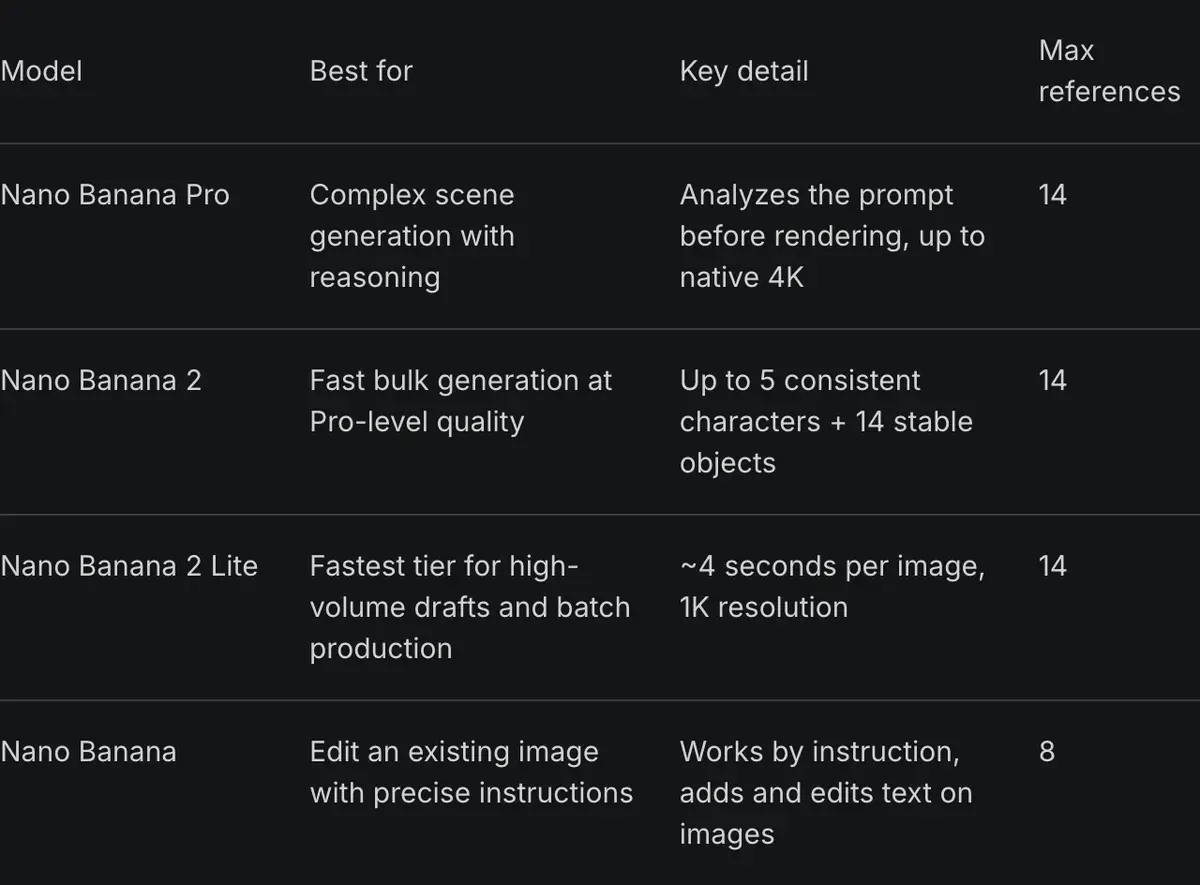
Nano Banana is the nickname of Google’s Gemini image models, and Nano Banana Pro is the version that suits an AI influencer. The reason is reference images. Google says Pro can blend up to 14 images in one prompt and keep the resemblance of up to 5 people (Google, 20 November 2025).
For an AI influencer, that means you show the model your character’s face instead of describing it from scratch each time. This page covers where to run it, the six steps from first face to a finished photo set, and 10 prompts written for this page.
| Where | How you get Pro | Visible Gemini mark | Entry price |
|---|---|---|---|
| Gemini app, free | Nano Banana 2 only; Pro needs a plan | Yes | free |
| Gemini app, Google AI Plus | “Redo with Pro” | Not stated by Google | $4.99 a month |
| Gemini app, Google AI Pro | “Redo with Pro” | Yes | $19.99 a month |
| Gemini app, Google AI Ultra | “Redo with Pro” | No | $99.99 a month |
| Google AI Studio and the API | Pay per image | No | $0.134 an image |
| Higgsfield | Credits, from Starter | Not stated by Higgsfield | $19 a month |
Scroll sideways for all 4 columns
Where to run Nano Banana Pro
The Nano Banana models run in four places, and the choice decides your watermark and your monthly bill.
The Gemini app is the free way in. Its default model is Nano Banana 2; Pro arrives as a “Redo with Pro” step on any Google AI plan, from Google AI Plus up. Google’s help page says downloads are 2K with a plan and 1K without (Gemini Apps Help).
Google AI Studio and the Gemini API charge per image. Nano Banana Pro costs $0.134 at 1K or 2K, and the API has no free tier for image output. Google’s launch post says images made there carry no visible Gemini mark.
Higgsfield sells Nano Banana Pro inside its own app, on the same credits as its video models. Pania Thong’s tutorial runs Pro there, up to 4K.

Higgsfield’s help article allows up to 14 references on Pro (Higgsfield help, modified 9 September 2026).
The credit cost per image and the Unlimited windows are in Nano Banana on Higgsfield.
Higgsfield also has a route that skips the first prompt. Its AI Influencer Studio builds the face from 19 menu settings. Each run returns a close-up portrait and a full-body shot for 1.12 credits (3 October 2026).
You can then take those two images into Nano Banana Pro as your references. The Higgsfield AI Influencer walkthrough shows each screen.
How to make an AI influencer with Nano Banana, step by step
These steps follow Google’s prompting guide and Higgsfield’s help article. Any place that runs Nano Banana Pro takes them.
-
Write the base face as a scene. Google’s rule is “Describe the scene, don’t just list keywords” (Google Developers Blog, 28 August 2025). Name age, face, hair, skin, one distinctive mark, then the light and the camera. Prompt 1 below does this.
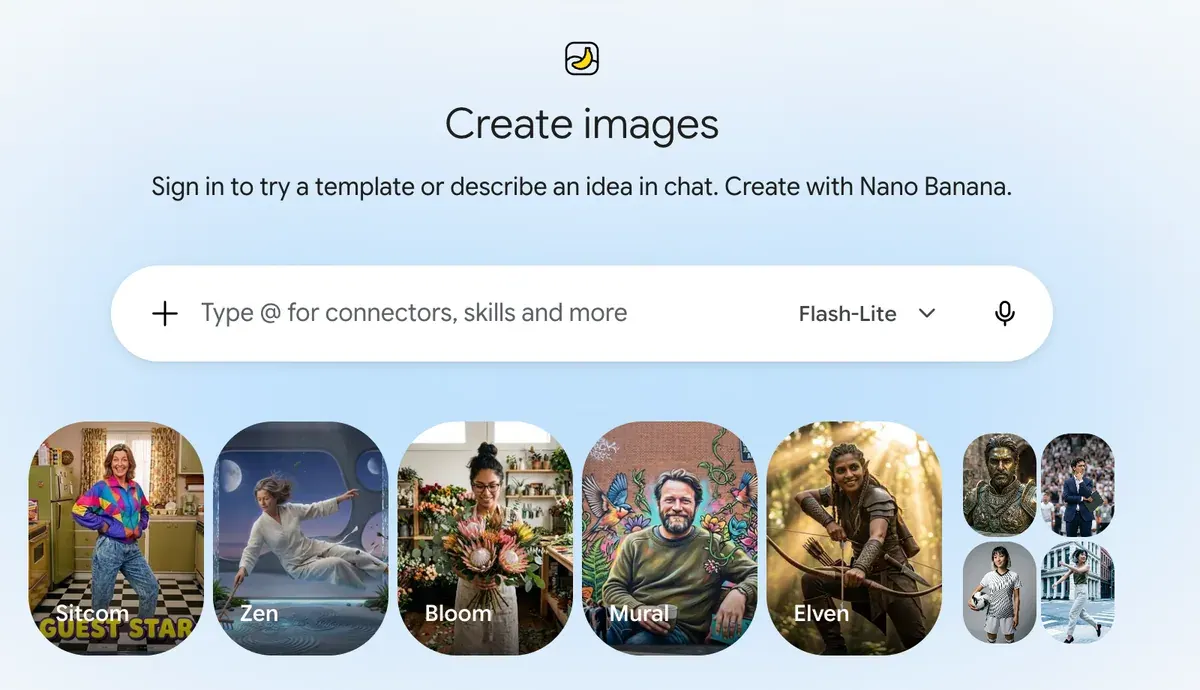
Gemini’s Images screen, where you describe the base face in a prompt Gemini Create images screen, captured -
Pick one keeper and build a reference set. Ask for the same person from the front, at three-quarters and in profile (prompt 2). These three images are what you attach from now on.
A creator builds a character sheet in Nano Banana Pro to keep one face across later images Video: Consistent Character Sheets Explained: The Nano Banana Pro Method That Actually Works 🚀, JACKY AI FLOW on YouTube, . -
Attach the references and say what each one is for. Higgsfield’s help article says to “describe the role of each reference in the prompt” (Higgsfield help). Write “the man in images 1 to 3” so the model knows those images are the face, and any other image is a product or a place.
How do I generate with Nano Banana Pro?
Open higgsfield.ai → Image → Nano Banana Pro.
Choose your input mode: Text-to-Image, Multi-reference, or Image-to-Image.
Write a clear, specific prompt. Describe the subject, setting, lighting, and any specific quantities or text. Be explicit.
Add references if needed (up to 14), and describe the role of each reference in the prompt.
Set the resolution. Start at 1K when iterating, scale to 2K or up to native 4K for final assets.
Generate and iterate. If something is off, change the prompt or the reference, not both at once.
Higgsfield’s help article gives five steps for a Nano Banana Pro image, after opening Image, then Nano Banana Pro. Higgsfield, Help centre: Nano Banana, -
Change the outfit and the scene, one at a time. Keep the face references attached and edit the clothes or the background in plain words (prompts 3 and 4). Higgsfield’s advice for a retry: change the prompt or the reference, never both.
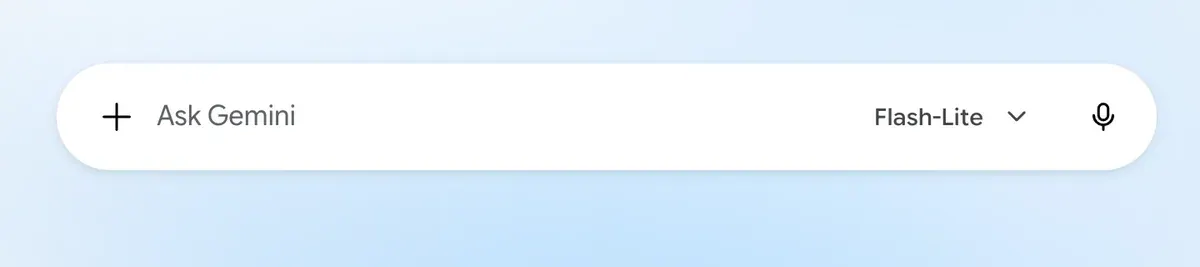
Gemini’s chat box: the plus button attaches your face references before you type the edit Gemini chat prompt box, captured -
Make the photo set. Run prompts 5 to 10 with the same references. Draft at 1K, as Higgsfield suggests, then rerun the keepers at 2K or 4K.
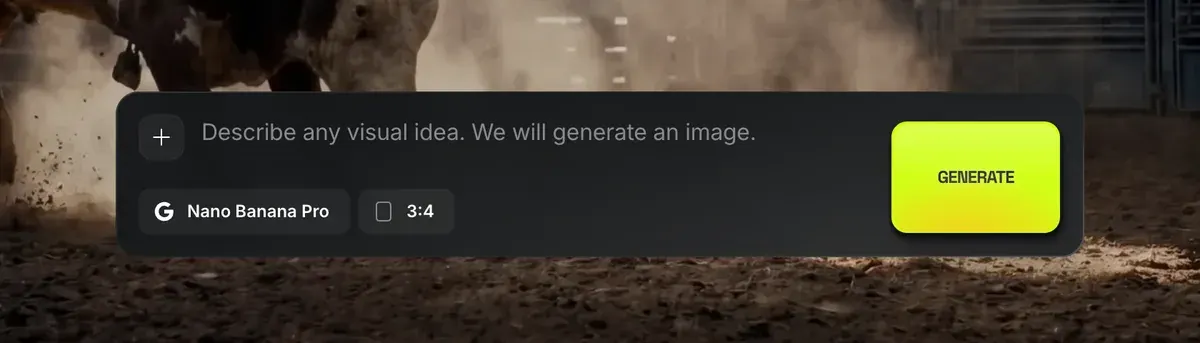
Higgsfield’s Nano Banana Pro prompt bar: the plus button adds your reference images Higgsfield Nano Banana Pro prompt bar, captured -
Reset when the face drifts. Google’s guide says that when features drift after many edits, a new conversation with a detailed description of the character helps. Start a fresh chat, paste prompt 1’s description and re-attach the three references.
Gemini’s sidebar: New chat starts the fresh conversation that resets a drifting face Gemini sidebar New chat, captured

Users report the same strength: faces hold across images, and one prompt combines several references (5 of 38 sources: r/midjourney, r/nanobanana).
10 Nano Banana prompts for an AI influencer
The character here is Theo, a 31-year-old home cook. Replace his details with your own, and keep “the man in images 1 to 3” wording once you have references.
1. The base face
A photorealistic close-up portrait of a 31-year-old man with a square jaw, light brown skin, short black curly hair faded at the sides, a neatly trimmed short beard, warm brown eyes and a thin white scar through his left eyebrow. He looks straight at the camera with a relaxed half-smile. Soft daylight from a large window on his right, plain off-white wall behind him. Captured with an 85mm portrait lens at eye level, emphasising natural skin texture and pores. Square 1:1 format.
2. The reference set
Using the man in image 1, create a character reference sheet of the same man shown three times side by side on a plain light grey background: front view, three-quarter view facing left, and side profile facing left. Keep his face, scar, beard and hair exactly the same in all three. He wears a plain charcoal crew-neck T-shirt. Even soft studio light. 16:9 format.
3. Outfit change
Keep the man in images 1 to 3 exactly as he is: same face, scar, beard and hair. Change only his clothes to a dark green chore jacket over a white T-shirt, with a canvas apron tied at the waist. Same pose, same background, same light.
4. Scene change
Place the man in images 1 to 3 in a small home kitchen with open wooden shelves, jars of spices and a gas hob behind him. He stands at the counter facing the camera, sleeves rolled up, both hands resting on a wooden chopping board. Morning light from a window on the left. Keep his face exactly as in the references. Shot on a phone at chest height, 4:5 vertical.
5. Cooking, candid
A candid photo of the man in images 1 to 3 tossing vegetables in a steel pan over a high flame, looking down at the pan and laughing, steam rising. He wears a dark green chore jacket over a white T-shirt, sleeves pushed up. Warm light from the hob and a cooler window light behind him. Shot by a friend on a phone, slight motion blur on the food, 4:5 vertical.
6. Market haul
A photo of the man in images 1 to 3 at an outdoor food market, holding a paper bag of tomatoes in one arm and pointing at a crate of lemons with the other hand, talking to someone off camera. He wears a navy overshirt and a grey beanie. Overcast daylight, colourful produce stalls behind him. Shot with a 35mm lens at eye level, 4:5 vertical.
7. Product in hand
Attach a photo of your product as image 4.
The man in images 1 to 3 holds the olive oil bottle in image 4 at shoulder height, label facing the camera, in his kitchen. He smiles with his mouth closed. Keep the bottle's label, shape and colour exactly as in image 4. Soft window light from the left. Shot on a phone at arm's length, the bottle in sharp focus, 4:5 vertical.
8. Dinner table, top-down
A top-down photo of a wooden dinner table set for four, with a large dish of roast chicken and vegetables in the centre. The man in images 1 to 3 leans in from the top of the frame, placing a bowl of salad, his face visible and smiling down at the food. Warm evening light from a pendant lamp. 4:5 vertical.
9. Mirror selfie, getting ready
A mirror selfie of the man in images 1 to 3 in a hallway, holding a phone at chest height, wearing a camel wool coat over a black roll-neck. The phone covers part of his chin. Daylight from a door behind the camera, a coat rack beside the mirror. 9:16 vertical, phone camera look.
10. Story cover with text
A vertical 9:16 photo of the man in images 1 to 3 holding up a wooden spoon and raising one eyebrow at the camera, in his kitchen. At the top of the image, in bold white sans-serif letters, the words "5 MINUTE PASTA". Leave the bottom third of the image clear of text. Bright, even light.
Prompt 10 puts text in the image. 4 of 38 user sources say Nano Banana follows prompts closely and spells short text correctly (r/midjourney, r/ideogramai). For a wider set of prompts across tools, see AI influencer prompts.
Nano Banana watermark and other limits
Every Nano Banana image carries a signal hidden in its pixels that you cannot see, Google’s SynthID watermark. Google’s developer page says “All generated images include a SynthID watermark” (Gemini API docs). Google’s launch post says you can upload an image to the Gemini app to check whether Google AI made it.
The visible mark is a different matter. Google’s launch post says the Gemini sparkle stays on images from free and Google AI Pro users. It is removed for Google AI Ultra subscribers and in Google AI Studio. For a feed that is meant to look like a phone camera roll, that sparkle decides where you run the model.
Google’s terms also set a rule for the account itself. They bar “misleading others into thinking that generative AI content was created by a human” (Google Terms of Service). Posting the character as a real person breaks that clause, so label it as AI. Where each platform asks for the label is on is an AI influencer legal?
Four more limits hit a character account, according to users in the 38 public sources:
- Moderation refuses harmless edits, with users’ own faces flagged as public figures (5 of 38 sources: r/nanobanana, r/nanobanana).
- Paying Gemini subscribers get 1K or compressed downloads in place of 2K (4 of 38: r/GeminiAI, r/GeminiAI).
- Daily limits drop without warning and Pro falls back to a lesser model (4 of 38: r/nanobanana, r/GeminiAI).
- The same prompt gives a different image run to run (3 of 38: r/GeminiAI, r/nanobanana).
The fix for the last one is the reference set from step 2. For a face that holds across hundreds of posts, a trained identity does more; how to keep an AI character consistent compares the options.
Turning Nano Banana stills into video
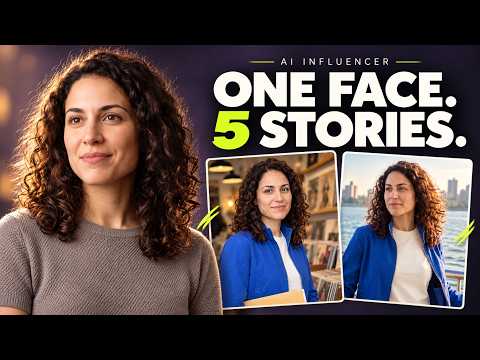
Nano Banana makes stills only, so video comes from a second model. You upload your best still and describe what moves. Rose Creates AI’s tutorial runs that route, from Nano Banana Pro stills to Seedance 2.0 clips.
Kling’s guide puts its prompt as subject plus movement, for clips of 5 or 10 seconds (Kling guide, 24 November 2025).
Higgsfield keeps both steps on one balance. Its AI Influencer tool copies the movement of a 3 to 30 second clip onto your character (product page). The launch post gives 4 to 30 seconds. The AI influencer hub sets out every video route, the talking-to-camera one included.
Higgsfield users name the one login and balance for many models as a plus (6 of 52 sources: YouTube, YouTube). They also report that Unlimited runs on a slow queue, with waits of 20 minutes to over two hours (8 of 52: Trustpilot, Reddit).
Questions about Nano Banana AI influencers
Is Nano Banana Pro free for AI influencer images?
Not in the Gemini app. Google’s help page lists Pro there with a Google AI plan, and the API has no free tier for image output. Google Flow gives limited free access to Pro. The free Gemini app runs Nano Banana 2, with the visible Gemini mark.
 Nano Banana 2 or Nano Banana Pro for an AI influencer?
Pro for the face and the reference set, where Google states up to 5 people kept consistent from 14 images. Nano Banana 2 for group scenes: Higgsfield’s help article gives it up to 5 consistent characters in one scene.
How many reference images should I use?
This page uses three images of the face: front, three-quarter and profile. Add one image per product or place, and say in the prompt what each image is.
Can I remove the Nano Banana watermark?
Not the SynthID watermark: it stays on every image. The visible sparkle is absent on Google AI Ultra and in Google AI Studio.
Next on Higgsfield: Nano Banana Pro use cases
Sources
- Google: Introducing Nano Banana Pro, Published 20 November 2025: blend up to 14 images and keep the resemblance of up to 5 people; SynthID on all images; the visible Gemini sparkle stays for free and Google AI Pro users and is removed for Google AI Ultra and in Google AI Studio. Checked
- Google AI for Developers: Image generation with Gemini, Reference limits per model, 1K, 2K and 4K output, and
All generated images include a SynthID watermark
. Checked - Google Developers Blog: How to prompt Gemini 2.5 Flash Image Generation for the best results, Published 28 August 2025:
Describe the scene, don’t just list keywords
, the photorealistic template, and a fresh chat with a full description when features drift. Checked - Google Gemini Apps Help: Generate and edit images with Gemini Apps, Nano Banana Pro with a Google AI plan as a redo step, 2K downloads with a plan and 1K without, combining several uploaded images. Checked
- Higgsfield help centre: How do I use Nano Banana?, Modified 9 September 2026: up to 14 references on Nano Banana Pro and Nano Banana 2, describe the role of each reference in the prompt, up to 5 consistent characters in one scene on Nano Banana 2, start at 1K while iterating, change the prompt or the reference but not both. Checked
- Higgsfield: AI Influencer, Dated 3 October 2026: 19 menu settings, a portrait and a full-body shot per run for 1.12 credits, motion transfer from a 4 to 30 second reference video. Checked
- Higgsfield: AI Influencer Studio, Motion from a 3 to 30 second reference clip, 1080p output. Checked
- Google: Google Terms of Service, Google won’t claim ownership of generated content; bars misleading others into thinking generative AI content was created by a human. Checked
- Kling AI: Image to video guide, Dated 24 November 2025: subject plus movement, 5 or 10 second clips. Checked
- Reddit, Trustpilot and YouTube: User reports on Nano Banana and Higgsfield, 90 public sources synthesised: 38 on Nano Banana, 52 on Higgsfield. Checked

Alexandre S.
Alexandre S. is a creative ad strategist and copywriter with ten years' experience in digital marketing across multiple channels.
Related pages
-
 Profile Nano Banana for product ads
Google’s API sells a 1K Nano Banana 2 image for $0.067 and Pro for $0.134; the Gemini app publishes no image count. Terms and SynthID checked 2 October 2026.
-
 Guide Nano Banana on Higgsfield
Nano Banana Pro on Higgsfield costs 2 credits an image, the same as Nano Banana 2, and 4 at 4K. Free use, Unlimited and the steps. Credits read 9 Oct 2026.
-
 Compare Midjourney vs Nano Banana for ads
Firms over $1M a year need Midjourney Pro or Mega to own outputs; images below Pro are public. Nano Banana 2: $0.067 per API image. Checked 2 October 2026.
-
 Guide Famous AI influencers
13 famous AI and virtual influencers, who runs each one and their follower counts, each figure with its source and date. The biggest: a mascot and a sausage.


