AIインフルエンサーのプロンプト
AIインフルエンサーのプロンプトとは、画像モデルがキャラクターの画像として描き出すための説明文のことです。コツは、人物の基本説明を1つ決め、どのシーンでも一字一句そのまま使い回すことです。カフェやジムが変わっても、顔は変わりません。
このページでは、その仕組みを紹介します。5つの要素からなる公式、基本のキャラクターシート、それをもとにした12個の写真セット用プロンプト、4個の動画用プロンプトです。すべてこのページのために書き下ろしたものです。Nano Banana、Midjourney、ChatGPT、Higgsfieldに貼り付けて使え、ツールごとの調整点は後半で説明します。
| 要素 | 書く内容 | 固定されるもの |
|---|---|---|
| 被写体 | 年齢、顔立ち、髪、肌、体型、特徴的なポイント1つ | どのシーンでも変わらない、人物像 |
| 服装 | 服の種類、色、素材 | ニッチに合ったワードローブ |
| シーン | 場所、時間帯、小物 | 投稿ごとに変わる場面 |
| カメラ | ショットの種類、レンズ、アングル、スマホかカメラか | 自撮り風になるか、撮影風になるか |
| 光 | 光源、方向、色 | 雰囲気と、光を受けた肌の見え方 |
3列すべてを見るには横にスクロール
AIインフルエンサー用プロンプトの公式(要素別)
5つの要素を、この順番で文章として書きます。Googleが画像モデル向けに示すアドバイスは明快です。「キーワードを並べるだけでなく、シーンを描写する」(Google Developers Blog、2025年8月28日)。「woman, 25, blonde, beach, 8k」のようなタグの羅列では、間のことをすべてモデルの推測に委ねてしまいます。
Higgsfieldのヘルプ記事には、Popcornモデル向けのこの構造とよく似た書き方が載っており、参照画像は番号で指定するとも書かれています。被写体を問わないフォトリアルな静止画は、リアルなAI画像プロンプトで、8要素の順番とコピペで使えるカメラの質感を紹介しています。
How do references work?
Popcorn accepts up to 4 image references (portraits, props, locations) and merges them into one sequence: address each by its number in the prompt. For example: “Man from image one in the setting of image three, wearing the outfit from image four.”
Structure the prompt like a film cue: Subject, Setting, Style, Action, Atmosphere.
被写体は、絶対に変えない部分です。キャラクターの年齢、顔の形、目の色、髪、肌のトーン、体型を固定します。そこに、小さな傷や歯の隙間など、目立つ特徴を1つ加えます。この特徴が、どの画像でもモデルが頼れる固定点になります。
服装とシーンは、投稿ごとに変えます。具体的に書きます。「カジュアルな服」より「サビ色のリネンシャツ」のほうが、モデルの手がかりが増えます。
カメラと光で、スマホ写真になるか、スタジオ撮影になるかが決まります。Googleのテンプレートは、ショットの種類、照明の説明、「camera/lens details」を求めており、背景のぼけの例として85mmのポートレートレンズを挙げています。Instagramのフィード向けには「shot on a phone」と書きます。下の12個のプロンプトのうち8個がそうしています。
基本のキャラクターシート用プロンプト
まず参照シートを作ります。同じ人物をいくつかの角度から1枚に収めた画像です。以降のプロンプトでは、これを参照画像として使い回します。ここでの例は、27歳のランニングコーチMayaです。自分のキャラクターの設定に差し替え、構成はそのまま使います。AI Video SchoolのチュートリアルではNano Bananaでこのようなシートを作り、プロンプトも公開しています。
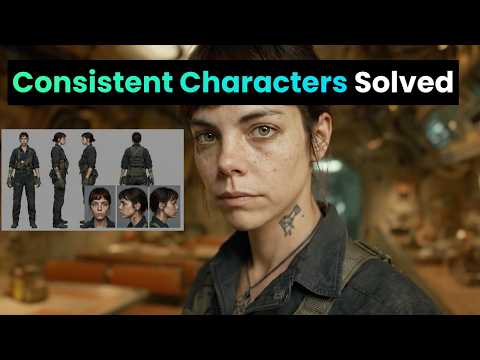
A character reference sheet of one woman, shown four times on a plain light grey background: front view, three-quarter view, side profile and full body standing. She is 27, with an oval face, warm olive skin, dark brown eyes, thick straight eyebrows, a small beauty mark under her left eye and shoulder-length dark brown wavy hair with a centre parting. Athletic, slim build, 170 cm tall. She wears a plain white fitted T-shirt and black running leggings. Neutral expression, mouth closed. Even soft studio light from the front, no shadows on the background. Photographed with a 50mm lens at eye level, sharp focus, natural skin texture with visible pores. Same face, hair and proportions in all four views.
「She is 27」から「centre parting」までの説明を、1つのテキストブロックとして保存します。このブロックが被写体で、以下のどのプロンプトにも変更せずに入れます。以降のプロンプトでは、[SUBJECT]がそのブロックを表します。
Instagram向け写真セット用プロンプト12選
以下のプロンプトはどれも被写体ブロックを固定し、服装・シーン・カメラ・光だけを変えています。ツールが対応していれば、キャラクターシートを参照画像として添付します。1回の生成で変えるのは1要素だけにすると、何が結果を変えたのかがわかります。
朝のカフェ
A candid phone photo of [SUBJECT], sitting at a small marble table by the window of a busy neighbourhood café, holding a flat white with both hands and laughing at something off camera. She wears an oversized cream knit jumper. Morning sun from the window on her left, warm and soft. Shot on a phone at table height, slight grain, 4:5 vertical.
ジムでのトレーニング
A photo of [SUBJECT], mid-set on a cable machine in a concrete-walled gym, focused expression, a light sheen of sweat on her forehead. She wears a black sports bra and grey high-waisted leggings, hair tied in a low ponytail. Overhead fluorescent light mixed with daylight from a high window. Shot by a friend on a phone from three metres away, 4:5 vertical.
鏡の前の自撮り
A mirror selfie of [SUBJECT] in a bright bedroom, holding a phone in a clear case in front of her chest, the phone covering part of her chin. She wears high-waisted light blue jeans and a white cropped tank top. Daylight from a window behind the camera. The mirror has a thin wooden frame, an unmade bed is visible behind her. 9:16 vertical, phone camera look.
商品を持つ演出
A close-up photo of [SUBJECT] holding a small amber glass serum bottle at chin height, label facing the camera, smiling with her mouth closed. She wears a white towelling robe. Soft bathroom light from a frosted window on her right, white tiles behind her. Shot on a phone held at arm's length, the bottle in sharp focus, 4:5 vertical.
旅行、旧市街の通り
A full-length photo of [SUBJECT] walking down a narrow cobbled street lined with pastel houses, looking back over her shoulder at the camera. She wears a rust-coloured linen shirt, white wide-leg trousers and flat leather sandals, a canvas tote on one shoulder. Late afternoon golden light from behind her, long shadows. Shot on a 35mm lens from street level, 4:5 vertical.
ビーチラン
A photo of [SUBJECT] running along wet sand at the edge of the sea, mid-stride, arms pumping, relaxed face. She wears a teal running vest, black shorts and white running shoes. Early morning, low sun to her right, light mist over the water. Shot from the side with a 70mm lens, slight motion blur on the waves, 4:5 vertical.
キッチンで作り置き
A photo of [SUBJECT] standing at a wooden kitchen counter, chopping vegetables on a board, glass meal-prep boxes lined up beside her. She wears a sage green T-shirt and an apron. Daylight from a window above the sink, warm under-cabinet lights. Shot from across the counter at chest height on a phone, 4:5 vertical.
ルーフトップのゴールデンアワー
A portrait of [SUBJECT] leaning on a rooftop railing at sunset, city blocks soft in the background, wind moving her hair. She wears a black slip dress and small gold hoop earrings. Low warm sun behind her as a rim light, her face lit by the bounce from a pale wall. Shot with an 85mm lens, shallow depth of field, 4:5 vertical.
デスクで在宅ワーク
A photo of [SUBJECT] sitting cross-legged on a desk chair, laptop open, writing in a paper notebook, a plant and a mug on the desk. She wears a grey hoodie and her hair in a loose bun with a pencil through it. Overcast daylight from a window to her left. Shot from the side at desk height on a phone, 4:5 vertical.
夜のお出かけ
A flash photo of [SUBJECT] at a small bar, sitting on a stool and raising a glass towards the camera, a friend's shoulder blurred at the edge of the frame. She wears a satin emerald top and red lipstick. Direct on-camera flash, dark warm background with bokeh from string lights. Phone camera with flash, 4:5 vertical.
公園でストレッチ
A photo of [SUBJECT] stretching her hamstring on a park bench after a run, smiling at the camera, earbuds in. She wears a lavender long-sleeve running top and black leggings. Bright overcast morning, soft even light, autumn trees behind her. Shot at eye level from two metres with a 50mm lens, 4:5 vertical.
開封、真上から
A top-down photo of [SUBJECT]'s hands and lap as she opens a matte black shoebox on a light wooden floor, tissue paper folded back, new trainers inside. Her face is visible at the top of the frame, looking down and smiling. She wears a cream sweatshirt. Daylight from a nearby window. Shot from above on a phone, 4:5 vertical.
AIインフルエンサーの動画用プロンプト
動画ツールでは、気に入ったキャラクターの静止画から始めます。写真をアップロードし、プロンプトには動く部分だけを書きます。Rose Creates AIのチュートリアルは、Nano Banana Proの静止画からSeedance 2.0のクリップまで、このルートを紹介しています。

Klingは、画像から動画生成の公式を「被写体+動き」としており、クリップの長さは5秒または10秒です(Klingガイド、2025年11月24日)。また、説明が画像からかけ離れるとカメラが切り替わることがある、とも注意しています。そのため、プロンプトでは顔を改めて描写しません。
カフェの静止画から5秒のクリップへ
The woman lifts the cup, takes a sip, then lowers it and smiles towards the window. Steam rises from the cup. The camera stays still at table height. Natural, unhurried movement.
鏡の自撮りからコーデチェックへ
The woman turns slowly to her left to show the side of her outfit, then back to face the mirror, keeping the phone in front of her chest. Her hair moves with the turn. The camera does not move.
ストーリー用の商品クリップ
The woman raises the serum bottle closer to the camera, tilts it so the label catches the light, then lowers it and nods. Slow push-in on her face and the bottle. No cut.
トーキングクリップ(10秒)
The woman looks straight into the camera and speaks in a friendly, relaxed tone, small head movements and natural blinking, as if recording a story on her phone. The camera is handheld and moves very slightly. Background stays the same.
自分の台本と声でトーキングクリップを作るなら、リップシンクツールが音声から口の動きを生成します。そのルートはHiggsfieldのリップシンクで、顔から投稿までの全体の流れはAIインフルエンサーまとめで解説しています。
Midjourney・ChatGPT・Higgsfield・Nano Bananaのプロンプトのポイント
上記のプロンプトは普通の文章で書いているため、どのツールにもそのまま貼り付けられます。違うのは、各ツールが顔をどう保つかです。
 MidjourneyでのAIインフルエンサー用プロンプト
MidjourneyはV8.2を2026年7月24日にリリースしました(Midjourney)。従来のOmni Reference機能(パラメータ--oref、重み--ow)は、バージョン7でのみ使えます。Midjourneyのヘルプページでは、重みの範囲は1〜1,000(デフォルト100)で、400未満に抑えるよう案内されています。Omni Referenceの画像1枚は、通常のV7画像の2倍のGPU時間がかかります(Omni Reference)。
V8.2のEditモデルは、最大4枚の画像を同時に参照でき、「omni-referenceに代わる」機能とされています。Midjourneyは2026年8月27日から「誰でも試せる」ようにしました(Midjourney update)。キャラクターシートはEditモデルに添付するか、Discordで--editを使います。
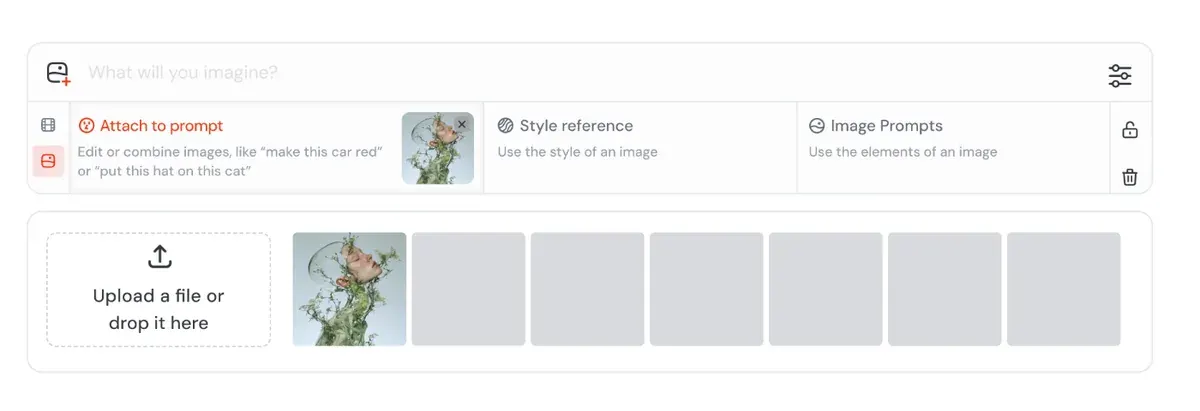
ユーザーはMidjourneyの強みとして、様式化された映画のような質感を挙げています(情報源47件中13件:r/midjourney、G2)。1セットで同じ顔を保つ用途では、Nano BananaやGPT Imageに及ばないという報告です(47件中5件:r/midjourney、r/midjourney)。
Midjourneyに無料プランはありません。プランは月額10ドルからです。
 ChatGPTでのAIインフルエンサー用プロンプト
ChatGPTは会話形式で使います。キャラクターシートをアップロードし、フォトセット用のプロンプトを貼り付けたら、あとは普通の言葉で修正を頼む流れです。OpenAIのヘルプ記事によると、一部分だけを編集する選択ツールと、アスペクト比の選択機能があります。さらに、プロンプトで編集箇所を指定すると、その範囲にとどまりやすいとのことです(Images in ChatGPT)。
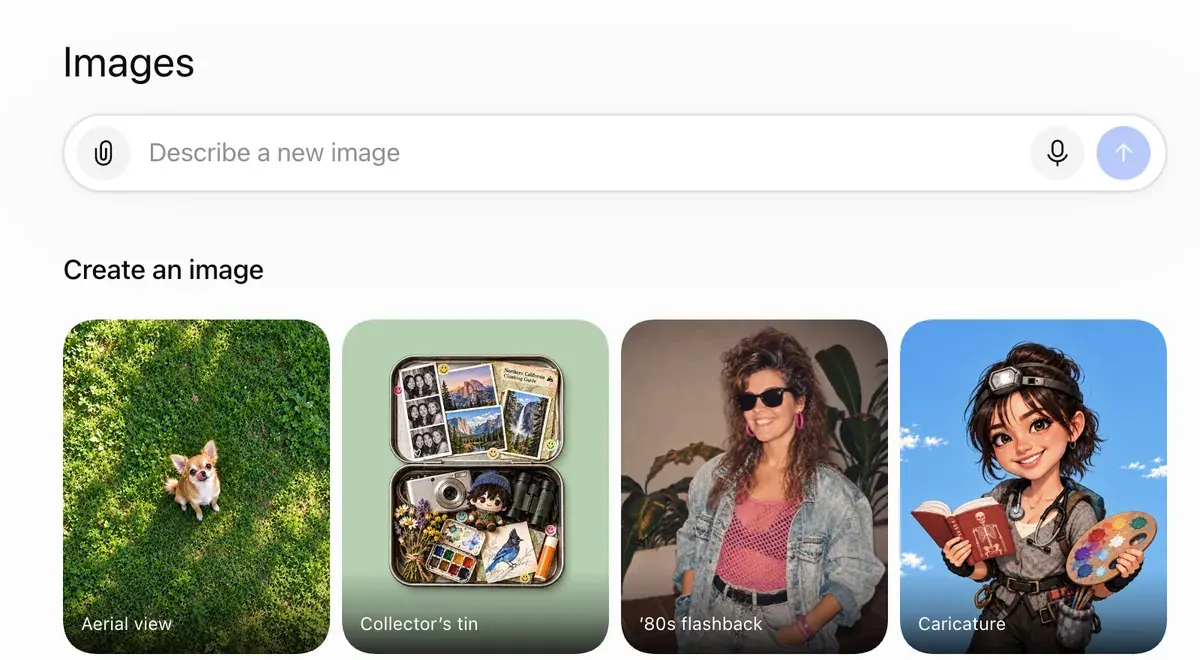
編集を依頼するたびに、変えてはいけない部分を明記しましょう。たとえば「顔・髪・ほくろはそのまま、ニットだけ変更」のように書きます。ユーザーからは、残すべき部分まで編集で変わってしまうという報告があります(情報源34件中7件。Trustpilotなど)。
さらに34件中6件では、丁寧にプロンプトを書かないと人物がAI製に見えるとされています(YouTube、r/FacebookAds)。プロンプトの型にカメラと光の項目があるのは、このためです。
ChatGPTにはプロンプト作成も任せられます。型の表を貼り付け、同じ5つの要素で新しいシーンを10個出すよう頼みます。被写体ブロックは変えないよう指定してください。
 HiggsfieldでのAIインフルエンサー用プロンプト
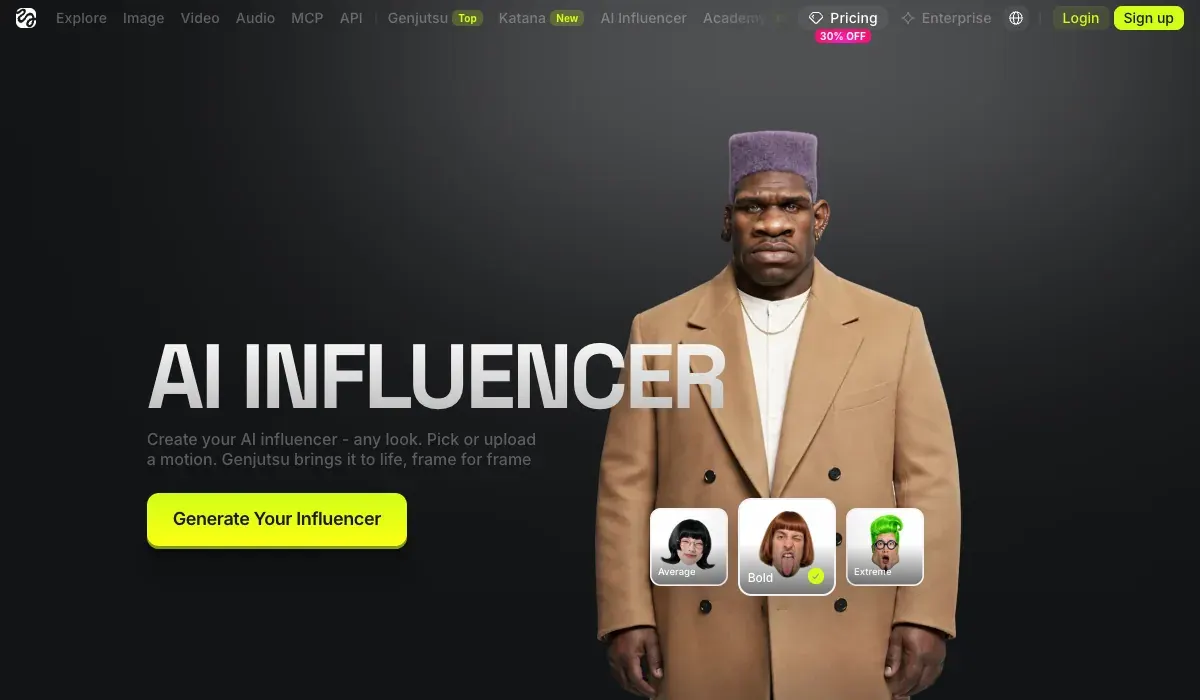
HiggsfieldのAI Influencer Studioでは、顔のプロンプトは不要です。キャラクターは19項目のメニュー設定で作ります。1回の生成で顔のアップと全身ショットが1枚ずつ出力され、1.12クレジットかかります(2026年10月3日時点)。その後に入力するテキストは短い編集指示だけで、製品ページには例として「give her a buzz cut」が挙げられています。
How do I use AI Influencer?
AI Influencer is Higgsfield’s visual character builder for virtual personas. Every attribute is configured from menus in the Builder panel, with no prompt writing required, and characters generate at up to 4K. AI Influencer supports human and non-human characters, finished characters are saved to your character library for reuse, and you can turn a character into video or refine it with a text edit right there.
What is AI Influencer? AI Influencer works like a game character creator: you select each attribute from menus. The Builder panel covers the base identity: Character Type, Gender, Ethnicity / Origin Base, Skin Color, Eye Color, Skin Conditions, and Age. Below it, Advanced settings opens three tabs, Face, Body, and Style, with the full attribute set. Reset clears the configuration and starts over.
フォトセットでは、またプロンプトを使います。Soul IDは、キャラクターの写真20枚以上で約3〜5分のトレーニングを行います。以降はCharacterタブから選ぶだけで、顔の説明は不要になります(Soul IDの投稿、2026年6月15日)。
What is Soul ID?
Train once and reuse the identity.
A trained Soul ID works across the Soul family.
Soul IDを使う場合は、上のフォトセット用プロンプトから[SUBJECT]を外します。それ以降はそのまま使えます。
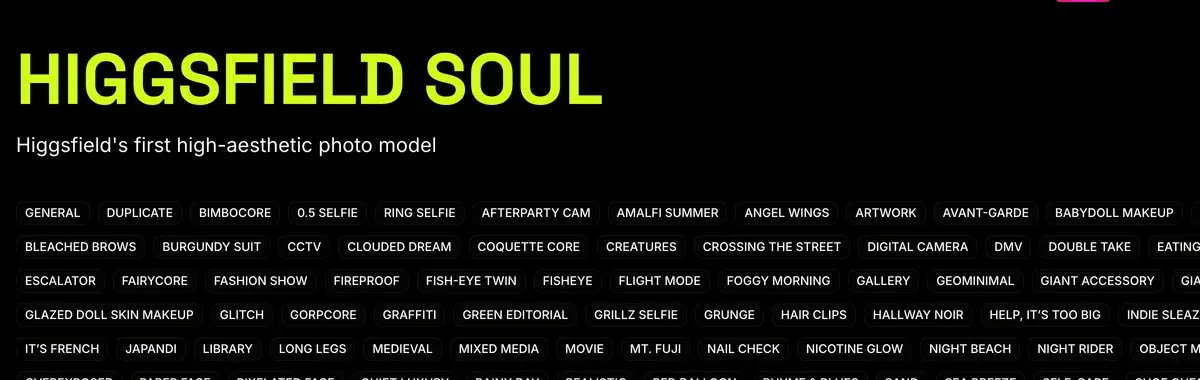
同じプランでNano Banana Proや動画モデルも使えます。モーションタブでは、3〜30秒のクリップの動きをキャラクターにコピーでき、出力は1080pです(製品ページ)。ローンチ投稿では4〜30秒となっています。ユーザーからは、1つのログインとクレジット残高で多数のモデルを使える点が好評です(情報源52件中6件:YouTube、YouTube)。
また、ユーザーからは、Unlimitedは低速キューで動き、待ち時間が20分から2時間超になるという報告もあります(52件中8件:Trustpilot、Reddit)。プランは月額19ドルからです。
Higgsfield AI Influencerの使い方で各画面を確認でき、Higgsfield Soulガイドではトレーニングを解説しています。
 Nano BananaでのAIインフルエンサー用プロンプト
Nano Banana Proは、1つのプロンプトで最大14枚の画像をブレンドでき(Google、2025年11月20日)、キャラクターシート方式と相性の良いツールです。Higgsfieldのヘルプ記事には、参照画像のルールもあります。プロンプトで、各画像の役割を説明するというものです(Higgsfieldヘルプ)。
How do I generate with Nano Banana Pro?
Open higgsfield.ai → Image → Nano Banana Pro.
Choose your input mode: Text-to-Image, Multi-reference, or Image-to-Image.
Write a clear, specific prompt. Describe the subject, setting, lighting, and any specific quantities or text. Be explicit.
Add references if needed (up to 14), and describe the role of each reference in the prompt.
Set the resolution. Start at 1K when iterating, scale to 2K or up to native 4K for final assets.
Generate and iterate. If something is off, change the prompt or the reference, not both at once.
専用の手順と、Nano Banana向けに書いた10個のプロンプトはAIインフルエンサー向けNano Bananaで紹介しています。
画像ごとに顔がずれるときの対処法
試す順に、3つの対処法です。
- 新しいチャットを開き、被写体ブロックをすべて貼り付けます。Googleのガイドによると、編集を重ねて特徴がずれてきたときは、詳しい説明を添えて新しい会話を始めるのが有効です。
- 実行のたびにキャラクターシートを参照画像として添付し直し、プロンプトは1か所ずつ変更します。
- 顔をトレーニングします。ユーザーからは、Soul IDや参照シートでショット間のキャラクターを一貫させられるという声があります(情報源52件中5件:YouTube、YouTube)。各方法の比較はAIキャラクターの一貫性を保つ方法、自分でトレーニングする方法はAIインフルエンサーのLoRAをご覧ください。
どのツールを使う場合も共通のルールがあります。プラットフォームはキャラクターにAIであることの表示を求めており、Googleの利用規約も「生成AIコンテンツを人間が作ったものだと他者に誤解させること」を禁じています(Google利用規約)。各プラットフォームのルールはAIインフルエンサーは合法?にまとめています。
ここで紹介したプロンプトは、アカウント用の静止画とクリップを作るためのものです。台本のある広告動画用のプロンプトは別物で、AI UGCプロンプトで解説しています。
AIインフルエンサー用プロンプトのよくある質問
AIインフルエンサー用プロンプトのコツは?
変わらない人物の基本描写に、画像ごとに新しいシーンを加える形です。表現を固定しておくと、投稿をまたいでも同じ顔になります。
AIインフルエンサー用のプロンプト生成ツールに無料のものはある?
ChatGPTのFreeプランで作れます。5要素の型と被写体ブロックを渡し、同じ形式で新しいシーンを出すよう頼んでください。
AIインフルエンサーの画像をスマホ写真風にするには?
プロンプトに光源とカメラを指定します。たとえば「窓からの朝日」「スマホで撮影」のように書きます。肌の質感や毛穴が見えるよう指示し、ポーズは自然体にします。
MidjourneyとNano Bananaで同じプロンプトは使える?
はい、文章はどちらにも貼り付けられます。顔の保ち方は、ツールごとに異なります。MidjourneyのV8.2 Editモデルは、テスト版として誰でも使え、参照画像は最大4枚です。Nano Banana Proは、1つのプロンプトで最大14枚の画像をブレンドできます。
次はHiggsfield:プロンプトでファッション向けの画像を作る
出典
- Google Developers Blog:How to prompt Gemini 2.5 Flash Image Generation for the best results、2025年8月28日公開。
キーワードを並べず、シーンを描写する
こと。ショットの種類・照明・カメラ・アスペクト比を含むフォトリアル用テンプレート。特徴がずれたら、詳しい説明を添えて新しいチャットを始める。確認日: - Midjourney:Omni Reference、バージョン7のみ対応。--owは1〜1,000、デフォルト100、400未満に維持。通常のV7画像の2倍のGPU時間。参照画像は1枚。確認日:
- Midjourney:Version 8.2、2026年7月24日付:V8.2画像モデルがリリース。確認日:
- Midjourney:Edit Model for V8、2026年8月27日付:V8.2 Editモデルを誰でもテスト可能に。最大4枚の画像を同時に参照でき、Omni Referenceに代わる機能。Discordでは--edit。確認日:
- OpenAI Help Center:Images in ChatGPT、生成した画像やアップロードした画像を、変更点を文章で伝えて編集。一部分を選ぶ選択ツールとアスペクト比の選択機能があり、全プランで利用可能。確認日:
- Higgsfield:AI Influencer、2026年10月3日付:メニュー設定19項目でプロンプト不要。1回の生成でアップと全身ショットが1枚ずつ、1回あたり1.12クレジット。4〜30秒の参照動画からモーションを転送。自分または許可を得た人の写真も任意で使用可。確認日:
- Higgsfield:AI Influencer Studio、
give her a buzz cut
のような短い編集指示。3〜30秒の参照クリップからモーションを反映。出力は1080p。確認日: - Higgsfield:Soul ID character consistency、2026年6月15日付:写真20枚以上、トレーニングは約3〜5分。以降は顔の特徴を説明し直す必要なし。確認日:
- Kling AI:Image to video guide、2025年11月24日付:「被写体+動き」の型、5秒または10秒のクリップ。説明が画像からかけ離れるとカットが入る場合があるとの注意書きあり。確認日:
- Google:Introducing Nano Banana Pro、2025年11月20日公開:1つのプロンプトで最大14枚の画像をブレンドし、最大5人の似姿を維持。確認日:
- Higgsfield help centre:How do I use Nano Banana?、Nano Banana Proでは参照画像は最大14枚。プロンプトで各参照の役割を説明する。確認日:
- Higgsfield help centre:How do I use Popcorn?、プロンプトはSubject・Setting・Style・Action・Atmosphereの順で構成し、各参照画像は番号で指定する。確認日:
- Google:Google Terms of Service、生成AIコンテンツを人間が作ったものだと他者に誤解させることを禁止。確認日:
- Reddit、Trustpilot、G2、YouTube:Midjourney、ChatGPT、Higgsfield、Nano Bananaのユーザー報告、公開情報源171件を集約:Midjourney 47件、ChatGPT 34件、Higgsfield 52件、Nano Banana 38件。確認日:

関連ページ
-
 ガイド Higgsfield Soul 2.0とは?
Higgsfield Soul 2.0とSoul IDでできること、一貫性のあるキャラクターの学習方法、料金、広告での肖像のルールを解説します。確認日:2026年10月16日。
-
 比較 広告向けMidjourney vs Nano Banana
年間$1M超の企業が出力物を所有するには、Midjourney ProかMegaが必要です。Pro未満のプランの画像は公開されます。Nano Banana 2はAPI画像1枚あたり0.067ドル。2026年10月2日に確認。
-
 比較 GPT Image 2 vs Nano Banana
API経由の1K画像1枚あたり:GPT Image 2(medium)は0.053ドル(OpenAIの料金表、9月23日)、Nano Banana 2は0.067ドル(10月2日)。生成物の権利はOpenAIが利用者に譲渡し、Googleは権利を主張しません。
-