What is Higgsfield Soul 2.0?
Higgsfield Soul 2.0 is Higgsfield’s own image model for fashion, lifestyle and UGC-style photos. Soul ID is a layer you train on 20 to 80 photos of one person. That face then stays the same in every Soul image you make.
Soul 2.0 costs 0.12 credits an image on Higgsfield’s pricing table. Soul ID has no credit price of its own: each plan caps how many Soul ID generations you make a month.
| Soul 2.0 | Soul ID | |
|---|---|---|
| What it is | An image model | A trained face, used inside the Soul models |
| What you give it | A prompt, a preset or Moodboard, or one reference image | 20 to 80 photos of one person |
| What you get | Up to 4 images a run, at 1.5K or 2K | The same face in every Soul image |
| Credits | 0.12 an image | Monthly cap per plan |
| Leaves Higgsfield | As ordinary image files | Never: the trained face stays inside |
Scroll sideways for all 3 columns
What is Higgsfield Soul 2.0?
Soul 2.0 is one of Higgsfield’s three Soul image models, and the one with the most style controls. Higgsfield calls it “a new foundation image model built for creative, fashion-aware, culture-native generation” (Soul 2.0 page).
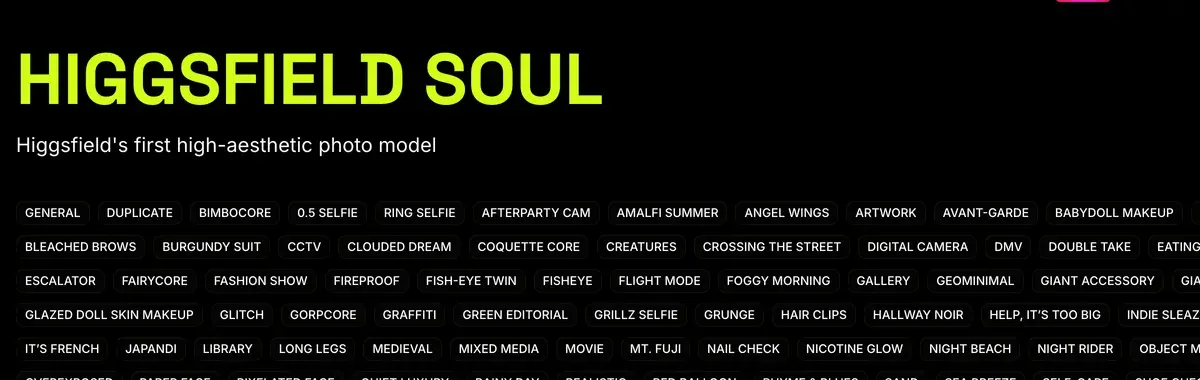
The family has three models, per the Soul help article. Soul runs on ready-made presets. Soul 2.0 adds your own styles and colours. Soul Cinema has a film look built in and no presets.
Three controls set Soul 2.0 apart:
- Presets: ready-made looks in categories such as TikTok Core, Instagram Aesthetics and Beauty.
- Moodboards: a style you build from your own pictures. The help article suggests “20 or more images in one cohesive aesthetic without faces”.
- Soul HEX: upload a picture and Soul copies its colour palette onto your image. Useful when every ad must sit in brand colours.
One catch shapes how you work. “With a reference image, the prompt field becomes unavailable.” The picture becomes the whole brief, and only a Soul ID and a Soul HEX palette can join it.
Soul 2.0 offers seven ratios, from 9:16 to 16:9. 4:5 is missing, though Meta’s feed specs list 4:5 at 1440 by 1800 (Meta ad specs). Generate at 3:4 and crop, or extend the image afterwards.
Five of 52 public sources praise Soul’s photorealistic stills and Cinema Studio’s directed camera moves (Reddit, Trustpilot).
What is Soul ID?
Soul ID is a saved copy of one person’s face that every Soul model can reuse. Higgsfield’s words: “Train it once on 20 or more photos of one person (up to 80), and the same face appears across every generation” (Soul ID article).
What is Soul ID?
Train once and reuse the identity.
A trained Soul ID works across the Soul family.
Think of it as a casting file. You hire the face once, then dress it, move it and light it in any scene.
Soul ID has four limits, per the help article:
- Expect “clearly the same person” rather than a pixel-identical face. Strong style shifts and odd angles bring “small drift”.
- One Soul ID holds one person. For two or more recurring characters in one scene, Higgsfield points you to Elements.
- The trained face “is not exportable as a standalone file”. Your images and videos download as normal files; the character stays on Higgsfield.
- It carries into video. Soul characters “appear in Elements automatically”, so Seedance clips can use the same face.
That last point is why Soul ID matters for ads. One spokesperson can appear in a still for the feed, then speak in a Seedance clip for Reels.
Five of 52 public sources credit Soul ID and Elements with keeping characters and products consistent across shots (YouTube, Reddit). Three report moderation blocking prompts and even characters Higgsfield generated itself (Reddit, Reddit).
How to create a Soul ID character
Training takes “a few minutes”, per the help article. The photo set decides the result: “a smaller set of clean, varied photos outperforms a large set of inconsistent ones”.
- Open Soul and pick “Train new character”. Higgsfield’s photo rules for Soul ID sit in its own guide, How do I use Soul to generate images?, so keep it open beside you.
- Upload 20 to 80 photos of the same person. Vary the angles and expressions, keep the face well lit and add at least one full-height shot.
- Leave out sunglasses, hats, scarves and group photos. Use pictures from the last 4 to 5 months if the person’s look has changed.
- Start training, then name the character.
- Pick it from the Character tab whenever you generate in Soul, Soul 2.0 or Soul Cinema.

Still inconsistent? Higgsfield’s advice is to retrain on a stronger set: swap repeated poses and shadowed shots, and add a full-height photo.
You can also invent a face. The help article says to generate portraits of the new character first, then train a Soul ID on them. An invented face has no real person behind it, which changes the ad rules below. The full method, from casting sheet to talking clip, is in how to make a realistic AI UGC character on Higgsfield.
What Soul costs
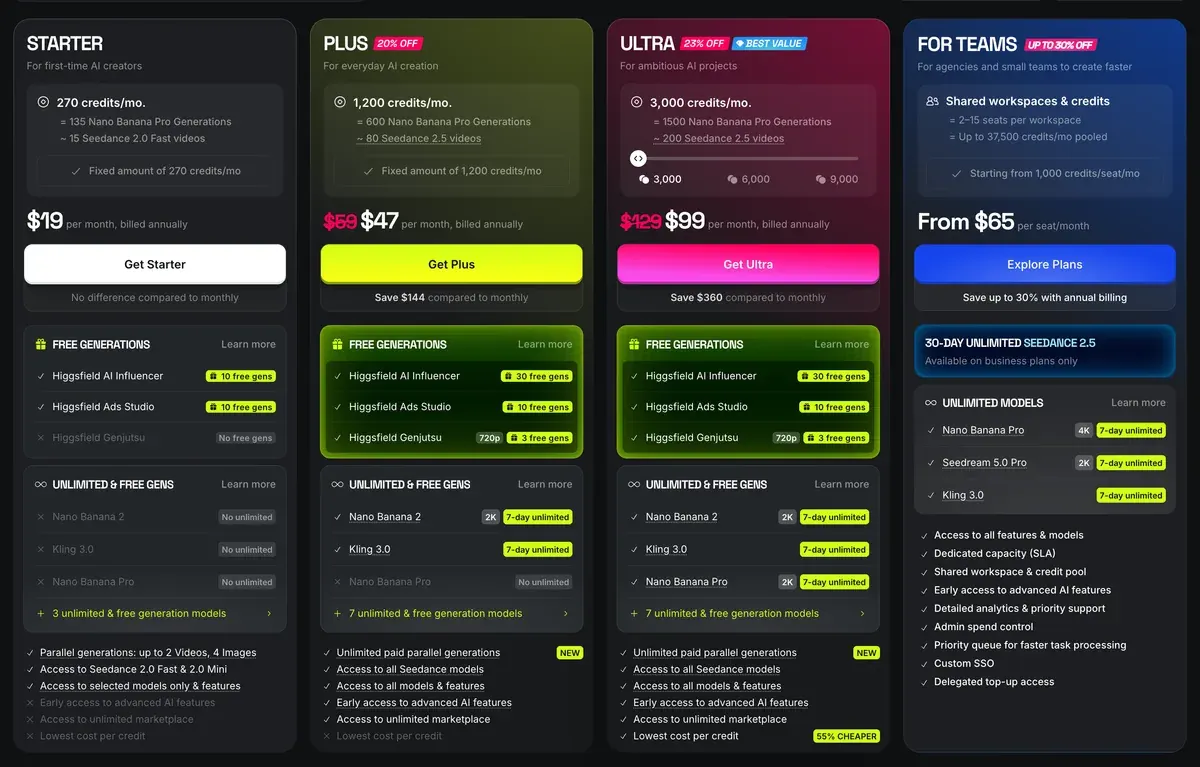
Soul runs on Higgsfield’s normal plans, and the plan cards above show annual billing. Starter costs $15 a month, Plus $49 a month and Ultra $129 a month.
The pricing page’s compare table caps Soul ID generations by plan, and annual billing raises every paid cap:
| Plan | Credits a month | Soul ID, monthly billing | Soul ID, annual billing |
|---|---|---|---|
| Free | None | 1 | 1 |
| Starter | 200 | 6 | 80 |
| Plus | 1,000 | 33 | 400 |
| Ultra | 3,000 | 100 | 1,200 |
Scroll sideways for all 4 columns
Soul 2.0 itself is cheap in credits. At 0.12 credits an image, Starter’s 200 credits cover about 1,666 images (200 divided by 0.12). The older Soul model costs 0.25. The pricing table gives Soul Cinema no rate of its own.
Two details move the real cost. A batch of 4 bills 4 images (credits article). And “Some plans include a one-time pool of free generations for Soul models”, listed on each plan card. The Plus card lists 5,000 free Soul 2.0 generations (pricing page, 9 October 2026).
The Free plan watermarks every image. Every plan, credit pack and refund rule: Higgsfield pricing.
Can you use a real person’s face in ads?
Yes, with that person’s documented consent, and with the platform’s AI label where its rules call for one. Higgsfield’s terms put the whole duty on you.
Section 5.3 makes you warrant that “you have obtained all consents, releases, and permissions required under applicable law from each individual whose face or voice is included”. Section 4.2(b) asks the same for any “name, likeness, voice, or other identifiable attributes”, yourself included (Terms of Use, 26 July 2026).
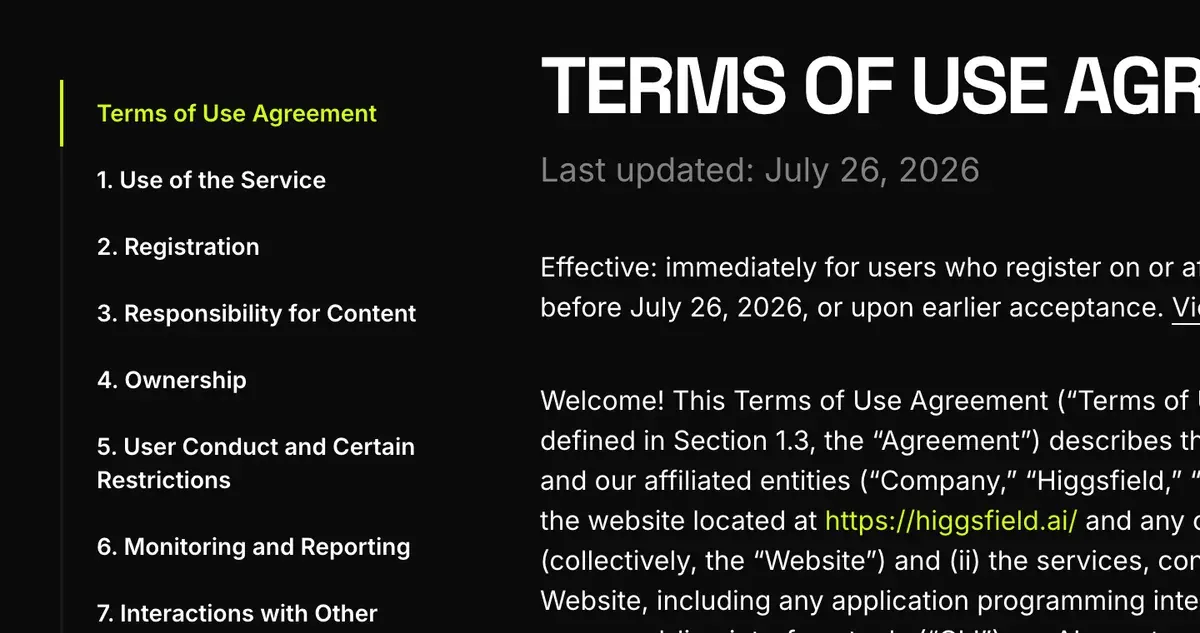
Three more clauses matter once the image runs as an ad:
- Training. Under 4.4, your inputs and outputs “may be used by Company to train” its models. Only an Enterprise Agreement switches that off. A model’s photos, uploaded for a Soul ID, fall under that clause.
- No passing off. Section 5.2(xi) bars you from presenting “that any Output is human-generated when it is not”.
- Labels and marks. Section 5.5 asks you to disclose AI “Where required by applicable law” and never to remove the provenance marks Higgsfield may embed under 6.4.
Three of 52 user sources object to the terms. An earlier July 2026 version licensed uploaded faces to Higgsfield perpetually; the 26 July 2026 terms quoted here no longer carry that clause (YouTube, Reddit).
A real face and an invented face fall under different laws. New York’s synthetic performer law covers a figure “not recognizable as any identifiable natural performer”. Read that way, the law reaches a Soul ID you invented and leaves out one trained on a real model’s face (AI UGC legal guide).
A real model’s face falls under likeness laws instead, such as California Civil Code 3344.
Platforms add their own rules. TikTok asks for its AI label on content “completely AI-generated” (TikTok AI label). Meta’s rules depend on the ad category (Meta AI disclosure). Clause by clause, plan by plan: Higgsfield in the rights matrix.
Swapping a face into existing footage raises sharper questions: Higgsfield face swap and Recast.
Questions about Higgsfield Soul
Is Higgsfield Soul free?
Partly. The Free plan allows 1 Soul ID generation a month and adds a visible watermark. Paid plans start at $15 a month.
How many photos does Soul ID need?
At least 20 photos of one person, up to 80. Higgsfield asks for varied angles, good light and one full-height shot.
Can I download my Soul ID character?
No. The help article says the trained character “isn’t a downloadable file”. The images and videos you make with it download normally.
Does Soul ID work in video?
Yes, in Seedance. A trained Soul character appears in Elements automatically, and you call it with @ in the prompt.
What is the difference between Soul 2.0 and Soul Cinema?
Soul 2.0 has presets, Moodboards and Soul HEX. Soul Cinema drops presets and Moodboards for a built-in film look, and Higgsfield suggests it for video keyframes.
Every Higgsfield guide, sorted by job, is in the Higgsfield hub
Sources
- Higgsfield help centre: How do I use Soul to generate images?, The Soul family, Moodboards, Soul HEX, ratios, 1.5K or 2K output, batches of 1 to 4. Checked
- Higgsfield help centre: How do I create and use a Soul ID character?, 20 to 80 photos of one person, training steps, limits, no export, use in Seedance as an Element. Checked
- Higgsfield help centre: How do I use Soul Cinema?, No presets or Moodboards; Soul HEX and Soul ID supported; suited to video keyframes. Checked
- Higgsfield: Higgsfield Soul 2.0, Product page for Soul 2.0, Soul ID, Soul HEX and Moodboards. Checked
- Higgsfield: Higgsfield pricing, Credits per image and Soul ID caps by plan from the compare table, read in a browser; prices exclude VAT. Checked
- Higgsfield help centre: What uses my credits?, Each output of a batch is charged separately. Checked
- Higgsfield: Higgsfield Terms of Use (26 July 2026), 4.2(b) on likeness, 4.4 on training, 5.2(xi) on output presented as human-made, 5.3 on faces, 5.5 on AI disclosure, 6.4 on provenance marks. Checked
- Trustpilot, Reddit and YouTube: Higgsfield user reports, 52 public sources synthesised, checked 28 September 2026. Checked
What changed on this page
- Higgsfield’s prices went back: Starter is 15 dollars a month for 200 credits, Plus 49 a month or 39 billed yearly for 1,000 credits, and Ultra 129 or 99 billed yearly has a card again (was Starter 19 for 270, Plus 59 or 47 for 1,200).
- Higgsfield changed its prices: Starter is 19 dollars a month for 270 credits (was 15 for 200), Plus 59 a month or 47 billed yearly for 1,200 credits (was 49 or 39 for 1,000). Monthly Soul ID caps now 9 on Starter and 40 on Plus.

Alexandre S.
Alexandre S. is a creative ad strategist and copywriter with ten years' experience in digital marketing across multiple channels.
Related pages
-
 Profile Higgsfield AI for ads
Higgsfield resells Kling, Veo and Seedance on one credit balance. What a clip costs, what “Unlimited” covers and its ad terms, checked 24 September 2026.
-
 Guide Higgsfield Cinema Studio
What Higgsfield Cinema Studio does, its camera and lens controls, what a clip costs, and when it beats plain prompting for ads. Checked 16 October 2026.
-
 Guide AI UGC meaning: what is AI UGC?
AI UGC is ad video made or edited with AI to look like a customer or creator filmed it. Its two meanings, and vendor terms on passing it off as human.
-
 Guide Higgsfield Unlimited explained
Which models Higgsfield Unlimited covers on each plan, how long each window lasts, the shared queue, and what still costs credits. Checked 16 October 2026.


