Veo 3 prompts for ads
A Veo ad prompt names a subject, action, scene, camera, style and sound, as Google’s guide lists them. That is the anatomy Google’s Veo prompt guide gives, last updated 1 October 2026. The “Veo 3” people search for is Veo 3.1 today: Google shut Veo 3 down in the Gemini API on 30 June 2026 (deprecations).
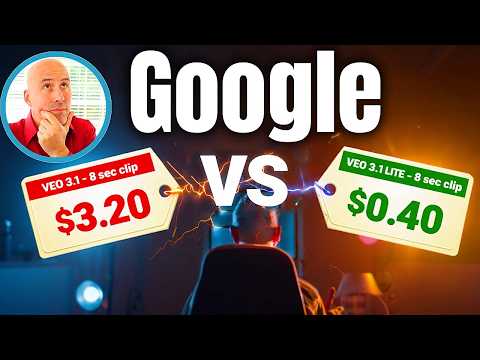
What a prompt costs is what its retries cost. One Veo 3.1 Fast attempt in Flow costs 20 credits, which is $0.40 on Google AI Pro ($19.99 a month) if every monthly credit is used, prices checked . Every Flow account gets 50 credits a day. Flow lists Veo 3.1 prices for subscribers only, and its getting-started page asks for a subscription (Veo pricing).
Higgsfield and Runway resell Veo inside their own credit plans.
| Ad format | Template opens with | Clip length in Flow | One attempt, Veo 3.1 Fast | Three attempts on Google AI Pro, every credit used |
|---|---|---|---|---|
| UGC-style talking clip | “Medium close-up, handheld phone footage” | 8 s | 20 credits | $1.20 |
| Product hero shot | “Slow dolly in on [product]” | 4 to 8 s | 20 credits | $1.20 |
| Product demo | “Close-up of hands [using product]” | 8 s | 20 credits | $1.20 |
| B-roll and cutaways | “Static shot, [setting], no people” | 4 s | 20 credits | $1.20 |
Scroll sideways for all 5 columns

How Google says to structure a Veo prompt
Google’s guide breaks a prompt into elements and says “You don’t need to use all elements in every prompt”. The ones an ad prompt uses most:
- Subject: the “who” or “what”. In an ad, the person or the product.
- Action: the “verb” of the video, including “subtle expressions”. A creator picking up a bottle and smiling.
- Scene or context: the “where” and the “when”. A kitchen counter at golden hour.
- Camera angles and movements: Google lists close-up, medium shot, “Handheld or shaky cam” and dolly among them.
- Visual style: lighting and look, such as “Photorealistic”.
- Audio: Google’s guide splits it into sound effects, ambient noise and dialogue.
The audio advice matters most for ads. Google recommends that you “use separate sentences in your prompt to describe the audio”. Its dialogue example writes the line after a colon: “the man in the red hat says: Where is the rabbit?”. Ambient noise is written as a description, “the quiet hum of an office”.
Music is the trap.
Google’s guide says negative prompts should avoid “instructive language or words such as “no” or “don’t”” and should describe the unwanted element instead (“wall, frame”).
If an editor adds the track later and your tool has a negative prompt field, put “music, soundtrack” there, and leave “no music” out of the prompt itself. Flow’s help pages name no such field, so in Flow drop the template’s negative line and leave music unmentioned.
Veo prompts by ad format
Each block below is a template written for this page: fill the brackets, keep the sentence order. Google publishes its own example prompts in the prompt guide, each beside the clip it produced.
UGC-style talking clip
Template. Medium close-up, handheld phone footage, vertical framing.
A [age, look] woman sits in a [car / bedroom / kitchen], holding [product] at chest height.
She looks into the lens and says: [one line of 12 words or fewer].
Natural window light, no make-up look, slight camera shake.
Audio: her voice close to the mic, faint room tone.
Negative prompt: music, subtitles, text overlay
A 30-second ad is four 8-second clips stitched together: 80 credits on Fast before any retry.
Five of the 62 user reviews counted below report character drift between shots. Write the same description of the person, word for word, into every attempt.
Product hero shot
Template. Slow dolly in on [product] standing on [surface], [background].
[Light source] from the left, soft reflection on the [material].
Photorealistic, shallow depth of field.
Audio: [one sound tied to the product, such as a cap clicking shut], quiet studio ambience.
Negative prompt: hands, people, text, logo distortion
Veo makes 16:9 or 9:16 per the Gemini API docs, so a 4:5 feed placement needs a crop.
Product demo
Template. Close-up of hands [using product: pouring, applying, assembling] on [surface].
The camera stays static at eye level. Movements are slow and deliberate.
[Setting], bright daylight.
Audio: [the sound the action makes], soft ambient room sound.
Negative prompt: music, faces, text
Hands and liquids are where physics breaks: 13 of the 62 user reviews below report weak physics and prompt adherence. Budget three attempts: $1.20 on Google AI Pro at Fast, if every monthly credit is used, or $6.00 at Quality.
B-roll and cutaways
Template. Static shot, [setting], no people.
[Time of day], [weather or light detail].
Audio: [ambient noise of the place].
Negative prompt: people, text, music
A 4-second Fast clip costs the same 20 credits as an 8-second one in Flow. On the Gemini API, which bills by the second, 8 seconds of Veo 3.1 Fast at 1080p costs $0.96, so short cutaways cost less there.
Veo 3 UGC prompts and the fake-testimonial line
Google’s Generative AI Prohibited Use Policy (last modified 17 December 2024) bars “Misrepresenting the provenance of generated content by claiming it was created solely by a human, in order to deceive.” It also bars “Impersonating an individual (living or dead) without explicit disclosure, in order to deceive.”
A creator-style ad shows a person talking about a product. A fake customer review presents that person as a real buyer reporting a real experience.
The second is where a “happy customer” prompt meets Google’s provenance line. It is also where the FTC’s rule on fake reviews applies to the advertiser (AI UGC legal rules). Writing “I’ve used this for a month” into an AI performer’s line is a claim of experience that never happened.
Ad rights are unclear in Google’s consumer terms that cover Flow and the Gemini app: they say “Google won’t claim ownership over that content” and neither grant nor bar ad use. Google Cloud’s Service Specific Terms (20(a), 20(i)) allow it on paid Veo use, with an IP indemnity on unmodified output (rights by plan).
Why Veo ignores parts of a prompt
Most of the 62 public user reviews of Veo checked 28 September 2026 come from AI filmmakers in r/VEO3, where complaints outnumber praise. Users value Flow’s 50 free daily credits (6 of 62), native audio (5) and cinematic hero shots (5). The gap between prompt and clip shows up as:
- Weak prompt adherence and physics, so a usable clip takes several paid retries (13 of 62 sources: r/VEO3, r/VEO3).
- Moderation that blocks ordinary work, with “prominent people” errors on fictional characters, clients’ own photos and the user’s own face (13 of 62: r/VEO3, r/VEO3).
- Characters and assets that drift between shots (5 of 62: r/VEO3, r/VEO3).
The moderation reports matter for UGC prompts: a talking-person ad built on an uploaded face is the case users describe as blocked.
Credits also confuse users: daily allowances expire at midnight and Quality costs five times Fast (8 of 62: YouTube, r/VEO3). For drift, users reach for Gemini Omni Flash inside Flow, which holds a character or product steady (6 of 62: r/VEO3, r/VEO3).
Does Meta or TikTok label a Veo ad?
Google DeepMind says Veo videos carry SynthID, an invisible watermark. The Gemini Apps help says media made in Gemini Apps also carries Content Credentials (C2PA) metadata. Google’s Flow pages do not say whether Flow adds C2PA. Flow’s help says SynthID is always embedded, and the visible watermark is a user toggle, applied automatically in some countries.
Meta and TikTok describe labelling based on industry signals such as C2PA. Their rules are on Meta’s AI disclosure and TikTok’s AI label.
Questions buyers ask about Veo prompts
How long can a Veo clip be?
In Flow, a Veo 3.1 clip is 4, 6 or 8 seconds (Flow models help). The Gemini API extends a Veo 3.1 or Fast clip in 7-second steps, up to 20 times, to about 148 seconds at 720p.
Can a Veo prompt include dialogue?
Yes. Google’s guide writes the speaker, then a colon, then the line: “the man in the red hat says: Where is the rabbit?”
What aspect ratios does Veo make?
Veo 3.1 makes 16:9, the default, and 9:16 (Gemini API docs).
Sources
- Google Cloud documentation: Video generation prompt guide, Prompt elements (subject, action, scene or context, camera angles and movements, lens effects, visual style, audio, cinematic terms) and negative prompts; last updated 1 October 2026. Checked
- Google: Generative AI Prohibited Use Policy, Bars claiming generated content was created solely by a human in order to deceive, and impersonation without disclosure; last modified 17 December 2024. Checked
- Google AI for Developers: Generate videos with Veo 3.1 in Gemini API, Aspect ratios 16 by 9 and 9 by 16; clip lengths of 4, 6 or 8 seconds. Checked
- Google Flow Help: Google Flow credits, Credits per generation by model; 50 daily credits with or without a subscription. Checked
- Google Flow Help: Learn about Google Flow models and supported features, Veo 3.1 clip lengths and features by model. Checked
- Google: Google AI plans, Google AI Pro price and 1,000 monthly Flow credits. Checked
- Google AI for Developers: Gemini API pricing, Veo 3.1 Fast per-second rates. Checked
- Google AI for Developers: Gemini API deprecations, Veo 3 and Veo 3 Fast shut down in the Gemini API on 30 June 2026. Checked
- Google DeepMind: Veo, Videos made with Veo are marked with SynthID. Checked
- Gemini Apps Help: Gemini Apps Help on AI-generated media, Media made in Gemini Apps carries SynthID and Content Credentials (C2PA) metadata; undated. Checked
- Google Flow Help: Google Flow help on watermarks, SynthID always embedded; the visible watermark is a user toggle, applied automatically in some countries. Checked
- r/VEO3 and other public reviews: Google Veo user reports, 62 public sources synthesised, checked 28 September 2026. Checked
What changed on this page
- Page written.

Alexandre S.
Alexandre S. is a creative strategist and copywriter with ten years in content and SEO. He writes and edits short-form ads, works in English and French, and reads the pricing and terms pages behind every tool on this site before anything is written about it.
Related pages
- Alternatives Veo 3 alternatives
A Veo 3.1 generation in Flow runs 8 seconds at most. Video models with longer takes, lower list cost a second or clearer ad terms, checked 2 October 2026.
- Compare Kling vs Veo 3
Kling bars free-account ads, though its FAQ disagrees; Google’s consumer terms are silent, its Cloud terms set no commercial limit. Checked 2 October 2026.
- Compare Seedance vs Veo 3
Seedance 2.5 runs 30 s, Veo 3.1 8 s. Dreamina’s general terms, which exclude US users, bar ads unless other terms allow them. Checked 2 October 2026.
- Guide AI UGC prompts
The prompt fields Google, Kling, Luma and ByteDance publish for UGC clips, side by side, and the credit rules that bill a failed prompt. Read 2 October 2026.


