Higgsfield Cinema Studio
Higgsfield Cinema Studio is a video tool laid out like a film set. You pick a camera body, a lens, a genre and a colour grade, and add up to 50 references. It then generates a clip of up to 30 seconds, with sound.
Version 4.0 loads by default and “runs on Seedance 2.5”, per Higgsfield’s help centre. Each clip costs credits, unless Cinema Studio sits in your plan’s Unlimited list.
| Feature | Cinema Studio 4.0 |
|---|---|
| Engine | Seedance 2.5 |
| Clip length | Up to 30 seconds |
| References per clip | Up to 50 images, videos or AI actors |
| Sound | Generated with the picture |
| Camera | Film stocks, lenses, aperture and named moves |
| Editing | Extend a clip forwards or backwards, or edit one region |
| Real faces | Detected and blocked by content protection |
| Cost | Credits per clip, shown before you generate |
Scroll sideways for all 2 columns
What is Higgsfield Cinema Studio?
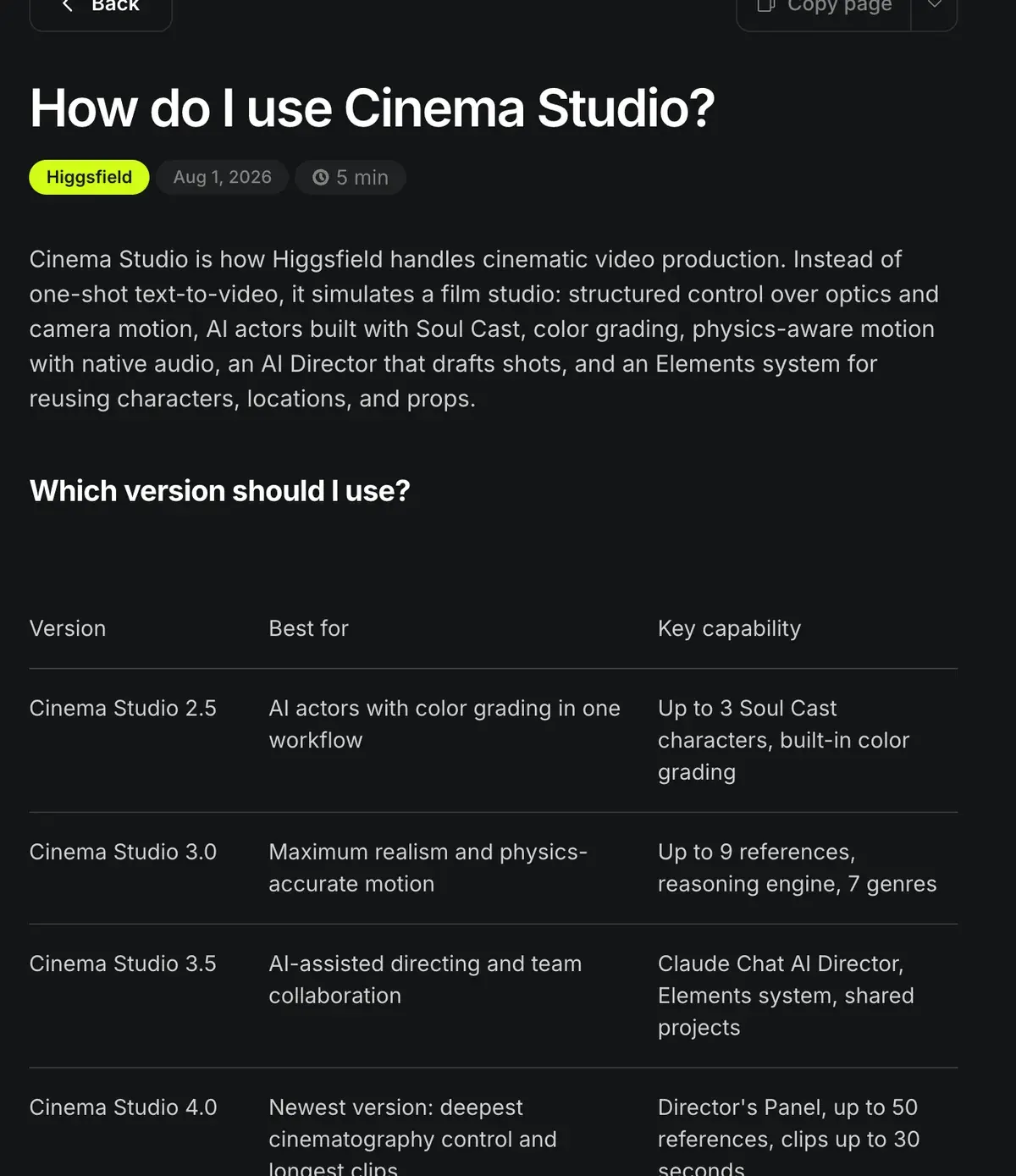
Cinema Studio is Higgsfield’s directed video workspace. In the help centre’s words, “Instead of one-shot text-to-video, it simulates a film studio” (Cinema Studio article).
A plain video prompt leaves the camera to the model. Cinema Studio turns the camera into settings you choose instead of words in a prompt.
Four versions sit behind a selector at the top, and each suits a different job:
| Version | Adds | Video upload |
|---|---|---|
| 2.5 | Up to 3 Soul Cast actors and a colour-grade panel | None |
| 3.0 | A reasoning engine, up to 9 references and 7 genres | Up to 15 s |
| 3.5 | Claude as AI Director, Elements, shared team projects | Up to 15 s |
| 4.0 | The Director’s Panel, up to 50 references, 30-second clips | Up to 30 s |
Scroll sideways for all 3 columns
Every version from 2.5 to 4.0 “generates native audio”: sound effects, speech and music made in the same pass as the picture.
Five of 52 public sources praise Cinema Studio’s directed camera moves and Soul’s stills; one Reddit reviewer puts it as “Camera movement feels directed, not random.” (Reddit, Trustpilot).
Camera and lens controls
Version 4.0 gathers its controls in the Director’s Panel. Its four parts, from the help article:
- Film Setup: a genre (General, Action, Epic, Drama, Comedy, Horror or Noir), an era from the 60s to the 2020s, and a tempo from “Single Shot to Chaotic”. Keep Higgsfield’s own Cinema Studio guide, How do I use Cinema Studio?, open beside the Director’s Panel as you set each part.
- Camera: the body, “including 35mm Film, 8mm Film, and DV Camcorder”, a lens “from clean sharp to anamorphic and vintage options” and the aperture.
- Colour Palette: one of “50+ color grading templates”.
- Lighting: 6 presets, or your own colour, brightness, diffusion and angle.
How do I use Cinema Studio 4.0?
Cinema Studio 4.0 runs on Seedance 2.5 and adds the Director’s Panel for cinematography control, generations with up to 50 references, and clips up to 30 seconds.
Director’s Panel. A single control surface for the look of the film. Film Setup sets the genre (General, Action, Epic, Drama, Comedy, Horror, Noir), the era (from the 60s to the 2020s), and the tempo: the editing style and cut speed, from Single Shot to Chaotic. Camera selects the camera (including 35mm Film, 8mm Film, and DV Camcorder), the lens (from clean sharp to anamorphic and vintage options), and the aperture, with camera moves including POV, Robot Arm, and Helicopter Shot. Color Palette applies one of 50+ color grading templates. Lighting offers 6 presets, or a custom setup with control over color, brightness, diffusion, and angle.
Camera moves include POV, Robot Arm and Helicopter Shot. On the Cinema Studio 4.0 page, each move is a # tag you “stack several per shot, they run in order”.
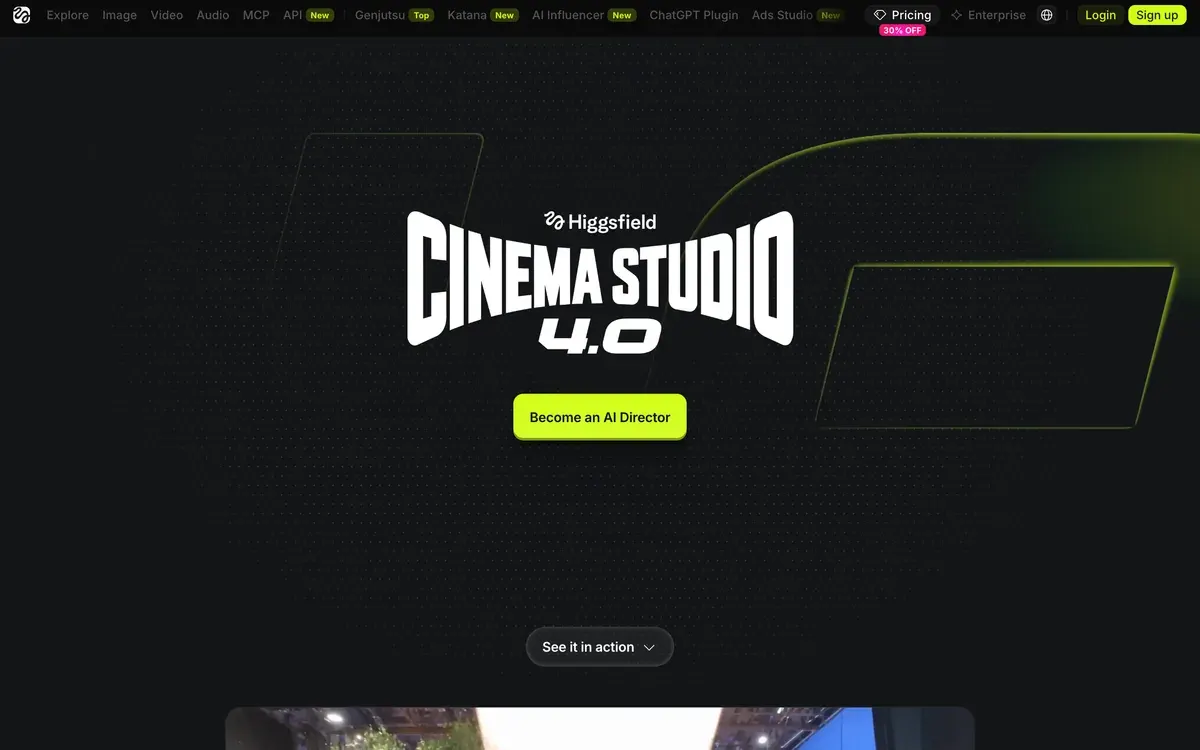
The era setting regrades the whole clip as you scrub the decade, “stock, halation, color”, per the product page. One brief gives a 90s camcorder cut and a 2020s cut of the same ad.
References do the casting. A clip takes up to 50 of them: uploads, Soul Cast actors and saved Elements (characters, locations and props you reuse). A character emotion slider sets how strongly an actor performs.
Three video modes finish the set. References makes a new clip. Forward and Backward Extend continue an uploaded clip of up to 30 seconds. Edit Video changes “an object or a face without regenerating the whole clip”.

What a Cinema Studio clip costs
Cinema Studio has no row of its own on Higgsfield’s pricing table, read on 9 October 2026. The help article answers the cost question with a condition: “if Cinema Studio models are in your plan’s Unlimited list on the Pricing page, generations on higgsfield.ai don’t deduct credits”. Otherwise each clip spends credits, shown on the Generate button.
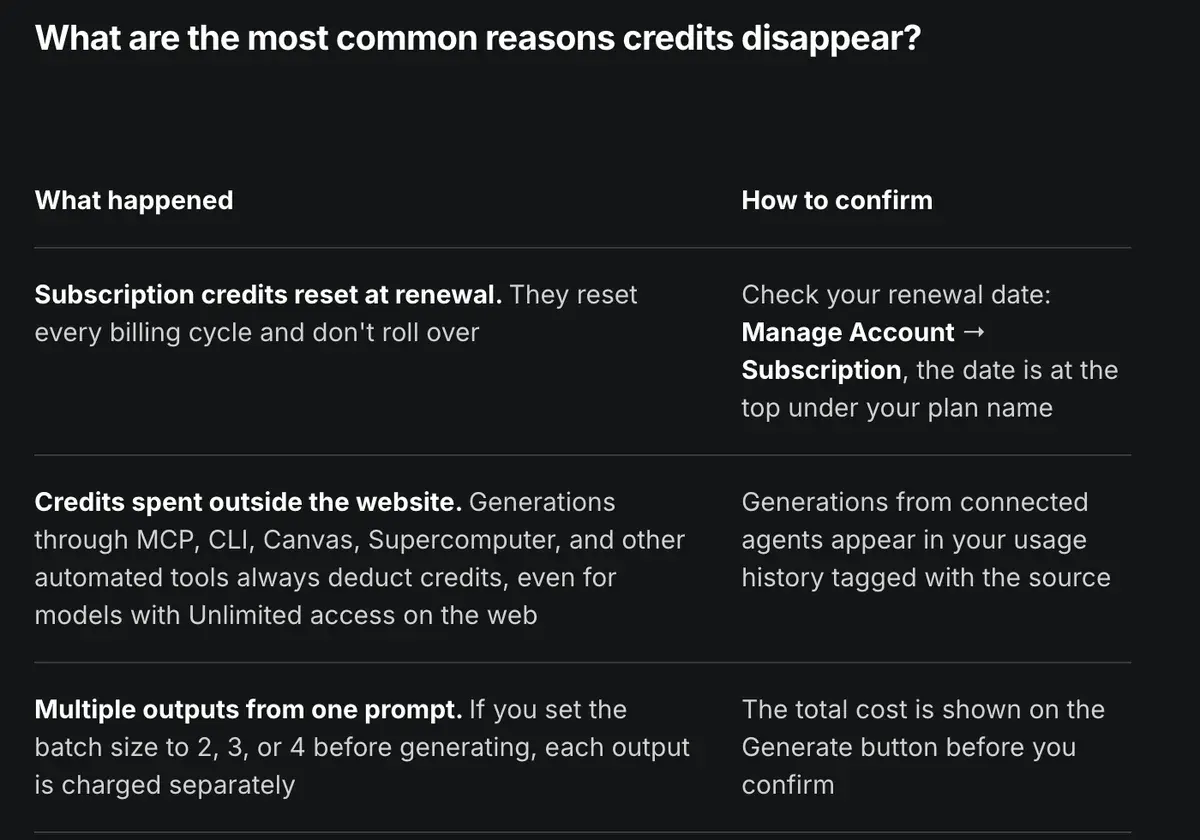
The engine gives a working figure. On 9 October 2026 the Plus card turned 1,000 credits into “~ 67 Seedance 2.5 videos”, about 15 credits a video (1,000 divided by 67); the cards Higgsfield shows since its price change give no Seedance 2.5 count. That is no Cinema Studio rate. The card did not say how long those videos run, and a 30-second take with 50 references can cost more.
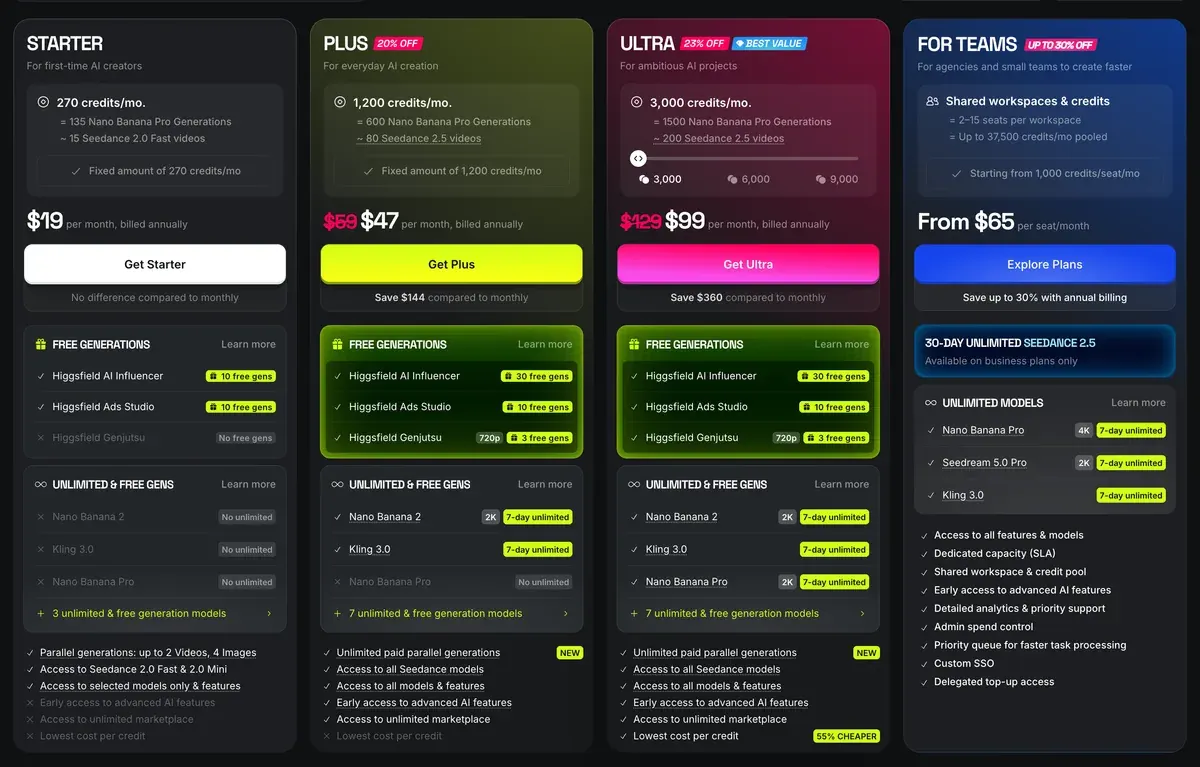
Plus costs $49 a month and Ultra $129 a month, both with every model. Starter’s card says “Access to selected models only”; the Plus cards say “Access to all models”, and the compare table ticks Seedance 2.5 from Plus up.
Unlimited has a catch users name often. Eight of 52 public sources report the Unlimited queue running slow, with waits of 20 minutes or more (Reddit, Trustpilot). Which models each plan covers: Higgsfield Unlimited.
When to use it for ads
Cinema Studio suits shots that need direction you would otherwise write into the prompt and hope for.
It suits:
- Brand films and story ads of several shots, where the same actor, location and product must hold. Elements and Soul Cast actors carry them from clip to clip.
- Hero product shots with a named move, lens and grade, such as a slow push-in on anamorphic glass for a watch.
- Retro or genre looks, such as a 90s camcorder testimonial set-up or a noir launch teaser, from the era and genre settings.
- Ads that run long: one 30-second take, without stitching clips.
It fits worse in three cases:
- A real spokesperson. The “content protection system detects real faces” and blocks the clip, so a founder’s own face belongs in other Higgsfield tools, with consent (face swap and the ad rules).
- Quick UGC variants. Marketing Studio builds those from a product link (Marketing Studio article).
- One simple move on one still. Kling 3.0 costs about 7 credits per 5 seconds at 720p (pricing table, 9 October 2026). Camera presets add the move (Higgsfield motion control).
A strong first frame helps any version. Higgsfield suggests Soul Cinema stills as “starting keyframes for AI video generation” (Soul Cinema article). Prompt patterns by ad format: Higgsfield prompts for ads.
Failed runs cost money too. Eight of 52 sources say generations run slow or fail and still use credits (Reddit, YouTube). Draft short, then spend on the final take. Higgsfield’s contests take their entries from Cinema Studio projects, so this is also the tool for a festival entry. Every Higgsfield tool and plan: how to use Higgsfield and the Higgsfield profile.
Questions about Higgsfield Cinema Studio
Is Cinema Studio free on Higgsfield?
No. Clips spend credits, unless Cinema Studio models are in your plan’s Unlimited list. Seedance 2.5, the engine behind version 4.0, is on the Plus card, at $49 a month; Starter’s card lists only Seedance 2.0 Fast and Mini.
Which model does Cinema Studio use?
Version 4.0 “runs on Seedance 2.5”, per the help centre. The product page adds that other video models run inside it too, picked per shot.
How long can a Cinema Studio clip be?
Up to 30 seconds in version 4.0, which also extends an uploaded clip of up to 30 seconds.
Does Cinema Studio make sound?
Yes. Every version from 2.5 to 4.0 generates sound effects, speech and music with the picture.
Can I use my own face in Cinema Studio?
The help centre says its content protection “detects real faces” and blocks such generations. It points you to remove real faces from prompts and references.
Every Higgsfield guide, sorted by job, is in the Higgsfield hub
Sources
- Higgsfield help centre: How do I use Cinema Studio?, Versions 2.5 to 4.0, the Director’s Panel, 50 references, 30-second clips, native audio, content protection, upload limits. Checked
- Higgsfield: Cinema Studio 4.0, Product page for Cinema Studio 4.0, camera moves as tags, multi-model support, team projects. Checked
- Higgsfield help centre: How do I use Soul Cinema?, Cinematic stills suited to video keyframes. Checked
- Higgsfield: Higgsfield pricing, Plan cards and per-model credit costs from the compare table, read in a browser; prices exclude VAT. Checked
- Higgsfield help centre: What uses my credits?, Unlimited list condition, each output of a batch charged separately. Checked
- Higgsfield help centre: How do I use Marketing Studio to create video ads?, Video ads built from a product link. Checked
- Trustpilot, Reddit and YouTube: Higgsfield user reports, 52 public sources synthesised, checked 28 September 2026. Checked
What changed on this page
- Higgsfield changed its prices: Starter is 19 dollars a month for 270 credits (was 15 for 200), Plus 59 a month or 47 billed yearly for 1,200 credits (was 49 or 39 for 1,000). Starter and Plus card lines updated.

Alexandre S.
Alexandre S. is a creative ad strategist and copywriter with ten years' experience in digital marketing across multiple channels.
Related pages
-
 Profile Higgsfield AI for ads
Higgsfield resells Kling, Veo and Seedance on one credit balance. What a clip costs, what “Unlimited” covers and its ad terms, checked 24 September 2026.
-
 Guide Seedance 2.0 on Higgsfield
What Seedance 2.0 costs on Higgsfield, when it is unlimited, its clip limits, and how the price compares with Dreamina and other shops. Checked 16 October 2026.
-
 Guide Higgsfield Unlimited explained
Which models Higgsfield Unlimited covers on each plan, how long each window lasts, the shared queue, and what still costs credits. Checked 16 October 2026.
-
 Guide AI product video from image: turning one product photo into a video ad
Amazon’s ad console animates a product photo at no listed fee, for Amazon ads only; paid models bill by the second. Cost per clip and terms, checked 2 Oct 2026
-
 Guide Higgsfield Canvas
Higgsfield Canvas chains AI models on one board of nodes: prompt, image, video. The steps, what it costs in credits and three ad workflows, 20 October 2026.


