AI disclosure on YouTube
YouTube requires creators to disclose realistic AI content, and ad videos uploaded from Google Ads get the same question “to comply with YouTube’s AI disclosure policies for organic videos” (Google Ads Help).
YouTube may also label some videos itself: those made with its own AI tools, those carrying C2PA metadata and those its systems detect (YouTube Help). We read both undated pages on 2 October 2026.
| Case | Who declares, and where | What viewers see |
|---|---|---|
| Channel upload YouTube Help | The creator, “AI use” under Attributes in YouTube Studio | “Labels may appear in the expanded description for AI content that is non-photorealistic or animated.” “For AI content that is photorealistic, a label in the video player may also appear.” |
| Video made with YouTube’s own AI tools YouTube Help | YouTube may label it automatically | A label the creator “can not” adjust |
| Upload carrying C2PA metadata YouTube Help | YouTube may label it automatically | A label the creator “can not” adjust |
| Image or video generated inside Google Ads tools Google Ads Help | Google, automatically: “C2PA (Coalition for Content Provenance and Authenticity) open-standard markup into all images and videos generated within Google Ads tools” | YouTube’s automatic C2PA label once uploaded, which the creator “can not” adjust |
| Ad video uploaded to YouTube from Google Ads Google Ads Help | The advertiser, at the upload question in Google Ads | YouTube’s organic labels, as above |
| Asset designated with Google’s AI label setting Google Ads Help | The advertiser, per asset | A disclosure in “How this ad was made”, in Google’s “My Ad Center” panel |
| Campaign targeting the European Union, India or New York Google Ads Help | The advertiser, with the AI label setting | “visible overlays on the ads” |
| Election ad with synthetic content Political content policy | The advertiser, the “Altered or synthetic content” checkbox in campaign settings | A mandatory disclosure |
Scroll sideways for all 3 columns
Do you have to disclose AI on YouTube?
Yes, when it looks or sounds real: YouTube’s test is realism, and its examples include AI music. YouTube Help says creators “must disclose GenAI content that”:
- “Makes a real person appear to say or do something they didn’t do.”
- “Alters footage of a real event or place.”
- “Generates a realistic scene that didn’t actually occur.”
It adds that this “could include content that is fully or partially altered or created using AI tools”. Read against the third case, an ad fronted by a photorealistic AI actor in a kitchen that never existed falls inside it.
YouTube’s examples cut both ways for ad makers. “AI generated music” needs disclosure, so does “AI generated extra footage of a real place, like a video of a surfer in Maui for a promotional travel video”. On the list that needs no disclosure:
- “Applying beauty filters”
- “Color adjustment or lighting filters”
- “Production assistance, like using generative AI tools to create or improve a video outline, script, thumbnail, title, or infographic”
- “Video sharpening, upscaling or repair and voice or audio repair”
- “Cloning one’s own voice to create voice overs or dubs”
The voice example names one’s own voice. A cloned voice of somebody else sits outside that example, and where it puts words in a real person’s mouth, the first case covers it. YouTube says of both lists: “this isn’t a complete list.”
You disclose during upload: in YouTube Studio, under Attributes, “AI use”, Yes or No.
Where the YouTube label appears
YouTube Help gives two placements, and we quote both whole:
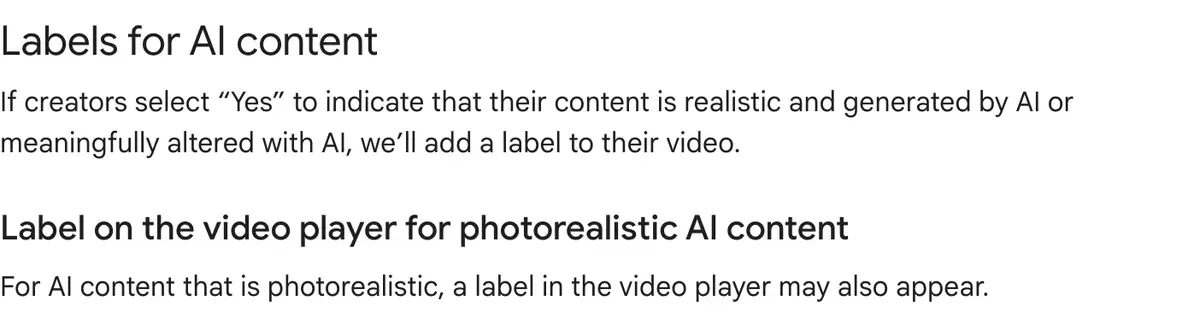
- “Labels may appear in the expanded description for AI content that is non-photorealistic or animated.”
- “For AI content that is photorealistic, a label in the video player may also appear.”
YouTube’s blog post of 27 May 2026 describes where the photorealistic label sits now. On long-form videos, “The label will now appear directly below the video player, above the description.” On Shorts, “The label will appear as an overlay on the video itself.”
For a 9:16 ad cut as a Short, that overlay sits on the creative itself. Plan the safe zone for it.
YouTube Help also says: “Disclosing AI content won’t limit a video’s audience or impact its eligibility to earn money.”
When YouTube labels your video without asking
YouTube Help lists three triggers. It “may automatically apply an AI label on the video player or in the expanded description for”:
- “Content made using YouTube’s GenAI tools”
- “Content that contains C2PA metadata”
- “Content that our internal systems detect” as AI generated or altered
The creator gets a notification in YouTube Studio. A wrong detection can be reversed “in most cases” by answering No in the disclosure survey. Labels from YouTube’s AI tools, C2PA metadata or manual review cannot be adjusted: “content made with YouTube’s AI tools, content containing C2PA metadata, or content labeled after manual review can not be adjusted.”
C2PA metadata is provenance data some AI tools write into their files. Google writes it into its own output.
Our Nano Banana entry records that “Gemini Apps include Content Credentials (C2PA) metadata” on the media they make, and our Google Veo entry records the same Gemini Apps line for videos. Google Ads Help says Google embeds “C2PA (Coalition for Content Provenance and Authenticity) open-standard markup into all images and videos generated within Google Ads tools.”
So a clip made in Gemini or inside Google Ads can reach YouTube already marked, and YouTube labels it whatever the advertiser ticks.
Google also embeds SynthID, its own invisible watermark, in that output. YouTube’s help page names C2PA as a trigger and does not name SynthID.
Re-exporting a file in an editor can strip its C2PA metadata (OpenAI’s provenance guide: “Editing, converting, or sharing a file can remove its metadata”). That removes one trigger. The duty to disclose realistic content and YouTube’s internal detection both remain.
Are AI ads allowed on YouTube?
Yes. Google’s advertising pages describe AI-made ads and give advertisers tools to label them. Google Ads Help opens: “You can use generative AI to create entirely new realistic assets from simple prompts, or to meaningfully enhance existing assets.”
The upload question
“If you upload a video to YouTube from within Google Ads, you will be asked whether AI was used to generate or edit the video to comply with YouTube’s AI disclosure policies for organic videos.” The ad video meets YouTube’s organic rule first.
The AI label setting
Google’s July 2026 update says advertisers “can add these labels directly to their creatives or use the AI label setting”. Google Ads Help says a designated asset gets “a disclosure in the ‘How this ad was made’ section in the My Ad Center panel”, reached from the three-dot menu on ads “across Search, YouTube and Discover”.
Google adds: “Use of the AI label setting in Google’s advertising products doesn’t guarantee your compliance with specific regulations.”
Regional overlays
“For campaigns that target the European Union, India, and New York, ads with assets that you designate as AI created or edited will also include visible overlays on the ads.” Google ties this to “AI regulations in the European Union, India, and New York”. The AI ad disclosure rules guide quotes the laws behind it.
Google may also label assets itself, “in regions where Google itself is legally required to do so, or when we get signals to do so from other platforms”.

Election ads carry a separate, mandatory duty. Google’s political content policy says: “Advertisers must disclose all election ads that contain synthetic or digitally altered content by selecting the checkbox in the ‘Altered or synthetic content’ section in their campaign settings.” Edits “inconsequential to the claims made in the ad”, such as resizing or colour correction, are out of scope.
What happens if you do not disclose
YouTube Help: “Creators who consistently choose not to disclose this information may be subject to manual application of a label, or penalties from YouTube, including removal of content or suspension from the YouTube Partner Program.” Its Community Guidelines apply to AI content as to any other.
A second rule governs monetisation: YouTube’s monetisation policies record a change dated 15 July 2025: “repetitious content” became “inauthentic content”, clarified to include “content that is repetitive or mass-produced”. Monetised content must “Not be mass-produced, generic, repetitive, or manipulative.” The policy names no AI tool and sets no disclosure condition.
For the same ad on other platforms, see Meta’s AI disclosure rules and TikTok’s AI label.
What changed and when
| Date | Change |
|---|---|
| 14 Nov 2023 | YouTube announces that creators must disclose realistic altered or synthetic content |
| 18 Mar 2024 | YouTube adds the disclosure tool to Creator Studio |
| 15 Jul 2025 | “Repetitious content” renamed “inauthentic content” in the monetisation policies |
| 27 May 2026 | YouTube moves the photorealistic label below the player and onto Shorts, and labels undisclosed photorealistic AI it detects |
| 9 Jul 2026 | Google posts its AI labelling update: labels permitted inside creatives, the AI label setting rolling out through July |
Scroll sideways for all 2 columns
Questions advertisers ask about YouTube AI labels
Do YouTube ads show an AI label?
Possibly. Ad videos follow YouTube’s organic labels, and designated assets add “How this ad was made”. Campaigns targeting the EU, India and New York add visible overlays. Source: Google Ads Help.
Does a cloned voice need disclosure on YouTube?
Your own cloned voice needs none, per YouTube Help. A real person’s voice saying words they never said needs disclosure.
Does YouTube detect AI-generated videos?
Yes, for significant photorealistic AI. YouTube’s 27 May 2026 post says that if “our systems detect significant photorealistic AI use, we will now automatically apply a label.”
Sources
- YouTube Help: Disclosing use of GenAI content, The three cases, the examples that need and do not need disclosure, the AI use setting under Attributes, label placement, automatic labels and which of them cannot be changed, the risks of not disclosing. No date on the page. Checked
- Google Ads Help: Use AI content label settings and disclosures, The upload question for videos sent to YouTube from Google Ads, the AI label setting, the How this ad was made section, visible overlays for campaigns targeting the European Union, India and New York, SynthID and C2PA on assets generated in Google Ads. No date on the page. Checked
- Google Advertising Policies Help: Updates to AI labeling requirements (July 2026), Labels permitted inside creatives from July 2026, the AI label setting rolled out through July, election ads still disclosed by checkbox. Checked
- Google Advertising Policies Help: Political content, Disclosure requirements for synthetic or digitally altered content in election ads, the checkbox in campaign settings, edits out of scope. Checked
- YouTube Help: YouTube channel monetization policies, The 15 July 2025 entry renaming repetitious content to inauthentic content; content must not be mass-produced, generic, repetitive or manipulative. Checked
- YouTube Official Blog: Improving AI labels for viewers and creators, Published 27 May 2026; the label below the player on long-form videos and as an overlay on Shorts; automatic labels on undisclosed photorealistic AI. Checked
- YouTube Official Blog: How we’re helping creators disclose altered or synthetic content, Published 18 March 2024; the disclosure tool in Creator Studio. Checked
- YouTube Official Blog: Our approach to responsible AI innovation, Published 14 November 2023; the disclosure requirement announced. Checked
- OpenAI API documentation: Content provenance, Editing, converting or sharing a file can remove its metadata. Checked
What changed on this page
- Written from YouTube Help, Google Ads Help, Google’s advertising policy pages and YouTube’s blog, all read 2 October 2026.

Alexandre S.
Alexandre S. is a creative strategist and copywriter with ten years in content and SEO. He writes and edits short-form ads, works in English and French, and reads the pricing and terms pages behind every tool on this site before anything is written about it.
Related pages
- Guide TikTok’s AI-generated content label for ads
TikTok rejects or restricts AI-generated ads with no AIGC label or disclaimer. Its rules by case, quoted: Spark Ads, Symphony, C2PA. Checked 24 September 2026.
- Guide Are AI UGC ads legal? FTC rules and likeness rights
The FTC’s fake-testimonial rule reaches an AI actor who claims to have used the product. That rule and US state and EU laws, quoted with dates.
- Category Best AI video generators for ads
23 AI video generators and model shops compared on cost per clip and ad-use terms, checked 25 September 2026.


