Higgsfield AI Influencer Studio
Higgsfield AI Influencer Studio is a character builder for virtual creators. You pick every feature from menus, with no prompt to write, and get a portrait and a full-body shot. Each new character or edit costs 1.12 credits (AI Influencer page, read 18 October 2026).
The character then performs in short videos. It copies a trending move Higgsfield curates, or a 3 to 30 second clip you upload.
| AI Influencer Studio | |
|---|---|
| What you give it | Menu choices, an optional photo of your face, or a short prompt |
| What you get | A portrait and a full-body image on white, up to 4K |
| Video | A trending motion or your own 3 to 30 second clip, output at 1080p |
| Credits | 1.12 a character or edit; each video shows its cost before it runs |
| Free start | Sign-up credits for one character and one video, watermarked |
| Same face everywhere | Train a Soul ID on 20 or more of its portraits |
Scroll sideways for all 2 columns

What is Higgsfield AI Influencer Studio?
AI Influencer Studio is Higgsfield’s tool for building a made-up person, or creature, that you can reuse across posts and ads. The help article compares it to “a game character creator”: every attribute comes from a menu (help article, read 18 October 2026).
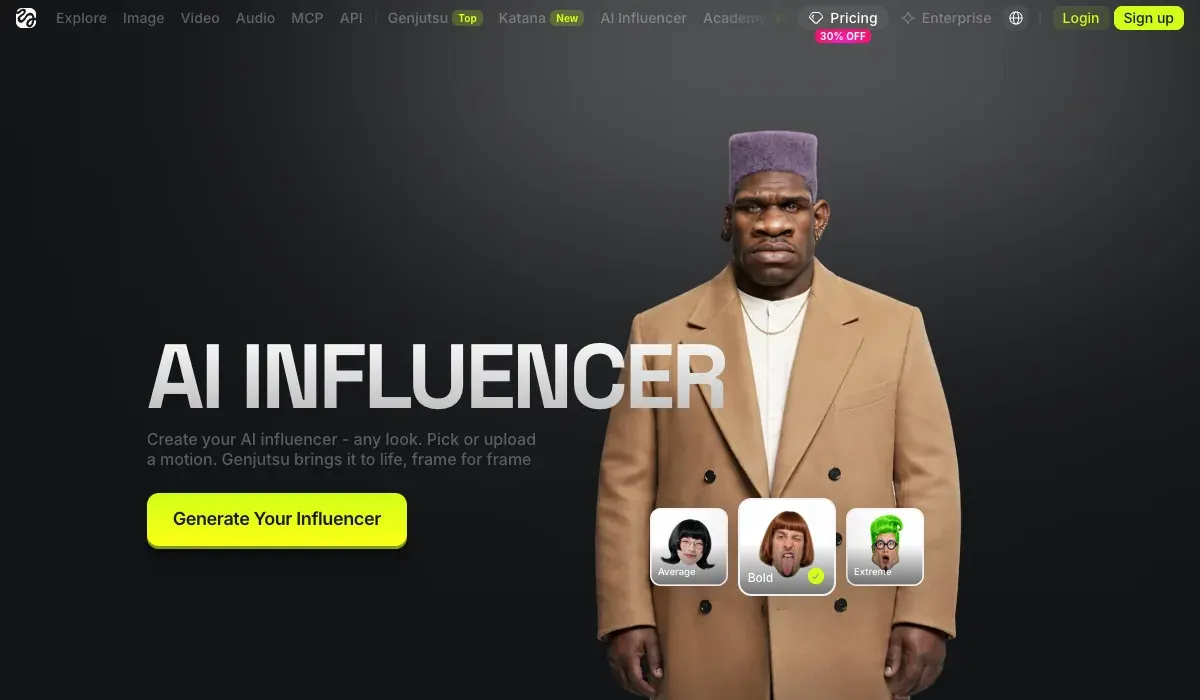
The range goes past humans. The product page lists seven gender options and nine character types, from human to mammal and reptile. Skin details run from freckles and vitiligo to “sharp teeth and a forked tongue”.

Two inputs change what you get. “Add your face” takes one photo and keeps that identity while you change everything else, from age to wardrobe. Without a photo, the builder makes a new person from your settings.
The video side runs on Genjutsu, Higgsfield’s video editor. It copies “the movement, camera and timing” of a reference clip onto your character. Object swap changes one element, such as the outfit or the product, and leaves the rest of the shot alone.
For an ad team, that last part matters most. One recorded performance can carry several products, each swapped in, with the same presenter in every version.
The studio sits in Higgsfield’s top menu beside Marketing Studio and Cinema Studio, and spends the same credits (how to use Higgsfield). Plans, terms and user reports: the Higgsfield profile.
How to build an AI influencer, step by step
These steps follow Higgsfield’s help article and product page.
- Open AI Influencer Studio and select Create new. Keep Higgsfield’s own AI Influencer guide, How do I use AI Influencer?, open beside the Builder panel.
- Set the base identity in the Builder panel: character type, gender, origin, skin colour, eye colour, skin conditions and age. Add one photo under “Add your face” if the character should look like you.
- Open Advanced settings and fine-tune the three tabs: Face, Body and Style.
How do I use AI Influencer?
AI Influencer is Higgsfield’s visual character builder for virtual personas. Every attribute is configured from menus in the Builder panel, with no prompt writing required, and characters generate at up to 4K. AI Influencer supports human and non-human characters, finished characters are saved to your character library for reuse, and you can turn a character into video or refine it with a text edit right there.
What is AI Influencer? AI Influencer works like a game character creator: you select each attribute from menus. The Builder panel covers the base identity: Character Type, Gender, Ethnicity / Origin Base, Skin Color, Eye Color, Skin Conditions, and Age. Below it, Advanced settings opens three tabs, Face, Body, and Style, with the full attribute set. Reset clears the configuration and starts over.
- Select Generate. The credit cost shows before you confirm, and you get a portrait and a full-body image on white.
How do I generate a character?
1. Open higgsfield.ai/ai-influencer-studio and select Create new.
2. Set the base identity in the Builder panel: character type, gender, origin, skin color, eye color, skin conditions, and age.
3. Fine-tune in Advanced settings: the Face, Body, and Style tabs.
4. Generate. The credit cost is shown before you confirm.
5. Refine the result if needed: use the buttons under the preview to regenerate or save, or type a change into the Type to customize character field and select Edit: text edits cost credits, and the exact cost is shown on the Edit button.
How do I animate the character? You can turn the character into video directly from AI Influencer with the video button under the preview. For motion driven by a real performance, record a video of yourself performing the movement and use Motion Control with your character’s image and your recording as the motion reference: the character follows your movements while keeping its own look.
- Refine it. Regenerate with the same settings, or type a change such as “give her a buzz cut” into the customise field and select Edit. The Edit button shows its cost.
- Save it. The character lands in your library with the settings that made it, ready to reuse or copy as a template.
- Make a video. Use the video button under the preview, pick a trending motion, or upload a 3 to 30 second clip. The product page allows up to 40 images of your influencer in one video.

Want to act out the performance yourself? The help article points to Motion Control. You record the movement, then apply it to the character’s image (motion control on Higgsfield). For a talking head, the same help article adds speech through lipsync.
One step keeps the face stable across months of posts. Generate a batch of portraits, then train a Soul ID on 20 or more of them. Training takes “a few minutes”, and the face then works in Soul 2.0 and Soul Cinema (Higgsfield Soul and Soul ID). To make the face look like a real phone video rather than a render, follow the realistic AI UGC character tutorial.
Five of 52 public sources credit Soul ID and Elements with keeping characters consistent across shots (YouTube, YouTube).
How much does it cost?
A character costs 1.12 credits to create, and the same again for each edit. A video has no fixed price on the product page: “each video shows its cost before you run it”.
One generation costs 1.12 credits, about $0.06, and returns a close-up portrait and a full-body shot.
Video happens in the same studio: the Motion tab runs Genjutsu Motion transfer and Objects swap at 480p, 720p or 1080p.
Credits come with Higgsfield’s plans. Starter costs $15 a month for 200 credits a month, Plus $49 a month for 1,000 and Ultra $129 a month for 3,000.
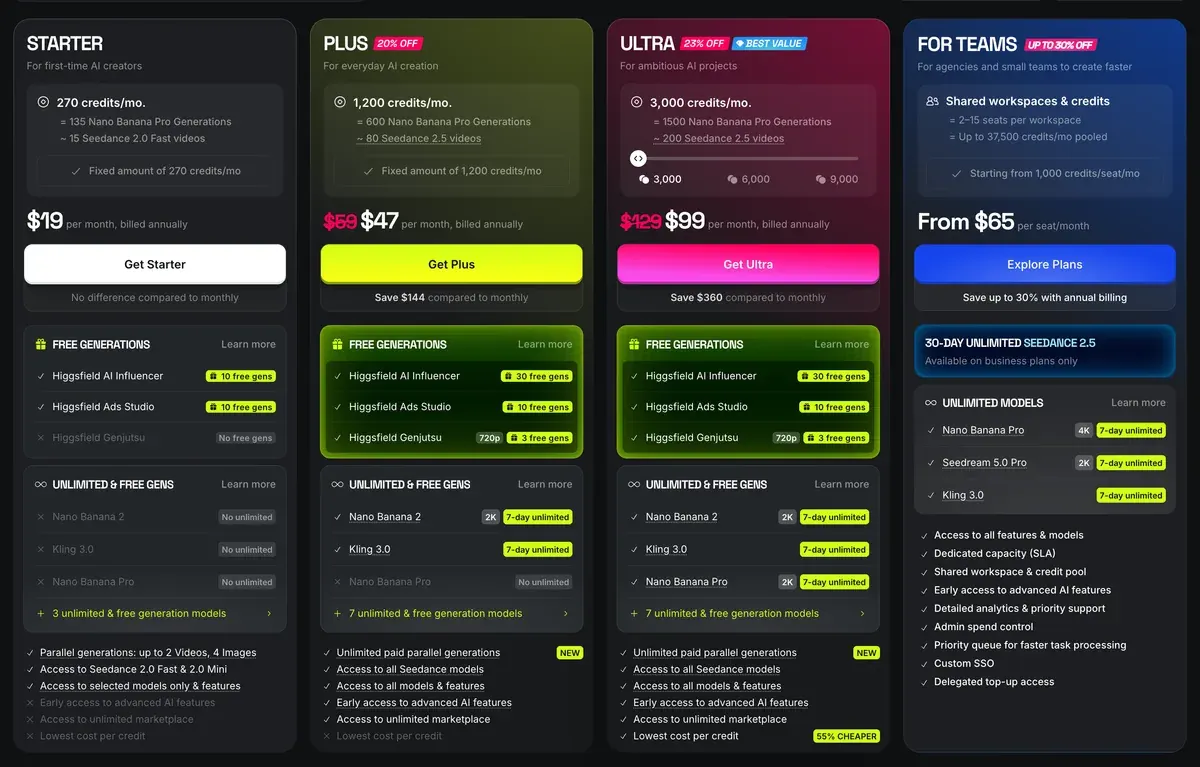
At 1.12 credits, Starter’s 200 credits cover 178 character builds or edits (200 divided by 1.12, rounded down). Videos draw on the same balance, so a plan that also makes clips builds fewer characters.
The studio is partly free. Sign-up brings “free credits to create your first influencer and run a video”. But a free account watermarks every generation, and upgrading later “doesn’t remove watermarks from generations already created” (watermark article, 3 August 2026).
That decides the plan for ad work. A free character is fine for trying the builder. The version that runs in your ads has to be made on a paid plan, or rebuilt there.
Credits also run out on a clock. Six of 52 user sources report credits expiring at the end of each period, and add-on packs after 90 days (Trustpilot, YouTube). Plans, packs and refunds in full: Higgsfield pricing.
Can you use an AI influencer in ads?
Yes. Section 4.4 of Higgsfield’s terms says it does not “restrict your commercial use of Outputs”. The duties sit with you: consent for any real face, honesty about what is AI, and the platform’s label where its rules call for one.
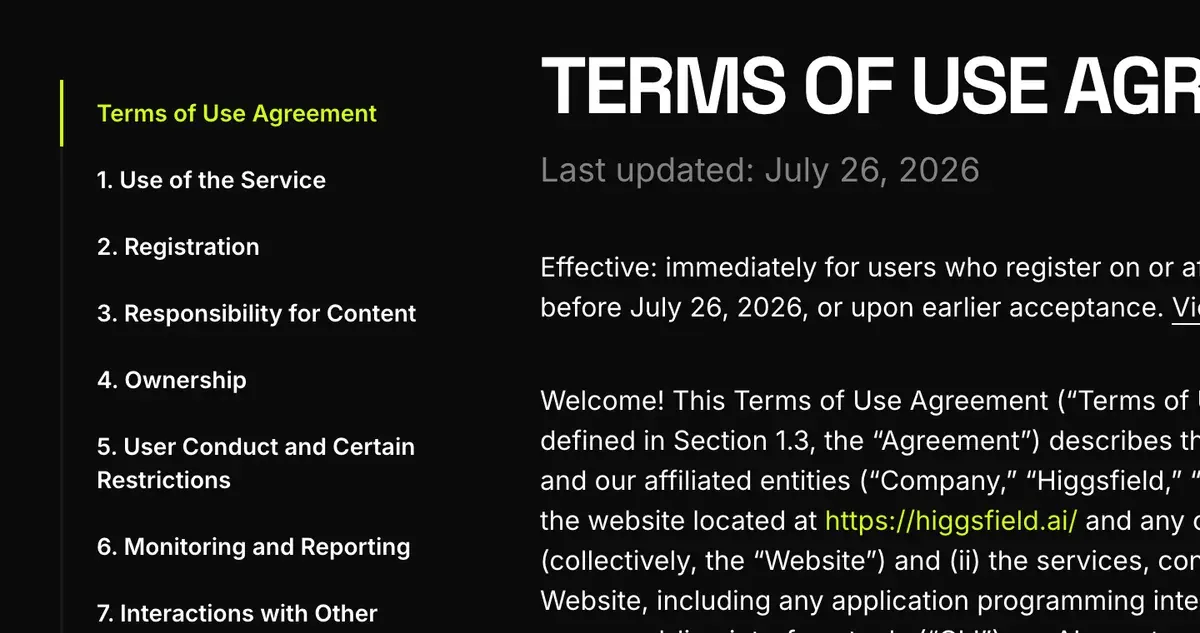
“Add your face” with someone else’s photo needs their consent. Section 5.3 makes you warrant “all consents, releases, and permissions required under applicable law from each individual whose face or voice is included”. Section 4.2(b) asks the same for any “name, likeness, voice, or other identifiable attributes”, yours included (Terms of Use, 26 July 2026).
A made-up creator raises a different question. Section 5.2(xi) bars you from representing “that any Output is human-generated when it is not”. A virtual influencer presented to followers as a real person runs straight into that clause.
Section 5.5 adds that, “Where required by applicable law”, you disclose that output is AI and keep any provenance marks Higgsfield embeds.
Under 4.4, your inputs and outputs “may be used by Company to train” its models unless you hold an Enterprise Agreement. That includes any face you upload. Deleting the content or the account stops it going forward.
The law now names this kind of character. New York’s General Business Law 396-b has required a conspicuous disclosure of a synthetic performer in ads since 9 June 2026. California’s SB 1050 starts on 1 January 2027. Both texts, side by side: do you have to disclose an AI actor?
Ad platforms label on top of that. Meta’s rules depend on the ad and its category (Meta AI disclosure). TikTok asks for its AI label on content that is “completely AI-generated” (TikTok AI label).
Moderation can also stop a character mid-campaign. Three of 52 user sources report Higgsfield blocking prompts and even characters it generated itself (Reddit, Reddit).
Higgsfield also pays creators to post with these characters. Its help centre says an AI Influencer character can join Earn campaigns, which pay per approved video (Higgsfield affiliate program and Earn).
Questions about Higgsfield AI Influencer
Is Higgsfield AI Influencer free?
You can start free: sign-up credits cover one character and one video. Free-account files carry a Higgsfield watermark, so ad work needs a paid plan from $15 a month.
Do I need to write prompts?
No. The product page says “Everything is tiles and toggles”. The only text you type is an optional one-line edit, or a prompt if you prefer words to menus.
Can I make the AI influencer look like me?
Yes. Add one photo under “Add your face” and the builder keeps your identity while you change the rest of the look.
Does it work inside ChatGPT?
Yes. Higgsfield offers an AI Influencer extension in ChatGPT: you describe the look, pick a trending motion and get the video in the chat. The product page calls it “free to try”.
How do I keep the same face in every video?
Train a Soul ID on 20 or more portraits of the character. The trained face then works in Soul 2.0 and Soul Cinema images (Higgsfield Soul and Soul ID).
Next on Higgsfield: how the new AI Influencer works
Every Higgsfield guide, sorted by job, is in the Higgsfield hub
Sources
- Higgsfield help centre: How do I use AI Influencer?, Builder panel, Advanced settings tabs, output up to 4K, generation and edit steps, video, Motion Control, lipsync and Soul ID. Checked
- Higgsfield: AI Influencer, Product page and its questions: 1.12 credits a character or edit, free sign-up credits, 3 to 30 second reference clips, up to 40 images a video, 1080p, ChatGPT extension. Checked
- Higgsfield help centre: How do I create and use a Soul ID character?, 20 to 80 photos of one person, a few minutes of training, the trained face stays on Higgsfield. Checked
- Higgsfield help centre: Why is there a watermark, and how do I remove it?, Free accounts watermark every generation; paid plans do not; upgrading does not clean older files; dated 3 August 2026. Checked
- Higgsfield: Higgsfield pricing, Plan prices and monthly credits, read in a browser; prices exclude VAT. Checked
- Higgsfield: Higgsfield Terms of Use (26 July 2026), 4.2(b) and 5.3 on likeness and consent, 4.4 on commercial use and training, 5.2(xi) on output presented as human-made, 5.5 on AI disclosure. Checked
- Higgsfield help centre: How do I join a partnership or creator program?, An existing AI Influencer character can be used in Higgsfield Earn campaigns. Checked
- Trustpilot, Reddit and YouTube: Higgsfield user reports, 52 public sources synthesised, checked 28 September 2026. Checked
What changed on this page
- Higgsfield’s prices went back: Starter is 15 dollars a month for 200 credits, Plus 49 a month or 39 billed yearly for 1,000 credits, and Ultra 129 or 99 billed yearly has a card again (was Starter 19 for 270, Plus 59 or 47 for 1,200).
- Higgsfield changed its prices: Starter is 19 dollars a month for 270 credits (was 15 for 200), Plus 59 a month or 47 billed yearly for 1,200 credits (was 49 or 39 for 1,000).

Alexandre S.
Alexandre S. is a creative ad strategist and copywriter with ten years' experience in digital marketing across multiple channels.
Related pages
-
 Guide Higgsfield Marketing Studio
Higgsfield Marketing Studio turns a product link into UGC videos, product shots and image ads. The steps, credits per clip and ad rules, 18 October 2026.
-
 Guide Higgsfield motion control
How Higgsfield’s motion control and motion presets work, which models support them, what they cost, and examples that suit ads. Checked 16 October 2026.
-
 Guide Higgsfield Faceswap and Recast
What Higgsfield’s face swap, Recast and lip sync do, what they cost, and the consent and AI label rules for a swapped face in an ad. Checked 16 October 2026.
-
 Guide AI UGC meaning: what is AI UGC?
AI UGC is ad video made or edited with AI to look like a customer or creator filmed it. Its two meanings, and vendor terms on passing it off as human.


