Higgsfield motion control
Motion control on Higgsfield means copying movement from a real video onto a character in a still. You give Kling 3.0 Motion Control a character image and a clip of someone moving, and it makes your character perform that move. A 5-second clip costs about 7 credits at 720p on Higgsfield’s pricing table.
Higgsfield’s other motion tools work from presets: the Camera Controls page names 65 camera moves.
| Tool | What it moves | You give it | Credits |
|---|---|---|---|
| Kling 3.0 Motion Control | A character’s body, copied from a clip | A character image and a reference video | About 7 per 5 s at 720p, 12 at 1080p |
| Camera presets on DoP | The camera, from a preset | One still and a preset | About 3 to 7 per 3 s at 720p |
| Genjutsu Motion Transfer | Everything in a clip but its motion | A 4 to 30 s video and references | Shown before each run |
| AI Motion Design | Text, charts and logos | A prompt and your brand assets | Shown before each run |
Scroll sideways for all 4 columns

What is motion control on Higgsfield?
Motion control is Kling 3.0 Motion Control, a Kuaishou model inside Higgsfield. It “transfers motion from real footage onto a character image”, keeping “the character’s face and style” while taking “the motion, timing, and expression from the reference” (Kling help article).
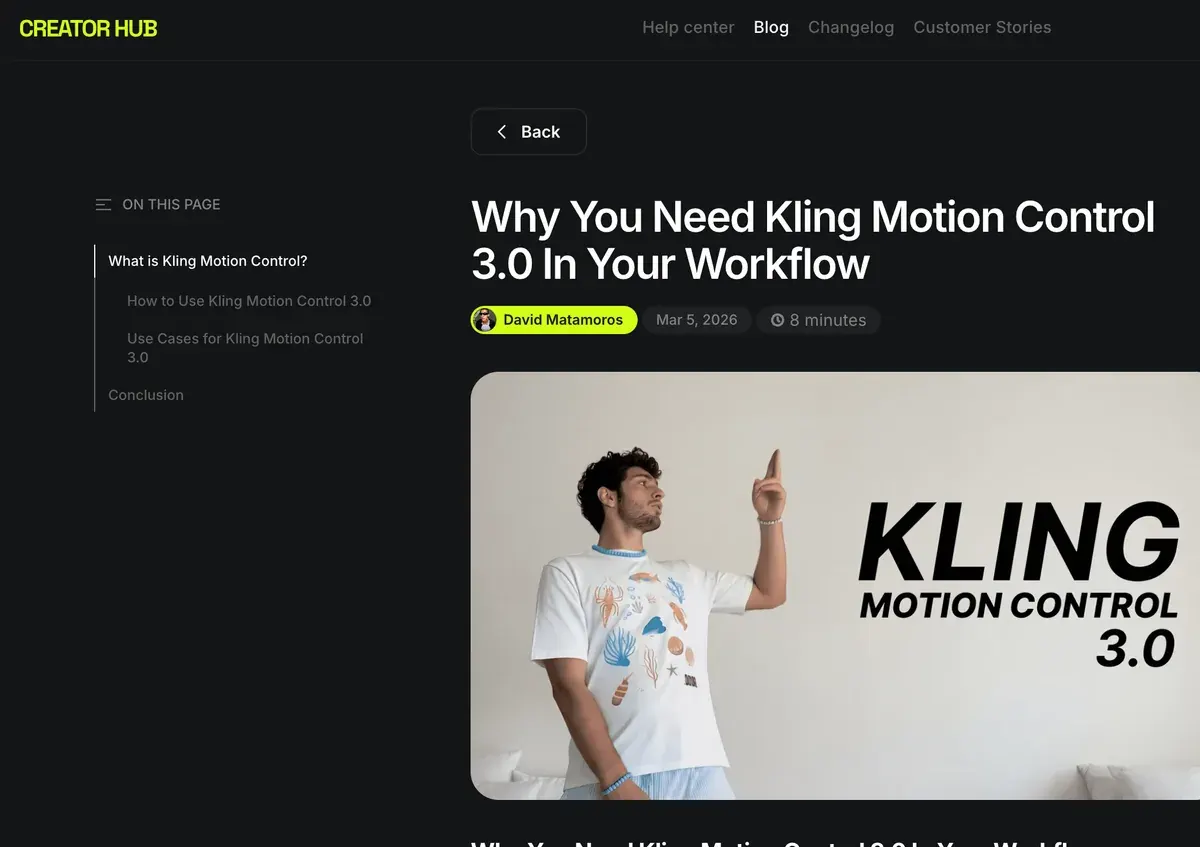
Think of it as motion capture without the suit: film the move once on your phone, and any character you design performs it.
The help article sets two input rules:
- The character image shows “arms and hands visible, enough space around the body, clear background”.
- The reference video has “a clear subject, and framing that matches the character image”. Its FAQ adds: “Avoid videos with camera cuts.”
Higgsfield lists dance, athletics, martial arts, jumps and hand movement as good fits. You can also “record yourself performing the motion” and use that as the reference. Clips run 3 to 30 seconds at up to 1080p.
For ads, that means a brand character doing this week’s trending dance, or a product demo where the hand moves exactly as filmed.

Find it under Video as Kling 3.0 Motion Control. It is also a tool in Higgsfield’s MCP connector.
Genjutsu does the reverse job. Its Motion Transfer “keeps the motion, camera and timing while rebuilding the scene from your references”, so a filmed ad keeps its timing with a new cast, set or product (Genjutsu). It takes clips of 4 to 30 seconds and up to 30 reference images.
Motion presets
A motion preset is a saved camera move or effect you apply to a still in one click. They run on DoP, Higgsfield’s own image-to-video model, where “each preset is a motion blueprint” (DoP article).
The Camera Controls page lists 65 named moves, from Dolly In to Snorricam. Higgsfield’s motion library goes wider: its sitemap lists 229 preset pages under higgsfield.ai/motion (16 October 2026).
The DoP article sorts them into Effects, Basic Camera Control, Epic Camera Control and Catch the Pulse. Mix combines presets in one clip, and clips run 3 or 5 seconds.
| Preset | What the camera does | Ad use |
|---|---|---|
| Dolly In | Moves towards the subject | Push in on a product’s detail or label |
| Crash Zoom In | Zooms in fast | A first-second hook |
| 360 Orbit | Circles the subject | A product turntable |
| Tilt up | “Moves the camera upward to reveal something” | Reveal a bottle from base to cap |
| Earth Zoom Out (Effects) | Pulls back from the subject “to reveal their city, then the continent” | A scale or “shipped worldwide” moment |
| FPV Drone | Flies through the scene | A shop, venue or property tour |
| Handheld | Shakes like a phone in hand | UGC-style footage |
| Static | Holds still | Text overlays that must stay readable |
Scroll sideways for all 3 columns
The Tilt up and Earth Zoom Out descriptions are Higgsfield’s own, from their preset pages. Earth Zoom Out sits in the Effects library, outside the 65 Camera Controls moves.
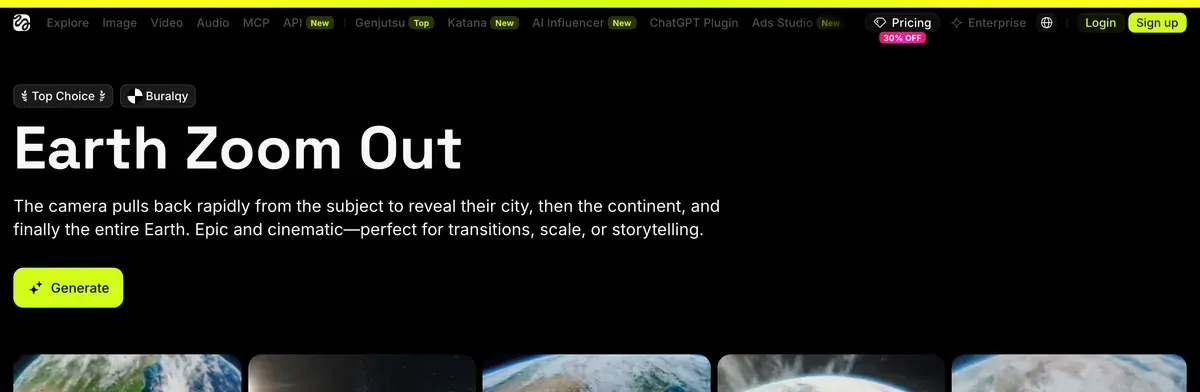
Name one move per shot: a still only has so much picture for the camera to travel through.
Which models run motion control and presets
Motion transfer runs on two Kling models. The Kling help article lists Kling 3.0 Motion Control and the earlier Kling 2.6 Motion Control, both at 1080p and 3 to 30 seconds.
Camera presets run on Higgsfield DoP, shown as “Higgsfield Standard” in the model selector. Its Lite, Turbo and Standard tiers trade speed for cost. Presets also work “through MCP, so agents like Claude can browse presets and generate with them” (Claude and MCP).
Other models take camera direction in the prompt. Higgsfield’s multi-shot workflow for Kling adds a speed-ramp setting, with options such as Slow-mo and Bullet Time. Cinema Studio 4.0 treats each move as a tag you stack (Cinema Studio).
Searches for “higgsfield motion graphics” land somewhere else: AI Motion Design, covered step by step in Higgsfield Vibe Motion. It makes “data-driven infographics, kinetic typography, and logo reveals” from a prompt (AI Motion Design). You set exact hex colours, fonts and easing, and export up to 4K.
Its sibling, AI Motion Designer, builds After Effects animations from ChatGPT through Higgsfield’s plugin (AI Motion Designer). Four of 52 public sources say Higgsfield’s marketing shows results they cannot reproduce, the AI Motion Designer demo among them (YouTube, Trustpilot).
What it costs
Motion tools spend plan credits, at rates from Higgsfield’s pricing table, read on 9 October 2026:
| Model | 720p | 1080p |
|---|---|---|
| Kling 3.0 Motion Control, per 5 s | About 7 | About 12 |
| Kling 2.6 Motion Control, per 5 s | About 5 | About 7 |
| DoP Lite, per 3 s | About 3 | Not listed |
| DoP Turbo, per 3 s | About 5 | Not listed |
| DoP Standard, per 3 s | About 7 | Not listed |
Scroll sideways for all 3 columns
A 30-second Kling 3.0 Motion Control clip at 720p comes to about 42 credits (six 5-second blocks at about 7). Starter’s 200 monthly credits cover about four such clips.
Genjutsu prices each run before you generate. Plus and Ultra add free 720p Genjutsu runs, per the plan cards: 3 on annual billing, 2 on monthly, none on Starter.
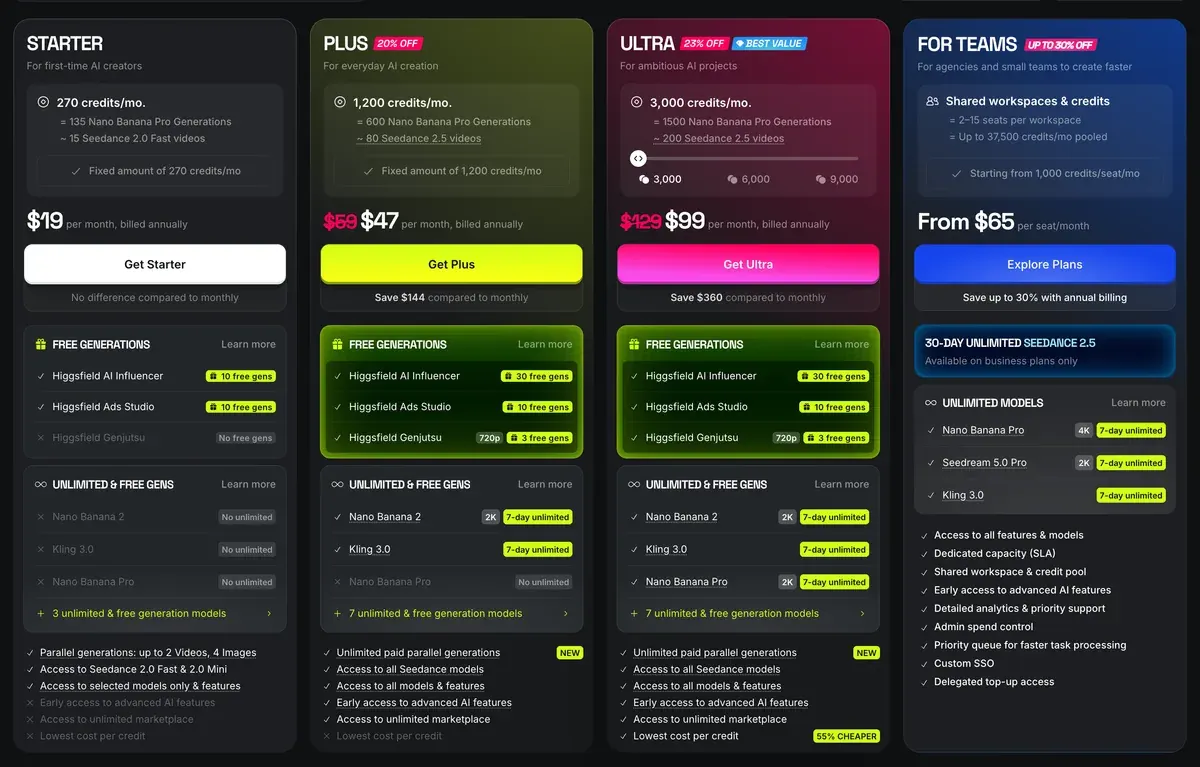
Starter costs $15 a month, Plus $49 a month and Ultra $129 a month. Generations through MCP or the CLI “always deduct credits”, even on models with Unlimited access on the website.
Failed runs are the cost to watch. Eight of 52 public sources report slow or failed generations that still took their credits (Reddit, YouTube). Test a move at 720p and 5 seconds before the full take. Plans and refunds: Higgsfield pricing; every tool: how to use Higgsfield.
Questions about Higgsfield motion control
What is Kling motion control on Higgsfield?
A Kling model that copies the movement in a reference video onto a character image, keeping the character’s face and style.
How long can a motion control clip be?
From 3 to 30 seconds, at up to 1080p, for both Kling Motion Control models.
Can I use my own movements?
Yes. Record yourself doing the move and upload it as the reference video. Avoid camera cuts in the clip.
How many camera presets does Higgsfield have?
The Camera Controls page names 65 moves. Higgsfield’s sitemap lists 229 motion preset pages (16 October 2026).
Does Higgsfield make motion graphics?
Yes, through AI Motion Design: infographics, kinetic type and logo reveals from a prompt, exported at up to 4K.
Every Higgsfield guide, sorted by job, is in the Higgsfield hub
Sources
- Higgsfield help centre: How do I use Kling?, Kling 3.0 Motion Control and Kling 2.6 Motion Control, 1080p, 3 to 30 seconds, input rules. Checked
- Higgsfield help centre: How do I use DoP?, Higgsfield’s own image-to-video model, preset categories, 3 or 5 second clips, presets through MCP. Checked
- Higgsfield: Camera Controls, 65 named camera moves in the page’s filter list. Checked
- Higgsfield: Higgsfield motion sitemap, 229 motion preset pages. Checked
- Higgsfield: Higgsfield Genjutsu, Motion Transfer and Object Swap on a 4 to 30 second clip, up to 30 reference images. Checked
- Higgsfield: AI Motion Design, Infographics, kinetic type and logo reveals from a prompt, editable timing and colours, export up to 4K. Checked
- Higgsfield: AI Motion Designer, After Effects animation from ChatGPT through the Higgsfield plugin. Checked
- Higgsfield: Higgsfield pricing, Credits for Kling Motion Control and DoP from the compare table, Genjutsu free runs on plan cards, read in a browser; prices exclude VAT. Checked
- Trustpilot, Reddit and YouTube: Higgsfield user reports, 52 public sources synthesised, checked 28 September 2026. Checked
What changed on this page
- Higgsfield’s prices went back: Starter is 15 dollars a month for 200 credits, Plus 49 a month or 39 billed yearly for 1,000 credits, and Ultra 129 or 99 billed yearly has a card again (was Starter 19 for 270, Plus 59 or 47 for 1,200).
- Higgsfield changed its prices: Starter is 19 dollars a month for 270 credits (was 15 for 200), Plus 59 a month or 47 billed yearly for 1,200 credits (was 49 or 39 for 1,000).

Alexandre S.
Alexandre S. is a creative ad strategist and copywriter with ten years' experience in digital marketing across multiple channels.
Related pages
-
 Profile Higgsfield AI for ads
Higgsfield resells Kling, Veo and Seedance on one credit balance. What a clip costs, what “Unlimited” covers and its ad terms, checked 24 September 2026.
-
 Guide Higgsfield apps and effects
What Higgsfield’s one-click apps do (Angles, Earth Zoom and the rest), what each costs in credits, and which suit ads. Checked 16 October 2026.
-
 Guide Seedance 2.0 on Higgsfield
What Seedance 2.0 costs on Higgsfield, when it is unlimited, its clip limits, and how the price compares with Dreamina and other shops. Checked 16 October 2026.
-
 Guide How to connect Higgsfield to Claude
Step by step: add Higgsfield’s MCP server to Claude, Claude Code or Codex, what you can ask it, and why every MCP call spends credits. Checked 16 October 2026.


