Higgsfield apps and effects
Higgsfield apps are ready-made effects inside the Higgsfield website: you upload a photo, press Generate, and get a styled image or a short clip. There is no Higgsfield phone app. Each run costs credits, shown on the Generate button.
Higgsfield’s apps sitemap lists 92 app pages. Credit costs below are the ones each page’s Generate button showed on 16 October 2026.
Product clips cost 15 to 19 credits a run; the two image apps here cost 2. Earth zoom sits in Effects, at 25.
| App | What it makes | Credits a run | Ad use |
|---|---|---|---|
| Packshot | A closing frame of your product, as video | 16 | The end card of any ad |
| Bullet Time White | A 360-degree spin of the product on white | 15 | Product page and marketplace video |
| Bullet Time Scene | The same spin with a background that matches the product | 15 | Feed ads for one hero product |
| Macro Scene | Macro close-ups inside a generated lifestyle set | 15 | Texture and detail shots |
| Fridge Ad | A fridge door opens and a hand takes the product | 15 | Food and drink |
| Giant Product | The product towering over a city, from above | 19 | A first-second hook |
| Billboard Ad | Your photo on a city billboard in a timelapse | 16 | Launch announcements |
| Transitions | Two clips or photos joined by an effect | 6 | Before and after |
| Expand image | The picture extended past its edges | 2 | One packshot into 9:16 |
| Outfit Swap | Clothes from one photo put on another | 2 | Fashion try-on stills |
| Earth zoom (Effects) | A plunge from orbit to street level | 25 | A location reveal |
Scroll sideways for all 4 columns
What are Higgsfield apps?
Higgsfield uses “apps” for two different things.
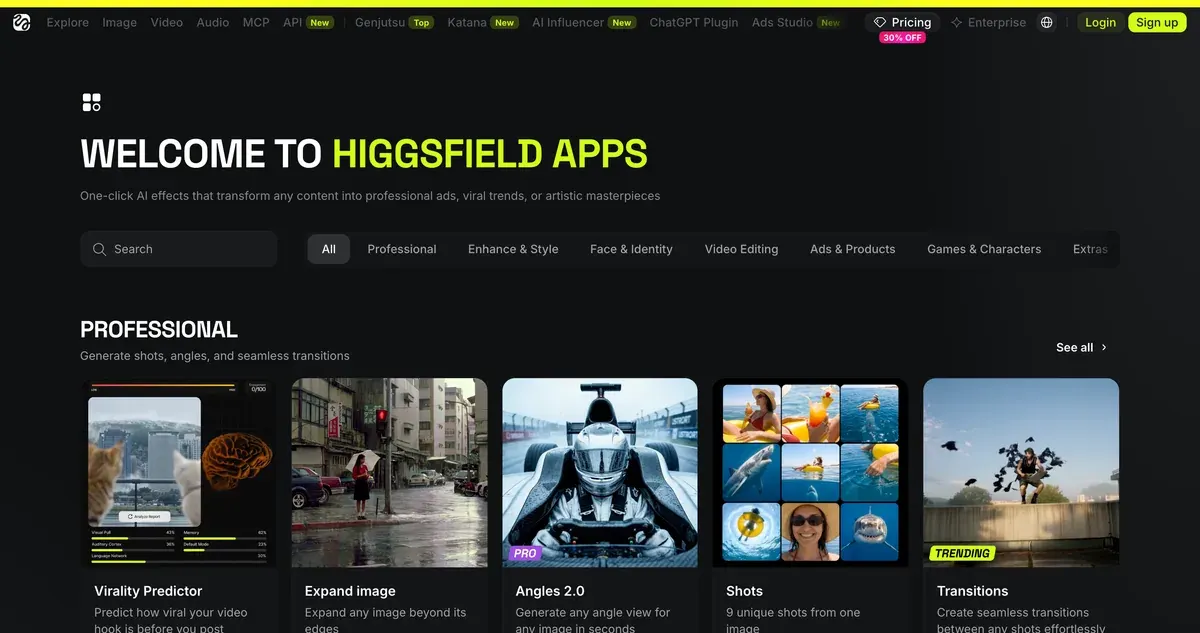
The first is the directory at higgsfield.ai/apps: ready-made effects sorted into eight groups, from Professional and Ads & Products to Games & Characters and Trending Templates. Each one does a single job, such as turning a product photo into a bullet-time spin. You add a photo and run it, with no prompt to write.
The second is newer. The help centre’s “Higgsfield Apps” are whole web apps you build by describing them to Supercomputer, Higgsfield’s agent (apps article, dated 1 August 2026). People who use your app “sign in with their own Higgsfield accounts and generate on their own credits”. Building it spends your plan credits.
This page covers the first kind, the ready-made effects.
What a credit is worth depends on your plan. On Plus, $49 a month buys 1,000 credits, so a 16-credit Packshot run costs about $0.78 if you use every credit. Prices checked .
Is there a Higgsfield mobile app?
No. Higgsfield’s help centre says it “has no mobile apps and no desktop app”: the site runs in a browser at higgsfield.ai on any device, phones included (official platforms, dated 5 September 2026).
That answer matters for your account’s safety. The same article says “Any downloadable app that presents itself as Higgsfield is a copy”, and that payments happen only on higgsfield.ai. It also warns that offers of free Higgsfield elsewhere are “a common way to collect passwords and payment details”.
What Higgsfield does ship are plugins for desktop software (integrations article). Figma, Photoshop, Premiere Pro, After Effects, DaVinci Resolve and Blender each have one, and all run on your plan credits.
Angles: one photo, any viewpoint
Angles 2.0 promises to “Generate any angle view for any image in seconds”. You give it one photo, and it renders the same subject from a viewpoint you pick. The directory files it under Professional, with a “Pro” tag.
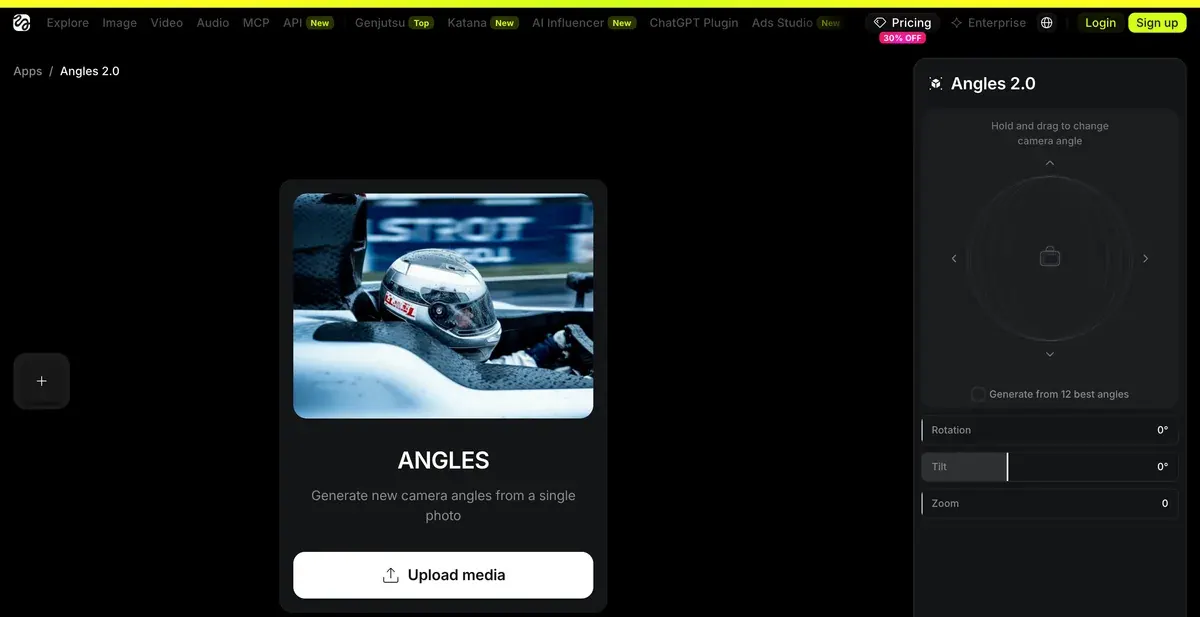
For ads, that solves a common gap: one packshot, but no side or three-quarter view for a carousel or a marketplace gallery. Its neighbour Shots does the storyboard version, “9 unique shots from one image”, and Zooms gives “9 zoom levels from one image”. For a board of matching frames, see Popcorn.
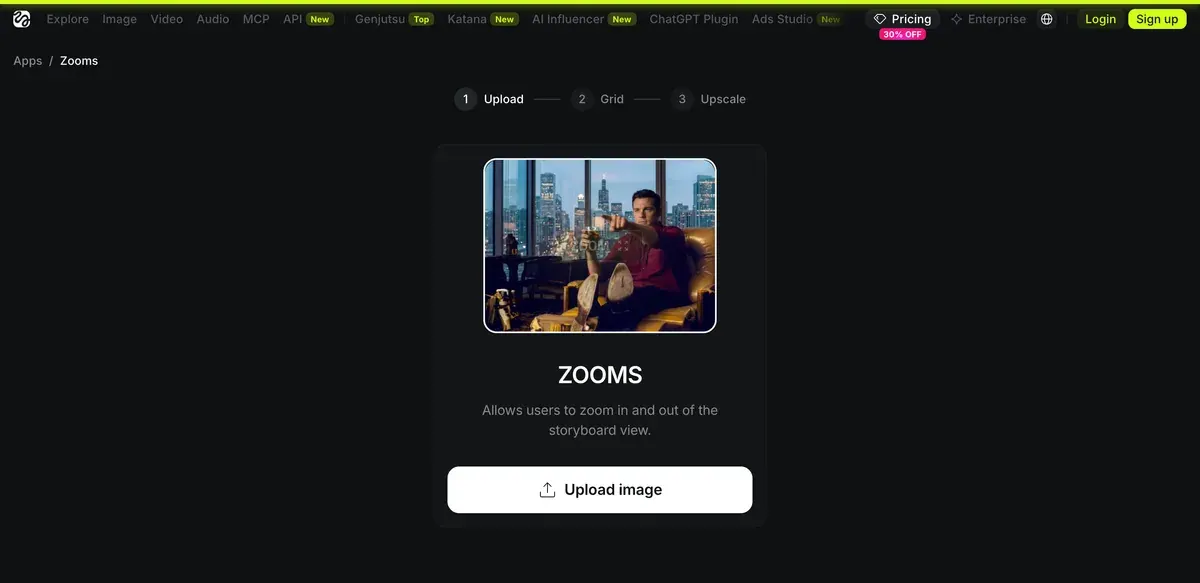
The public Angles page prints no credit cost; the cost appears on its Generate button once you are signed in. Angles also runs inside the Figma and Photoshop plugins (integrations article).
Check a new angle against the real product before it runs. A generated side view shows what the model guessed, and a buyer who receives a different shape gets a product your ad never showed.
Earth Zoom: orbit to street level for 25 credits
Earth zoom lives in Higgsfield’s Effects, beside the apps. Its example page describes the move: The camera plunges from orbit
, drops through the clouds and the city grid, and lands at street level in one unbroken move (Earth zoom).
You upload one image, the place where the camera lands. The effect’s page defaults to 720p and 9:16, and its Generate button showed 25 credits on 16 October 2026 (Earth zoom).
Effects lists one Earth zoom, the inward plunge, and no separate zoom-out version. Reverse the finished clip in any video editor and it plays as a zoom out, from street level back to orbit.

For an ad, the zoom works as a location hook. The viewer lands at your shop or your hotel within the first second. A product shot alone gives the camera nowhere to fly.
Which apps work for ads?
Product apps come first. The Ads & Products group lists 20, and most take a single product photo and return a short clip. Packshot, Bullet Time White and Macro Scene give you shots a real studio would bill for: an end card, a spin, a close-up.
The hook apps stage something impossible. Giant Product, Billboard Ad, Truck Ad and Volcano Ad all put the product somewhere it could never stand. That suits the first two seconds of a Reel. Kick Ad shows “a competitor’s product is kicked away”, which means another brand’s pack in your ad.
Much of the directory is entertainment: game characters, memes, K-pop idol frames. Those borrowed looks suit your own feed more than a paid ad.
For UGC-style ads, the Click to Ad page opens Marketing Studio, Higgsfield’s template tool for product-link ads (read 16 October 2026).
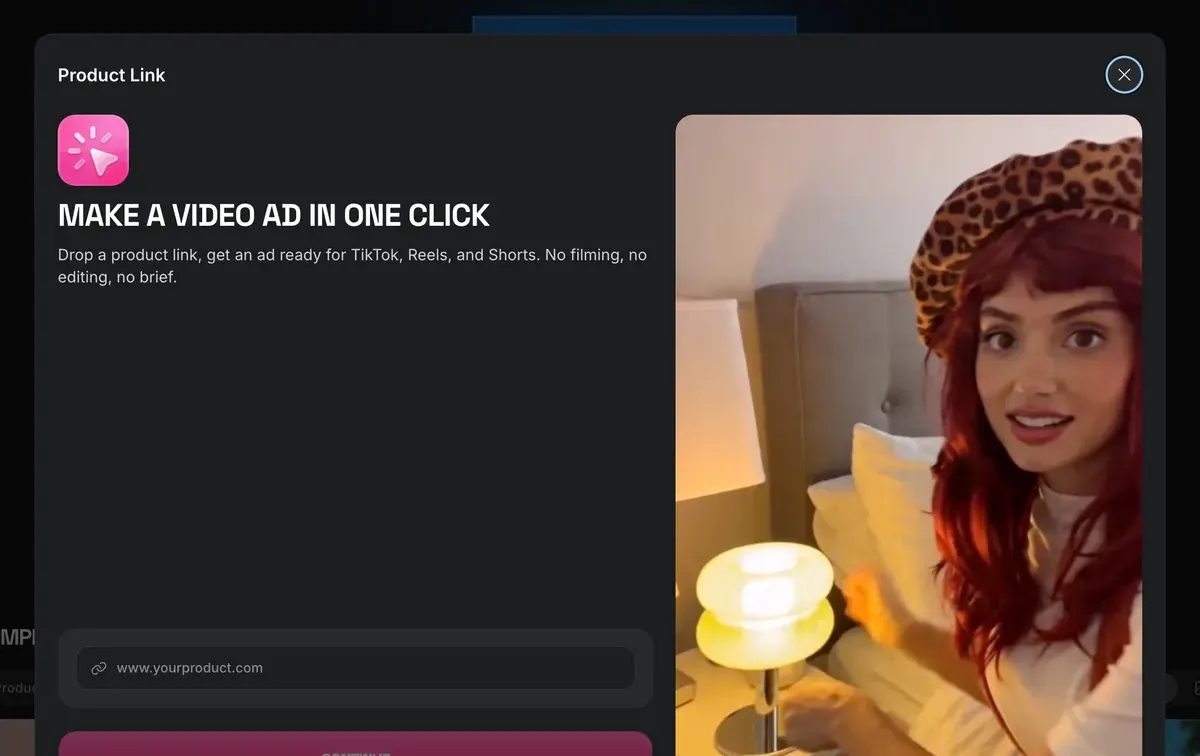
Our Higgsfield guide covers Marketing Studio, and Higgsfield pricing shows what a credit costs on each plan.
Users warn about the gap between demo and result. Four of 52 public sources say Higgsfield’s marketing shows results they could not reproduce (YouTube, Trustpilot). Four also find the interface crowded with tools and upgrade prompts (YouTube, YouTube).
Run any app once on a test photo before you build a campaign on it. Then check the output at full size: a ready-made effect decides the details for you. The full picture of the platform: our Higgsfield review.
Questions about Higgsfield apps
Are Higgsfield apps free?
No. Each run spends credits, and the Generate button shows the cost before you confirm. The free plan carries a visible watermark (watermark article), and section 4.1 of the terms bars removing a watermark that comes with the Service.
Can I use Higgsfield apps from Claude or ChatGPT?
Some of the same jobs run through the MCP connector: expanding an image, reframing a video, removing a background. Every connector run costs credits: connect Higgsfield to Claude.
Is Earth Zoom an app or an effect?
An effect. It sits in Higgsfield’s Effects list, and the apps directory does not list it.
Is the Higgsfield app on the App Store real?
No. Higgsfield’s help centre says it has no mobile apps, and any downloadable app presenting itself as Higgsfield is a copy.
Next on Higgsfield: the full list of apps
Every Higgsfield guide, sorted by job, is in the Higgsfield hub
Sources
- Higgsfield: Higgsfield apps directory, Eight categories; Ads and Products lists 20 apps. Checked
- Higgsfield: Higgsfield apps sitemap, 100 URLs, 92 app pages and 8 category pages. Checked
- Higgsfield: Higgsfield app pages (Packshot, Bullet Time White, Bullet Time Scene, Macro Scene, Giant Product, Billboard Ad, Fridge Ad, Transitions, Expand image, Outfit Swap), Credit cost printed on each page’s Generate button, read signed out. Checked
- Higgsfield: Earth zoom effect, 720p, 9:16 by default, 25 credits on the Generate button, read signed out. Checked
- Higgsfield: Higgsfield Effects, Visual effects list, Earth zoom among them. Checked
- Higgsfield help centre: What are the official Higgsfield platforms?, No mobile or desktop app; downloadable copies are not Higgsfield; dated 5 September 2026. Checked
- Higgsfield help centre: What are Higgsfield Apps, and how do I create my own?, Web apps built in Supercomputer, users generate on their own credits; dated 1 August 2026. Checked
- Higgsfield help centre: What external integrations does Higgsfield support?, Angles inside the Figma and Photoshop plugins, on plan credits; dated 1 August 2026. Checked
- Higgsfield help centre: Why is there a watermark, and how do I remove it?, Visible watermark on free accounts only; dated 3 August 2026. Checked
- Higgsfield: Higgsfield Terms of Use (26 July 2026), 4.1 bars removing any watermark or proprietary notice that comes with the Service. Checked
- Higgsfield: Higgsfield app pages (Angles, Zooms, Click to Ad), Page descriptions quoted for Angles, Shots, Zooms and Click to Ad. Checked
- Higgsfield: Higgsfield pricing, Plan prices and credits, read in a browser. Checked
- Trustpilot, Reddit and YouTube: Higgsfield user reports, 52 public sources synthesised, checked 28 September 2026. Checked
What changed on this page
- Higgsfield’s prices went back: Starter is 15 dollars a month for 200 credits, Plus 49 a month or 39 billed yearly for 1,000 credits, and Ultra 129 or 99 billed yearly has a card again (was Starter 19 for 270, Plus 59 or 47 for 1,200).
- Higgsfield changed its prices: Starter is 19 dollars a month for 270 credits (was 15 for 200), Plus 59 a month or 47 billed yearly for 1,200 credits (was 49 or 39 for 1,000).

Alexandre S.
Alexandre S. is a creative ad strategist and copywriter with ten years' experience in digital marketing across multiple channels.
Related pages
-
 Guide Higgsfield Faceswap and Recast
What Higgsfield’s face swap, Recast and lip sync do, what they cost, and the consent and AI label rules for a swapped face in an ad. Checked 16 October 2026.
-
 Guide Higgsfield Cinema Studio
What Higgsfield Cinema Studio does, its camera and lens controls, what a clip costs, and when it beats plain prompting for ads. Checked 16 October 2026.
-
 Guide Higgsfield prompts for ads
Higgsfield runs Kling, Veo and Seedance, so each prompt follows that maker’s rules and costs. Ad prompts by model, with credit costs, checked 2 October 2026.
-
 Alternatives Higgsfield alternatives
Other studios that resell Kling, Veo and Seedance on one plan, set against Higgsfield on cost per clip, training terms and refunds, checked 2 October 2026.
-
 Guide Higgsfield Canvas
Higgsfield Canvas chains AI models on one board of nodes: prompt, image, video. The steps, what it costs in credits and three ad workflows, 20 October 2026.


