Wan on Higgsfield
Wan is Alibaba’s family of video models. Higgsfield, a studio that sells many models on one credit balance, runs six Wan video models, and Wan 3.0 is the newest.
Pick Wan for a 30-second spot in one take, or a cut that must land on a set first or last frame. Higgsfield points to Kling for multi-shot continuity and to Seedance for human acting.
A 5-second Wan 3.0 clip at 720p uses about 8.75 credits. That is $0.43 on the Plus plan if you use every credit. Alibaba’s own API lists $0.41 for the same 5 seconds, before its limited-time discount.
| Version | Longest clip | Top resolution | Sound | What it adds |
|---|---|---|---|---|
| Wan 3.0 | 30 s | 1080p | Made with the picture | Up to six linked shots and twelve references |
| Wan 3.0 Prime | 30 s | 1080p | Not stated | The same inputs as Wan 3.0, at a higher credit rate |
| Wan 2.7 | 15 s | 1080p | Native | First and last frame, a 9-grid input, edits by instruction |
| Wan 2.6 | 15 s | 1080p | Native, with lip sync | Multi-shot scenes, a video reference, camera moves |
| Wan 2.5 | 10 s | 1080p | Synced, with lip motion | Text or one image to video |
| Wan 2.2 Animate | Not stated | Not stated | Not stated | Moves a still character the way a reference video moves |
Scroll sideways for all 5 columns
Which Wan models does Higgsfield run?
Six, from Wan 2.2 Animate to Wan 3.0 Prime. Four have a feature page on Higgsfield. Wan 2.7 and Wan 3.0 Prime appear in its interface text. All were read on 20 October 2026.
Wan 3.0 is the long-take model. Its feature page says it “builds up to six linked shots with sound in a single pass”, in clips of 30 seconds.
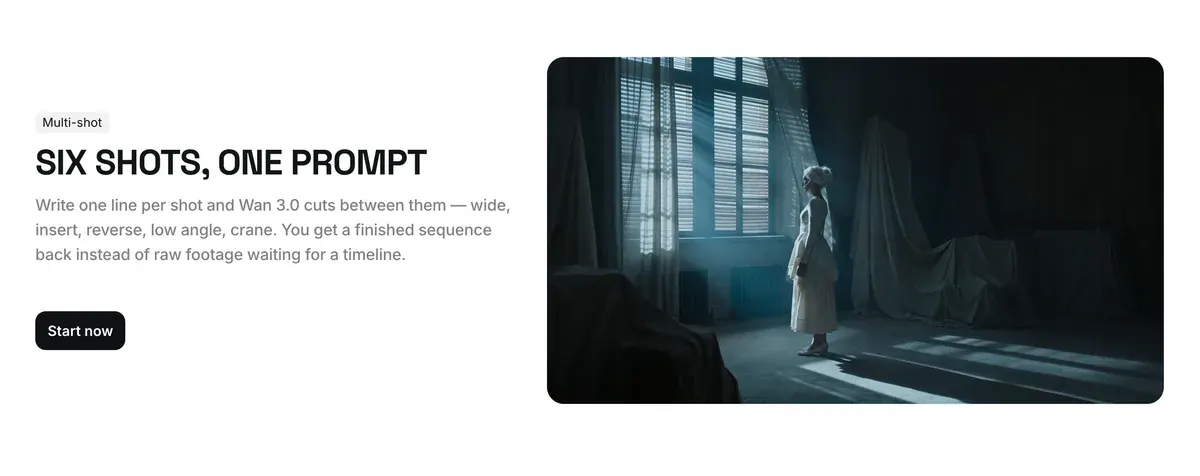
You can attach “a character, a product, a location and a style frame at the same time”, up to twelve references in one generation.
That matters for an ad. Thirty seconds holds a hook, a demo and a call to action in one take, with the dialogue and sound effects made alongside the frames.
Wan 3.0 Prime takes the same inputs as Wan 3.0, from text and keyframes to media references. Higgsfield’s pages do not say what Prime changes. Its credit rate is about 1.7 times Wan 3.0’s: 15 credits per 5 seconds at 720p against 8.75.
Wan 2.7 is the frame-control model. Higgsfield’s interface text describes “1080p videos up to 15 seconds” with “First and last frame control, 9-grid input, native audio, instruction-based editing, and multi-reference support” (interface text).
Wan 2.6 is the camera model. Its feature page covers 15-second clips and multi-shot scenes. Image to video keeps the face and clothes, and a video reference sets the motion. It calls Wan 2.6 “one of the first models to offer native phoneme-level lip synchronization”, meaning the mouth follows each speech sound.
Wan 2.5 is the older all-rounder. Its page lists clips “up to 10 seconds” at 480p, 720p or 1080p, with audio and lip motion in the same file.
Wan 2.2 Animate does one job. You give it a still character, from a photo to a brand mascot, and a video of the motion you want. The character then “replicates the movements, gestures, and facial expressions from the reference” (Wan Animate page).
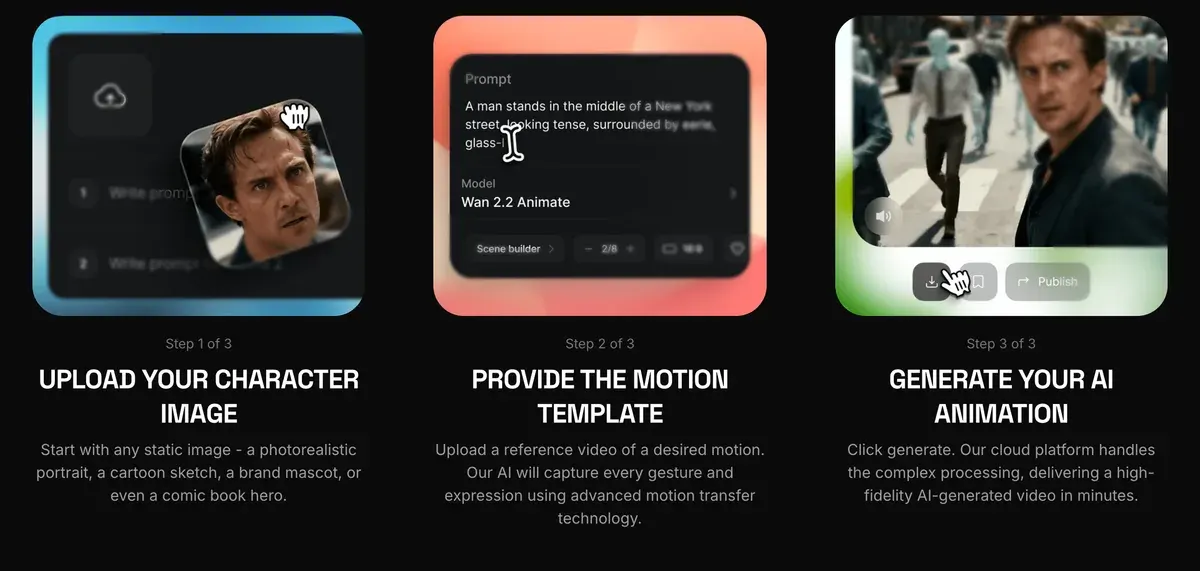
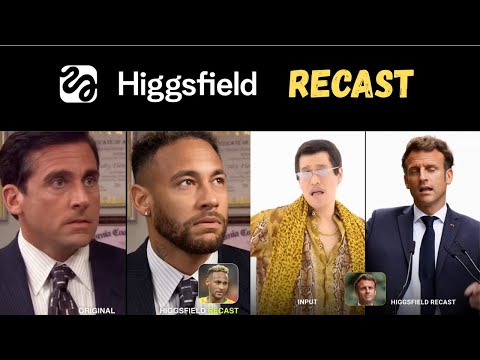
Two more Wan tools sit outside the video menu. Wan 2.5 Speak makes talking clips in Lipsync Studio. Wan 2.2 Image makes stills, at half a credit each on the 9 October compare table.
How to make a Wan video, step by step
The route, from Higgsfield’s blog guide (14 December 2025) and its feature pages (read 20 October 2026):
- Open Higgsfield’s own guide, WAN 2.6 by Alibaba: user guide on Higgsfield, and keep it beside you.
- Open higgsfield.ai and click Video in the main menu.
- Pick a Wan model from the model list. Wan 3.0 suits a 30-second spot and Wan 2.6 one 15-second scene; Wan 2.7 pins the first and last frame.
Step 2 and Step 3: finding the model
Navigating to the Create section. In the main menu on your dashboard, look for the button labeled “Video”. Click it to begin the process of video creation.
Selecting WAN 2.6 as your model. Click on WAN 2.6 to select it. This will ensure that all the enhanced features of WAN 2.6 are applied to your video.
- Add your references. Image to video starts from one photo; Wan 3.0 takes up to twelve, but “only one start frame and one end frame” (interface text). The blog guide also accepts a script or a pre-recorded voiceover as the starting input.
Step 4: Setting Up Your Project
Select Input Method. Depending on what type of content you want to create, you can choose from different input methods: Text: You can type out a script or outline, and WAN 2.6 will use this to generate the video. Voiceover: You can upload a pre-recorded voiceover, and the model will create animations and scenes that align with it. Image-Based: Upload images, and WAN 2.6 will generate a video around them.
- Write the prompt. The Wan 2.6 page asks for the scenario and the sounds; on Wan 3.0, write one line per shot.
- Set the length and resolution, then read the credit cost on the Generate button before you confirm.
- Generate, then download. The blog guide lists MP4 and MOV files.

Animate runs on its own page. On Wan Animate, upload the character image, add the motion video, then generate.
Free accounts can start: “Every user can try Higgsfield x WAN 2.5 for free with 2 free generations” (Wan 2.5 page). After those, the app’s plan lines give Wan 2.5 to “a Plus or higher-tier plan” (interface text).
Cost per clip
Higgsfield prices Wan in credits per 5 seconds and marks the Wan 2.6 figures as approximate. Its compare table prices three resolutions each for Wan 3.0, Wan 3.0 Prime and Wan 2.6. It has no row for Wan 2.7 or Wan 2.5.
The Wan rows were read on 9 October 2026, and the plan prices on 19 October. Alibaba’s API rates come from its US (Virginia) price list. The Generate button shows the exact figure for your clip.
| Model and resolution | Credits per 5 s | Higgsfield Plus | Alibaba API |
|---|---|---|---|
| Wan 3.0, 480p | 5 | $0.25 | $0.21 |
| Wan 3.0, 720p | 8.75 | $0.43 | $0.41 |
| Wan 3.0, 1080p | 17.5 | $0.86 | $0.83 |
| Wan 3.0 Prime, 480p | 7.5 | $0.37 | $0.32 |
| Wan 3.0 Prime, 720p | 15 | $0.74 | $0.64 |
| Wan 3.0 Prime, 1080p | 30 | $1.47 | $1.27 |
| Wan 2.6, 480p | about 5 | $0.25 | Not listed |
| Wan 2.6, 720p | about 7 | $0.34 | Not listed |
| Wan 2.6, 1080p | about 10 | $0.49 | Not listed |
Scroll sideways for all 4 columns
Here the shop and the maker sit close. At 720p, Wan 3.0 costs 2 cents more per 5 seconds on Higgsfield Plus than on Alibaba’s API list price. That breaks a pattern users report for other models: 8 of 52 Higgsfield sources find Kling and Seedance cheaper at their makers (YouTube, YouTube).
Alibaba’s price list was read on 20 October 2026. It showed a limited-time 30 per cent discount on Wan 3.0 that day, and the figures above are its list prices. The API also bills any input video at the output rate, so a video-to-video job pays for both clips.
Your plan moves the figure. Starter costs $15 a month for 200 credits, Plus $49 a month for 1,000 and Ultra $129 a month for 3,000. A 5-second Wan 3.0 clip at 720p comes to $0.66 on Starter and $0.38 on Ultra.
Annual billing goes below Alibaba’s list. Plus at $39 a month brings the same clip to $0.34.
A full 30-second Wan 3.0 spot at 720p is six times the 5-second rate: 52.5 credits. That is $2.57 on Plus, and Starter’s 200 credits cover three of them.
Wan 3.0 also runs on Unlimited, with a catch. The annual Plus and Ultra plan cards read on 16 October 2026 carry 7 days of unlimited Wan 3.0, and the monthly cards do not.
Higgsfield’s Unlimited article caps unlimited video at “1 generation at a time, up to 15 seconds”, in the standard queue. So a 30-second Wan 3.0 take still spends credits. Every window by plan: Higgsfield Unlimited explained.
Wan, Kling or Seedance for an ad?
Pick by the job. Higgsfield’s model guide gives each family its own strength (Which AI model should I use?, modified 28 August 2026):
- Wan: “precise control over the first and last frame of a generation”, for continuing a scene or matching a set start or end.
- Kling: “longer clips, multi-shot continuity, and physically coherent motion”.
- Seedance: “realistic motion, especially human movement, expressions, and scene dynamics”.
Wan fits three ad jobs on those descriptions. The first is a cut that has to land on a known frame, such as a product pack shot at the end.
The second is a 30-second spot in one take, where Kling 3.0 stops at 15 seconds. Seedance 2.5 also reaches 30 seconds. But the compare table’s Seedance 2.0 row costs about 22 credits per 5 seconds at 720p, 2.5 times Wan 3.0’s 8.75. The third is a camera move on a product, where Higgsfield’s camera-control post builds around Wan 2.6.
Kling fits the cheap multi-shot test. The compare table read on 19 October lists a 5-second Kling 3.0 clip at 720p near 7 credits. That is level with Wan 2.6 and below Wan 3.0’s 8.75.
Users credit Kling with holding one face and outfit through several cuts (4 of 37 Kling sources: Reddit, YouTube). Its route and credits: Kling on Higgsfield.
Seedance fits the human performance and costs the most. The same table lists Seedance 2.0 at 720p near 22 credits per 5 seconds. Users praise its motion and acting (4 of 35 Seedance sources: YouTube, Reddit).
Ten of the 35 report face filters that reject ordinary photos (Reddit, Reddit). Its route: Seedance on Higgsfield.
None of the 52 Higgsfield sources reviews Wan by name, but two complaints cover every model there. Unlimited queues run 20 minutes to over two hours (8 of 52: Reddit, Reddit). Failed generations still cost credits (8 of 52: Reddit, Reddit).
Prompt tips for Wan
Seven tips, from Higgsfield’s Wan pages and its camera-control post.
Write one line per shot on Wan 3.0. The Wan 3.0 page says the model then cuts between them: “wide, insert, reverse, low angle, crane”.
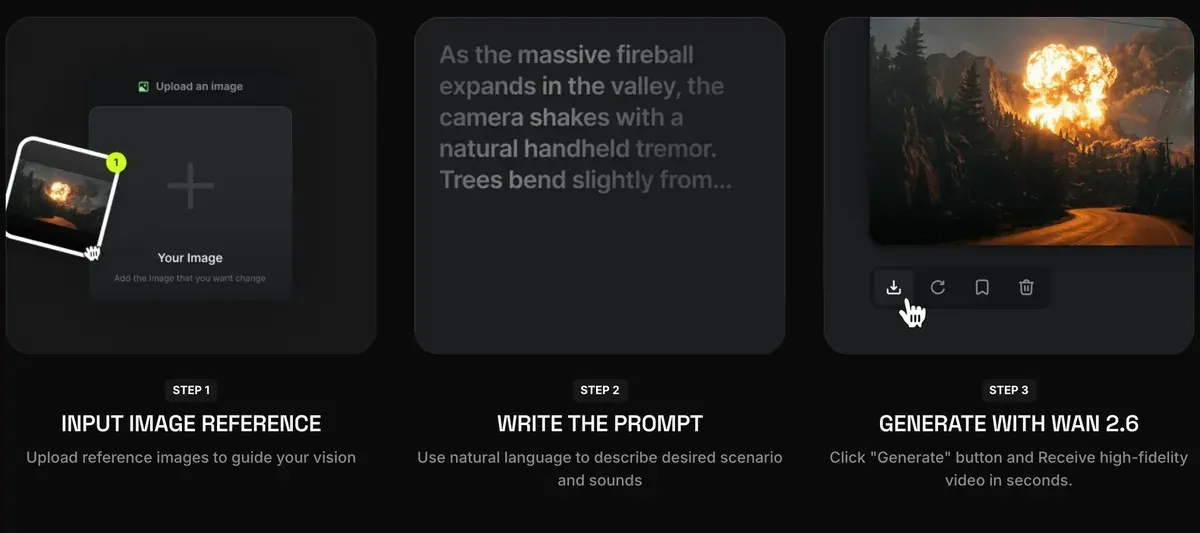
Name the sounds. The Wan 2.6 page’s second step asks for “the scenario and sounds”, since audio comes out of the same generation.
Describe the camera move in words. Higgsfield’s camera-control post (29 June 2026) builds Wan 2.6 shots around moves such as a dolly, a crane or an orbit, with an example prompt: “soft morning light through glass, slow dolly around perfume bottle”.
WAN Camera Control Guide
To make AI video look like it was actually filmed, use WAN Camera Control on Higgsfield. Describe the move and the model executes it at generation time: dollies, cranes, orbits, tracking shots, depth of field shifts.
Pick a lens. The same post suggests “35mm for balance, 50mm for intimacy, or 85mm for product glamour”.
Direct the focus. “Pull focus from background to label as the camera moves closer” puts the product name in the sharp part of the frame.
Keep one camera path per short sequence. The post’s list of mistakes warns that conflicting paths lose the viewer, and that “natural pacing is what makes movement feel cinematic”. It also warns against heavy text overlays while the camera moves.
Mistakes to Avoid
Avoid using multiple conflicting camera paths within short sequences; the viewer may lose orientation.
Maintain visual continuity - keep lighting, scale, and color grading consistent between shots.
Do not accelerate motion excessively; natural pacing is what makes movement feel cinematic rather than artificial.
Refrain from layering text-heavy overlays during camera motion, as it can distract from focal points.
Test cheap first. The post runs a 720p test before committing credits to 1080p. On Wan 3.0 that saves half: 8.75 credits per 5 seconds against 17.5.
Give it an image. The Wan 2.5 page says an image reference “helps the WAN model produce more coherent motion and framing”.
Terms and user reports sit on the Higgsfield profile, and every plan on Higgsfield pricing. Each tab of the app: how to use Higgsfield. Every guide: the Higgsfield hub. Alibaba’s own Wan app is at Wan.
Questions about Wan on Higgsfield
Is Wan free on Higgsfield?
For two tries. The Wan 2.5 page gives every user 2 free generations, and Wan Animate offers a free trial. After that, Wan runs on plan credits, and free generations carry a Higgsfield watermark.
Does Higgsfield have Wan 2.2?
Yes, in two forms. Wan 2.2 Animate moves a still character to match a motion video, and Wan 2.2 Image makes stills for half a credit each.
How long can a Wan clip be on Higgsfield?
Wan 3.0 and 3.0 Prime run up to 30 seconds, Wan 2.7 and 2.6 up to 15, and Wan 2.5 up to 10. Under Unlimited, any video stops at 15 seconds.
Is Wan 3.0 unlimited on Higgsfield?
For 7 days on annual Plus and Ultra plans, at up to 15 seconds a generation. Monthly plans and Starter carry no Wan window.
What is Wan camera control on Higgsfield?
It is a way of directing Wan 2.6’s camera in the prompt: name the move, the lens and where the focus goes. Higgsfield’s post names moves such as a dolly, a crane and an orbit.
Every Higgsfield guide, sorted by job, is in the Higgsfield hub
Sources
- Higgsfield: Wan 3.0 on Higgsfield, 30-second clips, up to six linked shots with sound in one pass, up to twelve references, Soul ID. Checked
- Higgsfield: Wan 2.6 on Higgsfield, 15-second clips, native audio and lip sync, image to video, multi-shot, video reference, the three steps. Checked
- Higgsfield: Wan 2.5 on Higgsfield, 10-second clips at 480p, 720p or 1080p with synced audio, two free generations, the three steps. Checked
- Higgsfield: Wan 2.2 Animate on Higgsfield, A character image plus a motion video, and the free trial line. Checked
- Higgsfield: WAN 2.6 by Alibaba, user guide on Higgsfield, Higgsfield’s own Wan walkthrough, Video menu to download; published 14 December 2025. Checked
- Higgsfield: Turn your video into cinema using Wan camera control, Camera moves, lens and focus prompts for Wan 2.6, and the 720p test before a 1080p run; published 29 June 2026. Checked
- Higgsfield help centre: Which AI model should I use?, What Wan, Kling and Seedance are each built for; modified 28 August 2026. Checked
- Higgsfield: Higgsfield pricing, Wan credits per 5 seconds in the compare table read 9 October; Kling and Seedance rows and plan prices read 19 October; annual plan cards with 7 days of Wan 3.0 read 16 October. Checked
- Higgsfield help centre: What are Unlimited models, and which plans include them?, Video models one generation at a time, up to 15 seconds, standard queue, higgsfield.ai only; modified 28 August 2026. Checked
- Higgsfield: Higgsfield interface text, Wan 2.7 and Wan 3.0 Prime descriptions, the one start and one end frame rule, plan unlock lines. Checked
- Higgsfield help centre: Why is there a watermark, and how do I remove it?, Free generations carry a Higgsfield watermark; modified 28 August 2026. Checked
- Alibaba Cloud: Alibaba Cloud Model Studio pricing, Wan 3.0 and Wan 3.0 Prime API rates a second by resolution, US (Virginia) region, with a limited-time 30 per cent discount on Wan 3.0. Checked
- Alibaba: Wan terms of service (6 August 2026), III.4 on output ownership, III.8(g)(iii) on AI disclosure. Checked
- Higgsfield: Higgsfield Terms of Use (26 July 2026), Section 8 on third-party model policies. Checked
- Trustpilot, Reddit and YouTube: Higgsfield, Kling and Seedance user reports, 124 public sources synthesised: 52 on Higgsfield, 37 on Kling, 35 on Seedance. Checked
What changed on this page
- Higgsfield’s prices went back: Starter is 15 dollars a month for 200 credits, Plus 49 a month or 39 billed yearly for 1,000 credits, and Ultra 129 or 99 billed yearly has a card again (was Starter 19 for 270, Plus 59 or 47 for 1,200).

Alexandre S.
Alexandre S. is a creative ad strategist and copywriter with ten years' experience in digital marketing across multiple channels.
Related pages
-
 Guide Higgsfield transitions
Two ways to make a Higgsfield transition: the Transitions app, or start and end frames on Kling 3.0, Veo 3.1 or Wan, with the credit cost of each.
-
 Compare Kling vs Seedance
Dreamina’s non-US terms bar ads unless other terms allow; Kling’s paid plans allow commercial use, with an ad-consent clause open. Checked 2 October 2026.
-
 Guide Lip sync on Higgsfield
Make a face say your script on Higgsfield: Lipsync Studio’s eight models and credits, voice cloning, script lengths and fixes. Checked 20 October 2026.
- Guide Higgsfield Popcorn
Higgsfield Popcorn makes storyboards of up to 8 frames with the same face and product in each. Steps, modes, credit cost and how to turn frames into video.

