Lip sync on Higgsfield
Lip sync makes a face in a photo or video move its mouth to a script. On Higgsfield, lipsync lives in Lipsync Studio, under Video. You bring a face and a line, pick one of eight models, and get a talking clip. The voice comes from Higgsfield’s Audio tab, where you can clone your own.
| Where | What it does | You bring | Credits |
|---|---|---|---|
| Lipsync Studio, image models | Makes a still face talk | A portrait and a script | About 12 to 14 per 5 s at 720p (Infinite Talk: about 12 per 2 s) |
| Lipsync Studio, video models | Re-syncs the mouth on existing footage | A clip and new audio | About 2 per 5 s (Kling Lipsync, 720p) |
| Video models with native audio | Face and voice made in one pass | A prompt and a start frame | Per model; Seedance 2.0 about 22 per 5 s at 720p |
| Audio | Text to speech, voice change, translation into 18 languages | A script or a clip | Shown on Generate before you confirm |
| Voice cloning, in Audio | A reusable copy of a voice | A short MP3 or WAV sample, with consent | Shown on Generate before you confirm |
Scroll sideways for all 4 columns
What is Higgsfield lipsync?
Higgsfield lipsync is two tools that work as a pair. Audio makes the voice. Lipsync Studio puts that voice in a face. Higgsfield’s help article is plain about it: a talking mouth “is Lipsync Studio, under Video”, a voice “is Audio. They’re separate tools.”
How do I use lipsync, voiceover, and aspect ratios?
Voice generation, voice change, and translation live in Audio, while making a character talk (lip sync) lives in Lipsync Studio, which offers several models for image-to-video and video-to-video talking clips. Some video models also generate audio together with video in a single pass. Aspect ratio is set per generation inside each tool: common options are 9:16 for vertical, 16:9 for horizontal, and 1:1 for square, and not every model supports every ratio.
A third route skips the pairing. Some video models, Seedance 2.5, Seedance 2.0 and Kling 3.0 among them, generate speech with the picture “in a single pass”. The help article sets out the difference: Lipsync Studio “adds a talking mouth to an existing image or video after the fact”, while native audio gives “perfect physical alignment from the start”.
For an ad, Lipsync Studio lets you write the exact words, pick the voice and keep the same face. A native-audio model makes face and voice together in one take, with less control over the delivery.
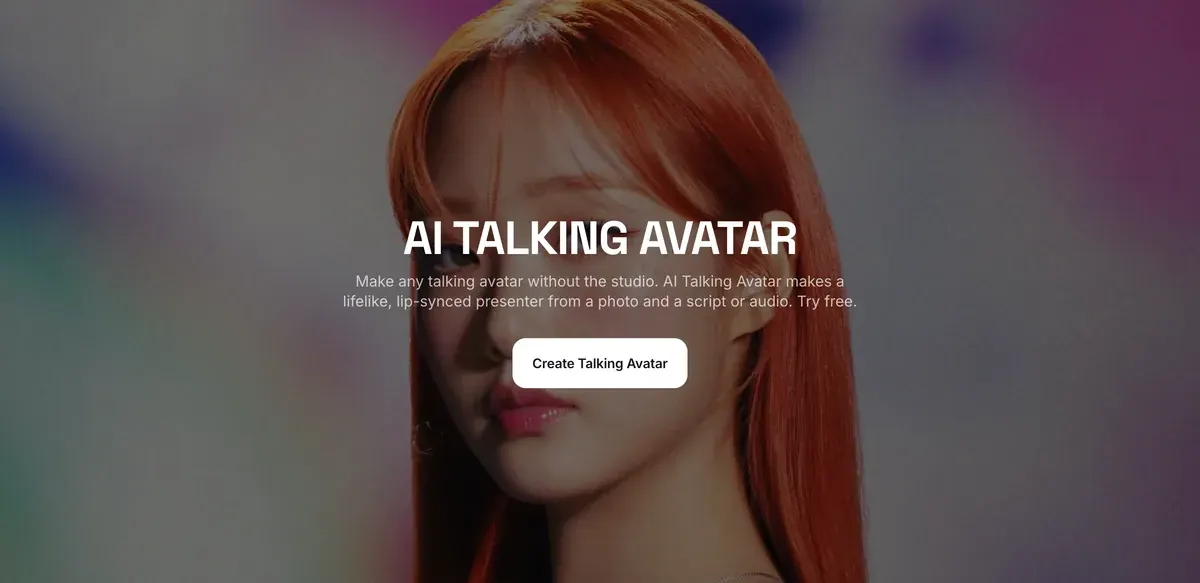
The AI Talking Avatar page is Higgsfield’s front door to the same tools: a script or an audio track, then “a portrait photo or use a face you generated on Higgsfield”, then preview and download.
How to make a talking video, step by step
Seven steps take you from a blank page to a clip you can cut into an ad.
- Open Higgsfield’s own guide, How do I use lipsync, voiceover, and aspect ratios?, and keep it beside you. Then open Lipsync Studio from the Video menu; the help centre labels the tool “Create Talking Clips”.
How do I create a lip-synced (talking) video?
Lip sync lives in Lipsync Studio (higgsfield.ai → Video → Lipsync Studio, “Create Talking Clips”). Upload a character image or video, type what the character should say in Audio text (or generate the audio), pick a model, and generate. Each model offers scene templates (General, Selfie, Podcast, Car Talking, and more) to set the look of the clip.
- Write the script before anything else, at about two and a half words a second (the next section has the counts). Write it the way a person talks, with a bracketed cue such as [warm] or [direct] where the tone changes.
- Pick the face. For a still, upload a sharp, evenly lit, front-facing portrait with “a light, natural expression”; Higgsfield’s blog says a “passport-photo neutral face” gives the model “nothing to animate from”. For a clip you want to re-voice, use stable footage with the head steady. A face you invented on Soul works; a real person’s face needs their consent.
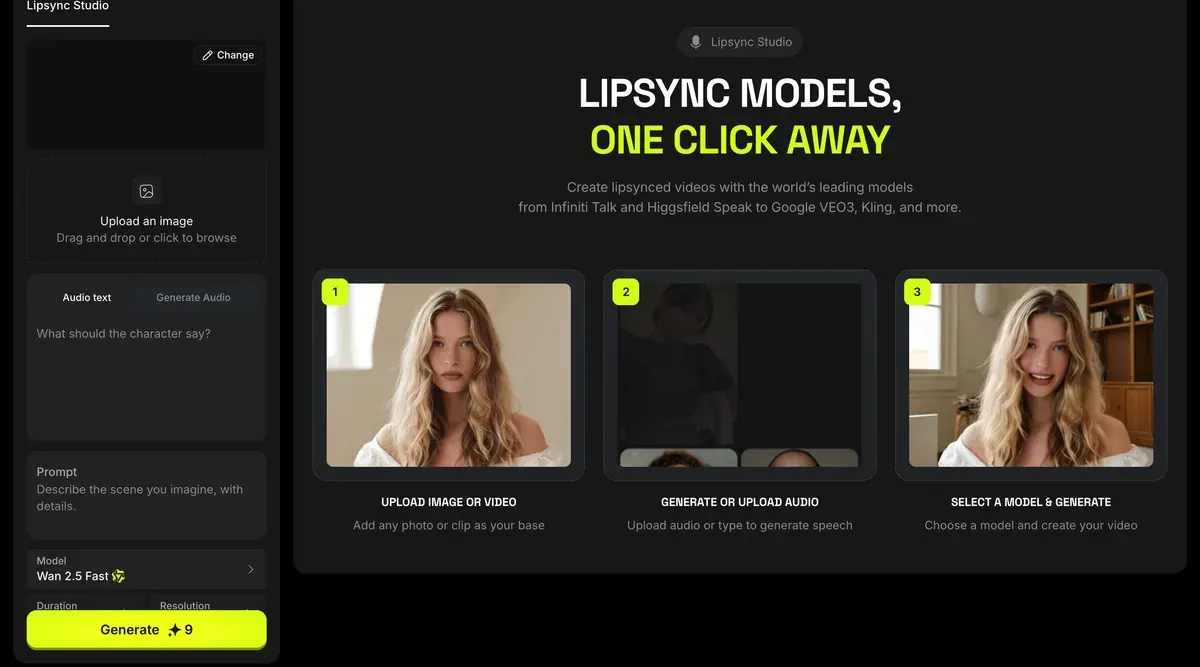
- Make the voice. Type the line into Lipsync Studio’s audio box, or build the track in Audio first. Audio offers a preset voice or a clone of your own, set with emotion sliders. Higgsfield’s blog puts audio first for a reason: “A flat audio track produces a flat face regardless of which model you use.”
- Choose the model and the scene template. Templates include General, Selfie, Podcast and Car Talking. Set the ratio before you confirm: 9:16 for TikTok, Reels and Shorts. Ratios differ by model, and some read the ratio from your image.
- Generate, then watch the whole face. Check the eyes, the head and whether the expression matches the voice; the mouth is the part that usually works. Change one thing per retry, in Higgsfield’s order: script, then image, then model.
- Export. To change the shape of a finished clip, use Edit, then Reframe. To make a version in another language, run the clip through Translate in Audio.
What voice and audio tools are available?
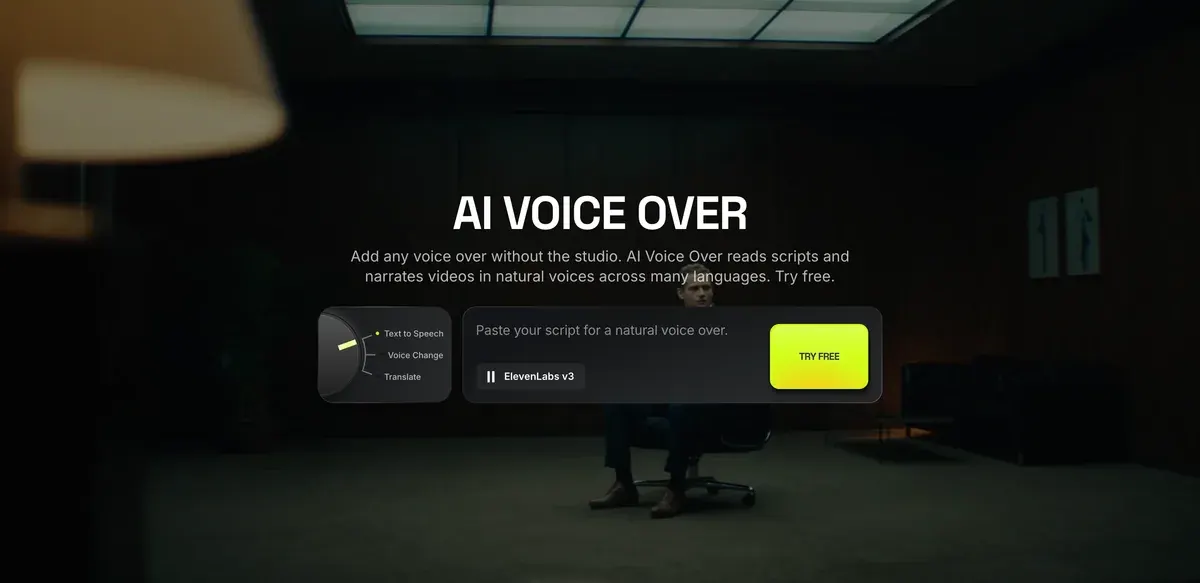
Three modes. Text to Speech generates a voice track from text; Voice Change replaces the existing voice in a clip with a different one; Translate translates and re-voices your content in another language (18 languages).
Your own voice. Create custom voice → Add Voice lets you record a sample or upload one (MP3 or WAV), then clones it into a reusable voice you can select for any generation. Only clone a voice that is your own or one you have the person’s permission to use.
For a tour of every Higgsfield tab, see how to use Higgsfield.
Which models do lipsync, and the cost
Lipsync Studio carries six image models and two video models. Higgsfield Speak 2.0, its own engine, sits on Plus and Ultra only.
| Model | Input | What Higgsfield says | Credits |
|---|---|---|---|
| Higgsfield Speak 2.0 | Image | Priority-queue speed | About 14 per 5 s at 720p |
| Wan 2.5 Speak | Image | 480p to 1080p, with audio | About 12 per 5 s at 720p |
| Infinite Talk | Image | Long-form talking video | About 12 per 2 s at 720p |
| Kling 2.6 Lipsync | Image | Up to 1080p, with audio | Not listed by that name; the table’s Kling Speak row reads about 2 per 2 s |
| Kling Avatars 2.0 | Image | Talking avatars, longer clips | Not listed by that name |
| Google Veo 3.1 | Image | Cinematic talking video | Not listed for Lipsync Studio |
| Kling Lipsync | Video | Lip sync on existing footage | About 2 per 5 s at 720p |
| Sync Lipsync 3 | Video | Precise lip sync, up to 4K | About 18 per 2 s at 4K |
Scroll sideways for all 4 columns
Model names and notes come from the lipsync help article; credits from the pricing page’s compare table, read 9 October 2026.
Lipsync Studio models
Image to video. Google Veo 3.1 (cinematic talking video); Kling 2.6 Lipsync (up to 1080p, with audio); Wan 2.5 Speak (480p to 1080p, with audio); Kling Avatars 2.0 (talking avatars, longer clips); Higgsfield Speak 2.0 (priority-queue speed); Infinite Talk (long-form talking video).
Video to video. Kling Lipsync (lip sync on existing footage); Sync Lipsync 3 (precise lip sync, up to 4K).
Three worked costs, at those rates:
- A 15-second presenter clip on Speak 2.0 at 720p: three 5-second blocks at about 14, so about 42 credits.
- Re-voicing a 30-second ad that already runs, on Kling Lipsync: six blocks at about 2, so about 12 credits. That is the cheapest way to test a new hook on proven footage.
- The same 15 seconds on Sync Lipsync 3 at 4K: about 18 credits every 2 seconds, so about 135 credits.
Plus, the cheapest plan with Speak, costs $49 a month for 1,000 credits a month. At about 42 credits a clip, that covers about 23 presenter clips on Speak 2.0, if nothing else uses the credits.
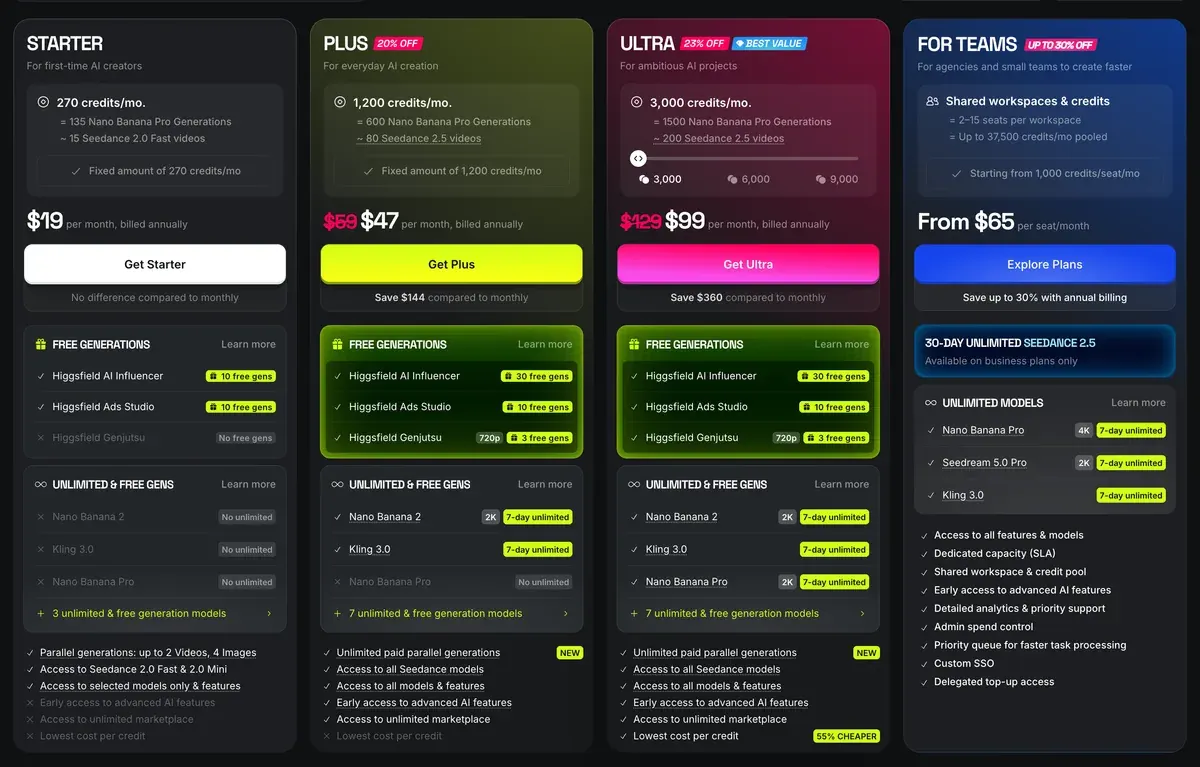
Two user reports bear on the bill. Eight of 52 public sources say generations run slow or fail and still cost credits (Reddit, YouTube). Six say credits expire at the end of each period (Trustpilot, YouTube). Every plan and its credits: Higgsfield pricing.
Writing a script that lip-syncs well
A lip-sync script is written for the ear, so its length is set by seconds. Conversational US English runs at about 150 words a minute, a figure VirtualSpeech attributes to the National Center for Voice and Speech. That is two and a half words a second.
| Clip length | Words, at most | Fits |
|---|---|---|
| 5 s | 12 | One hook line |
| 8 s | 20 | A hook and a reason |
| 15 s | 37 | Hook, product, call to action |
| 30 s | 75 | A full short ad, best cut from two clips |
Scroll sideways for all 3 columns
Stay a few words under the budget. Pauses and bracketed cues take time too, and a rushed line is where mouths slip.
Five rules make the difference on Higgsfield:
- One idea per line. Each sentence gets its own breath, so the face resets between them.
- Write it as you say it. Higgsfield’s blog sets “We are pleased to announce our latest product update” against “Today I want to show you something we’ve been working on for a while.”
- Mark the tone in brackets where it changes: [warm], [calm], [direct]. Higgsfield says performance-based models “use these to vary facial animation parameters”.
- Spell numbers out the way they are said (“twenty per cent”), and brand names as they sound. A voice guesses at symbols.
- Keep it to one speaker. Higgsfield lists overlapping dialogue among the limits; make each speaker a separate clip.
Step-by-step: how to improve AI lipsync quality
Write for spoken delivery, not for reading. Formal writing produces robotic delivery. Conversational language produces more natural facial animation because the model has more expressive cues to work from. Add emotion cues in brackets where the tone should shift: [excited], [calm], [direct].
Generate expressive audio first. Voice is the input that drives facial animation. Monotone delivery reduces the range of facial motion the model generates. A flat audio track produces a flat face regardless of which model you use.
A 15-second presenter script, 28 spoken words, for a phone propped on a bathroom shelf:
[warm] Morning routine, one step.
[direct] Two drops of this serum, pat it in, done.
[light] No layering three bottles.
[calm] It's in the link below, if your shelf is full too.
The presenter shows the product and reads the brand’s claim. She never says she has used it for months: from an AI face, that is a fake testimonial (AI UGC and the law). More script shapes by ad format: UGC script template.
When the mouth drifts: common fixes
Higgsfield’s blog calls lip sync accuracy “largely a solved problem in 2026”. What viewers notice is everything except the mouth: a frozen face, eyes that stare, a nod on a loop, a face that changes between clips.
How to make an AI Talking Video Feel Real?
A believable LipSync video coordinates six elements simultaneously: lip movement aligned to speech phonemes; facial expressions that shift with emotional content; eye movement; subtle head motion that follows speech rhythm; gestures that match meaning; voice delivery with pacing, pauses, and tonal variation.
Frozen facial expressions. The cause is usually a source image with a neutral, flat expression. Use an image where the subject has a light, natural expression, not a passport-photo neutral face. Adding emotion cues to the script also helps: words like [excited], [thoughtful], or [warm] in brackets give performance-based models a signal to animate from.
| What you see | Why | Fix |
|---|---|---|
| Only the mouth moves | A flat, neutral source photo | A portrait with a light expression; cues in brackets |
| Excited voice, blank face | Voice and face made in separate passes | Match the voice’s energy to the face, or use a native-audio model |
| Fixed stare, even blinks | Little eye motion in the model | Clips under 20 seconds |
| The same nod every 8 to 10 s | A small motion library on a long clip | Clips under 30 seconds, cut together |
| A new face in each clip | No identity lock | Train a Soul ID once and reuse it |
| Lips off on a turned head | Side angle or a covered face | Front-facing source, no glasses or hair over the mouth |
| Wrong accent | Default voice for the script | Pick a voice in the target language; Qwen Audio 3.0 TTS takes dialect in plain words |
| Two people talking over each other | Overlapping dialogue | One speaker per clip, joined in the edit |
Scroll sideways for all 3 columns
The fixes in the first five rows are Higgsfield’s own, from its lipsync blog post. The side-angle and multi-speaker rows come from the same post’s limits; the accent row from the voice-over page.
How do you fix the most common problems?
Repetitive gestures. Limited motion libraries produce the same head nod or shoulder movement every 8-10 seconds. The fix is clip length: keep individual generations under 30 seconds and cut between them.
Character drift. The same person looking different across multiple clips is a persistent identity problem, not a LipSync problem. The fix is to use a trained identity layer rather than re-uploading the same photo each time.
When a take is nearly right, change one input and run it again. Change several inputs at once and you cannot tell which one fixed it.
Talking videos in ads
Three ad formats lean on lip sync, and each uses a different part of Higgsfield.
The first is talking-head UGC: a creator holding your product and talking to their phone. Cast the face once in Soul, lock it with Soul ID, then make it talk in Lipsync Studio or Seedance. The full method, with prompts: realistic AI UGC characters on Higgsfield. For a recurring virtual creator, see the AI Influencer guide.
The second is the product explainer: a presenter who walks through what the product does. Higgsfield’s talking-avatar page says Marketing Studio “adds 100+ ready avatars” for product ads, which saves casting (Marketing Studio guide). Cinema Studio makes “cinematic talking avatar scenes up to 30 seconds, with image, video, and audio references for face, product, and style.”
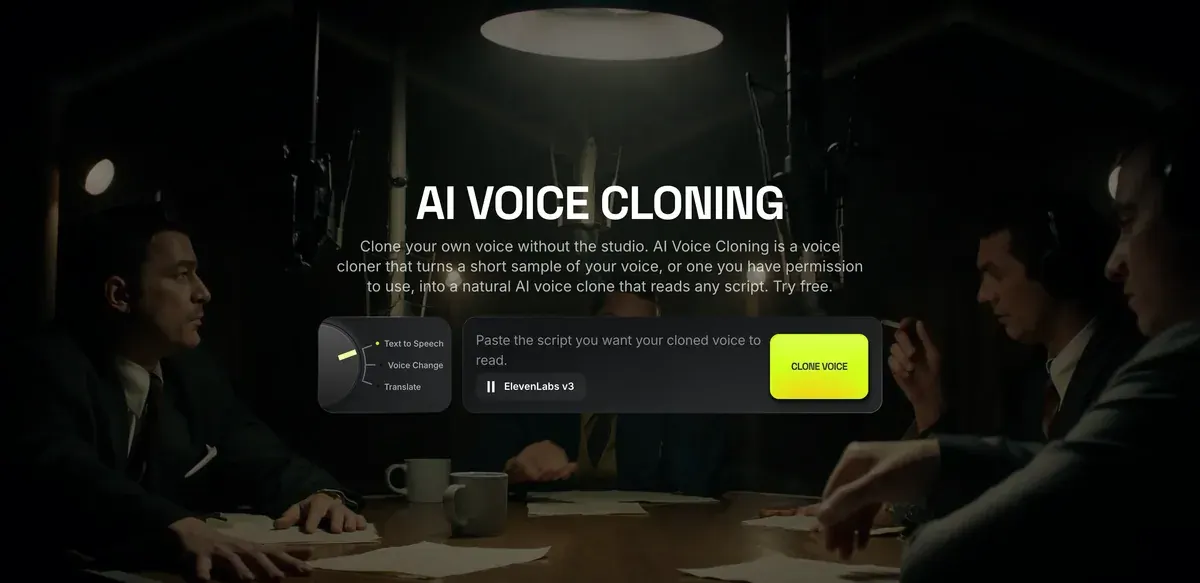
The third is the translated version of an ad that already sells. Translate in Audio re-voices a clip in 18 languages. On the voice cloning page, the localisation tool in Supercomputer translates speech “into English, Spanish, or French” while keeping the speaker’s voice. Kling Lipsync then re-syncs the mouth, at the lowest rate in the studio.
Five of 52 public sources credit Soul ID, Elements and reference sheets with keeping a character the same across shots (YouTube, Reddit). That consistency is what lets one presenter carry a whole campaign.
Two rules hold for every format. The first is consent for any real face or voice. Section 5.3 of Higgsfield’s terms makes you warrant “all consents, releases, and permissions required under applicable law from each individual whose face or voice is included”.
The second is honesty about the presenter. Section 5.2(xi) bars presenting “that any Output is human-generated when it is not”. Platform labels: TikTok AI label and Meta AI disclosure.
Swapping a face instead of a voice is a different tool: Higgsfield face swap and Recast. Every Higgsfield page sits on the Higgsfield hub, and plans and terms on the Higgsfield profile.
Questions about lip sync on Higgsfield
Can Higgsfield lip sync my own video?
Yes. Lipsync Studio’s two video models re-sync the mouth on footage you upload. Kling Lipsync costs about 2 credits per 5 seconds at 720p; Sync Lipsync 3 goes up to 4K. Higgsfield’s blog asks for “stable footage with a clear, unobscured face and consistent head position”.
Can I use my own voice?
Yes. In Audio, choose Create custom voice, then record or upload a short MP3 or WAV sample. Higgsfield’s rule: “Clone only your own voice or one you have permission to use.” The cloning page adds a consent step before the clone is made.
How long can a Higgsfield talking video be?
The lipsync help article sets no maximum for Lipsync Studio; Infinite Talk is the model it lists for long-form talking video. Cinema Studio talking scenes run up to 30 seconds. Higgsfield’s own advice is to keep each generation under 30 seconds and cut between clips.
Should I use Lipsync Studio or Seedance?
Use Lipsync Studio when you need control of the exact words and the voice, as in a scripted presenter ad. Use Seedance when a single take matters more: it makes voice and picture together. Seedance on Higgsfield in full: Seedance guide.
Every Higgsfield guide, sorted by job, is in the Higgsfield hub
Sources
- Higgsfield help centre: How do I use lipsync, voiceover, and aspect ratios?, Lipsync Studio’s eight models by input, scene templates, Audio’s three modes, voice cloning with permission, translation into 18 languages, six aspect ratios, Reframe; dated 1 August 2026. Checked
- Higgsfield blog: How to make realistic AI talking and LipSync videos in 2026, Six elements of a believable talking video, five common problems and their fixes, a six-step workflow and the limits; 7 July 2026. Checked
- Higgsfield: AI Talking Avatar, Script or audio plus a portrait; Cinema Studio talking scenes up to 30 seconds; dubbing into 18 languages; Reframe to 9:16, 1:1 or 16:9 and upscale to 4K. Checked
- Higgsfield: AI Voice Over, Voice engines, up to 10,000 characters a run and dialogue with up to 10 speakers on Eleven v4, Qwen Audio 3.0 TTS in 13 languages, MP3, WAV or OGG export. Checked
- Higgsfield: AI Voice Cloning, Short sample, a consent step, the localisation tool in Supercomputer for English, Spanish or French in the speaker’s own voice. Checked
- Higgsfield: Higgsfield pricing, Compare table read in a browser: Lipsync Studio credit rates and the Higgsfield Speak row by plan on 9 October 2026; plan prices and credits on 19 October 2026. Checked
- Higgsfield: Higgsfield Terms of Use (26 July 2026), 5.3 on consent for every face and voice uploaded, 5.2(xi) on output presented as human-generated. Checked
- VirtualSpeech: Average speaking rate and words per minute, About 150 words a minute for US English conversation, attributed to the National Center for Voice and Speech; 20 August 2026. Checked
- Trustpilot, Reddit and YouTube: Higgsfield user reports, 52 public sources synthesised, checked 28 September 2026. Checked
What changed on this page
- Higgsfield’s prices went back: Starter is 15 dollars a month for 200 credits, Plus 49 a month or 39 billed yearly for 1,000 credits, and Ultra 129 or 99 billed yearly has a card again (was Starter 19 for 270, Plus 59 or 47 for 1,200).

Alexandre S.
Alexandre S. is a creative ad strategist and copywriter with ten years' experience in digital marketing across multiple channels.
Related pages
-
 Guide UGC script template for ads
A UGC ad script template to copy, 20 hooks by type and examples timed for 15, 30 and 45 seconds, for creators or AI actors. Checked 15 October 2026.
-
 Best list AI voice over for ads
ElevenLabs’ free plan bars ads; paid ads start on its $6 Starter. Which plan allows ads in ten voice and video tools, checked 2 October 2026.
-
 Guide Seedance 2.0 on Higgsfield
What Seedance 2.0 costs on Higgsfield, when it is unlimited, its clip limits, and how the price compares with Dreamina and other shops. Checked 16 October 2026.
-
 Guide Higgsfield Marketing Studio
Higgsfield Marketing Studio turns a product link into UGC videos, product shots and image ads. The steps, credits per clip and ad rules, 18 October 2026.


