Higgsfield Ads Studio
Higgsfield Ads Studio turns your website into a batch of static ads. Each is a still image with its own headline and call to action. It reads your brand from the site and builds each ad on a selling angle, at 4 credits an ad (Ads Studio post).
Inside it sits a second tool, Ad Multiplier, which remakes a video ad you already run with your own cast and a new hook.
| Tool | You give it | You get |
|---|---|---|
| Brand kit | Your website address, or details typed in | Logo, colours, fonts, tone, audience and selling points, saved for later batches |
| Static ads | One hero product or up to 10 | Up to 20 ads per product, 4 credits each |
| Ad Multiplier | A video ad of 4 to 30 seconds and up to 20 images | New versions with your cast, product, hook or CTA |
Scroll sideways for all 3 columns

What is Higgsfield Ads Studio?
Ads Studio is Higgsfield’s tool for static ads at volume, launched on 1 October 2026. Because every ad carries its own angle, a single product gives several messages in one brand look.
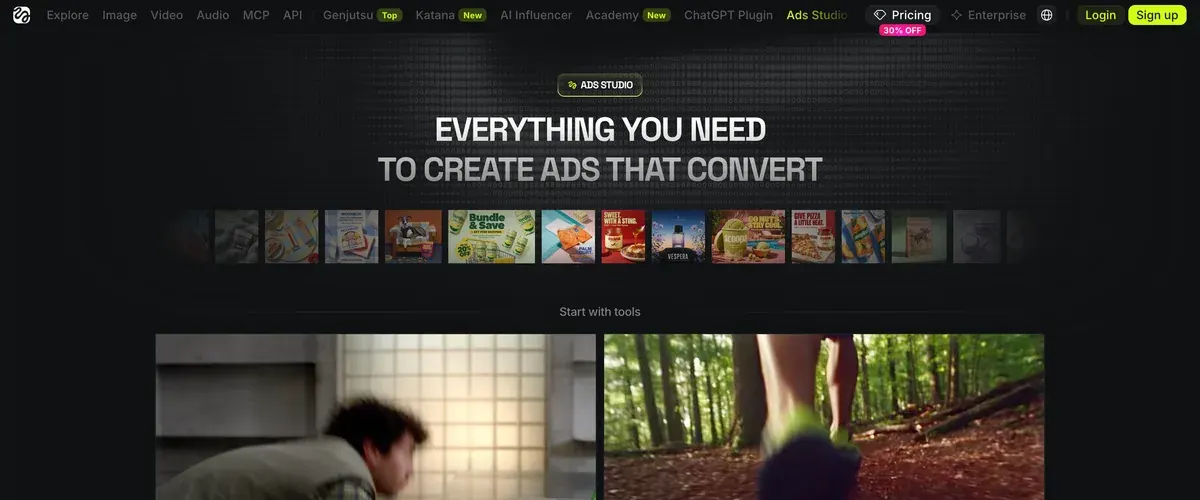
The post names four kinds of angle. Price or offer ads lead with the deal. Ingredient or material ads tell what the product is made of. Usage ads show the product at work, and lifestyle ads set it in someone’s day.
Ads Studio makes statics only; the same post sends video work to Marketing Studio, and video remakes to Ad Multiplier. Animated stat cards and logo stings come from Vibe Motion.
Ad Multiplier also reaches beyond the website. Its post lists it in Higgsfield’s browser extension and in Supercomputer, Higgsfield’s agent. It also runs “as a skill through Higgsfield MCP”, the connector that lets Claude and other AI assistants run Higgsfield for you. Setting that up: Higgsfield with Claude through MCP.
How to set up your brand kit
The brand kit is the profile every ad draws on. Four steps, from the intro page and the launch post:
- Start a brand. Open Ads Studio and enter your website address. With no website, type the details in by hand.
- Read what it pulled. The kit holds your logo, a main colour plus extra hex colours, and your fonts. It adds tone of voice, target audience, visual aesthetics, a business description, selling points and social profiles.
- Correct it. The intro page says you review and edit every field before generating.
- Keep it. The kit stays saved for future batches.

Step 3 deserves the most time. Each selling point becomes an ad’s angle, so a vague selling point produces a vague ad, twenty times over.
How to make static ads
With the kit saved, a batch takes five steps:
- Pick products. Ads Studio imports names, images and prices from your site. Add a missing one by its link or an upload, then choose one hero product or up to 10.
- Set the number of ads. Up to 20 per product. The total credit cost shows before the run starts.
- Generate and review. Copy and design come out together; keep the versions you want.
Step 2: Select or add your products. Choose the products you want to promote from the imported catalog. Add missing items through a product link or upload them manually.
Step 3: Choose how many ads to generate. Select up to 20 ads for each product and review the total credit cost before starting.
Step 4: Generate and review your ads. Review the generated copy and designs, then choose the versions you want to use.
- Ask for more angles. In Ads Studio’s chat box, choose “Mention a product” and describe the new angles you want.
- Download the keepers and upload them to your ad platform.
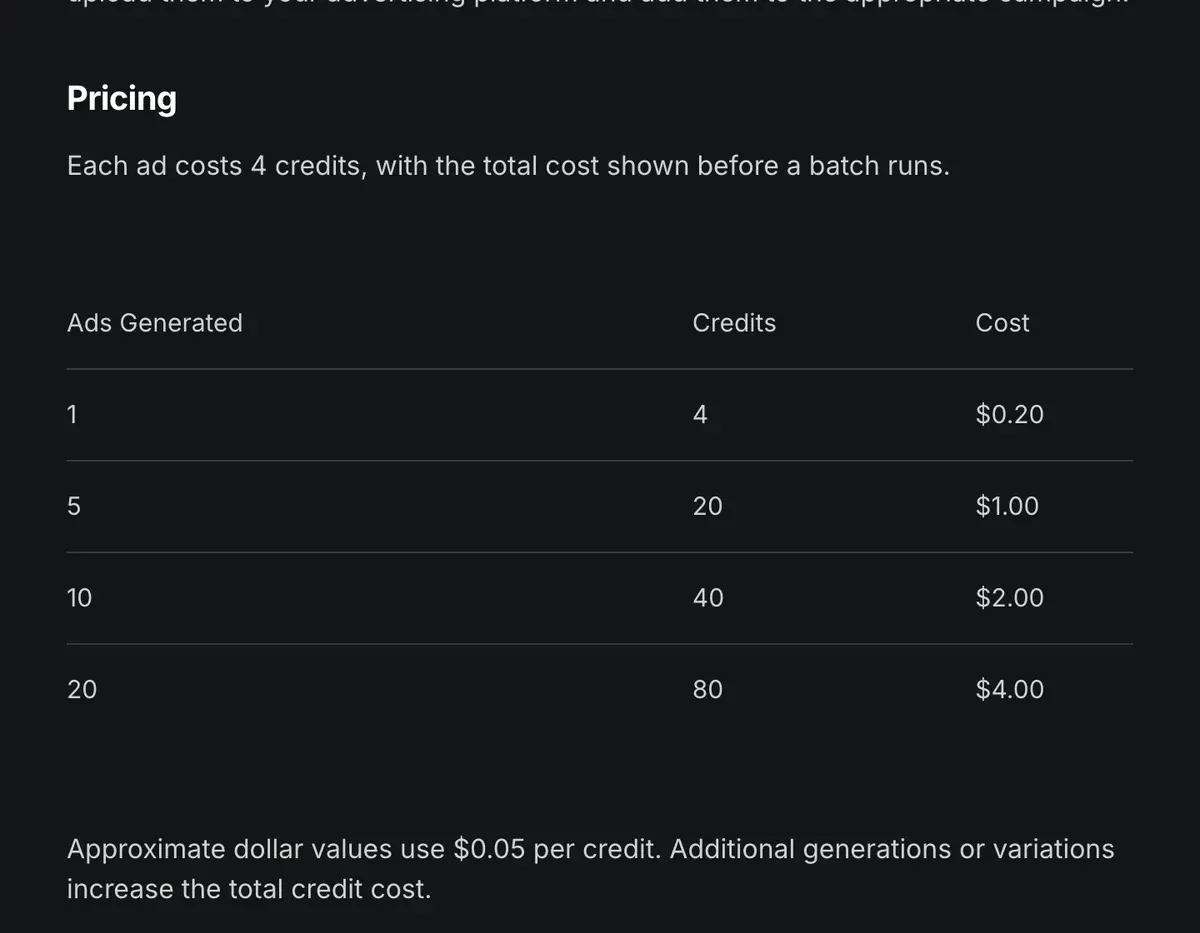
Each ad costs 4 credits, before any extra generations or variations, which the launch post says raise the total.
| Plan | Credits a month | Ads |
|---|---|---|
| Starter | 200 | 50 |
| Plus | 1,000 | 250 (10 products at 20 each use 800 credits) |
| Ultra | 3,000 | 750 |
Scroll sideways for all 3 columns
On Plus, $49 a month for 1,000 credits a month, one ad comes to about $0.20.
The pricing page, read on 9 October 2026, adds 10 free Ads Studio generations on every paid plan. The launch post lists no export sizes.
How the Ad Multiplier works
Ad Multiplier takes a video ad and makes new versions of it. It swaps in your characters, products, clothing or locations. It can also rewrite the hook (the first seconds that stop the scroll), the script or the CTA. The original motion, framing, cuts and timing stay “unless you ask for a change” (Ad Multiplier post, 6 October 2026).
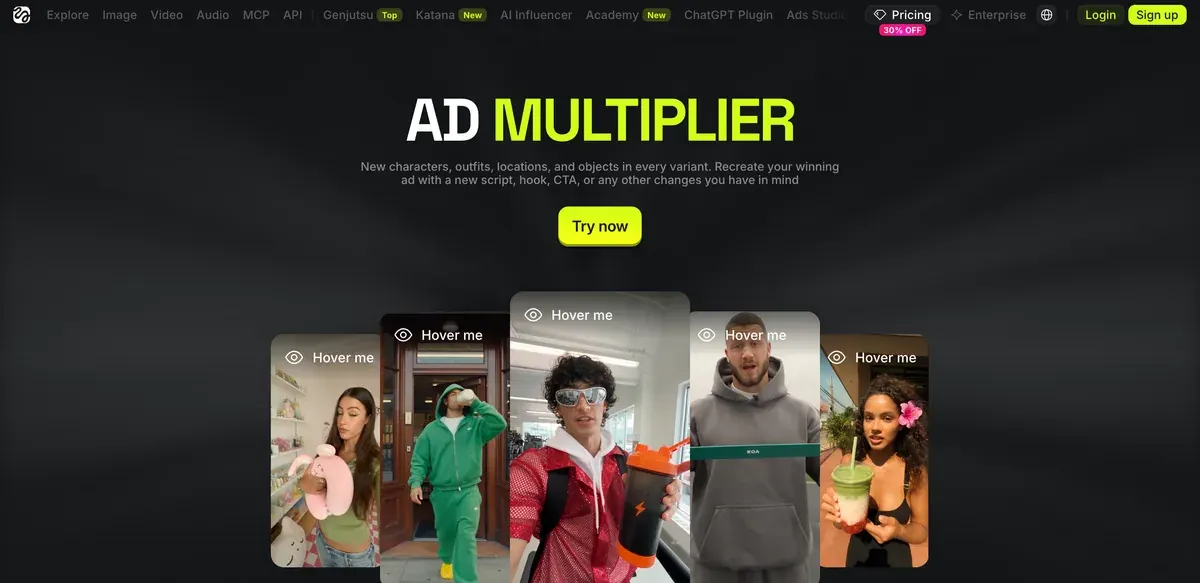
- Open the tool. In the Higgsfield extension, open Ads Studio, go to Explore tools and select Ad multiplier.
- Upload the reference ad, 4 to 30 seconds long. Trim a longer one first.
- Add up to 20 images of characters, products or clothing.
How to Use Ad Multiplier in Ads Studio
Step 1: Open Ad Multiplier. Open Ads Studio in the Extension, go to Explore tools, and select Ad multiplier.
Step 2: Add the reference video. Upload the ad you want to recreate. It must be between 4 and 30 seconds, so trim a longer video first.
Step 3: Add your images. Add up to 20 images of your characters, products, or clothing.
Step 4: Describe the new scene. Write your prompt and mention the attached files with @.
Step 5: Choose the quality. Select 480p, 720p, or 1080p.
Step 6: Check the cost and generate. Review the credit cost on the Generate button, then start the generation.
Step 7: Review your versions in History. Open History to see the finished versions. Check the product’s look, the text, and every claim before you use a version, and generate more from the ones that work.
- Write the prompt. Describe the new scene and tag each file with @.
- Pick 480p, 720p or 1080p, then check the credit cost on the Generate button.
- Review in History. Check the product’s look, the text and every claim, then generate more from the versions that work.

Ad Multiplier has no flat price. The post gives the ceiling for each kind of change:
| Change | 720p | 1080p |
|---|---|---|
| Hook and CTA | 140 | 240 |
| CTA only | 35 | 60 |
Scroll sideways for all 3 columns
On Plus, the costliest run, a new hook and CTA at 1080p, costs at most $11.76. That one run is more than Starter’s 200 monthly credits.
The post advises changing one variable per version, so a result points to one cause. That fits an ad that works but has started to tire as the same people see it again (creative fatigue).
One rule limits what you feed it. The post says to use only reference videos and images “you own or have permission to use”, with consent for any real person’s likeness. A competitor’s ad from the Meta Ad Library is neither, so it falls outside Higgsfield’s own instruction.
Ads Studio or Marketing Studio?
Ads Studio starts from your brand and makes statics in bulk. Marketing Studio starts from a template and makes video and single images (Marketing Studio guide).
| You need | Use | Why |
|---|---|---|
| Dozens of on-brand static ads | Ads Studio | Brand kit, up to 20 ads per product, 4 credits each |
| A UGC or product video from a link | Marketing Studio | Templates and avatars, clips up to 15 seconds |
| New versions of a winning video ad | Ad Multiplier | Keeps the edit, swaps cast, product, hook or CTA |
| One image ad for a set placement | Marketing Studio, Ads category | Built to Meta and Google placement specs |
| Runs from Claude or another agent | Ad Multiplier | Marketing Studio templates run on the website only |
Scroll sideways for all 3 columns
Credits are the main limit for batch work. Six of 52 public sources report credits expiring at the end of each period or after 90 days for packs (Trustpilot, YouTube). Buy credits when a batch is ready to run.
More static tools beside Higgsfield sit in static ad tools. Every Higgsfield plan and rate: Higgsfield pricing. The rest of the platform: how to use Higgsfield and the Higgsfield profile.
Questions about Higgsfield Ads Studio
Is Higgsfield Ads Studio free?
No. Each ad costs 4 credits. The pricing page, as read on 9 October 2026, lists 10 free Ads Studio generations on every paid plan.
Does Ads Studio make video ads?
Its own ads are statics. Ad Multiplier, inside Ads Studio, remakes video ads of 4 to 30 seconds.
Can I use Ads Studio through MCP?
Partly. Ad Multiplier runs as a skill through Higgsfield MCP and in Supercomputer, per its launch post. The Ads Studio launch post names no MCP access for static ads.
How many ads does one run make?
Up to 20 per product, for one hero product or up to 10 products.
Can Ad Multiplier remake a competitor’s ad?
Higgsfield says to use only reference videos you own or have permission to use.
Next on Higgsfield: how Ads Studio works
Every Higgsfield guide, sorted by job, is in the Higgsfield hub
Sources
- Higgsfield: Higgsfield Ads Studio, Six-step workflow, brand kit fields, up to 20 ads per product, 4 credits an ad, statics only; posted 1 October 2026. Checked
- Higgsfield: Ads Studio intro, Brand kit from a website or by hand, products imported with names, images and prices, one hero product or up to 10. Checked
- Higgsfield: Ad Multiplier in Ads Studio, Reference ads of 4 to 30 seconds, up to 20 images, 480p to 1080p, credit ceilings per run, access through the extension, MCP and Supercomputer; posted 6 October 2026. Checked
- Higgsfield help centre: How do I use Marketing Studio to create video ads?, Video templates and image ads to Meta and Google placement specs, 15 seconds per clip, website only; modified 1 September 2026. Checked
- Higgsfield: Higgsfield pricing, Plan cards and the compare-features table, read in a browser; 10 free Ads Studio generations on paid plans; prices exclude VAT. Checked
- Trustpilot, Reddit and YouTube: Higgsfield user reports, 52 public sources synthesised, checked 28 September 2026. Checked
What changed on this page
- Higgsfield’s prices went back: Starter is 15 dollars a month for 200 credits, Plus 49 a month or 39 billed yearly for 1,000 credits, and Ultra 129 or 99 billed yearly has a card again (was Starter 19 for 270, Plus 59 or 47 for 1,200).
- Higgsfield changed its prices: Starter is 19 dollars a month for 270 credits (was 15 for 200), Plus 59 a month or 47 billed yearly for 1,200 credits (was 49 or 39 for 1,000).

Alexandre S.
Alexandre S. is a creative ad strategist and copywriter with ten years' experience in digital marketing across multiple channels.
Related pages
-
 Guide Static vs dynamic ads
A static ad is one fixed image. On Meta, “dynamic” means catalogue ads, the dynamic creative option or, for many new Sales ad sets, flexible ads.
-
 Alternatives Higgsfield alternatives
Other studios that resell Kling, Veo and Seedance on one plan, set against Higgsfield on cost per clip, training terms and refunds, checked 2 October 2026.
-
 Guide Higgsfield prompts for ads
Higgsfield runs Kling, Veo and Seedance, so each prompt follows that maker’s rules and costs. Ad prompts by model, with credit costs, checked 2 October 2026.
-
 Compare Higgsfield vs Topview
Both sell ‘unlimited’ video that runs in a queue, and 33 of 73 Topview user sources report waits of hours to days; both train on uploads by default.


