How to create an AI influencer
An AI influencer is a made-up person who posts on Instagram or TikTok like a real creator. Every photo and video of them comes out of an AI image or video model. You decide who they are, what they post and what they sell. Nobody stands in front of a camera.
Making one takes eight steps, from picking a niche to getting paid. The hard part is step three: your character must look like the same person in hundreds of posts.
Higgsfield does most of the steps on one plan from $15 a month. The tools below split the work differently.
| Tool | What it does | Free plan | Monthly from (USD) | Official site |
|---|---|---|---|---|
 HeyGen HeyGen | Talking-avatar videos from text, photos or your own digital twin, with translation into 175+ languages. | Yes | $29 | Visit HeyGen |
 Higgsfield Higgsfield | Multi-model studio with Seedance, Kling, Veo and its own Soul models, plus ad and UGC tools and an agent. | Yes | $15 | Visit Higgsfield |
 Krea Krea | Model hub with 40+ video models (Veo, Kling, Seedance, Wan, Hailuo), real-time image generation and node workflows. | Yes | $9 | Visit Krea |
 Leonardo.Ai Leonardo.Ai | Image-first generator with video tools, private generation on paid plans and a public remix feed on free. | Yes | $12 | Visit Leonardo.Ai |
 Nano Banana (Google Gemini image models) Nano Banana (Google Gemini image models) | Google’s image generation and editing models, used in the Gemini app, Flow, Google Ads and the Gemini API. | Yes | $4.99 | Visit Nano Banana |
 OpenArt OpenArt | Creator studio bundling Seedance, MiniMax H3, Nano Banana and other models with reusable characters and elements. | Yes | $14 | Visit OpenArt |
Scroll sideways for all 5 columns
Prices checked 23 Oct 2026.

How to create an AI influencer, step by step
Steps two to five are where the money goes.
- Pick a niche and a persona. Decide who your character is first: where they live, what they do all day and which products they could plausibly use. AI influencer niche ideas lists niches with the brands that pay in each. New to the idea? What is an AI influencer covers the basics.
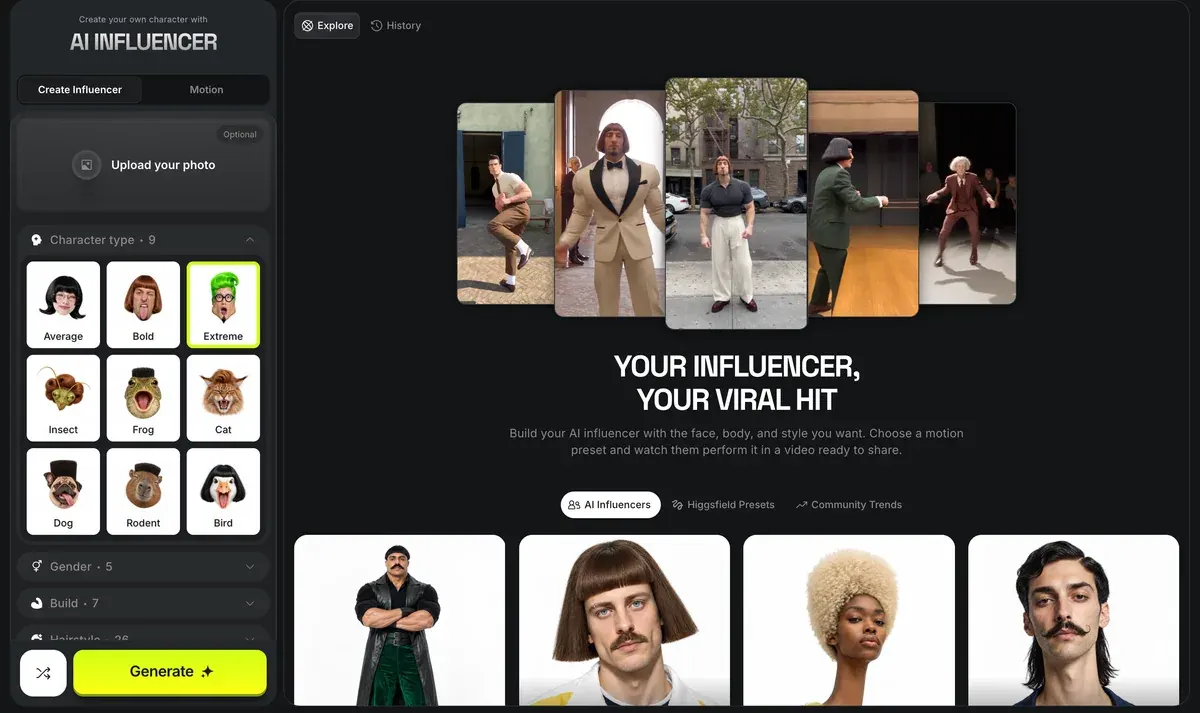
- Design the face. An image model draws your character’s first portrait. In Higgsfield’s AI Influencer Studio you skip the prompt and pick from 19 menu settings instead.
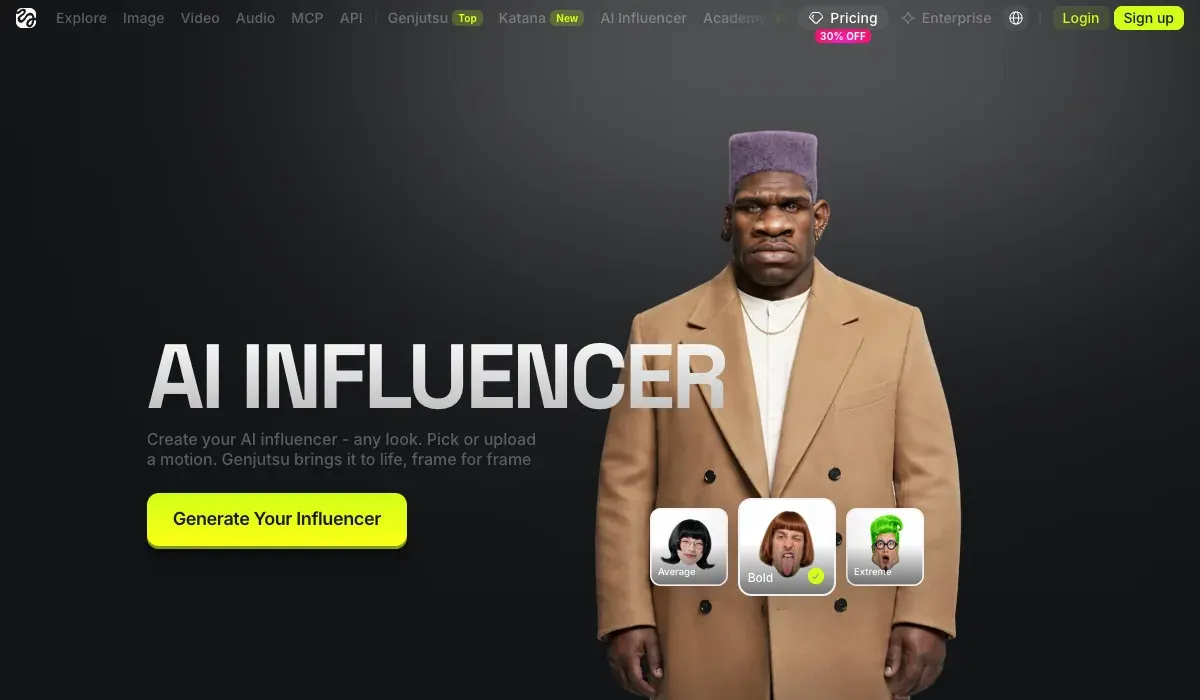
One generation returns a close-up and a full-body shot for 1.12 credits (Higgsfield, 3 October 2026).
How do I generate a character?
1. Open higgsfield.ai/ai-influencer-studio and select Create new.
2. Set the base identity in the Builder panel: character type, gender, origin, skin color, eye color, skin conditions, and age.
3. Fine-tune in Advanced settings: the Face, Body, and Style tabs.
4. Generate. The credit cost is shown before you confirm.
5. Refine the result if needed: use the buttons under the preview to regenerate or save, or type a change into the Type to customize character field and select Edit: text edits cost credits, and the exact cost is shown on the Edit button.
How do I animate the character? You can turn the character into video directly from AI Influencer with the video button under the preview. For motion driven by a real performance, record a video of yourself performing the movement and use Motion Control with your character’s image and your recording as the motion reference: the character follows your movements while keeping its own look.
Nano Banana, Google’s image model in the Gemini app, works from a written description instead. AI influencer prompts gives you prompts to start from; Higgsfield AI Influencer walks through the studio screen by screen.

- Lock the face across images. AI models redraw a face from scratch each time, so without help your character changes from post to post. There are three fixes. Higgsfield’s Soul ID is a trained identity layer. It learns the face from 20+ photos in about 3 to 5 minutes (Soul ID post, 15 June 2026).
What is Soul ID?
Train once and reuse the identity.
A trained Soul ID works across the Soul family.
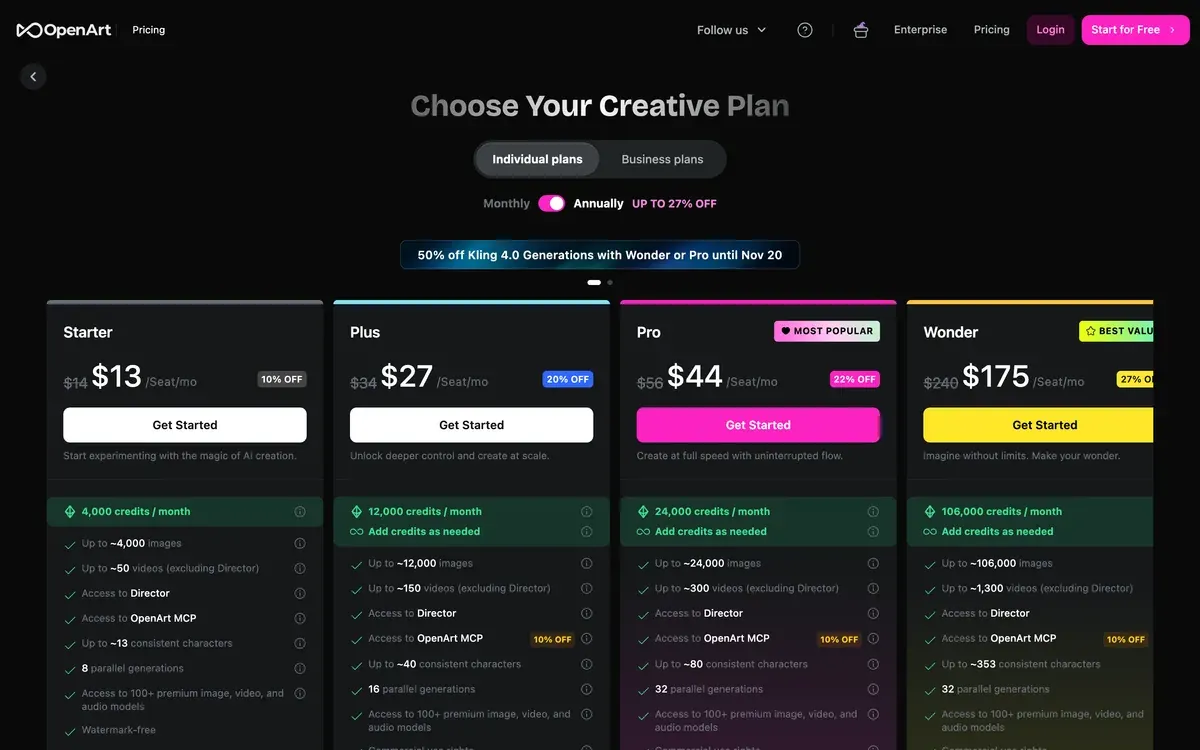
A LoRA, a small add-on file trained on your character, does the same job for open models (AI influencer LoRA). Reference images work too: OpenArt saves a character from one picture, or trains one on 4 to 100 (OpenArt characters).
How to keep an AI character consistent compares all three.
- Make the first photo set. With the face locked, you place your character in scenes: a café, a gym, a mirror selfie, a product in hand.
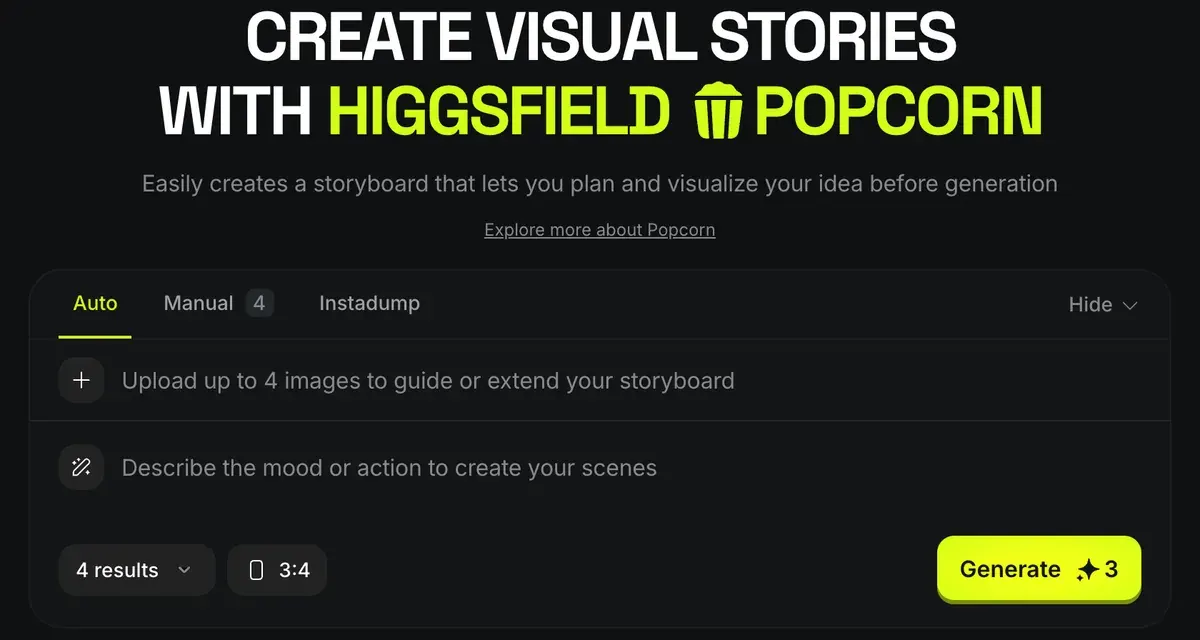
5 of 38 user sources say Nano Banana holds faces and characters across images and combines several references in one prompt (r/midjourney, r/nanobanana).
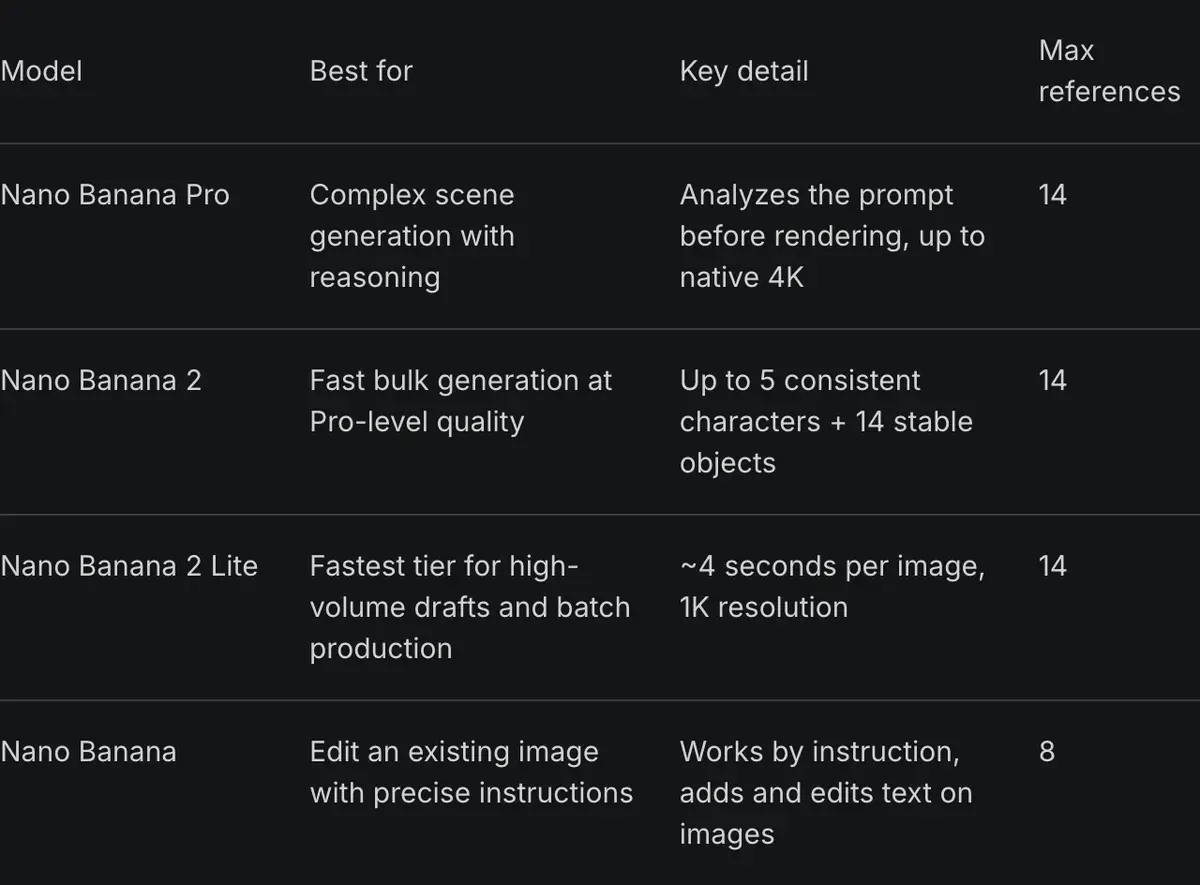
Nano Banana for AI influencers covers that route in full.
- Make videos. Most reach on Instagram and TikTok comes from short video. You animate a locked still (image-to-video), or copy the movement of a real clip onto your character.

Higgsfield’s studio takes a 3 to 30 second reference clip and outputs 1080p (AI Influencer page). Kling is the video model users name for holding one character through several cuts: 4 of 37 sources (r/aifilmmaking, YouTube).
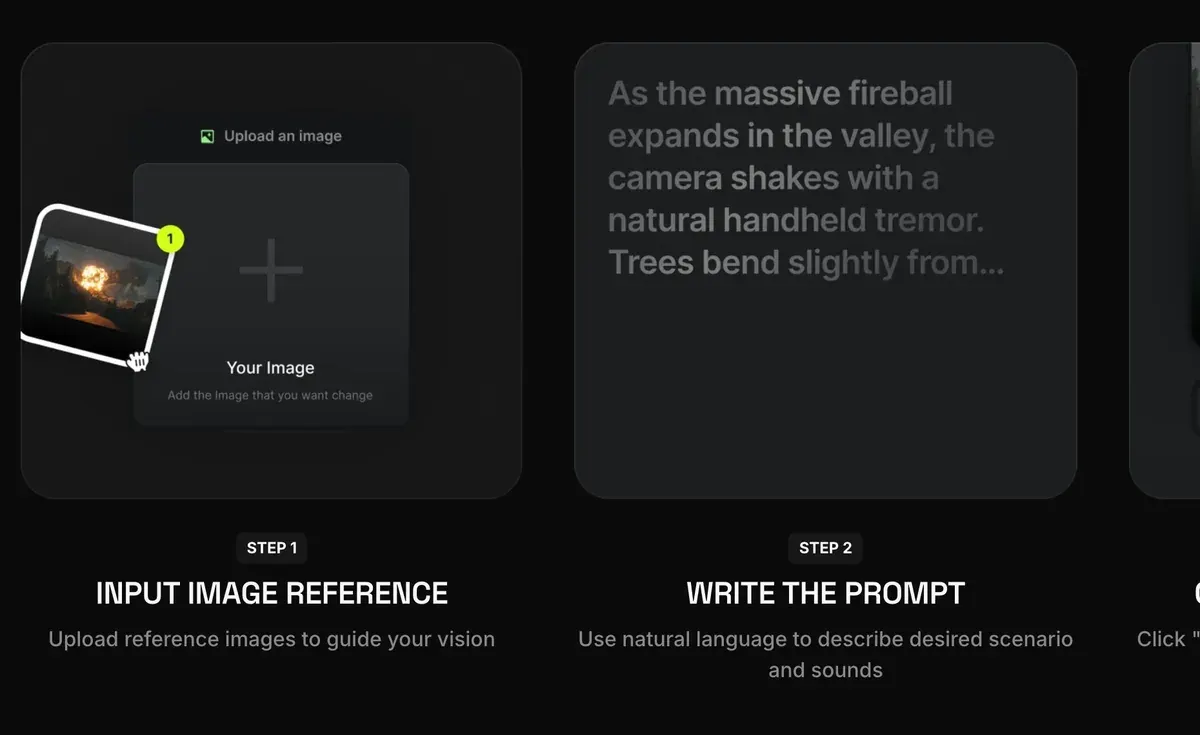
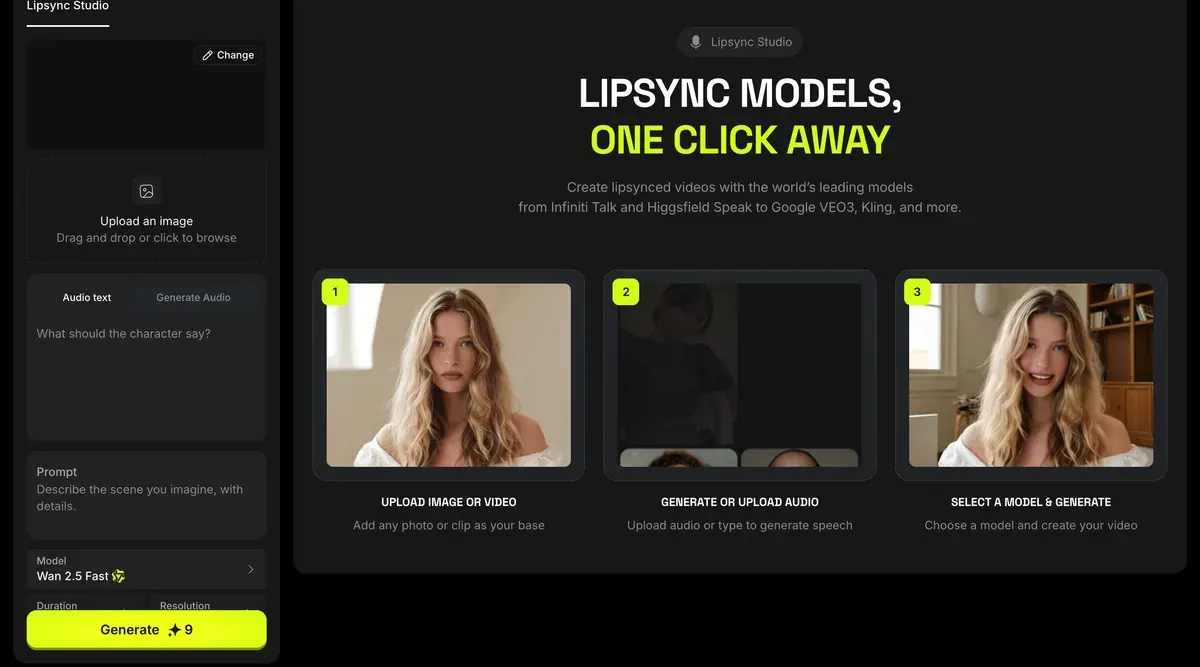
For a character who talks to camera, see lip sync on Higgsfield.
- Set up the account and the AI label, and disclose that the person is AI. On Instagram you switch on the account’s AI creator label in the profile settings.

On TikTok the AI-generated content toggle sits in each post’s settings, before you publish.

YouTube adds a label when you say your video is “realistic and generated by AI or meaningfully altered with AI”.
Labels for AI content
If creators select “Yes” to indicate that their content is realistic and generated by AI or meaningfully altered with AI, we’ll add a label to their video.
Label on the video player for photorealistic AI content. For AI content that is photorealistic, a label in the video player may also appear.
Meta requires its AI disclosure tool on organic posts with “a photorealistic video or realistic-sounding audio that was digitally created or altered” (Meta, updated 1 June 2026).
The tools ask the same: Higgsfield’s terms bar presenting “that any Output is human-generated when it is not” (5.2(xi)), and Google’s terms bar it for Nano Banana images. Is an AI influencer legal? covers the label and likeness rules; TikTok’s AI label and Meta’s AI disclosure rules cover each platform.
- Post and grow. TikTok’s AI-generated content page says adding its label “won’t affect the distribution of your video”. What the accounts with the biggest followings post, and how often, is on famous AI influencers.
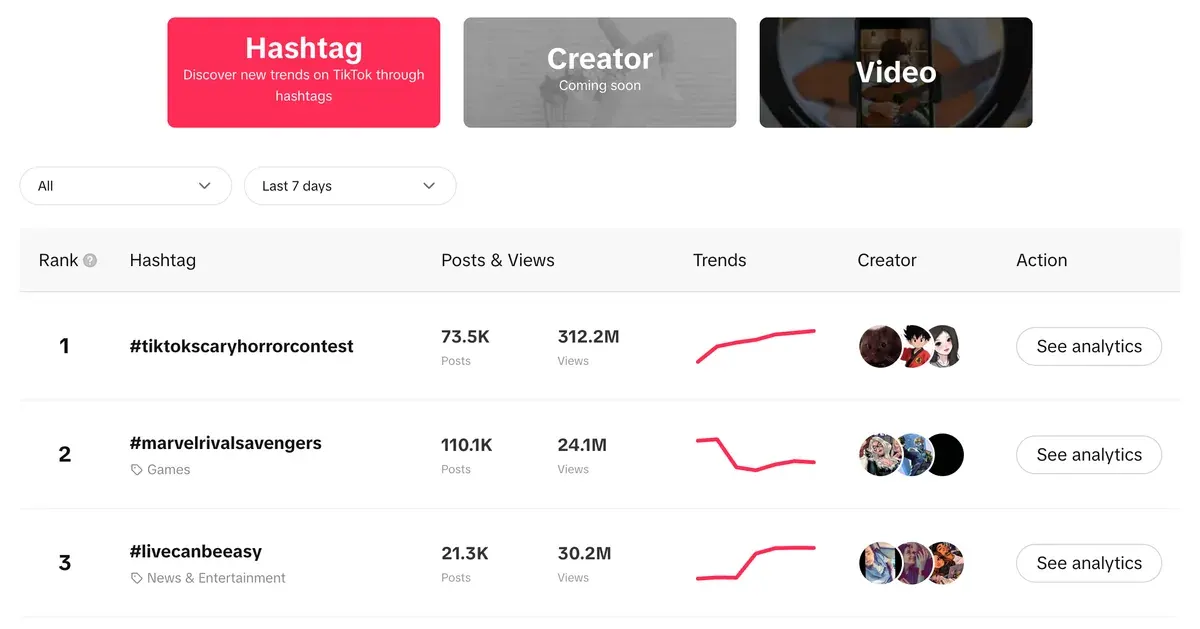
- Earn. AI influencers earn from brand deals, affiliate links and their own products.

How to make money with an AI influencer sets out each route. AI influencer earnings lists the figures outlets have published, character by character.
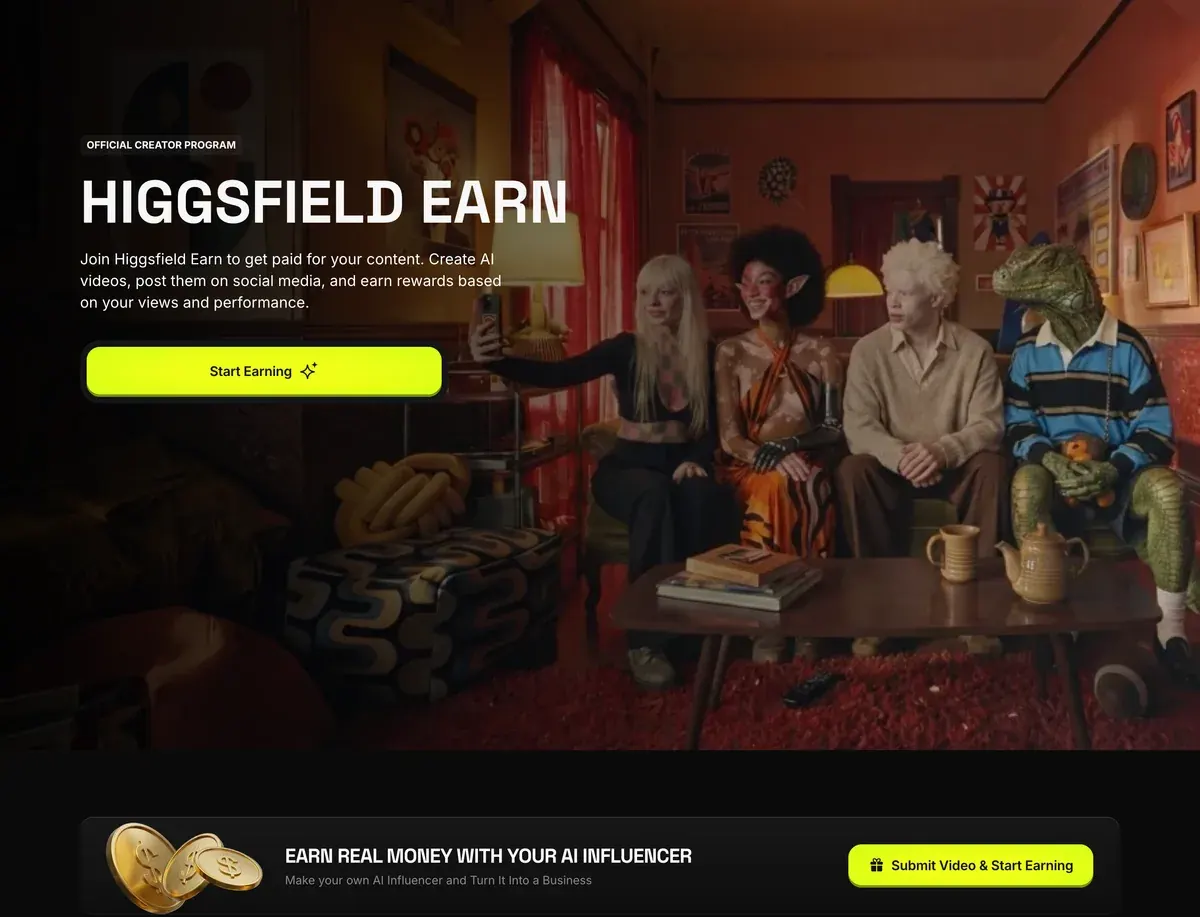
What an AI influencer costs a month
You have three routes. Route one is a single studio on one or two plans; the other two charge by the second or by the hour.
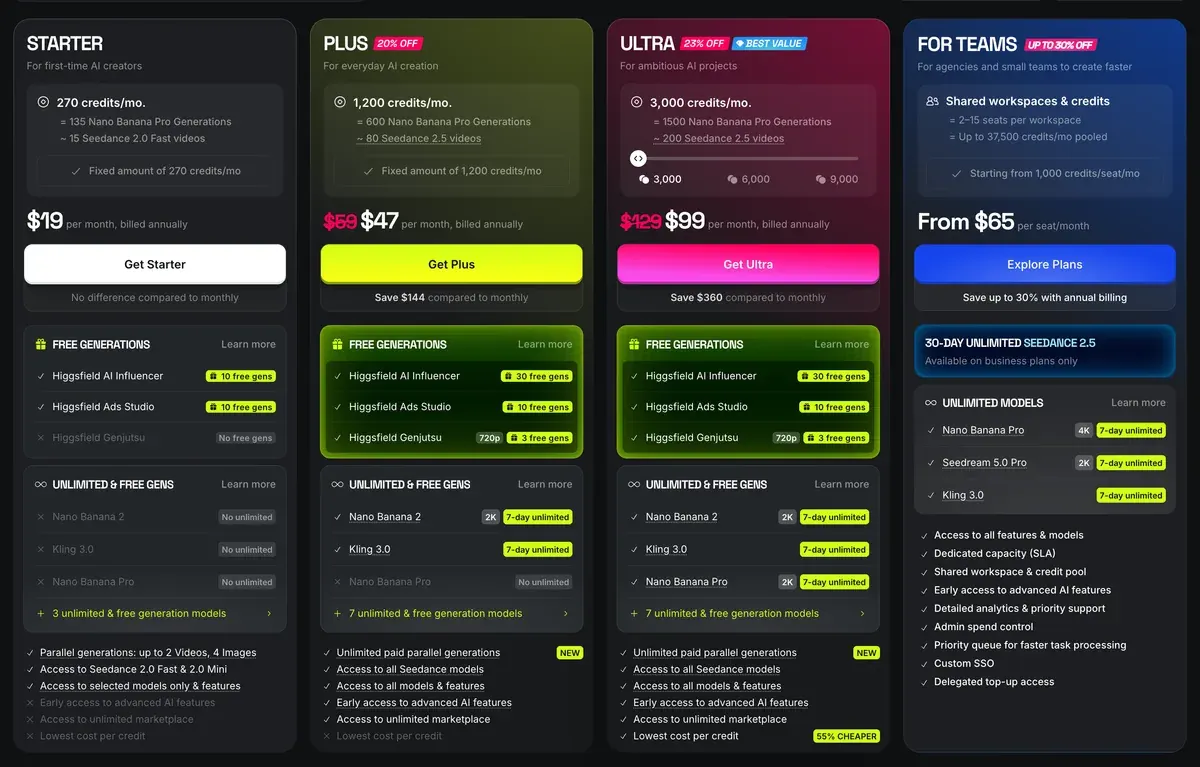
| Route | What you pay for | Entry price |
|---|---|---|
| One studio for every step | Higgsfield Starter: the character builder plus image and video models on one credit balance | $15 a month |
| One studio, more credits | Higgsfield Plus: adds a set of unlimited image models on a slower shared queue | $49 a month |
| An image app plus a video tool | Nano Banana in the Gemini app on Google AI Pro, then Kling 3.0 by the second | $19.99 a month plus $0.168 a second of video |
| Open models on a rented graphics card | A Runpod RTX 4090 pod on Secure Cloud by the hour, running open image and video models | $0.89 an hour |
Scroll sideways for all 3 columns
One Higgsfield character generation, a portrait and a full-body shot, costs 1.12 credits, about $0.06 (Higgsfield, 3 October 2026).
One generation costs 1.12 credits, about $0.06, and returns a close-up portrait and a full-body shot.
Video happens in the same studio: the Motion tab runs Genjutsu Motion transfer and Objects swap at 480p, 720p or 1080p.
On the second route, 20 five-second clips a month is 100 seconds of video. At Kling’s API list price that comes to $16.80 on top of the Google plan.
On the third route you pay for the hours the card runs, plus your own time to set it up.
Twenty hours a month on an RTX 4090 on Secure Cloud comes to $17.80 at the rate Runpod’s pricing page shows on 24 October 2026.
Community Cloud lists the same card at $0.34 an hour, or $6.80 for the same twenty hours. Running an AI influencer in ComfyUI covers the workflow and the model licences.
Higgsfield subscription credits expire at the end of each period (6 of 52 user sources, Trustpilot, YouTube). 8 of 52 report the “Unlimited” queue taking 20 minutes to over two hours (Trustpilot, r/generativeAI). Higgsfield pricing has every plan.
Can you make an AI influencer for free?
Yes, for designing a face and trying it out. A monetised account is another matter, because most free tiers watermark your images or bar commercial use.
- Higgsfield’s sign-up credits cover a first character and a video, and free accounts watermark every generation. Upgrading later “doesn’t remove watermarks from generations already created” (help centre, 3 August 2026). Is Higgsfield free? has the details.
- Nano Banana is free in the Gemini app, with downloads at 1K. Usage limits refresh every five hours up to a weekly cap (Google’s plans page, 23 October 2026). Google’s terms neither grant nor limit commercial use.
- Leonardo Free gives 150 tokens a day, and every creation is public. The terms give Leonardo ownership of free-plan output (8.7).
- Krea Free gives 100 compute units a day and carries no commercial licence.
- Kling’s free users are non-members, and the paid terms make non-members label all output with Kling’s brand (7.2).
Before you earn from a free face, rebuild it on a paid plan whose terms allow commercial use.
Is there an AI influencer app?
Mostly no. Most AI influencer tools run in a web browser, and that includes the browser on your phone. Higgsfield’s help centre says it “has no mobile apps and no desktop app”, so an app store listing using its name is not Higgsfield’s (official platforms, 5 September 2026).
Higgsfield also runs an AI Influencer extension inside ChatGPT (AI Influencer page). The Gemini app on iPhone and Android gives you Nano Banana on a phone.
Every AI influencer page, by what you want
Pick the line that matches your question.
| I want to | Read |
|---|---|
| Know what an AI influencer is | What is an AI influencer |
| See the biggest AI influencers | Famous AI influencers |
| Choose a niche | AI influencer niche ideas |
| Choose a tool | Best AI influencer generators |
| Build one with menus, no prompts | Higgsfield AI Influencer |
| Keep the face the same | Consistent AI character |
| Copy prompts that work | AI influencer prompts |
| Use Google’s image model | Nano Banana AI influencer |
| Train my own model | AI influencer LoRA |
| Run it on my own graphics card | AI influencer in ComfyUI |
| Check the rules and labels | Is an AI influencer legal? |
| Earn from it | Make money with an AI influencer |
| See what they earn | AI influencer earnings |
| Hire one as a brand | AI influencer marketing |
| Weigh AI against a human creator | AI influencer vs real influencer |
Scroll sideways for all 2 columns
AI influencer questions, answered in a line
How long does it take to make an AI influencer?
The character itself takes minutes: one Higgsfield generation returns a portrait and a full-body shot, and Soul ID trains in about 3 to 5 minutes.
How do I make an AI influencer on Instagram?
Follow the eight steps above. Instagram comes in at step six, where you set up the account and switch on the AI creator label. Meta’s disclosure rule then applies to each photorealistic video or audio post.
Do I need to know how to write prompts?
No. Higgsfield’s AI Influencer Studio builds the character from menus. Prompts help on Nano Banana and the open models; AI influencer prompts has a base set.
Can I use my own face for an AI influencer?
Yes, on Higgsfield the photo upload is optional and keeps your facial features. Someone else’s face needs their consent: Higgsfield’s terms ask you to hold “all consents, releases, and permissions” for any face you upload (5.3).
Do I have to say my influencer is AI?
For video and audio posts on Facebook and Instagram, yes: Meta requires its AI disclosure tool on organic posts with “a photorealistic video or realistic-sounding audio” made by AI. Meta’s AI disclosure rules cover still images. The tools’ own terms also bar passing the output off as human-made.
Next on Higgsfield: how to create an AI influencer
Sources
- Higgsfield: Introducing the New AI Influencer: How It Works and What You Can Create, published 3 October 2026; 19 menu settings, three character types, optional photo, 1.12 credits a generation for a portrait and a full-body shot, Motion tab. Checked
- Higgsfield: AI Influencer product page, 3 to 30 second reference clips, up to 40 images a video, 1080p, free sign-up credits, ChatGPT extension. Checked
- Higgsfield: Soul ID, AI character consistency, published 15 June 2026; 20+ photos, training in about 3 to 5 minutes. Checked
- Higgsfield help centre: Why is there a watermark, and how do I remove it?, dated 3 August 2026; free accounts watermark every generation. Checked
- Higgsfield help centre: Official Higgsfield platforms, dated 5 September 2026; no mobile or desktop app. Checked
- Higgsfield: Higgsfield Terms of Use, last updated 26 July 2026; 4.4 output ownership and training, 5.2(xi) on outputs presented as human-made. Checked
- OpenArt: OpenArt characters, a character from one reference image, or a trained character model from 4 to 100 images; usable in video tools. Checked
- Kuaishou: Kling Terms of Paid Service, effective 10 October 2026; 7.2 makes non-members brand all output. Checked
- Google: Google Terms of Service, effective 30 July 2026; bars misleading others into thinking generative AI content was created by a human. Checked
- Meta: How Meta Is Preparing for the 2026 US Midterm Elections, updated 1 June 2026; AI disclosure on organic posts with photorealistic video or realistic audio. Checked
- Google: Gemini plans, free Gemini app: usage limits that refresh every 5 hours up to a weekly cap, downloads at 1K. Checked
- Kuaishou: Kling API pricing, Kling 3.0 with native audio, per second at 1080p. Checked
- TikTok: AI-generated content, adding the label won’t affect the distribution of your video. Checked
- Runpod: Runpod pricing, RTX 4090 on-demand per hour: Secure Cloud $0.89, Community Cloud $0.34. Checked
- Trustpilot, Reddit and YouTube: Higgsfield user reports, 52 public sources synthesised. Checked

Alexandre S.
Alexandre S. is a creative ad strategist and copywriter with ten years' experience in digital marketing across multiple channels.
Related pages
-
 Guide What is Higgsfield Soul 2.0?
What Higgsfield Soul 2.0 and Soul ID do, how to train a consistent character, what it costs, and the likeness rules that apply in ads. Checked 16 October 2026.
-
 Guide Is Higgsfield free?
Yes: Higgsfield has a free plan with daily credits, a watermark and few models. Where more free credits come from, and what the one-day trial renews to.
-
 Guide How to make a realistic AI UGC character on Higgsfield
Cast, lock and animate a UGC creator who looks real: copy-ready prompts, Soul ID, product shots, lip-synced video and fixes for the AI look. 20 October 2026.


