Akool face swap
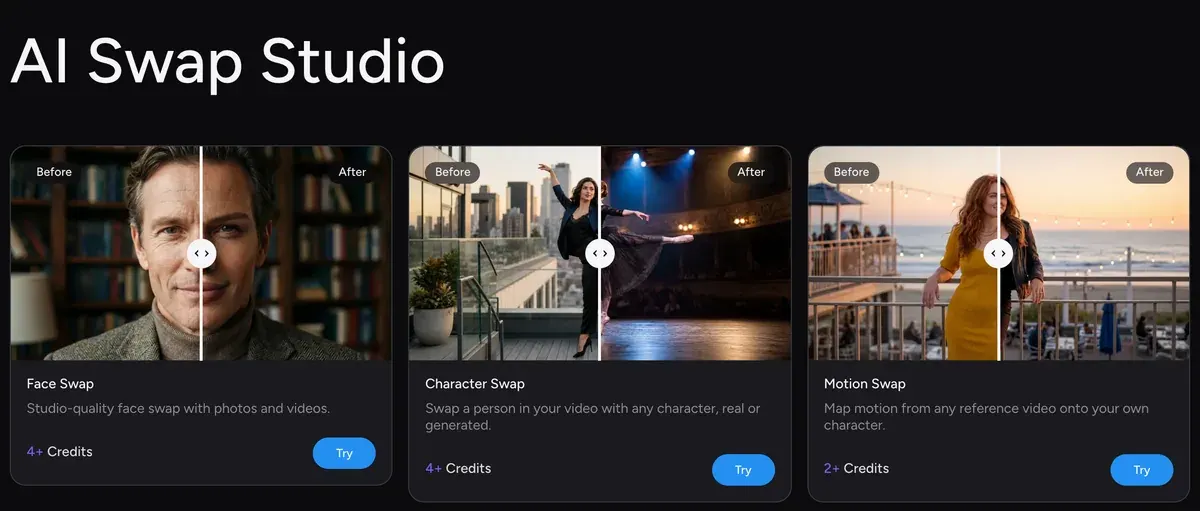
Akool’s face swap puts a face you choose onto a photo, a video or your own live camera feed. Akool bills every swap from one credit balance. Its pricing page lists the rates: 4 credits for an image swap, 10 credits per 10 seconds of video.
Before a swapped face runs in an ad, you need a release from the person whose face it is. TikTok also wants its AI label on the ad; Meta asks for an AI disclosure on political and issue ads.
| Mode | What it changes | Credits | Free plan |
|---|---|---|---|
| Face swap, image | One or more faces in a photo | 4 an image | Yes, uploads up to 720p |
| Face swap, video | Faces in a clip, motion kept | 10 per 10 s, 10 minimum | Clips up to 150 MB and 30 s |
| Head and character swap | The whole head, or the full character across scenes | 5 per 5 s at 480p, 10 at 720p | Not stated |
| Live face swap | Your face on camera, in real time | 1 to 3 per 10 s, by plan | 5 minutes |
Scroll sideways for all 4 columns
Akool’s plan comparison gives Free limits for face swap uploads and live swap only, so head and character swaps on Free are not listed.

How Akool’s face swap works, step by step
Akool’s help article on how to use Face Swap lays out four steps:
- Open the Face Swap tool from the dashboard and upload the photo or video you want to change.
- Akool detects the faces in it. Click the one to replace, then upload a new face or pick one from your library.
- Choose a model and, if you like, re-age the face older or younger. Akool says “FS-1 Omni will generally be the best model for realistic swaps.”
- Click Generate Premium Results, then download the file or share it.
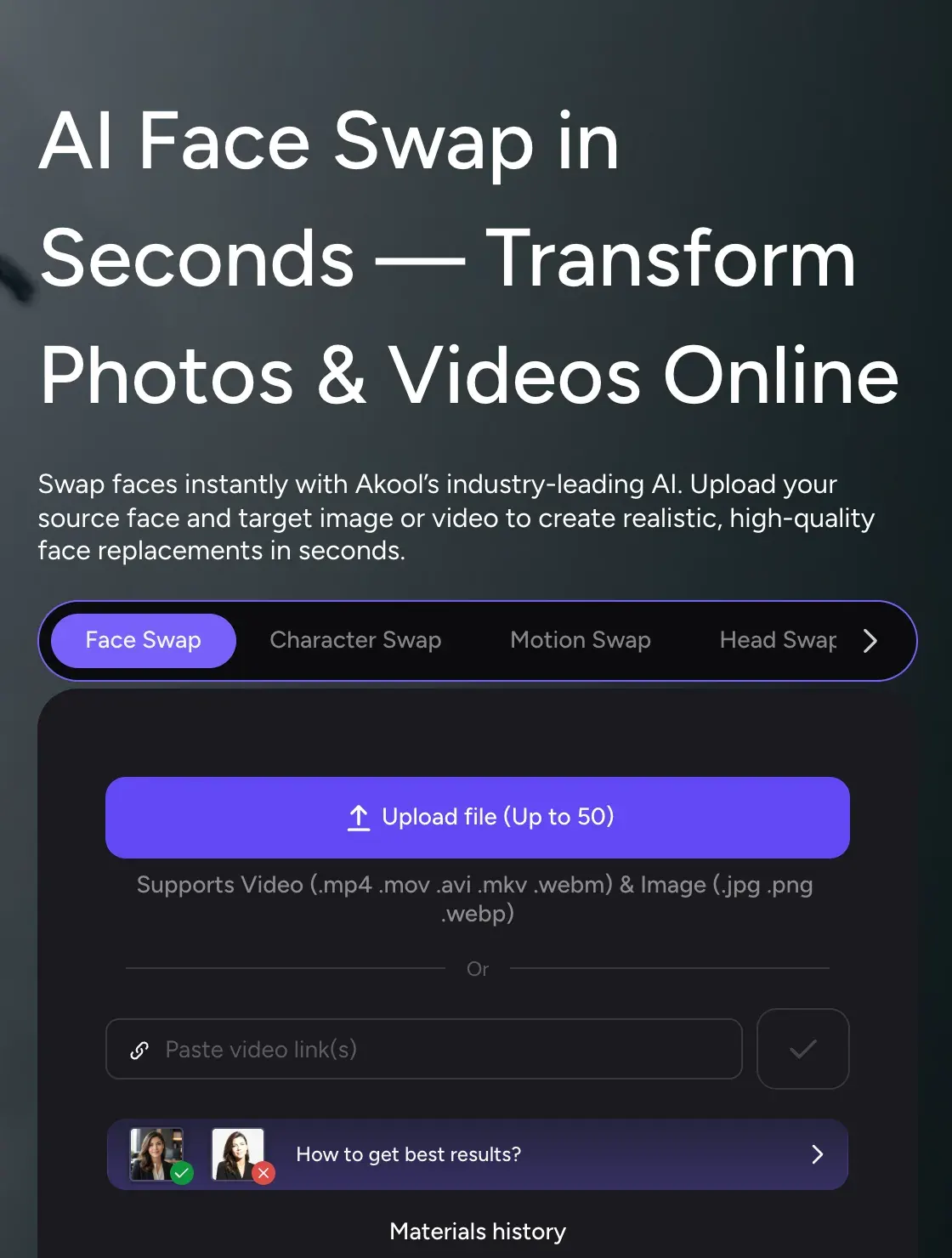
How to Create a Face Swap Video or Image
1 Choose Swap Type. Select Face Swap, Character Swap, or Head Swap based on your needs.
2 Upload an Image or Video. Use built-in demo assets or upload your own photo/video for full customization.
3 Assign a Face to Replace. Use built-in demo assets or upload your own photo/video for full customization.
4 Generate Your Result. Akool processes your media in seconds and delivers a realistic, high-res face swap with natural expressions and lighting.

Akool says photo swaps are instant and video swaps take “a few seconds to minutes, depending on the length of the video”.
The input decides most of the result. Akool’s troubleshooting page asks for a high-resolution, well-lit file with the face “facing the camera and entirely visible”, and no sunglasses or heavy shadows. Its tip for better blending is a sharper replacement photo.
Akool’s face swap page lists the formats it takes: MP4, MOV, AVI, MKV and WebM for video, JPG, PNG and WebP for images. It also says the tool swaps “multiple faces in group photos automatically”.
Image, video or live: which swap fits your ad
An image swap suits static ads. You keep one product shot and test it with different faces. Akool’s newest engine, Face Swap Pro, is “powered by diffusion models and a fully rebuilt algorithm”, its blog post says, and it takes image input only.
A video swap keeps the original take, so the actor’s gestures and timing stay. Only the face changes. That is the route for a spokesperson video you already have, re-cast for another market. The plan sets the clip you can upload:
| Plan | Upload quality | Video size and length | Live face swap |
|---|---|---|---|
| Free | 720p | 150 MB and 30 s | 5 minutes free |
| Starter | Up to 1080p | 300 MB and 5 min | Up to 5 min |
| Pro | 16K | 300 MB and 5 min | Up to 60 min |
| Pro Max | 16K | 500 MB and 10 min | Up to 90 min |
| Business | 16K | 1 GB and 15 min | Up to 120 min |
Scroll sideways for all 4 columns
A live swap runs on your device camera, on the web or mobile, per Akool’s Live Face Swap page. You pick a face and Akool swaps it in real time. A record button saves the session as a video in your library.
What a face swap costs on Akool
The cheapest paid plan, Starter, costs $12 a month for 200 credits at monthly billing. That makes a credit $0.06.
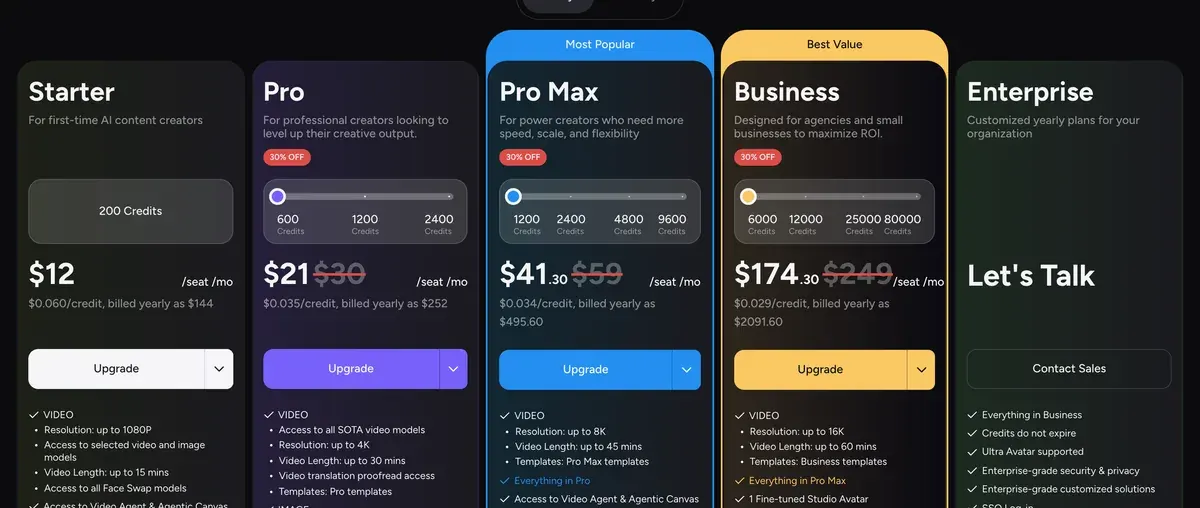
At that rate, a 30-second video swap uses 30 credits, or $1.80. An image swap uses 4 credits, or $0.24.
Business costs $249 a month for 6,000 credits at monthly billing. The same 30-second swap costs about $1.25 there.
On every self-serve plan, credits expire at the end of each billing period and do not roll over (terms 6.1); Enterprise credits do not expire. Every plan and its credits: Akool pricing.
Two of 39 recent Trustpilot reviewers call Akool’s face swap realistic (one, two). Ten report card charges they say they never authorised (one, two), so check your billing after the first month.
Which Akool plan lets a swap run in an ad?
Business is the first plan whose card says “License: business”. Starter, Pro and Pro Max say “License: personal”, and the terms never define either word. Section 4.2 lets you use output “for any lawful purpose”, while 6.6 lets Akool fine “unauthorized commercial use”. So a swap meant for a paid ad belongs on Business or above.
The Free plan adds a full-screen watermark, which rules its output out of any ad.
Akool’s consent rules for real people’s faces
Akool’s answer on commercial face swaps is yes, “provided you have the necessary rights and permissions from the individuals whose faces are being used”. Its help FAQ puts it in five words: “Use media you are authorized to use.”
The terms (1 October 2026) make the check yours. Under section 10 you are “solely responsible for determining whether a release is required”. Section 2.3(o) bars you from using the service to “impersonate any person or entity”.
Terms of Service, 10 Likeness
You acknowledge that some jurisdictions provide legal protection against a person’s image, likeness, property, or works of art being used for commercial purposes when they have not provided a release. In such cases, you shall be solely responsible for determining whether a release is required in connection with any proposed use of the output, and shall be responsible for obtaining such release.
The Content Moderation Policy (18 March 2025) prohibits content that “misrepresents, impersonates, or harms individuals, celebrities, or brands” (section 3). Section 10 names face swaps among “substantially modified” media and asks for an “AI-generated” or equivalent label when you share them publicly.
Akool asks for consent in its terms and policy. Neither the face swap page nor the how-to article describes a consent check inside the tool, so collect the release before you upload.
Before a swapped face goes into an ad
- A signed release from the person whose face you insert, naming paid advertising. Akool’s terms (section 10) leave that check to you.
- A release from anyone else who stays visible in the target footage.
- The rights to the target photo or video itself.
- A plan whose licence covers commercial use: on Akool’s cards, Business and up.
- TikTok’s AI label, set at upload, and Meta’s AI disclosure on a political or issue ad (next section).
US state likeness laws add their own consent rules. They are set out in the AI UGC legal guide.
What ad platforms say about a swapped face
TikTok’s misleading content policy (last updated April 2026) counts “Showing the primary subject doing something they didn’t actually do” as a significant AI edit. Such an ad needs TikTok’s AIGC label or your own clear disclaimer. “If we identify AI-generated content that has not been disclosed, your ad will be rejected or restricted.”
The same TikTok page bars using a public figure’s likeness “without their permission”, audio or visual, and applies the same rule to private figures. More in TikTok’s AI label.
Meta’s standards for social issue, election and political ads require advertisers to disclose AI in those ads. One case it names is media that “Depict[s] a real person as saying or doing something they did not say or do”.
The same page says Meta detects AI media in other ads itself and shows an “AI Info” label in About this ad. The detail is in Meta’s AI disclosure rules.
Google’s misrepresentation policy states: “Manipulating media to deceive, defraud, or mislead others is not allowed.” Every platform and the EU rule side by side: AI disclosure in advertising.
When face swap is the wrong tool for your ad
Face swap needs a real face you have the right to use. With no release, no plan or label fixes the ad.
Akool’s own stock faces are no shortcut. Terms 2.4 bar stock Akool Avatars from “promoted”, “boosted” or “paid” social ads without Akool’s written consent, on every plan.
Terms of Service, 2.4 Akool Avatars
you agree not to use any Akool Avatars without Akool’s explicit written consent: (a) in Output (i) for “promoted”, “boosted”, or “paid” advertising on any social media platform or similar media; (ii) for TV broadcasting
A licensed AI actor is the safer route when you need a face nobody owns. Libraries whose terms allow ads are compared in AI actors for ads. Filming one presenter once and reusing them? A trained avatar of that person, made with their consent, saves a swap per ad: custom AI avatar tools.
A swap also leaves the voice alone. For a spokesperson ad in another language, Akool’s video translation dubs and lip-syncs the original speaker in 155+ languages. It costs 3 credits per 5 seconds (Akool profile). Another swap option, with its own rules: Higgsfield Faceswap and Recast.
Questions about Akool face swap
Is Akool face swap free?
Yes, with limits. The Free plan takes uploads up to 720p and video clips up to 150 MB and 30 seconds. It adds 5 minutes of live face swap, and every result carries a full-screen watermark.
Can Akool swap faces in a video?
Yes. A video swap costs 10 credits per 10 seconds, with a 10-credit minimum, and keeps the original motion and expressions.
What is Akool Face Swap Pro?
It is Akool’s rebuilt face swap engine, based on diffusion models. Akool’s post says it takes image input only.
Can I use an Akool face swap commercially?
Akool says yes when you hold permission from every person whose face you use. Its plan cards say “License: personal” below Business, so make ad swaps on Business or above.
How does Akool live face swap work?
It swaps your face in real time through your device camera, on the web or mobile. A record button saves the session as a video.
Sources
- Akool: Akool Face Swap, Swap types, accepted formats, group photos, credits from 4 for Face Swap, FAQ on what each swap type replaces. Checked
- Akool help centre: How to Use Face Swap, Four steps from upload to download, the FS-1 Omni model, tips on source photos. Checked
- Akool help centre: Face Swap troubleshooting, Why a face goes undetected and how to improve blending. Checked
- Akool help centre: Face Swap FAQs, Using someone else’s face, answered as use media you are authorised to use. Checked
- Akool: Live Face Swap, Real-time swap through the device camera on web and mobile, with a record button. Checked
- Akool blog: Meet Akool Face Swap Pro, Diffusion-based rebuild of the face swap engine, image input only; post updated 26 October 2026. Checked
- Akool knowledge base: Can I use face swaps for commercial purposes?, Commercial use allowed with the permission of the people whose faces are used; the article shows no date. Checked
- Akool: Akool pricing, Credit table and Face Swap rows of the plan comparison (upload quality, video size, live minutes), read in a browser. Checked
- Akool: Akool Terms of Service (1 October 2026), 2.3(o) on impersonation, 2.4 on stock Akool Avatars in paid ads, 4.2 on output use and the AI disclosure request, 6.1 on credit expiry, 6.6 on fines, 10 on releases. Checked
- Akool: Akool Content Moderation Policy (18 March 2025), Section 3 on impersonating people and brands, section 10 on labelling face swaps and other AI-altered media. Checked
- TikTok Business Help Center: TikTok ads policy: misleading and false content, AIGC label for significantly edited media, identity misuse of public and private figures; last updated April 2026. Checked
- Meta Transparency Center: Meta advertising standards: social issues, elections or politics, AI disclosure for political and issue ads and the AI Info label in About this ad. Checked
- Google Advertising Policies Help: Google Ads misrepresentation policy, Manipulated media and impersonation of other brands or businesses. Checked

Alexandre S.
Alexandre S. is a creative ad strategist and copywriter with ten years' experience in digital marketing across multiple channels.
Related pages
-
 Guide AI UGC meaning: what is AI UGC?
AI UGC is ad video made or edited with AI to look like a customer or creator filmed it. Its two meanings, and vendor terms on passing it off as human.
-
 Data AI commercial use, tool by tool and plan by plan
Can a tool’s output run in your paid ads? Terms quoted with clause and date for each plan: allowed, conditional, barred or unclear. Checked 26 September 2026.
-
 Guide AI disclosure on YouTube
YouTube asks about realistic AI at upload, ad videos from Google Ads included, and may label C2PA-marked media itself. Checked 2 October 2026.


