Brevo CRM: free limits and what each sales seat costs
Yes, Brevo is a CRM as well as an email tool. Brevo has a sales CRM (a shared record of contacts, deals and tasks) inside the same account as its email campaigns, with its own price list.
The free version holds 50 open deals in one pipeline. A pipeline is the row of stages a deal moves through, from first call to signed.
Past that, you buy sales seats on top of a paid email plan, priced in the table below (Brevo’s pricing data, read on ).
| Sales Free | Sales Essentials | Sales Advanced | |
|---|---|---|---|
| Price per seat, monthly billing | Free | $31 | $65 |
| Price per seat, yearly billing | Free | $335 a year | $702 a year |
| Email plan it goes with | Free on the sales page; a Starter add-on in the feature-list footnote | Starter, Standard, Professional | Professional, Enterprise |
| Sales users | 1 | 1 on Starter, up to 5 on Standard, up to 50 on Professional | Up to 50 |
| Open deals | 50 | Unlimited | Unlimited |
| Pipelines | 1 | Unlimited | Unlimited |
| Sales automation | No | Yes | Yes |
| Phone calls | No | No | Yes |
| Deal currencies | 1 | 1 | Several |
Scroll sideways for all 4 columns

What does Brevo CRM do?
Brevo CRM tracks deals through stages, books meetings, logs tasks and puts customer emails and chats in one shared inbox. Brevo’s sales page names six tools: sales pipelines, phone, automation, meetings, a shared inbox and sales reports.
Boost sales efficiency to drive growth
Sales pipelines Customize your pipeline. Track deals at every stage and never miss an opportunity.
Phone Make and receive calls, access contact information, call recordings, and more.
Automation Use your time wisely. Let automation take care of repetitive tasks in your pipeline.
Meetings Let clients book meetings easily. Host calls with seamless video conferencing tools.
Shared inbox Keep your team on the same page with shared customer emails, tasks, and notes.
Sales reports Analyze sales revenue, win rates, and team performance with dedicated reports.
The feature list marks the same basics in all three columns: tasks with reminders, notes and files, booking pages, in-browser video calls, live chat and four reports. One of the four is forecasting, which weights each stage by its chance of closing.

The contact list is the one your campaigns use, so a deal’s contact can sit in an email segment with no export.
What does Brevo’s free CRM include?
Brevo’s free CRM gives one user 50 open deals, one pipeline, one deal currency and one connected calendar and mailbox. The limits come from Brevo’s Free plan article.

Reaching a cap deletes nothing: you cannot open a 51st deal until one closes or you upgrade. Sales automation is the main thing missing, with no workflows, stage rules, chatbot flows or contact enrichment, and no second user.
Brevo’s pages disagree on one point. The sales page says “Build your custom sales pipeline on the free plan, no credit card required”. A feature-list footnote says “Sales Free is available as an add-on from the Starter plan”. The help article sides with the sales page.
How much does Brevo CRM cost for a team?
Brevo CRM costs the email plan plus one sales seat per user. The cheapest paid set-up is Starter with one Sales Essentials seat, $40 a month.
Brevo’s pricing data allows one sales seat on Starter, five on Standard and 50 on Professional. A sixth salesperson moves the whole account to Professional, which lists $499 a month.
| Team | Email plan | Sales seats | Monthly total (USD) | The sum |
|---|---|---|---|---|
| 1 user | Starter | 1 Essentials | $40 | 9 + 31 |
| 3 users | Standard | 3 Essentials | $111 | 18 + 3 × 31 |
| 5 users | Standard | 5 Essentials | $173 | 18 + 5 × 31 |
| 6 users | Professional | 6 Essentials | $685 | 499 + 6 × 31 |
| 3 users who phone | Professional | 3 Advanced | $694 | 499 + 3 × 65 |
Scroll sideways for all 5 columns
Method: each total is the plan’s entry price plus the seat price times the number of users, both on monthly billing. The entry prices cover the smallest email tier, so a bigger send volume adds to the bill. Brevo pricing has every email tier.
The sixth user adds $512 a month. Of that, 31 is the seat and 481 is the move from Standard to Professional (499 − 18).
Phone calls, 1:1 SMS and WhatsApp, ticketing, round-robin booking and outreach sequences are Sales Advanced only, and that package needs Professional, so a team that wants to dial starts at the last row.
Yearly billing takes an Essentials seat from 31 to $27.92 a month: $335 a year, divided by 12.
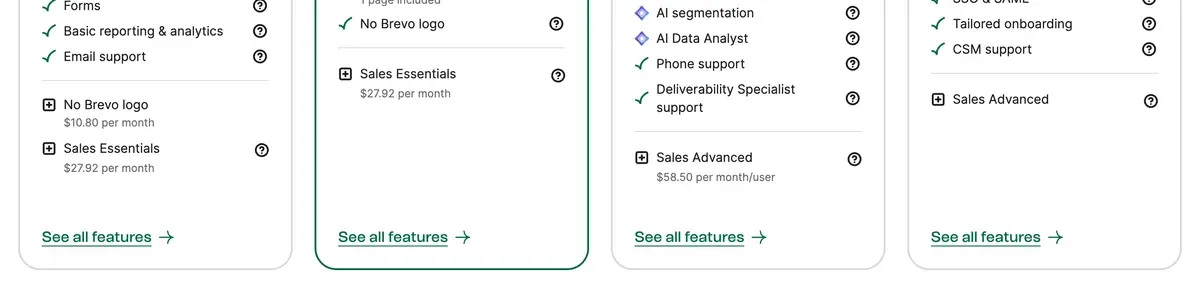
The Brevo coupon code page covers the current code for annual email plans.
Which AI features does Brevo CRM have, by package?
Brevo’s AI is called Aura, and most of its sales features sit in the paid packages. The feature list marks five.
| AI feature | What it does | Sales Free | Essentials | Advanced |
|---|---|---|---|---|
| AI conversations agent | Summarises live chats and rewrites your replies | Yes | Yes | Yes |
| AI contact and company enrichment | Fills in missing company and contact details | No | Yes | Yes |
| AI chatbot | Answers visitors’ open questions on your site | No | No | Yes |
| AI call transcriptions and summaries | Writes up each phone call | No | No | Yes |
| AI follow-up emails | Drafts a follow-up from the call transcript | No | No | Yes |
Scroll sideways for all 5 columns
Three of the five need Sales Advanced: the chatbot and the two that work on phone calls.
Brevo also publishes an MCP server that lets Claude or ChatGPT work inside your account. The feature list marks it as included on every email plan, and its description names campaigns and contacts, not deals. Our Brevo MCP guide has the set-up.
Brevo CRM vs HubSpot, SoftSync, Pipedrive and Zoho: where each one wins
Brevo CRM suits a team that already emails from Brevo. Each of the four below wins on one thing.
HubSpot gives more for free. Its free tools allow two users where Brevo’s free CRM allows one. HubSpot’s free CRM page lists sales quotes and “more than 2,000 apps available in the HubSpot Marketplace”. Brevo’s integrations page counts more than 150.
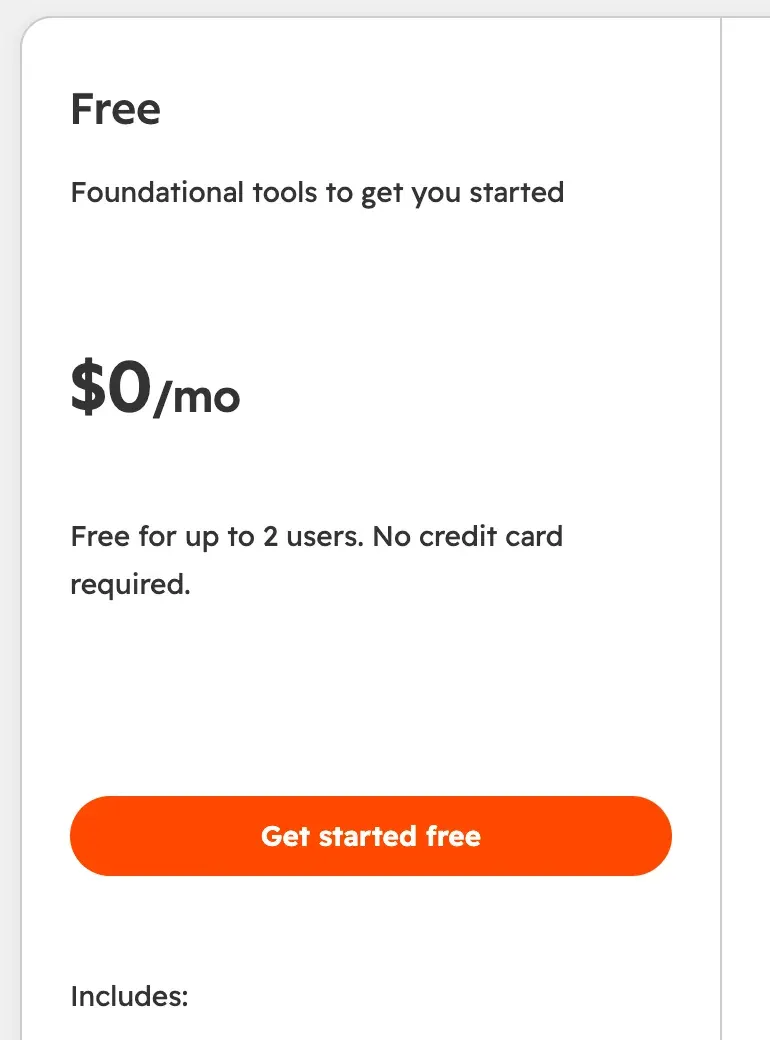
Our Brevo vs HubSpot comparison prices both.
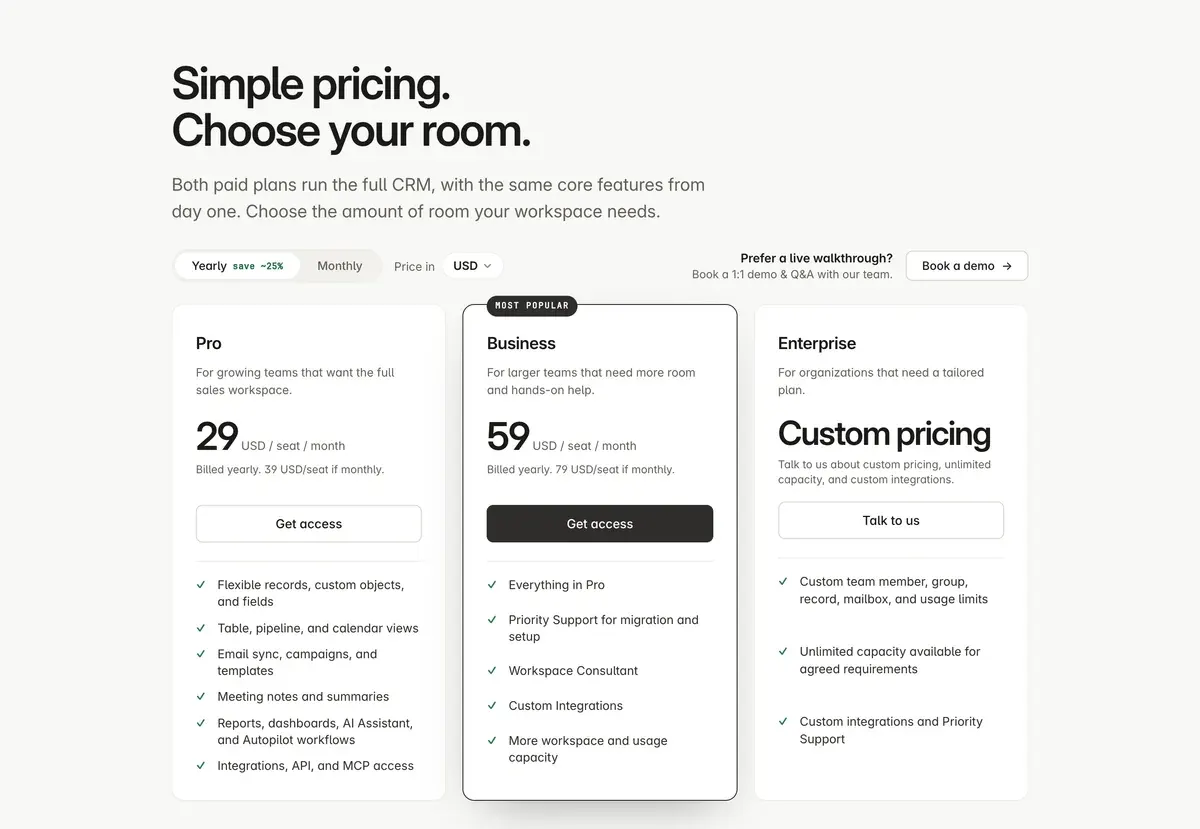
SoftSync puts quotes and e-signature in the seat. SoftSync Pro lists $29 a month billed yearly a seat with no email plan underneath. That seat includes quotes, contracts, e-signature and meeting notes. Pro stops at five team members; the SoftSync profile has the caps.
Zoho CRM is free for three users, against one on Brevo, per its pricing page. Its first paid edition, Standard, lists $20 a user a month, or $14 billed yearly. The same page lists quote management with price rules on Professional.
Pipedrive sells a sales seat with no email plan under it. Its cheapest plan, Lite, lists $14 a seat a month billed yearly on its pricing page, against 40 a month, billed monthly, for Brevo’s cheapest paid set-up.
You can also keep Pipedrive and use Brevo for email only: its integrations page lists a Pipedrive connector that syncs leads to email lists.
Who should not use Brevo CRM?
Skip Brevo CRM if your team sends quotes. Brevo’s feature list has no quotes, contracts or e-signature in any sales package. SoftSync and HubSpot both list quotes.
Skip it if you are a sales-only team: every paid seat needs a paid email plan under it.
Skip it at six to fifteen salespeople unless you already need Professional for marketing. The move from Standard adds 481 a month, more than the Essentials seats cost up to 15 users (15 × 31 = 465).
And skip it if your stack depends on niche apps: Brevo counts more than 150 integrations, HubSpot more than 2,000.
Brevo CRM fits one to five people who email their list every week, with the pipeline, meetings page and inbox on the bill they already pay.
Questions about Brevo CRM
Is Brevo CRM free?
Yes, up to 50 open deals and one pipeline for one user. It has no sales automation. Unlimited deals and pipelines start with Sales Essentials on a Starter plan.
Can I buy Brevo CRM without the email plan?
Not a paid one. Sales Essentials needs Starter, Standard or Professional. Sales Advanced needs Professional or Enterprise. Sales Free needs no paid plan on the sales page, or Starter in the feature-list footnote.
Does Brevo CRM have a phone dialler?
Yes, on Sales Advanced only. That package includes worldwide calling, call recording, voicemail, click-to-dial and a phone mobile app. It needs a Professional or Enterprise plan.
Does Brevo CRM connect to Salesforce or HubSpot?
Yes. Brevo’s integrations page lists HubSpot, Pipedrive and Salesforce connectors. The Salesforce plugin is marked for Professional and Enterprise on the feature list.
Every AI email marketing page, sorted by job, is in the AI email marketing hub
Sources
- Brevo: Brevo sales platform, The six sales tools (pipelines, phone, automation, meetings, shared inbox, reports), the Aura AI sales assistant and the line on building a pipeline on the free plan. Checked
- Brevo: Brevo pricing, all features by plan, The Sales Free, Sales Essentials and Sales Advanced columns, feature by feature, and the footnote on which email plan each package goes with. Checked
- Brevo: Brevo pricing in Markdown, Sales seat prices by month and by year, and the seat ceiling for each plan category. Checked
- Brevo: Brevo pricing API, Which sales package each email plan can add, and the per-seat prices. Checked
- Brevo Help Center: What are the limits of the Free plan?, The CRM limits listed under the Free plan: 50 open deals, one pipeline, one currency, one connected calendar and inbox; existing records stay when a cap is reached. Checked
- Brevo: Brevo integrations, The HubSpot, Pipedrive and Salesforce connectors and the count of more than 150 integrations. Checked
- HubSpot: HubSpot free tools, Up to two free users, one HubSpot-provided pipeline per object type, 10 custom properties. Checked
- HubSpot: HubSpot free CRM, Sales quotes in the free feature list and more than 2,000 apps in the HubSpot Marketplace. Checked
- Zoho: Zoho CRM pricing, The Free edition for 3 users, the quote tools listed on Professional, and the Standard edition’s USD price per user from the page’s pricing data file (20 monthly, 14 billed yearly). Checked
- Pipedrive: Pipedrive pricing, Lite, the cheapest plan: US$14 per seat per month billed annually, one payment of US$168 per seat a year. Checked

Alexandre S.
Alexandre S. is a creative ad strategist and copywriter with ten years' experience in digital marketing across multiple channels.
Related pages
-
 Profile Brevo email marketing: billed by emails sent, with Aura AI from Starter
Brevo bills by emails sent: 50,000 contacts mailed monthly cost 56 dollars, weekly 249. AI by plan and the clause 6.7 training terms, checked 1 Nov 2026.
-
 Pricing Brevo pricing: Free, Starter, Standard and Professional by emails sent
Brevo Starter starts at 9 dollars for 5,000 emails; past 2,500 contacts the cheapest paid tier is 32. Every tier, the contact cap and the AI plans, 1 Nov 2026.
-
 Compare Brevo vs HubSpot
Brevo bills by emails sent, HubSpot by seats and marketing contacts: priced at 500 to 50,000 contacts, with each free CRM’s limits. Checked 24 November 2026.
-
 Guide CRM MCP: how to let Claude or ChatGPT work inside your CRM
Seven CRMs publish an official MCP server. Setup for Claude, ChatGPT and Claude Code, the safety settings to keep on and the plan each needs, read 20 Nov 2026.
-
 Profile SoftSync: the sales CRM with an MCP server, its plans and where the limits bite
SoftSync is a per-seat sales CRM that Claude and ChatGPT can run over MCP. Pro stops at five team members. Prices checked 20 Nov 2026.


