How to train an AI influencer LoRA
A LoRA is a small add-on file that teaches an image model one new thing, such as your character’s face. You train it once on 20 to 40 pictures of the character. After that, a made-up trigger word in your prompt brings the same face back in any scene.
It is the most work of the ways to keep an AI influencer’s face steady, and the only one that leaves you holding the file. A run costs about $2 on fal, or about an hour of a rented RTX 4090 on your own setup.
| Method | What you give it | Do you get a file? | Where it runs |
|---|---|---|---|
| Reference images | 1 to a few pictures per prompt | No | The app you upload to |
| Trained identity in an app (Higgsfield Soul ID) | 20 or more photos, about 3 to 5 minutes | No | Higgsfield only |
| Your own LoRA | 20 to 40 captioned images, 1,500 to 3,000 steps | Yes, a .safetensors file | Any tool that loads that base model |
Scroll sideways for all 4 columns

What is a LoRA, in plain words?
A LoRA is a patch for a model’s brain. The name stands for low-rank adaptation, a method a Microsoft team published in 2021 (the LoRA paper). It leaves the original model untouched and trains a thin layer of extra numbers on top.
That layer is what you save. It loads beside the base model at generation time and nudges every image towards what it learned.
For an AI influencer, what it learns is one person who does not exist. Their jaw and the way their hair falls. You call them up with a trigger word, a nonsense token such as ZK_MIRA that the model has never seen anywhere else.
A LoRA only works with the base model it was trained on. Black Forest Labs’ FLUX models are the usual base, and a FLUX.1 [dev] LoRA does not carry over to FLUX.2 [klein]. Black Forest Labs’ training docs train each LoRA against one named base model (FLUX.2 klein training). Pick the base model before you collect a single image.
When does a LoRA beat Soul ID or reference images?
A LoRA wins when you need the character outside one app. It also wins when you make thousands of images and want them on your own hardware, with no credits per picture.
Reference images are the quick route. Upload a picture of your character with each prompt and the model copies the face as best it can. OpenArt builds a character from a single image, and its Multi-View feature turns that one picture into 9 angles (OpenArt characters).
A trained identity inside an app sits in the middle. Higgsfield Soul ID trains on 20 or more photos in about 3 to 5 minutes. Our Higgsfield AI Influencer guide shows it inside the studio.
How do you train a Soul ID?
Upload 20+ photos of the same person: high-quality, consistent lighting, face shown from different angles.
Train. The process takes about 3 to 5 minutes.
Generate. Select the trained character in the Character tab when generating with Soul 2.0.
Higgsfield’s own blog calls it “more control than a prompt, less overhead than a LoRA” (Soul ID post, 15 June 2026). The same post says the identity is “not exported as a standalone model file”. It stays on Higgsfield.
OpenArt also trains a custom Character model, from 4 to 100 sample images. Its characters page names no file download either. Krea builds LoRA training into its plans, from 50 images on Basic up to 2,000 on Max.
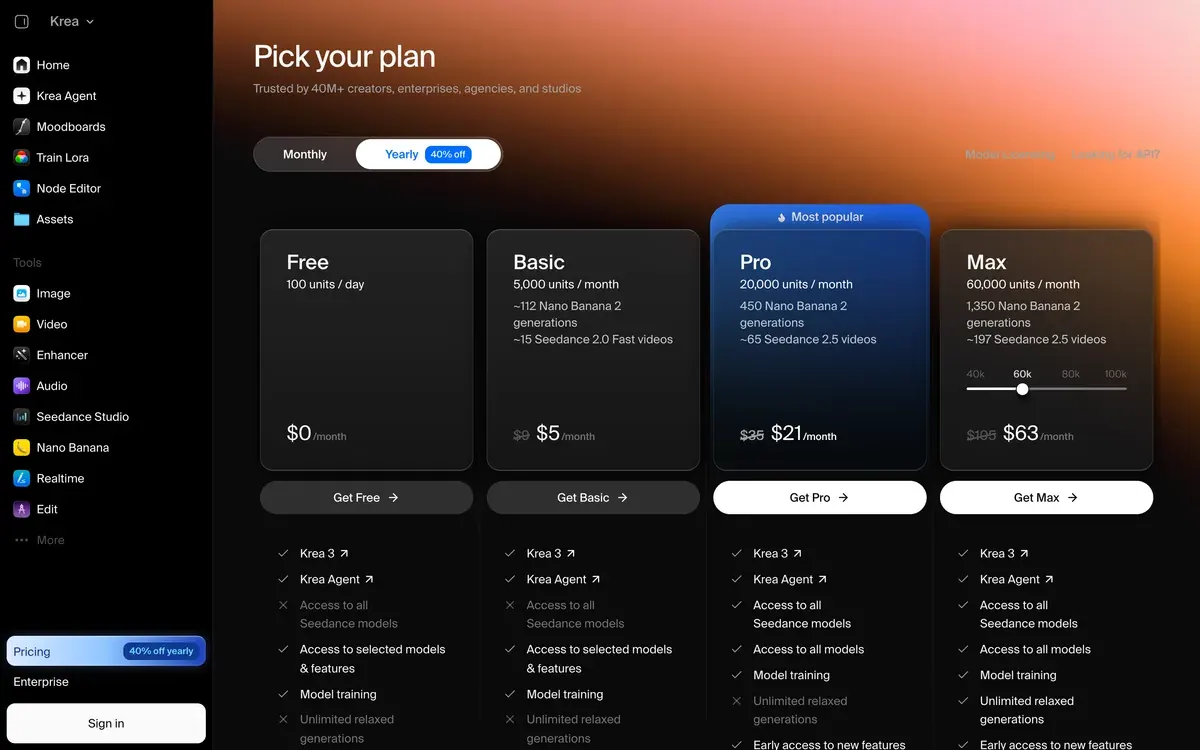
This creator sets Krea’s LoRA training against reference images for keeping one face.

The choice is whether the face lives in a file you control or in an account you pay for every month.
If the account is fine, Soul ID inside the Higgsfield AI Influencer workflow skips every step below. Our best AI influencer generators list sets those apps side by side, and the AI influencer hub maps every route from face to first post.
How do you build the training set?
The dataset is 20 to 40 images of the same character, each with a short text caption. It decides more than any training setting does.
That range sits inside both published guides. Black Forest Labs’ own LoRA article asks for 15 to 40 images for a style LoRA (Hugging Face, 4 June 2026). Higgsfield’s Soul ID asks for 20 or more photos of one person.
An AI influencer has a catch a real person does not: there are no photos yet. You make them.
- Design the face once. Use a character builder such as Higgsfield’s AI Influencer Studio (walkthrough: Higgsfield AI Influencer guide). It builds a person from 19 menu settings and returns a portrait and a full-body shot for 1.12 credits a run.
- Spread it into angles. Feed that face back as a reference and ask for profiles, three-quarter views and full-length shots. OpenArt’s Multi-View does 9 angles from one image.
- Vary everything except the face: the light, the room, the outfit, how far away the camera stands. Black Forest Labs’ training docs say to mix close-ups with full scenes and avoid repeating backgrounds (FLUX.2 klein training).
- Throw out the drifters. Any image where the nose, eye colour or hairline shifts teaches the LoRA that drift. Twenty clean images beat forty mixed ones.
- Size them. At least 1024 pixels on the long edge, the figure both Black Forest Labs pages give.
- Caption each image. One .txt file per image with the same name:
mira_014.pngandmira_014.txt. Start with the trigger word, then describe everything visible except the face you want learned: “ZK_MIRA, woman in a grey coat on a tram, evening light”.
Whatever you leave out of the captions is what the LoRA absorbs. Describe the coat and the coat stays optional; skip it and she wears it forever.
For prompt wording that keeps a set like this on one face, see our AI influencer prompts.
Route 1: train it on a hosted service
A hosted trainer runs the GPU for you. You upload a zip, wait for the run and download the file.
fal is the clearest priced example. Its FLUX.1 [dev] fast trainer bills $2 per run at 1,000 steps by default. The price “scales linearly with steps” (fal trainer page). Replicate’s FLUX.1 [dev] trainer runs on ai-toolkit and bills H200 time by the second, about $0.86 a run.
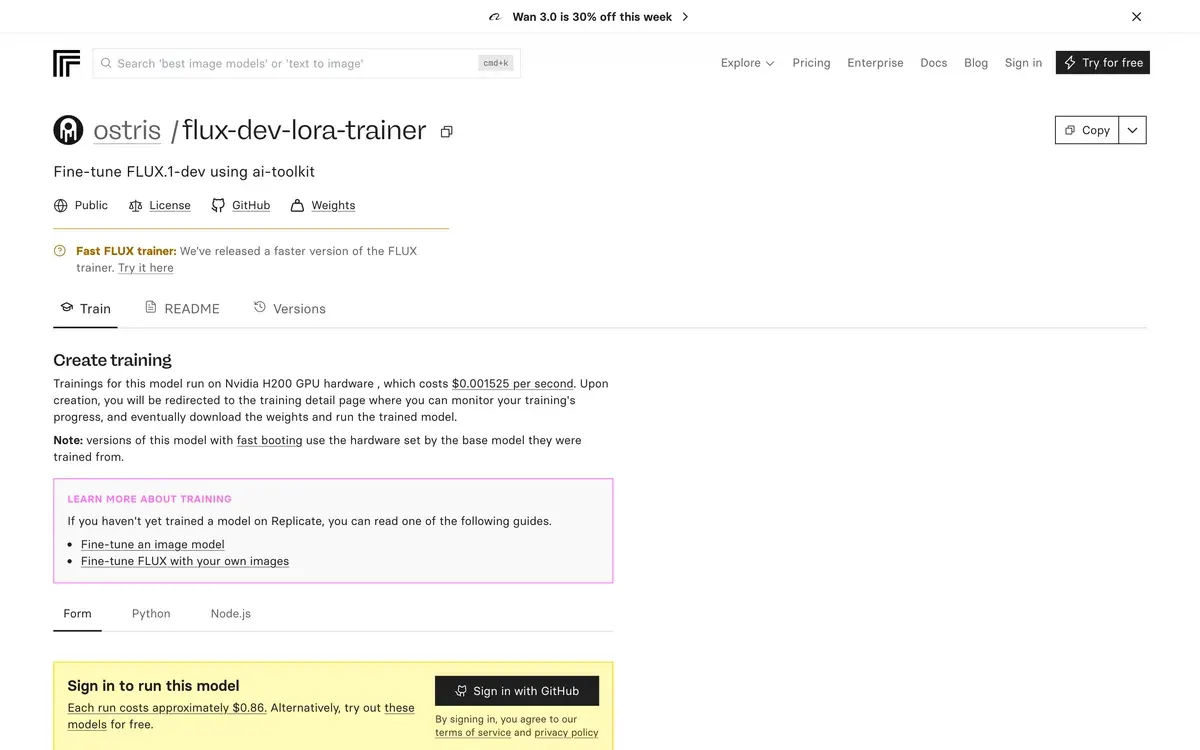
- Zip the folder of images and caption files.
- Upload it to the trainer and type your trigger word.
- Set the steps. The default is 1,000. Black Forest Labs’ docs suggest 1,500 to 3,000 for a character, which on fal’s linear pricing works out at $3 to $6 a run.
- Download the LoRA when the run ends, or keep it on fal. The file stays under the FLUX.1 [dev] Non-Commercial License wherever you run it. For a paid account outside fal, train on FLUX.2 [klein] 4B instead (see the licence table below).
- Generate with it. fal’s FLUX.1 [dev] LoRA endpoint charges $0.035 per megapixel, and its page says every image is “cleared for commercial use” (fal FLUX LoRA).
OpenArt is the app-style option: you train a custom Character model from 4 to 100 images and use it inside OpenArt. Its characters page shows no credit cost for training, and its plan cards list consistent characters by tier.
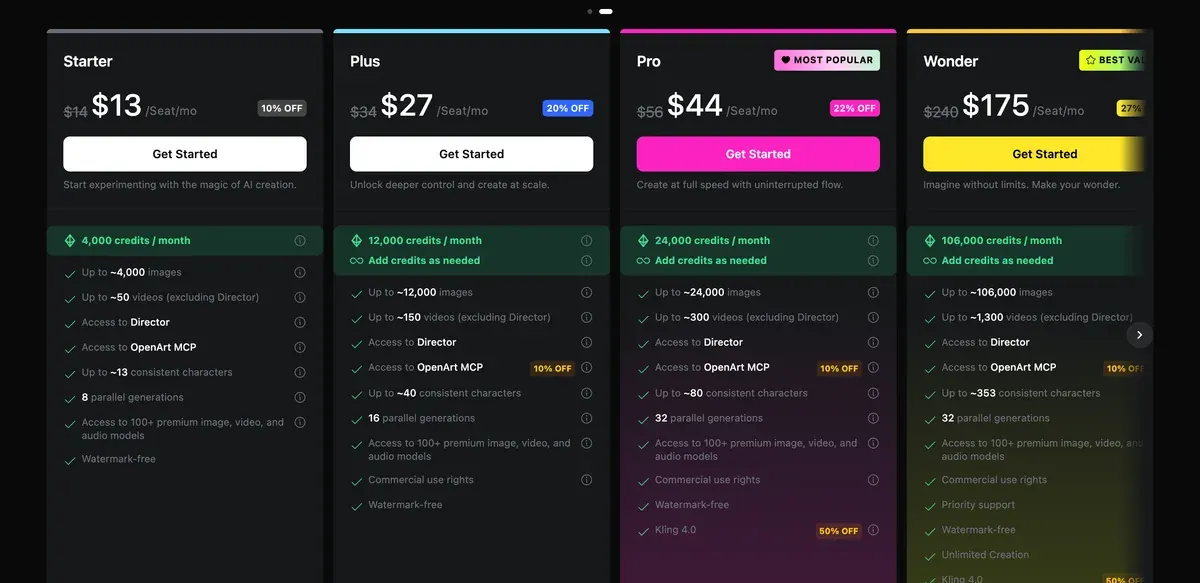
Commercial use starts on the Plus plan at $34 a month (); OpenArt’s terms keep Starter non-commercial. We compare it with Higgsfield in Higgsfield vs OpenArt.
Route 2: train it on your own GPU
The free route is your own graphics card and an open trainer. Black Forest Labs names Ostris’s ai-toolkit first in its own training docs. It is MIT licensed, with a web screen for starting and watching jobs.
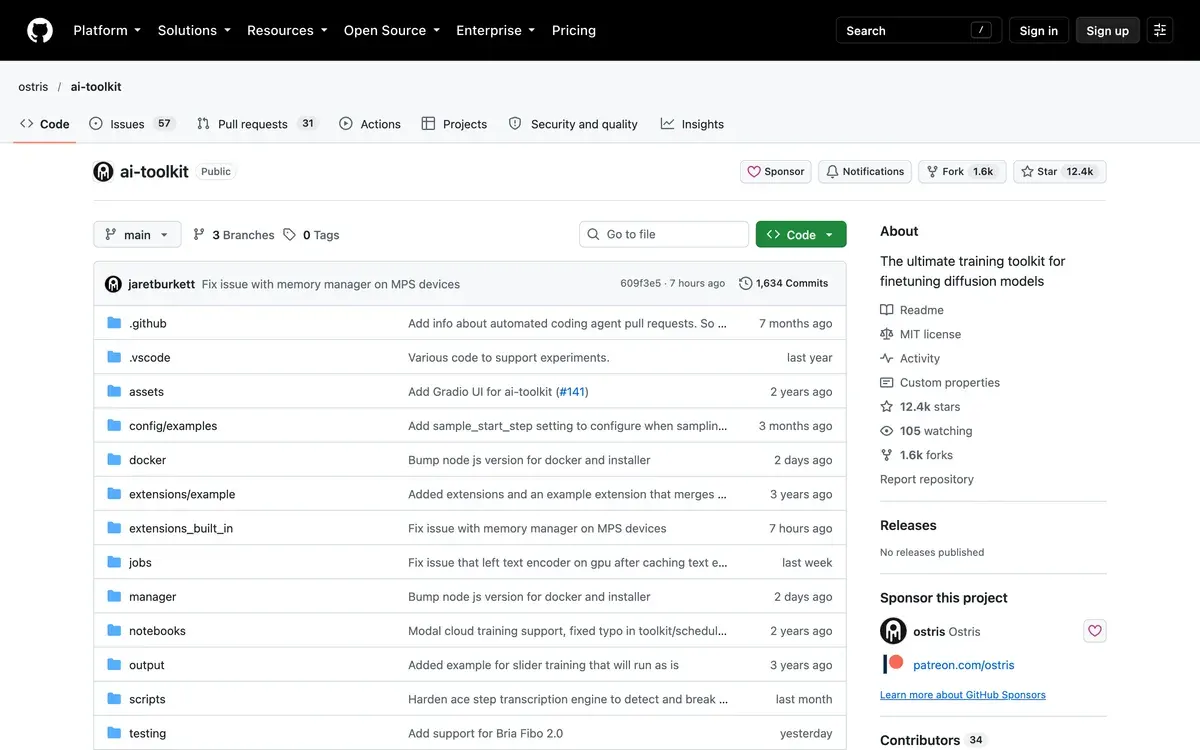
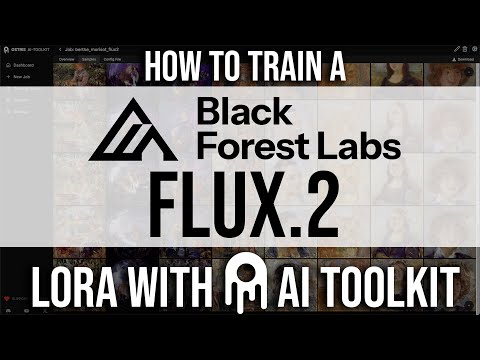
ai-toolkit trains LoRAs for FLUX.1 [dev], FLUX.2, Qwen-Image and Wan video models, among others. Ostris, who wrote it, trains a FLUX.2 LoRA from dataset to first samples in this video.
- Install ai-toolkit and start its web interface, which runs at
localhost:8675. - Point it at your dataset folder, with each image beside its same-name .txt file. Put
[trigger]in the captions and the toolkit swaps in your trigger word. - Pick the base model. Black Forest Labs puts training FLUX.2 [klein] Base 4B at 12 GB of graphics memory (an RTX 3060 has 12 GB). It also asks for 32 GB of system memory. The 9B Base needs 22 GB. Generating with the 4B model later takes about 13 GB, by its model card.
- Set steps and learning rate. For a character: 1,500 to 3,000 steps and a learning rate between 8e-5 and 1e-4, both from the FLUX.2 klein training docs.
- Watch the checkpoints. The Hugging Face article saves one every 250 steps and judges each by its sample images. Keep the step where the face is right and the backgrounds still change.
This walkthrough sets up a consistent-character LoRA on FLUX.2 [klein] 9B in ai-toolkit, from the image set to the training settings.

No card at home? Rent one by the hour. Black Forest Labs’ article puts an 1,800-step run at under an hour on an RTX 4090, and its rented cost at roughly $0.50.
Runpod’s pricing page lists that card at $0.34 an hour on Community Cloud and $0.89 on Secure Cloud. The page was last updated on 8 October 2026.
This video rents a Runpod GPU to train an AI influencer LoRA, on a different base model but the same rented-machine workflow.

What does one training run cost?
The hosted route costs a few dollars and no setup. The rented-GPU route costs under a dollar plus your time.
| Route | What you pay for | One run |
|---|---|---|
| fal FLUX.1 [dev] trainer, 1,000 steps | A fixed price per run | $2 |
| fal, 3,000 steps | Linear with steps, three times the default | $6 |
| ai-toolkit on a rented RTX 4090, about 1 hour | GPU time | $0.34 to $0.89 |
| ai-toolkit on your own 12 GB card | Electricity | No fee |
| OpenArt custom Character model | Credits | Not published |
| Higgsfield Soul ID | Plan credits; no file to keep | Not published |
Scroll sideways for all 3 columns
The rented line counts GPU time only. The meter runs from the moment the machine starts, so downloading the base model and setting up count too.
How do you use the LoRA once it exists?
You load it next to the same base model and put the trigger word in your prompt. Everything else is ordinary prompting.
In ComfyUI that is one LoRA loader block between the model and the prompt, with a strength slider. Our AI influencer ComfyUI workflow walks through the full graph.
This video loads a trained LoRA into a ComfyUI graph for influencer photos.

No GPU at all? Black Forest Labs’ dashboard hosts a trained .safetensors file behind its API (FLUX.2 klein training).
For video, the LoRA makes the still and a video model animates it. Start each clip from a locked still, so the video model begins from the LoRA’s face. The consistent AI character guide covers that hand-off.
Which base model licence lets you earn from it?
The base model’s licence covers your LoRA too. An AI influencer that takes brand deals is commercial, so this table decides the route.
| Base model | Licence | What it means for a paid account |
|---|---|---|
| FLUX.1 [schnell] | Apache 2.0 | Commercial use allowed |
| FLUX.1 [dev] | FLUX.1 [dev] Non-Commercial License | Model use for revenue needs a licence from Black Forest Labs |
| FLUX.2 [klein] 4B | Apache 2.0 | Commercial use allowed |
| FLUX.2 [klein] 9B | FLUX Non-Commercial License | Model use for revenue needs a licence |
Scroll sideways for all 3 columns
The FLUX.1 [dev] text has a split worth knowing. Section 2(a) applies its limits to “any Derivative you create”, and fine-tuned versions count as derivatives.
Section 2(d) says you “may use Output for any purpose (including for commercial purposes)”. Section 1(c) says use “for revenue-generating activity” is not a non-commercial purpose. The licence does not say how 1(c) and 2(d) fit together (FLUX.1 dev licence).
Hosted services settle it their own way. fal’s FLUX.1 [dev] endpoint states its images are cleared for commercial use. On your own GPU, FLUX.2 [klein] 4B on its Apache 2.0 licence is the clean choice.
The face itself raises a separate question if it resembles a real person. Our guide to whether an AI influencer is legal covers likeness and labelling.
Questions about AI influencer LoRAs
Is there a free way to train an AI influencer LoRA?
Yes, on your own GPU. ai-toolkit is free under the MIT licence. FLUX.2 [klein] 4B is free under Apache 2.0 and trains on a 12 GB card.
How many images does a character LoRA need?
20 to 40 clean, varied images of the same face. Black Forest Labs’ article gives 15 to 40 for a style LoRA, and Soul ID asks for 20 or more photos.
Can I export my Higgsfield Soul ID as a LoRA?
No. Higgsfield says the trained identity is not exported as a standalone model file. To own the face as a file, train your own LoRA.
How long does LoRA training take?
Under an hour for 1,800 steps on an RTX 4090, by Black Forest Labs’ article. Soul ID takes about 3 to 5 minutes, since Higgsfield runs it on its own servers.
Next on Higgsfield: the Character page
Sources
- arXiv, Hu and others (Microsoft): LoRA: Low-Rank Adaptation of Large Language Models (2021), The paper that named the method; it freezes the original weights and trains small added matrices. Checked
- Black Forest Labs on Hugging Face: Fine-tune FLUX.2 [klein] with a LoRA under 60 minutes (4 June 2026), 15 to 40 images for a style LoRA, 1024 px long edge, one .txt caption per image, a made-up trigger word, ai-toolkit, an 1,800-step run under an hour on an RTX 4090, roughly 0.50 dollars on a rented GPU. Checked
- Black Forest Labs docs: FLUX.2 [klein] training, Base models for fine-tuning; character LoRAs about 1,500 to 3,000 steps; learning rate 8e-5 to 1e-4; 4B Base on 12 GB VRAM (RTX 3060 12GB) and 32 GB system RAM, 9B Base on 22 GB; 4B Apache 2.0, 9B non-commercial. Checked
- GitHub: ostris/ai-toolkit, MIT licence; trains FLUX.1 dev, FLUX.2, Qwen-Image and Wan LoRAs; image plus same-name .txt caption folders; [trigger] placeholder; web UI on port 8675. Checked
- fal: FLUX.1 [dev] LoRA fast training, 2 dollars per training run, scaling linearly with steps; 1,000 steps by default; output works with fal’s FLUX.1 LoRA endpoints. Checked
- fal: FLUX.1 [dev] with LoRAs, 0.035 dollars per megapixel, rounded up; the page says all generated images are cleared for commercial use. Checked
- OpenArt: Consistent characters, One reference image, a builder or a trained custom Character model from 4 to 100 sample images; Multi-View turns one image into 9 angles; no training credit cost shown. Checked
- Higgsfield: Soul ID character consistency (15 June 2026), 20 or more photos, about 3 to 5 minutes of training, no standalone model file, described as less overhead than a LoRA. Checked
- Higgsfield: AI Influencer (3 October 2026), 19 menu settings, optional photo, a portrait and a full-body shot per run at 1.12 credits. Checked
- Black Forest Labs: FLUX.1 [dev] Non-Commercial License, 1(c) excludes revenue-generating activity; 2(a) applies the same limits to any Derivative, fine-tunes included; 2(d) on Outputs. Checked
- Black Forest Labs: FLUX.1 [schnell] model card, Apache 2.0, personal, scientific and commercial use. Checked
- Black Forest Labs: FLUX.2 [klein] 4B and 9B model cards, 4B Apache 2.0 in about 13 GB VRAM; 9B under the FLUX Non-Commercial License in about 29 GB. Checked
- Runpod: Runpod pricing (updated 8 October 2026), RTX 4090 at 0.34 dollars an hour on Community Cloud and 0.89 on Secure Cloud. Checked
- Replicate: ostris/flux-dev-lora-trainer, FLUX.1 dev trainer on ai-toolkit; H200 at 0.001525 dollars a second, about 0.86 dollars a run. Checked
- Krea: Krea pricing, LoRA training listed from Basic (50 images) up to Max (2,000 images). Checked

Alexandre S.
Alexandre S. is a creative ad strategist and copywriter with ten years' experience in digital marketing across multiple channels.
Related pages
-
 Guide What is Higgsfield Soul 2.0?
What Higgsfield Soul 2.0 and Soul ID do, how to train a consistent character, what it costs, and the likeness rules that apply in ads. Checked 16 October 2026.
-
 Guide What is an AI influencer?
An AI influencer is a made-up creator whose face and videos come from AI tools, run by an agency, a brand or one person. How they work and get labelled.
-
 Guide AI influencer niche ideas
20 AI influencer niches with the brands that fit each, three post ideas apiece and the one rule that trips each niche. Read 24 October 2026.
-
 Guide Make an AI influencer with Nano Banana
Where to run Nano Banana Pro for an AI influencer, the six steps from first face to photo set, 10 prompts that use reference images, and the watermark rules.


