Zapier AI: Agents, AI steps, Chatbots and MCP, and how each one bills
Zapier AI is the set of AI features inside Zapier, the tool that links your apps so data moves between them on its own. There are six of them.
The one that acts on your leads is an AI step in a Zap, Zapier’s name for an automated workflow. It reads a lead, decides what to do and acts in your other apps.
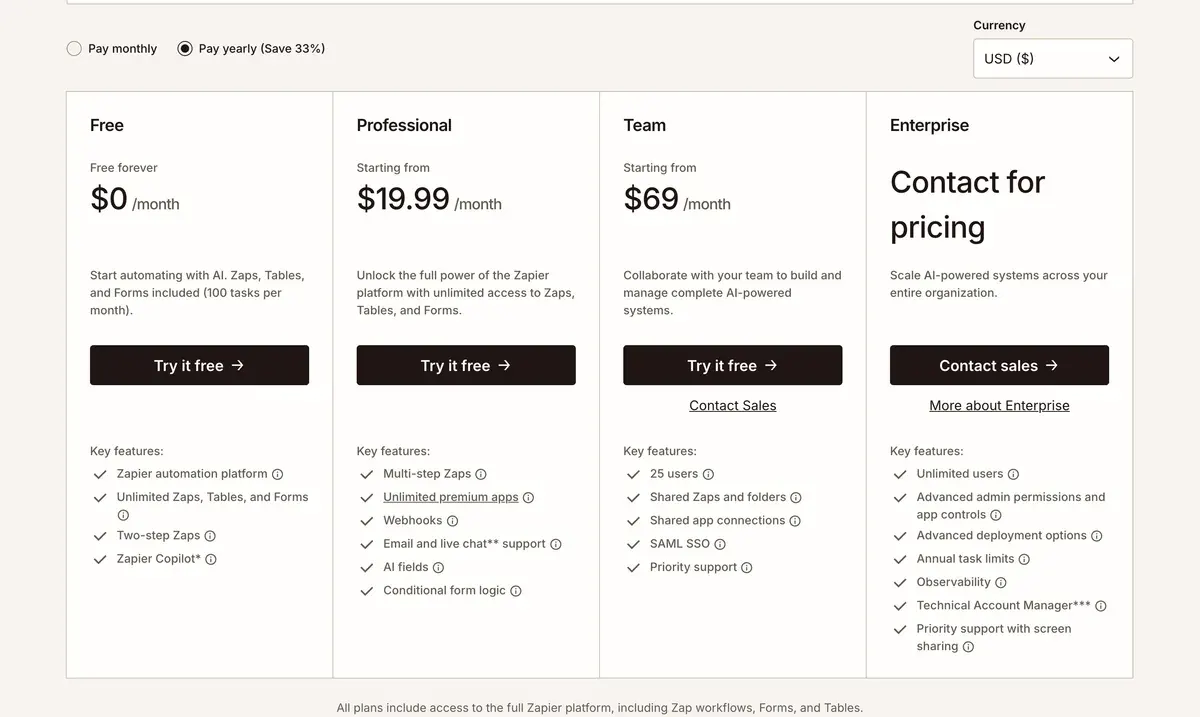
How each one bills is the part Zapier’s pricing page spreads across several tables. Two of them, AI steps and MCP, draw from your plan’s tasks, Zapier’s billing unit. Agents and Chatbots sell as separate plans. An AI step on the default Premium tier uses five tasks a run, plus five for every app action it takes.
| Product | How it bills | What it does for you | Plans |
|---|---|---|---|
| AI by Zapier (AI steps) | Tasks: run rate plus tool calls, times 1, 3 or 5 by model tier | Summarises, sorts or writes inside a Zap; with tools, it acts in your apps | Publishing needs a paid plan |
| Copilot | Messages | Chat help to build and fix Zaps | Daily limit on Free, with no number given; “unlimited messages” on paid plans |
| Agents | Activities, on separate Agents plans | Assistants that run jobs across your apps, at agents.zapier.com | Free and paid Agents plans |
| Chatbots | Separate Chatbots plans | Website chat that answers questions and collects leads | Free and paid Chatbots plans |
| Canvas | No usage unit listed | Maps a process as a diagram | Free and paid plans |
| MCP | 2 tasks per successful tool call | Lets Claude, ChatGPT or Cursor act in your apps | Every plan |
Scroll sideways for all 4 columns

How does an AI by Zapier step bill?
An AI by Zapier step bills by model tier. Zapier’s tier pricing article gives the formula: tasks per run equal one times the tier’s rate, plus each tool call times that rate. A tool call is any app action or knowledge source the AI uses during the run.
| Tier | Task multiplier | Can use tools | Step alone | Step with 2 tool calls |
|---|---|---|---|---|
| Standard | 1x | No | 1 task | Not possible |
| Advanced | 3x | Yes | 3 tasks | 9 tasks |
| Premium (default) | 5x | Yes | 5 tasks | 15 tasks |
| Your own AI account | 1x | Yes, with Advanced or Premium models | 1 task | 3 tasks, plus your AI provider’s bill |
Scroll sideways for all 5 columns
Premium is the default for every new step on a paid plan, so check the dropdown before you publish. On the Free plan you can only preview a Standard step: you cannot add tools or publish the Zap.
The tier list mixes vendors. Standard holds small models such as GPT-5 mini and Haiku 5.5; Premium holds Sonnet 5.5, Opus 5.5 and GPT-5.6 Sol.
Zapier also caps runaway runs. A run that passes its task limit, 75 by default and adjustable up to 500, pauses for your review, per the migration guide.
Users report that the AI assistant or AI code step did not deliver what it promised (3 of 34 sources: Trustpilot, Trustpilot).
What are Zapier Agents, and what happens to them?
Zapier Agents are AI assistants that run tasks across your apps: you write instructions, connect apps and set a trigger, the event that starts them. They live at agents.zapier.com and bill in activities. An activity is one trigger, one action, one knowledge lookup or one web search, per Zapier’s Agents usage article.
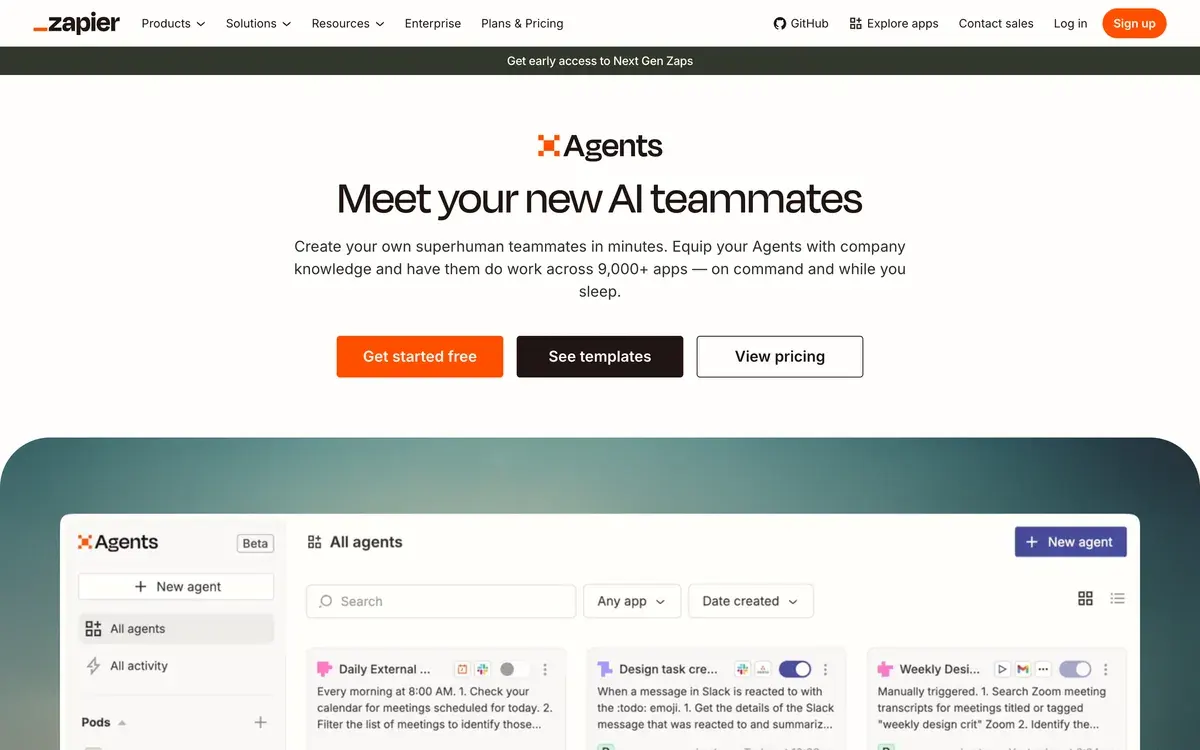
Agents activities sit outside your task count. That article says “Using activities does not affect your Zapier task usage.”

| Agents plan | Activities a month | Activities per run | Price |
|---|---|---|---|
| Free | 400 | 10 | Free |
| Pro | 1,500 | 40 | $33.33 a month billed annually |
| Enterprise | Custom | 40 | Quoted by sales |
Scroll sideways for all 4 columns
Zapier is now moving Agents into AI by Zapier steps. Each agent converts into a Zap with a trigger and one AI step holding its prompt and tools. From then on it bills in tasks.
The migration guide says Zapier “has not set a date to turn off Agents yet”, and that affected users get an email with notice before any change.
The move changes the maths. One lead handled by an agent with two actions is 3 activities. As an AI step on Premium with the same two tools, it is 15 tasks.
Build a lead-qualifying agent in a Zap
This build follows Zapier’s tools article. It reads each new Facebook lead, files it in HubSpot and drafts a reply for you to send.
- Create a Zap with Facebook Lead Ads as the trigger, on a new lead. Triggers use no tasks.
- Add an AI by Zapier step and write the prompt: score the lead on budget and company size, then act.
- Below the prompt, pick the Advanced tier. Tools need Advanced or Premium, and Advanced costs 3x where Premium costs 5x.
- Under Settings, open Tools and Knowledge, click “+ Add tool”, and add HubSpot’s create-or-update contact action.
- Add Gmail’s create draft action as a second tool, so nothing reaches the lead without you.
- On any tool that sends or deletes, toggle on “Require approval before running”. It is off by default.
- Click Preview, check which tools ran and how many tasks the run used, then test the Zap and publish it.
Mind one cost before you publish: the migration guide says full-Zap tests “currently consume tasks the same way production runs do”.
At 500 leads a month this agent uses 4,500 tasks on Advanced, or 7,500 on Premium. Either needs the 10,000-task tier in Zapier pricing.
A plain Zap that files the lead in HubSpot and drafts the Gmail reply without AI uses two tasks a lead, so 1,000. The AI layer is worth it only if the scoring saves your team the reading.
What do Zapier Chatbots do, and what do they cost?
Zapier Chatbots answer questions on your site from instructions and files you give them, and pass what they collect into your Zaps. They sell as their own plans on the pricing page.
The Free Chatbots plan builds up to 2 chatbots on OpenAI’s GPT-3.5 and shares them by public link. Pro, at $13.33 a month billed annually, builds 5, collects lead details and embeds on your website.
Advanced, at $66.67 a month billed annually, builds 20 and removes the Zapier logo.
For lead capture, embedding is the line: the Free plan has no embed, so a chatbot on your landing page starts at Pro.
Where an AI-native tool fits better
Zapier’s AI suits a team already on Zapier that wants AI inside existing Zaps. Two kinds of tool fit better: n8n for AI workflows at volume, and dedicated ad tools for the creative itself.
n8n has an AI Agent node and bills a whole workflow run as one execution, however many steps or tool calls it makes. The 500-lead agent above is 500 executions there.
n8n prices its Starter plan in US dollars at $24 a month, with 2,500 executions a month; n8n shows euros in some countries. Its Community Edition costs nothing if you host and secure the server yourself.
n8n vs Zapier and Make vs Zapier set the three side by side.
For the ads themselves, AI by Zapier steps return text and act in your apps. Tools such as Creatify for video ads and ElevenLabs for voice-overs make the creative, and a Zap can then file their output in Google Drive.
Does Zapier train AI on your data?
It can, in de-identified form, unless you opt out. Zapier’s terms, effective 9 April 2026, say “You retain ownership of your Customer Content” (section 6(a)).
The Improvements clause then lets Zapier build “Derived Data”, de-identified data sets from your content, and use it “to operate, enhance, improve, and develop Zapier products or services, including through model training”. Zapier’s opt-out form withdraws that permission. Company and Enterprise accounts are opted out automatically.
7(b) Improvements
Derived Data Zapier may derive de-identified data sets from your Customer Content (“Derived Data”) and may use such Derived Data to operate, enhance, improve, and develop Zapier products or services, including through model training. You may opt out of providing Zapier with such permission for Derived Data by submitting this opt-out form.
Company and Enterprise plans If you are a subscriber to the Company Plan or the Enterprise Plan, your Zapier Account and all users on your Zapier Account are automatically opted out from Derived Data sets.
That matters when your Zaps carry client leads. n8n’s Self Serve Terms say n8n “will not use Customer Content or Output” to train machine learning models.
Questions about Zapier AI
Is Zapier AI free?
Partly. Copilot, Agents, Chatbots, Canvas and MCP all have free access. Publishing a Zap with an AI by Zapier step needs a paid plan.
Do Zapier Agents use tasks?
No. Agents use activities from a separate Agents plan. Agents moved into AI by Zapier steps use tasks.
Does AI by Zapier need my own OpenAI key?
No. Zapier’s pricing page describes it as AI in your Zaps “without your own API key”. Adding your own key cuts the multiplier to 1x.
Can a Zapier AI step send emails on its own?
Yes, if you give it a send tool. Tools run without asking unless you turn on “Require approval before running”.
Which AI models does Zapier use?
AI by Zapier lists models from OpenAI, Anthropic, Google, DeepSeek, Z.ai and Moonshot AI, grouped into three tiers.
Sources
- Zapier: Zapier pricing, AI products by plan; Copilot: Free plans have daily message limits (no number given), paid plans unlimited messages; Canvas ticked from Free up; the shared task pool; task tiers 750, 2,000, 10,000; Agents and Chatbots add-on plans: Chatbots Free 2 chatbots on GPT-3.5 with a public link, Pro 5 with website embed, lead collection on Pro and Advanced, Advanced 20 with the Zapier logo removed. Checked
- Zapier Help Center: AI by Zapier model tier pricing, Standard 1x, Advanced 3x, Premium 5x (default), own key 1x; the task formula; Free plans cannot publish an AI step; updated 19 November 2026. Checked
- Zapier Help Center: Add tools to your AI by Zapier step, Tools need Advanced or Premium; Require approval before running is off by default; updated 28 October 2026. Checked
- Zapier Help Center: How is Zapier Agents usage measured?, Activities per month and per run by plan; what counts as an activity; activities do not affect task usage; updated 1 October 2026. Checked
- Zapier Help Center: Migrating from Agents to AI by Zapier, Agents move into AI by Zapier steps; no shutdown date set; per-tool approvals; runs pause at 75 tasks by default, adjustable to 500; updated 1 October 2026. Checked
- Zapier Help Center: How is task usage measured in Zapier?, Rates per product, MCP at 2 tasks per successful tool call, steps that use no tasks; updated 13 November 2026. Checked
- Zapier: Zapier Terms of Service, Section 6(a) ownership of Customer Content; the Improvements clause on Derived Data and model training, with a Google Forms opt-out; Company and Enterprise opted out automatically; effective 9 April 2026. Checked
- n8n: n8n pricing, Billed per full workflow execution; Community Edition free to self-host. Checked
- n8n: n8n Self Serve Terms, No training on Customer Content or AI Output; last updated 26 October 2026. Checked
- Trustpilot and Reddit: Zapier user reports, 34 public sources synthesised, checked 20 November 2026. Checked

Alexandre S.
Alexandre S. is a creative ad strategist and copywriter with ten years' experience in digital marketing across multiple channels.
Related pages
-
 Guide Zapier MCP: how to connect Claude, ChatGPT and Cursor, and what each call costs
Each successful Zapier MCP tool call uses 2 tasks. Setup for Claude, Claude Code, ChatGPT and Cursor, limits to set and three ad-team jobs.
-
 Pricing Zapier pricing: plans, task tiers and what a task costs
Zapier Free gives 100 tasks a month and two-step Zaps only. Plans, cost per task and overage, checked 20 November 2026.
-
 Profile What is Zapier, and what does a task cost?
Zapier moves ad leads and orders between apps and bills each finished action as a task. What a lead workflow costs at 500 leads a month, and who should skip it.
-
 Compare n8n vs Zapier
Zapier bills each action, n8n each full run: a 4-step lead workflow run 500 times costs about twice as much on Zapier, billed yearly. Read 20 Nov 2026.
-
 Compare Make vs Zapier
A 4-step lead workflow run 500 times fits Make Core at $12 a month against $39 on Zapier, billed yearly. Credits, tasks and refund terms, read 20 Nov 2026.


