Renderforest: what it makes, what it costs and whether you can run it as an ad
Verdict on Renderforest
Worth paying for if you make template promo videos and logos for your own brand; client work needs Business. Pro at $39 a month exports 1080p templates without a cap and adds 2,400 AI credits, prices checked . Seven of 28 recent Trustpilot reviews report billing trouble at renewal or cancellation, and the terms make fees non-refundable.
Renderforest
- Best for
- Small businesses that want template ads, a logo and a one-page site in one subscription, plus Kling and Seedance clips on credits.
- Skip it if
- you want AI UGC ads with an AI actor talking to camera: [MakeUGC](/tools/makeugc/) and [Creatify](/tools/creatify/) are built around those.
| Made by | Renderforest LLC, founded 2013 |
|---|---|
| Category | All-in-one suites, AI video generators |
| Makes | Video; image; audio; logo; website |
| Entry price | From $15 a month |
| Cost per output | $0.206 to $1.39 per second at list price, if every credit is used; Kling 3.0 Omni 720p. Method |
| Use in ads | Paid plans may advertise your own products; Free is non-commercial and watermarked; client or resale work needs Business. Terms |
| Free plan | Yes. Paid ads on the free plan: Barred |
| Free trial | Free plan, no trial listed |
| Languages | Site and editor in 13 languages; voice-over language count not stated on the pages read |
| API | Not published |
| Status | Active |

What Renderforest makes
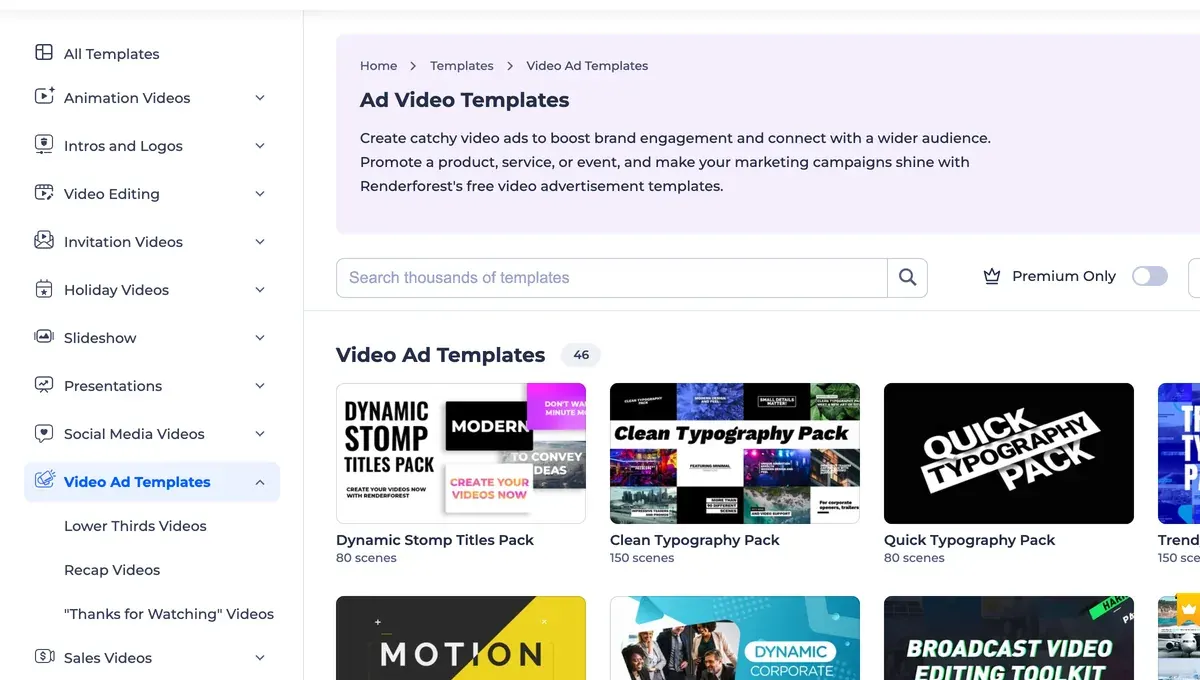
Renderforest is a browser studio for small brands that need video without an editor. You pick a template, swap in your text and logo, and export. The library covers intros and explainers, plus a Video Ads category (templates).
On top of the templates sits an AI side. You type a prompt and get a clip, an image or a voice-over.

The editor lists 16 AI models, Renderforest’s own and others such as Kling 3.0 Omni, Seedance and MiniMax H3 (model list).
The same account also makes logos, product mockups and one-page websites. That is the case for it: one bill for a small business’s ads and its landing page.
For ads, the tool to open is the AI Commercial Generator. There you type your idea, choose the “animated” or “realistic” style, then the voice-over’s language and tone, and its speaker. The AI builds the ad.
What Renderforest costs, and what the free plan leaves out
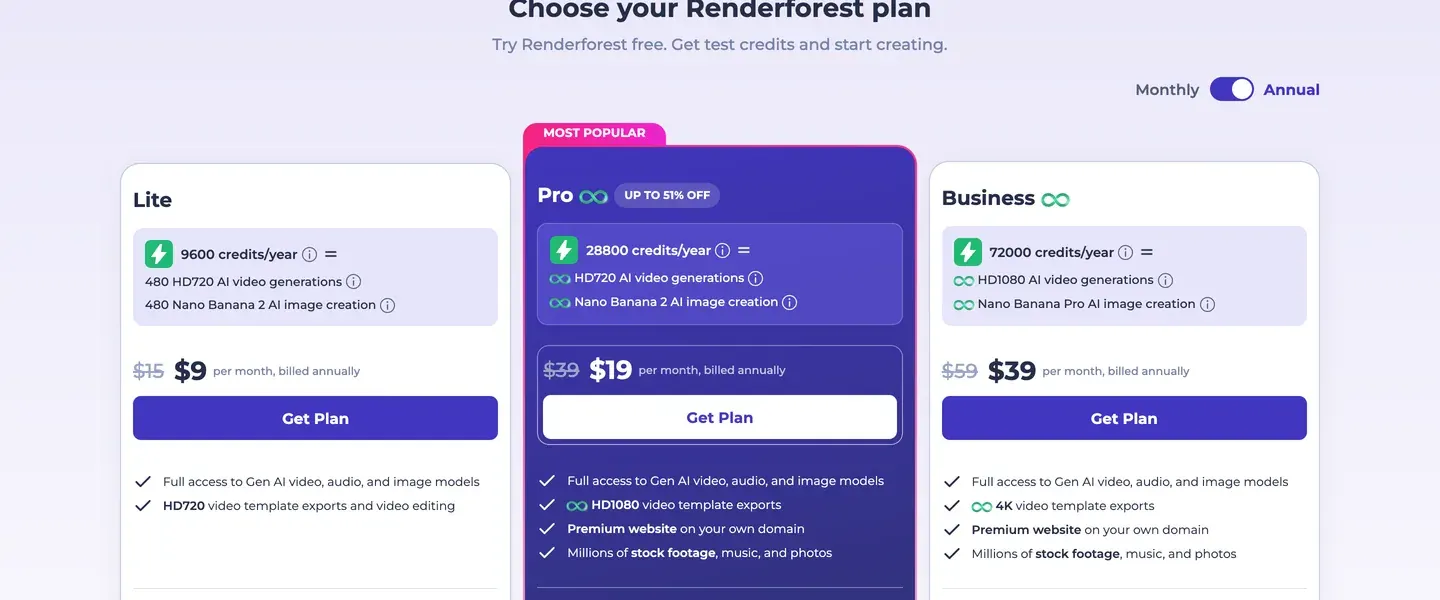
Renderforest sells three paid plans. Lite costs $15 a month, Pro $39 a month and Business $59 a month, monthly billing (pricing page). Annual billing drops Pro to $19 a month billed yearly, paid as one sum.
The free plan is for trying the editor. Template videos export at 720p with a Renderforest watermark, and you get 20 AI credits. The terms bar removing that watermark, and the help centre limits Free content to personal, non-commercial use. So nothing made on Free can run as an ad.
Lite has its own ceiling: 720p exports and 60 watermark-free template exports a year. Pro removes the cap and moves templates to 1080p.
AI video bills in credits, a prepaid allowance that each clip spends. A 3-second Kling 3.0 Omni clip at 720p takes 33 credits. On Lite that is $0.62 a clip, if every credit is used. Credits reset each billing cycle and never roll over (AI Products Terms, section 3).
The Renderforest pricing page works out every plan per clip, compares annual billing and prices single videos bought without a plan.
Can you run Renderforest videos as paid ads?
Yes on a paid plan, for your own products. The terms (last updated 14 October 2022) let you use exported videos “to advertise your own products or services”. On Lite and Pro the rights matrix rates paid ads “Allowed with conditions”; on Free, “Barred”.
The condition sits in the Restrictions section. It says “the Renderforest Lite and Pro Subscription plans are exclusively intended for personal use” and bars making videos for anyone but yourself. Any commercial use, it goes on, needs Business, capped at 100 reselling videos, or Enterprise.
That leaves Lite and Pro buyers with two answers from one vendor. The Video Maker section and the Commercial Generator page allow ads for your own business, and so does the help centre, modified 25 September 2026.
Commercial Rights Breakdown
Premium Subscribers: If you have a paid subscription (Lite, Pro, or Business), you hold the commercial rights to the content you create. This means you can use your AI-generated videos and images for your own advertisements, social media marketing, and YouTube monetization.
Creating Content for Clients or Reselling: The Lite and Pro plans are intended for your own use only and can’t be used to create content on behalf of other people or companies. If you create videos for clients or resell them, you’ll need the Business plan.
Free Users: Content created on a Free plan is intended for personal, non-commercial use only. Additionally, free exports include a Renderforest watermark, which must not be removed.
The Restrictions section still names Business or Enterprise for any commercial use of a subscription. If you want the reading no clause disputes, Business at $59 a month covers both your own ads and client work.
Two newer rules apply on every plan. The Acceptable Use Policy (effective 1 November 2026) allows a real person in your video only “with that person’s documented permission”. It also asks you to label “realistic AI-generated footage” where YouTube, Meta or TikTok require it.
Renderforest reviews praise support; renewals draw the complaints
On Trustpilot, 76% of 664 reviews give five stars and 11% one star. The 28 most recent written reviews, 3 November 2025 to 8 November 2026, explain both.
Support leads the praise by a distance (10 of 28 sources: Trustpilot, Trustpilot). One reviewer had an accidental one-year plan refunded (Trustpilot). Another says the AI image and video tools give “fantastic credit value” (5 of 28 sources: Trustpilot, Trustpilot).
Billing draws the sharpest complaints. Seven of 28 sources describe charges after cancelling, auto-renewals or a cancel button they could not find (Trustpilot, Trustpilot). Some of them got the money back after writing to support. The terms promise no refund: “Except when required by law, paid Subscription fees are non-refundable.”
Credits confuse buyers too. One reviewer’s account showed 1,600 monthly credits until support raised it to 2,400 (Trustpilot). Renderforest’s plan guide, modified 9 September 2026, still lists 1,600 for Pro, while the pricing page lists 2,400.
Renderforest pros and cons
Pros
- Ads for your own products on paid plans, per the help centre (25 September 2026) and Video Maker terms
- Template videos and AI clips on one bill, logos included
- 16 AI models in one editor, Kling and Seedance included
- Fast, helpful support (10 of 28 sources: Trustpilot, Trustpilot)
- Quick to learn for non-editors (4 of 28 sources: Trustpilot, Trustpilot)
Cons
- Restrictions section names Business or Enterprise for any commercial use; resale capped at 100 videos
- Free exports carry a watermark and allow no commercial use
- Credits never roll over; subscription fees are non-refundable
- Help centre and pricing page list different credit counts
- Renewal and cancellation trouble (7 of 28 sources: Trustpilot, Trustpilot)
- Plan did less than its advertising suggested (3 of 28 sources: Trustpilot, Trustpilot)
Where Renderforest is the wrong pick
The first case is AI UGC: an AI actor who looks like a customer, holding your product and talking to camera. Renderforest’s commercials are animated or stock-style scenes with a voice-over. MakeUGC builds talking-actor ads, from $59 a month. Creatify does the same on Standard at $15 a month, with a free plan to try first.
The second is full editing. Renderforest edits inside its templates; cutting your own footage on a timeline needs an editor such as Filmora. One Trustpilot reviewer who left says CapCut is easier and cheaper (Trustpilot).
The third is agency work on a budget plan, for the terms reason above. The Renderforest alternatives page sorts the other options by job and price.
Questions buyers ask about Renderforest
Is Renderforest worth it?
For your own brand’s template ads and logos, yes on Pro: 1080p exports without a cap. Agencies need Business, the plan the terms name for any commercial use.
Is Renderforest free?
There is a free plan, but its videos carry a watermark and the help centre limits them to personal, non-commercial use.
What is Renderforest AI?
It is the AI side of the editor: prompt-to-video and images on credits, plus voice-overs. The models are Renderforest’s own and others such as Kling and Seedance.
Can I use Renderforest videos on YouTube or Meta ads?
Yes on a paid plan, for your own products, per the help centre; the terms’ Restrictions section names Business for any commercial use. Label AI footage the policy calls “realistic” where the platform asks, as Renderforest’s Acceptable Use Policy requires.
Sources
- Renderforest: Renderforest subscription plans, the Lite, Pro and Business cards, monthly and annual prices, credits, export limits and the pricing FAQ. Checked
- Renderforest: Renderforest AI Commercial Generator, the three steps, the plan table for commercial scenes and the commercial-use line per plan. Checked
- Renderforest: Renderforest AI video models, the model list and credit rates the editor loads. Checked
- Renderforest: Renderforest Terms and Conditions, last updated 14 October 2022; Video Maker, Restrictions and Refunds sections. Checked
- Renderforest: Renderforest Privacy Policy and AI Products Terms, last updated 18 February 2026; AI Products Terms section 3 on credits that reset each billing cycle. Checked
- Renderforest: Renderforest Acceptable Use Policy, effective 1 November 2026; section 3 on real people and labelling realistic AI footage. Checked
- Renderforest help centre: Can I use the images I generate for commercial purposes?, modified 25 September 2026; paid plans may run your own ads, Lite and Pro are for your own use, Free content is for personal, non-commercial use. Checked
- Renderforest help centre: A guide to choosing the best subscription plan, modified 9 September 2026; lists 400, 1,600 and 3,000 credits a month. Checked
- Trustpilot: Renderforest on Trustpilot, 664 reviews, TrustScore 4.0; the 28 most recent with a written body read, 3 November 2025 to 8 November 2026. Checked

Alexandre S.
Alexandre S. is a creative ad strategist and copywriter with ten years' experience in digital marketing across multiple channels.
Related pages
-
 Category Best AI video generators for ads
23 AI video generators and model shops compared on cost per clip and ad-use terms, checked 25 September 2026.
-
 Pricing Renderforest pricing: what plans and credits cost, and when to pay per video
Renderforest Lite, Pro and Business cost 15, 39 and 59 dollars a month, or less billed yearly. Per-clip costs and one-off exports, checked 9 November 2026.
-
 Alternatives Renderforest alternatives
Five Renderforest alternatives by job: client ads, avatar video, edited video, free designs and desktop editing. Lite and Pro cover your own business only.
-
 Best list AI commercial generators
AI commercial generators compared on whole film or clips only, voice, length limit, cost of 30 seconds and ad terms. Checked 6 November 2026.
-
 Data AI commercial use, tool by tool and plan by plan
Can a tool’s output run in your paid ads? Terms quoted with clause and date for each plan: allowed, conditional, barred or unclear. Checked 26 September 2026.
-
 Best list Free AI video generators for ads
Of 15 AI video tools with a free plan, 1 has terms that allow ads outright, and its free clips carry a watermark. Free plans checked 2 October 2026.


