MiniMax H3 on Higgsfield
MiniMax H3 comes with Higgsfield’s standard plans, with no separate MiniMax account, and every clip is 2K. Higgsfield’s own table prices 5 seconds at 20 credits.
MiniMax H3, also sold as Hailuo 3.0, is MiniMax’s third-generation video model. Higgsfield is a studio that sells it beside Kling and Seedance on one credit balance. Plan price turns those credits into money: here is what one clip costs on each plan, if every credit is used.
Plan prices and credits were read on ; the H3 credit table on 16 November 2026. At list price, the API row is the lowest per clip at 2K, and Ultra is the lowest Higgsfield plan if every credit is used.
| Plan | Price a month (USD) | Credits a month | 5-second clip (20 credits) | 15-second clip (60 credits) |
|---|---|---|---|---|
| Higgsfield Starter | $19 | 270 | $1.41 | $4.22 |
| Higgsfield Plus | $59 | 1,200 | $0.98 | $2.95 |
| Higgsfield Ultra | $129 | 3,000 | $0.86 | $2.58 |
| MiniMax API, pay as you go | n/a | n/a | $0.65 | $1.95 |
Scroll sideways for all 5 columns
Both shops, plan by plan: Hailuo AI vs Higgsfield. Other ways to run the model: Hailuo alternatives.

How many credits does MiniMax H3 cost on Higgsfield?
Twenty credits for 5 seconds, 40 for 10 and 60 for 15, all at 2K. That is Higgsfield’s own table in its H3 launch post of 16 August 2026 (Higgsfield blog).
Pricing
5 sec, 2K 20 credits ($1)
10 sec, 2K 40 credits ($2)
15 sec, 2K 60 credits ($3)
Plan It runs inside the standard Higgsfield subscription alongside 30+ other models, not as a separate paid add-on.
The arithmetic gives 4 credits a second. The table prints no figure for lengths in between.
The same table puts a dollar figure beside each row, at one dollar for every 20 credits. No plan sells credits at that rate: Starter’s credits cost more than $0.05 each, and Plus’s and Ultra’s cost less.
Annual billing lowers the Plus and Ultra figures. At $47 a month, a 5-second clip on Plus costs $0.78. Ultra at $99 brings it to $0.66. Starter costs the same on either billing.
Your account shows the real figure first. The H3 model page says “Each generation shows its credit cost before you run it” (model page), and the help centre says the Generate button shows the exact cost before you confirm. A failed generation returns its credits automatically, “usually within a few minutes”.
Credits do not roll over. Subscription credits expire at each renewal, annual plans reset every 30 days and credit packs expire after 90 days (help centre). Plan the month’s clips against the month’s credits.
What Higgsfield’s H3 does and leaves out
Higgsfield’s model page lists one output size: 2K (model page, read 16 November 2026).
It defines that as 1440 pixels on the short edge, at 24 frames a second. Clip length runs from 5 to 15 seconds, “selectable per second”.
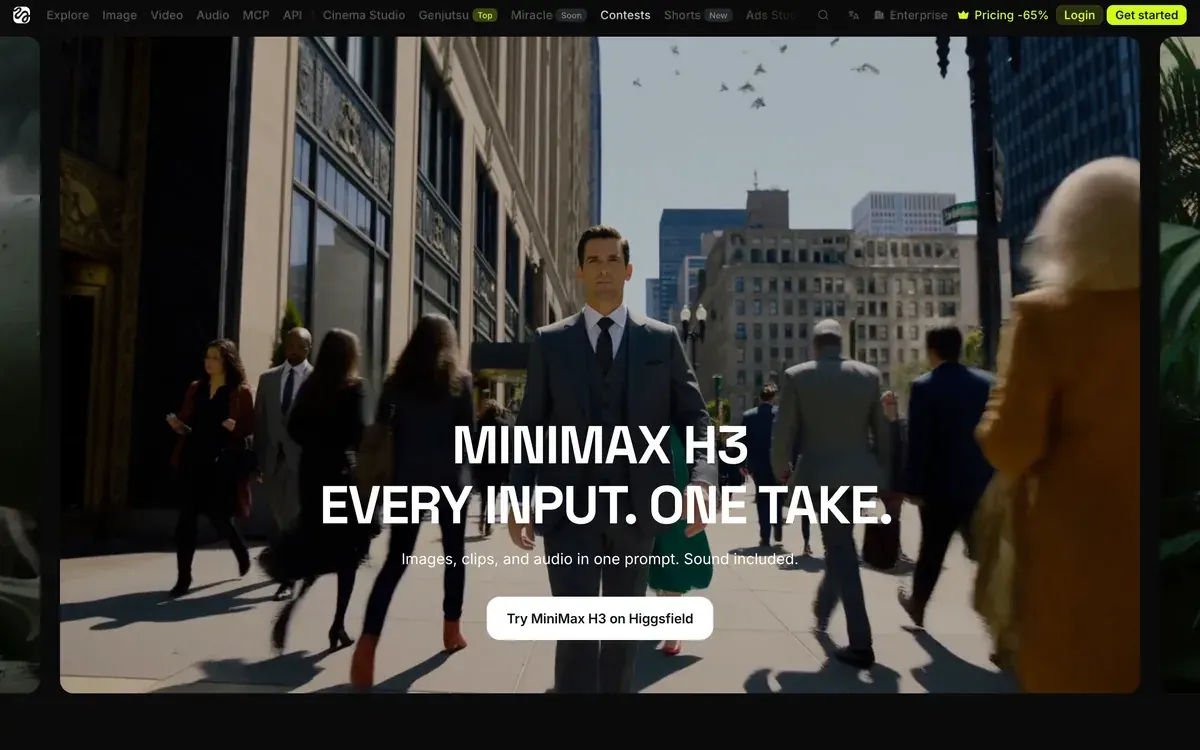
Every Higgsfield draft bills at the 2K rate. MiniMax’s own guide lists a 768P size too, for 4 to 15 seconds (MiniMax guide, read the same day). On its API, 5 seconds at 768P cost $0.40 at list price. That matters if you draft many takes before picking one.
What the Higgsfield version takes in:
- Up to 9 images, 3 video clips and 3 audio tracks, capped at 12 files a request. Audio needs at least one image or video beside it.
- Prompts of up to 7,000 characters.
- Six aspect ratios: 21:9, 16:9, 4:3, 1:1, 3:4 and 9:16. An adaptive mode picks the frame from your prompt. With a first and last frame, the clip follows your image’s ratio.
- A start and end frame to lock the opening and closing shot, combined with references in one generation.
- Editing by instruction: upload a clip and describe the change in plain words, such as a swapped product or a new background.
Sound comes in the same pass on every clip, in stereo (Higgsfield blog).
Past 15 seconds, MiniMax’s guide lists no extend mode, so a longer ad means chaining clips: how to extend a Hailuo video.
How to make an H3 clip on Higgsfield, step by step
Higgsfield’s launch post and model page give the route (blog, model page, both read 16 November 2026). In the model list it appears as Hailuo 3.0, the name the post uses for H3.
Full Workflow: Step by Step
Step 1 Open Higgsfield and select Hailuo 3.0 from the model list.
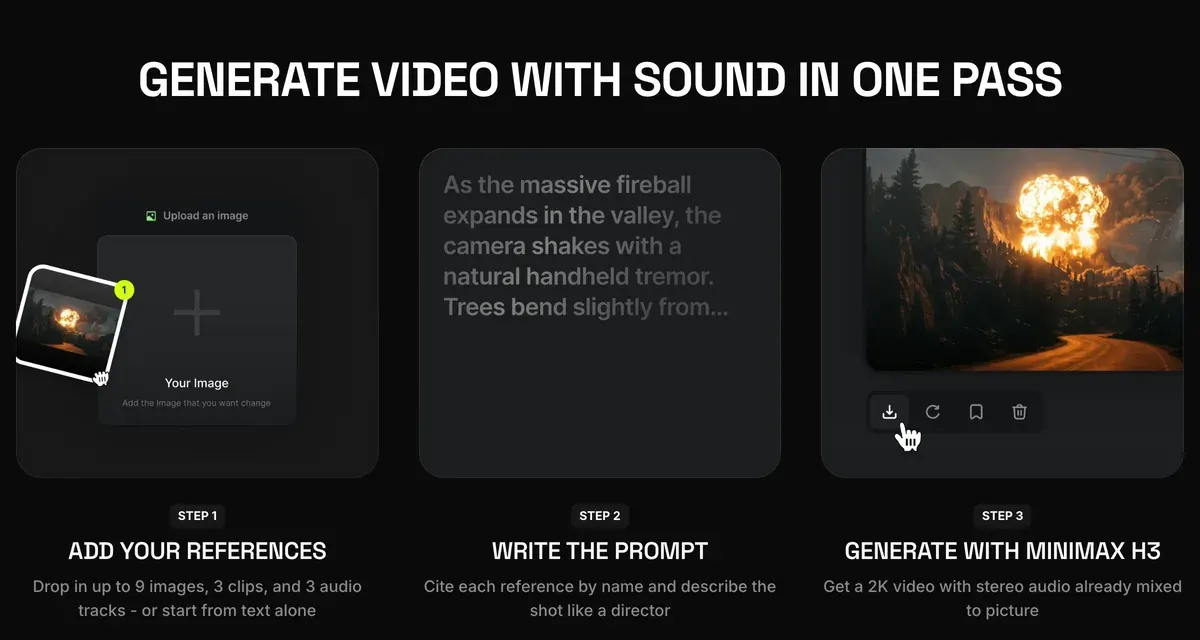
Step 2 Choose text-to-video or image-to-video, and add your references.
Step 3 Set Start/End Frame if the shot needs it.
Step 4 Write the prompt. Describe what happens in the scene, and tell H3 what each reference is for. For example: use Video 1 for the camera movement, Image 2 for the character, and Audio 3 for the voice.
Step 5 Generate. Sound generates in the same pass as the video, so there’s no separate audio step to run afterward.
Step 6 Refine with an edit instruction if needed. Send an instruction describing only what should change.
- Open higgsfield.ai, go to video generation and pick Hailuo 3.0 from the model list.
- Choose text to video or image to video.
- Add your references, such as a face from a photo and a camera move from a clip. Keep to 12 files in all.
- Set a start and end frame if the shot needs fixed bookends. Otherwise choose the aspect ratio, 9:16 for Reels and TikTok.
- Write the prompt and say what each reference is for. Higgsfield’s example: “use Video 1 for the camera movement, Image 2 for the character, and Audio 3 for the voice”.
- Pick the length, from 5 to 15 seconds, and check the credit figure on the Generate button before you confirm.
- If one detail is wrong, send an edit instruction that describes only that change, as the model page’s editing option allows.
The model page shows the same route in three cards. You add references, write a prompt that names each one, then generate a 2K clip with stereo sound.
Prompt patterns for ad clips: Hailuo prompts for ads. Keeping one face across clips: Hailuo character reference. The rest of Higgsfield’s studio: how to use Higgsfield.
Higgsfield or MiniMax’s own app and API for H3?
On cost alone, MiniMax’s developer API is lower per 2K clip at list price, and it sells a 768P draft size Higgsfield does not list. Hailuo’s app plans per clip: Hailuo AI pricing. Higgsfield earns its place when H3 is one model among several in your ad, on one balance and one login.
The terms differ too. Hailuo AI is MiniMax’s own app. It grants commercial rights only to clips generated and downloaded on a paid plan (Subscription Service Terms, 14 July 2025). Its free downloads cannot run in ads. Higgsfield’s own clause sets no plan limit, but section 8 adds the model maker’s rules.
ADTESTBENCH: extra 10% off the first purchase of any plan Plan by plan, both shops: Hailuo AI vs Higgsfield.
Whose terms apply to an H3 clip made on Higgsfield?
Higgsfield’s own grant is wide. Its Terms of Use (23 October 2026) say Higgsfield “does not claim ownership of any of your Inputs or Outputs, nor does it restrict your commercial use of Outputs” (4.4). The clause names no plan, so it covers Free too, where clips carry a visible watermark.
With a third-party model, section 8 says that provider’s acceptable-use or prohibited-use policy also applies, and “where those policies are more restrictive, the more restrictive terms govern your use of that feature or model” (terms).
Section 8 does not name which MiniMax document applies to H3. MiniMax’s Hailuo terms bar content that involves “advertising” outside the paid-plan grant, and they govern MiniMax’s own Hailuo services. Whether they reach a clip made on Higgsfield is unclear in both documents.
Higgsfield’s 5.2(xi) also bars presenting “that any Output is human-generated when it is not”. Every clause by plan and use: Higgsfield rights and Hailuo AI rights.
Higgsfield’s plans and terms in full: Higgsfield pricing and the Higgsfield profile. Other models on the same credits: Kling on Higgsfield, Seedance on Higgsfield and Wan on Higgsfield. A first plan for less: Higgsfield promo code.
Questions about MiniMax H3 on Higgsfield
Is MiniMax H3 unlimited on Higgsfield?
No. The unlimited sets on Higgsfield’s plan table name image models and Kling 3.0, and neither H3 page mentions unlimited use. Every H3 clip spends credits.
Is MiniMax H3 free on Higgsfield?
Higgsfield’s H3 pages name no free generations, and each clip costs credits: 20 for 5 seconds at 2K. Clips from free accounts carry a visible Higgsfield watermark.
How long can an H3 clip be on Higgsfield?
From 5 to 15 seconds, chosen by the second. Longer ads chain clips, with the last frame of one as the first of the next.
Is MiniMax H3 the same as Hailuo 3.0?
Yes. Higgsfield’s post calls H3 “the short name” for MiniMax Hailuo 3.0, and its model list shows Hailuo 3.0.
Every Higgsfield guide, sorted by job, is in the Higgsfield hub
Sources
- Higgsfield: MiniMax H3 on Higgsfield: How It Works and What You Get, Published 16 August 2026: 20 credits for 5 seconds, 40 for 10 and 60 for 15, all at 2K; up to 9 images, 3 videos and 3 audio references; Start/End Frame; the six steps;
runs inside the standard Higgsfield subscription
. Checked - Higgsfield: MiniMax H3 on Higgsfield, model page, 5 to 15 seconds selectable per second, 2K at 1440 pixels on the short edge and 24 fps, six aspect ratios plus adaptive, a 12-file cap, audio paired with an image or video, 7,000-character prompts, instruction-based editing, the credit cost shown before you run. Checked
- Higgsfield: Higgsfield pricing, Plan prices and monthly credits. Checked
- Higgsfield: Higgsfield help centre, The Generate button shows the exact cost before you confirm; failed generations return credits; subscription credits expire at renewal. Checked
- Higgsfield: Higgsfield Terms of Use (23 October 2026), 4.4 on commercial use, 5.2(xi) on human-generated claims, 8 on third-party model policies. Checked
- MiniMax: MiniMax video generation guide, MiniMax-H3 outputs 768P or 2K for 4 to 15 seconds; text to video, image to video with first and last frames, and reference generation; no extend mode listed. Checked
- MiniMax: MiniMax pay-as-you-go pricing, MiniMax-H3 rates a second at 768P and 2K. Checked
- Hailuo AI (MiniMax): Hailuo AI Terms of Service (19 August 2026) and Subscription Service Terms (14 July 2025), Content Standards on advertising; the paid-plan grant of commercial rights. Checked

Alexandre S.
Alexandre S. is a creative ad strategist and copywriter with ten years' experience in digital marketing across multiple channels.
Related pages
-
 Guide Kling on Higgsfield
Kling 3.0 on Higgsfield: about 7 credits per 5-second 720p clip, 7 unlimited days on annual plans, the steps and Kling’s own rates. Credits read 9 Oct 2026.
-
 Guide Seedance 2.0 on Higgsfield
What Seedance 2.0 costs on Higgsfield, when it is unlimited, its clip limits, and how the price compares with Dreamina and other shops. Checked 16 October 2026.
-
 Guide Wan on Higgsfield
Higgsfield runs six Wan video models. A 5-second Wan 3.0 clip at 720p costs 8.75 credits, near Alibaba’s price. When Wan beats Kling or Seedance, and the steps.
-
 Compare Hailuo vs Higgsfield
Both sell MiniMax H3: Hailuo from 768P, Higgsfield at 2K only. Cost per 5-second clip and each platform’s ad terms, checked 16 Nov 2026.
-
 Guide How to use Higgsfield AI
Higgsfield puts Google, ByteDance and Kuaishou models, ad tools, voice and an API on one credit balance. Every feature and its cost, 9 October 2026.


