MiniMax H3 character reference
MiniMax H3 character reference means handing the model pictures and recordings of a person, so every clip you generate shows that same person. One request takes up to 9 images, 3 videos and 3 audio clips, and no more than 12 files when you mix them, by MiniMax’s video generation guide (read 16 November 2026).
Higgsfield’s H3 page and ComfyUI’s reference template give the same 9, 3 and 3. Higgsfield adds that audio “has to be paired with at least one image or video”.
| Route | References | One try | Governing terms |
|---|---|---|---|
| Hailuo app, Omni Reference | Not published; the panel shows a Refs (0/1) counter | $0.63 on Standard, every credit used | Hailuo terms |
| MiniMax API | 9 images, 3 videos, 3 audio clips | $0.48 plus $0.04 per image past 5 | MiniMax Open Platform Terms |
| Higgsfield | 9 images, 3 clips, 3 audio tracks | Credits shown before each run; plans from $19 a month | Higgsfield terms |
| ComfyUI, open weights | 9 images, 3 videos, 3 audio clips | Your own GPU time | H3 community licence, territory limit |
Scroll sideways for all 4 columns
Prices checked for Hailuo and for Higgsfield. On the API, reference audio is free and a reference video bills by its length at the output rate (MiniMax pricing).
ADTESTBENCH: extra 10% off the first purchase of any plan 
What H3’s reference mode takes
H3’s reference to video mode accepts three kinds of file. MiniMax’s guide sets these rules:
- Images: up to 9, each side between 256 and 5,760 pixels, from 2:5 to 5:2.
- Videos: up to 3 clips, each 2 to 15 seconds, 15 seconds in all.
- Audio: up to 3 clips on the same 2 to 15-second rule.
Mixed files stop at 12.
Input Requirements: Reference entry
Images ≤ 9; width/height in [256, 5760]; aspect ratio (width/height) in 2:5 – 5:2
Videos ≤ 3 clips; per-clip duration [2, 15] s; total duration ≤ 15 s; width/height in [256, 5760]; aspect ratio (width/height) in 2:5 – 5:2
Audio ≤ 3 clips; per-clip duration [2, 15] s; total duration ≤ 15 s
Mixed input Mixed input is capped at 12 files in total
MiniMax lists what a reference can carry as “character, motion, camera, style, voice, or editing rhythm”, and says the model “keeps the features of the reference subject or asset consistent throughout the generated video”.
The prompt names each file by a label. MiniMax’s full-reference guide uses <Subject N> for the person you reuse and <Picture N>, <Video N> and <Audio N> for the files.
1. Overall Structure
Six sections A complete rewrite output consists of six sections in the following order: subject_definitions, summary, retention_analysis, detailed_description, overall_soundscape, non_diegetic_music.
subject_definitions Defines referenced content and its reference labels.
retention_analysis Describes how referenced content is preserved, transferred, or reused.
Its example line: <Subject 1> is the young woman in <Picture 1>, with long dark hair, a blue cardigan, and a thin silver necklace. The section-by-section format is on MiniMax H3 prompts for ads.
Build a reference set for an ad character
A reference set is the bundle of files that defines your character. For a spokesperson in a UGC series:
- Make a character sheet first: several panels of the face in one image. ComfyUI’s prompt guide gives the sheet its own
<Picture N>and points each shot at a panel, so a nine-angle sheet uses one file of the 12. - Shoot or generate three stills of the face: front, three-quarter and profile, in even light. Every camera angle in your variants then has a match among the 9 image slots.
- Add one full-length still in the outfit the series uses.
- Record one voice clip of 2 to 15 seconds, in the delivery you want, since MiniMax sets that length for audio references.
- Write one
subject_definitionsline per file, naming the part it supplies, such as the face or the outfit. - Save the set and the definitions as a fixed file you paste into every prompt.
General methods for any tool are on consistent AI character, and a face trained into a LoRA is on AI influencer LoRA. Bob Doyle Media’s H3 tests on YouTube include a reference test, with the prompts he typed beside each result.

Keep one face across ten ad variants
A ten-variant hook test changes one thing per clip and keeps the rest identical. Fixed: the reference set, the subject_definitions lines word for word, the camera framing and the voice clip. Changed: the hook line, the setting or the product angle, one per variant.
Ten 6-second tries at 768P cost $4.80 on MiniMax’s API at list price with five images or fewer. A full nine-image set adds $1.60. The same ten on Hailuo Standard come to $6.30 if every credit is used. How to read the results is in creative testing framework.
Character reference in the Hailuo app, on Higgsfield and in ComfyUI
In the Hailuo AI app, Hailuo’s public home page shows a Create Video panel with an Omni Reference mode and a Refs (0/1) counter. Hailuo publishes neither how many references that mode takes nor which model runs it. For a full multi-file reference set, use the MiniMax API, Higgsfield or ComfyUI.
On Higgsfield (tool profile), the H3 page takes images, clips and audio in one prompt.
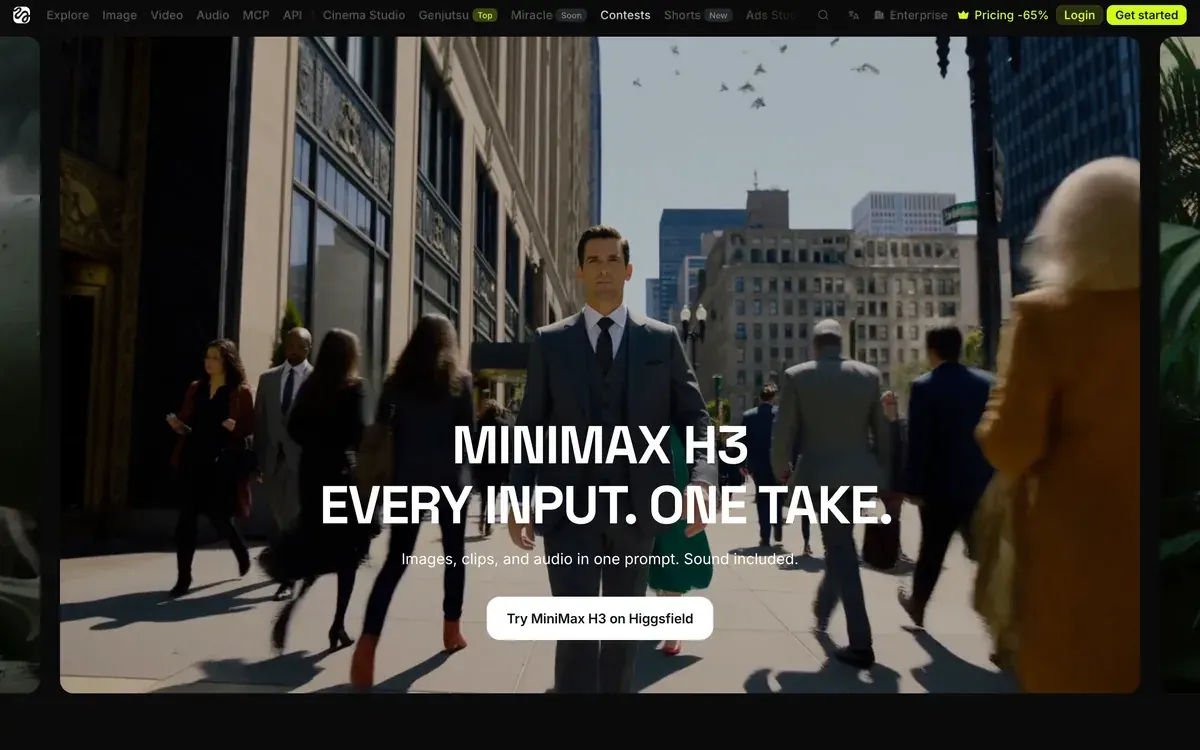
Its three steps, summarised:
- Add your references: up to 9 images, 3 clips and 3 audio tracks.
- Write the prompt: “Cite each reference by name and describe the shot like a director”.
- Generate with MiniMax H3; the credit cost shows before you run it.
MiniMax on Higgsfield covers that route in full.
ComfyUI runs MiniMax’s open weights on your own machine. H3’s community licence (2 August 2026) excludes the EU, the UK, the Republic of Korea and the USA (definition 5). Its V.4 bars using the weights “or any of their Outputs” outside the permitted territory. Within it, ComfyUI’s docs give the set-up:
- Load the “MiniMax H3 R2V” template from the Template Library.
- Wire the images before the videos, and the audio last:
ref_image_0becomes<Picture 1>. - Convert reference video to 24 fps, which the template assumes.
- Keep 20 to 25 steps, since the docs call the 4-step turbo LoRA “weaker” on references.
Community RefMods add reference controls on top, such as MiniMax H3 RefMod Lab (14 comments on r/comfyui), for combining reference sources. MDMZ’s video shows H3 set up and running in ComfyUI.

MiniMax H3 in ComfyUI covers the install and the licence terms in full.
Character swap and replacement
A character swap puts a new person into a clip that already exists. MiniMax’s reference guide files it as a video editing task, opening with The target video is an edited version of <Video 1>. Higgsfield’s H3 FAQ says you can “swap a character or product” by describing the change in plain language.
Three character-swap workflow threads were posted to r/comfyui from 1 October 2026, with 45, 31 and 20 comments:
- Super Simple MiniMax Character Swap Workflow
- Character Swap with MiniMax H3 using LORA LOWVRAM Workflow (6GB)
- H3 + Character Swap LoRA Test (8GB VRAM)
All three run the open weights, so the territory limit above applies to each one, outputs included. Other routes to a swap are on Higgsfield face swap and Akool face swap.
Whose face and voice can you use?
Hailuo’s Terms of Service (User Contributions and User Generated Content, last modified 19 August 2026) put the rights on you. You are “solely responsible for” “obtaining all rights, permissions, consents, licenses, and releases required for that use, including rights relating to intellectual property, privacy, publicity, image, voice, and personal data”.
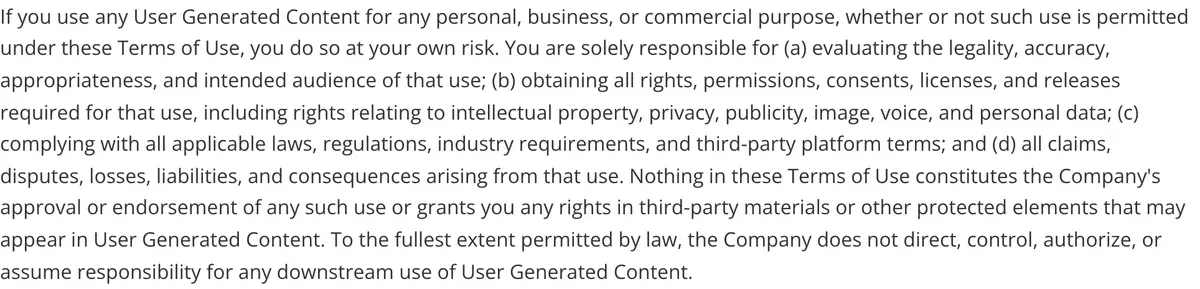
In plain terms, a real person’s face or voice needs their consent and a release before it goes into an ad.
Hailuo has no clause on your own likeness, and its perpetual licence over your inputs and outputs reaches any face or voice in them, your own included (rights data).
The same terms bar removing the AI label from what you make with a real person’s face: “You must not remove, obscure, alter, or disable any watermark, metadata, label, or other notice” Hailuo applies to mark content as AI.
A voice reference is the same case: Higgsfield’s FAQ says a reference recording lets H3 “transfer or clone that voice onto your character”. On the open weights, the licence bars using H3 “to impersonate another person without that person’s consent” (Exhibit A, item 13). Background on the law is in likeness rights and AI UGC legal rules.
MiniMax H3 reference questions
How many reference images can H3 take?
Nine per request, and no more than 12 files when you mix images, videos and audio, per MiniMax’s guide.
Can H3 copy a voice from a reference clip?
Yes, the sound of the voice: MiniMax lists voice among reference uses, and ComfyUI’s docs say reference audio “carries timbre, not words”, so the prompt still writes the line. Two of 37 public reviews report that lip sync to a supplied vocal rarely lands, one at “1 out of 50 tries” (r/MiniMax_AI, r/MiniMax_AI).
Does H3 keep the outfit as well as the face?
MiniMax says the model “keeps the features of the reference subject or asset consistent throughout the generated video”. Name the outfit in the <Subject N> line and supply a full-length still.
Sources
- MiniMax API Docs: Video Generation, Reference entry: up to 9 images, 3 videos and 3 audio clips of 2 to 15 seconds each with 15 seconds in all per type, 12 files mixed, sides 256 to 5,760 px, ratio 2:5 to 5:2; the model
keeps the features of the reference subject or asset consistent
. Checked - MiniMax API Docs: Pricing Overview, MiniMax-H3 768P per second; first 5 input images per task free, then 0.04 dollars each; input video billed per second at the output rate; audio input free. Checked
- MiniMax, MiniMax-H3 repository on Hugging Face: Full-Reference Mode Rewrite Output Format Guide, Reference labels Subject, Picture, Video and Audio; subject_definitions examples; video editing task type. Checked
- Higgsfield: MiniMax H3 on Higgsfield, 9 images, 3 clips, 3 audio tracks, 12 files, audio paired with an image or video; voice transfer from a reference recording; instruction-based editing that can swap a character; credit cost shown before each run. Checked
- ComfyUI documentation: MiniMax H3 Text-to-Video, Image-to-Video, and Reference-to-Video Workflows, R2V template: up to 9 images, 3 videos, 3 standalone audio clips; node order; reference video read at 24 fps; turbo LoRA weaker on references. Checked
- ComfyUI documentation: MiniMax H3 Prompt Guide, Reference sheets: give a multi-panel sheet its own Picture label and point shots at a panel. Checked
- MiniMax: MiniMax H3 Community License Agreement, 2 August 2026: definition 5 lists the EU, the UK, the Republic of Korea and the USA as Excluded Territories; V.2 requires anyone providing a hosted H3 to bind users to terms at least as protective as Section V and Exhibit A; V.4 bars use of the Works or their Outputs outside the Applicable Territory; Exhibit A item 13 on impersonation. Checked
- Nanonoble Pte. Ltd.: Hailuo AI Terms of Service, Last modified 19 August 2026: User Contributions and User Generated Content, on rights, consents and releases for image and voice, and on AI labels and watermarks. Checked
- Hailuo AI: Hailuo AI home page, Create Video panel with an Omni Reference mode and a Refs (0/1) counter. Checked
- Higgsfield: Higgsfield Terms of Use, Dated 23 October 2026: 5.3 makes the uploader warrant every consent, release and permission from each person whose face or voice is included. Checked
- MiniMax: MiniMax Open Platform Terms, Effective 30 March 2026: no clause on uploading your own or another person’s likeness. Checked
- Reddit, r/comfyui: r/comfyui character swap threads, Posts since 1 October 2026 read through Arctic Shift on 16 November 2026: swap workflows with 45, 31 and 20 comments; RefMod Lab (14). Checked
- r/MiniMax_AI and other public reviews: Hailuo AI user reports, 37 public sources synthesised, checked 28 September 2026. Checked

Alexandre S.
Alexandre S. is a creative ad strategist and copywriter with ten years' experience in digital marketing across multiple channels.
Related pages
-
 Profile Hailuo AI for ads
Hailuo’s paid terms allow commercial use, while its main terms bar advertising content and a download notice says personal use. Terms read 2 October 2026.
-
 Guide How to keep an AI character consistent
Four ways to keep one AI face across images and video, ranked by effort, with each tool’s reference limits read on 24 October 2026.
-
 Guide MiniMax H3 prompts for ads
MiniMax’s own H3 prompt guides split each prompt into timed shots, sound and music. Twelve ad templates in that format, from a 3-second UGC hook to an unboxing.
-
 Guide Are AI UGC ads legal? FTC rules and likeness rights
The FTC’s fake-testimonial rule reaches an AI actor who claims to have used the product. That rule and US state and EU laws, quoted with dates.
-
 Guide MiniMax H3 on Higgsfield
MiniMax H3 on Higgsfield: 20 credits per 5-second 2K clip, what that costs on each plan if every credit is used, and the steps. 16 Nov 2026.
-
 Profile Higgsfield AI for ads
Higgsfield resells Kling, Veo and Seedance on one credit balance. What a clip costs, what “Unlimited” covers and its ad terms, checked 24 September 2026.


