How to see competitor ads for free
Competitor ads are public. Meta, Google, TikTok and LinkedIn each run a free library of them. You can look up what a rival is running with no paid tool, and usually no account.
Start with the library that matches your rival: Meta for consumer brands, LinkedIn for business software, Google for anyone buying search.
Finding the ad is half the job. Once you know why it works, Creatify can rebuild its structure around your product, from Pro at $55 a month.

Which free library shows what?
The biggest difference is whether an ad stays visible after the advertiser stops paying for it.
| Library | Search by | Covers | Stopped ads | Account |
|---|---|---|---|---|
| Meta Ad Library | Keyword or advertiser | Facebook, Instagram and the rest of Meta | Commercial ads vanish, EU-reach ads stay one year after the last impression | No |
| Google Ads Transparency Center | Advertiser or website name | Search, Display, Gmail, YouTube | Not stated; the last date shown appears on each ad | No |
| TikTok Top Ads | Product or keyword | A selected set of high performers | Not stated | Five ads without login |
| TikTok Commercial Content Library | Advertiser or keyword | Ads shown in the EEA, Switzerland, UK | Not stated | No |
| LinkedIn Ad Library | Advertiser, payer, keyword, country, date | LinkedIn ads after 1 June 2023 | Kept one year after the last impression | No |
Scroll sideways for all 5 columns
Meta’s is the tightest. Its Ad Library tools page says “People can search for all active ads running across products from Meta”, so screenshot anything useful the day you find it.
Ad Library
Meta Ad Library is a comprehensive, searchable database for ads transparency. People can use the Ad Library to get more information about the ads they see across Meta technologies.
People can search for all active ads running across products from Meta. For ads about social issues, elections or politics, Meta provides additional information, including spend, reach and funding entities. These ads are visible whether they’re active or inactive and are stored in the Ad Library for 7 years.
How do you see competitor ads on Meta?
The Meta Ad Library covers Facebook and Instagram, and it is the place to find competitor ads for a consumer brand.
- Open facebook.com/ads/library.
- Set the country to where your rival sells, and the category to All ads.
- Type the brand name and pick the advertiser from the dropdown. A plain keyword search returns everyone who used that word.
Anyone can view and search the Ad Library. You can search for any term, name or Page in the Ad Library. Any ads that include the search term, or ads run by Pages that include the term, may appear. Note: If ads include certain types of age-restricted content, such as alcohol or gambling, the ad creative won’t be shown to people who are underage or not logged in to Facebook. When possible, self-reported ages are used to set these restrictions.
The Ad Library API is an application programming interface that enables a deeper analysis of social issues, electoral or political ads in the Ad Library as well as ads that deliver to the EU and associated territories.
- Set Active status to Active, and choose Video under media type.
- Read the start date on each card.

Our Meta Ad Library guide goes deeper on filters, the API and the extra data for ads shown in the EU and UK.
How do you find competitor display ads on Google?
Google’s Ads Transparency Center is the free way to see competitor display ads, along with search and YouTube ads. Google describes it as a searchable repository of advertisers and the ads they’ve served.
- Open adstransparency.google.com.
- Type the advertiser’s name or website. Google describes search by advertiser or website name, so you need to know who you are looking for.
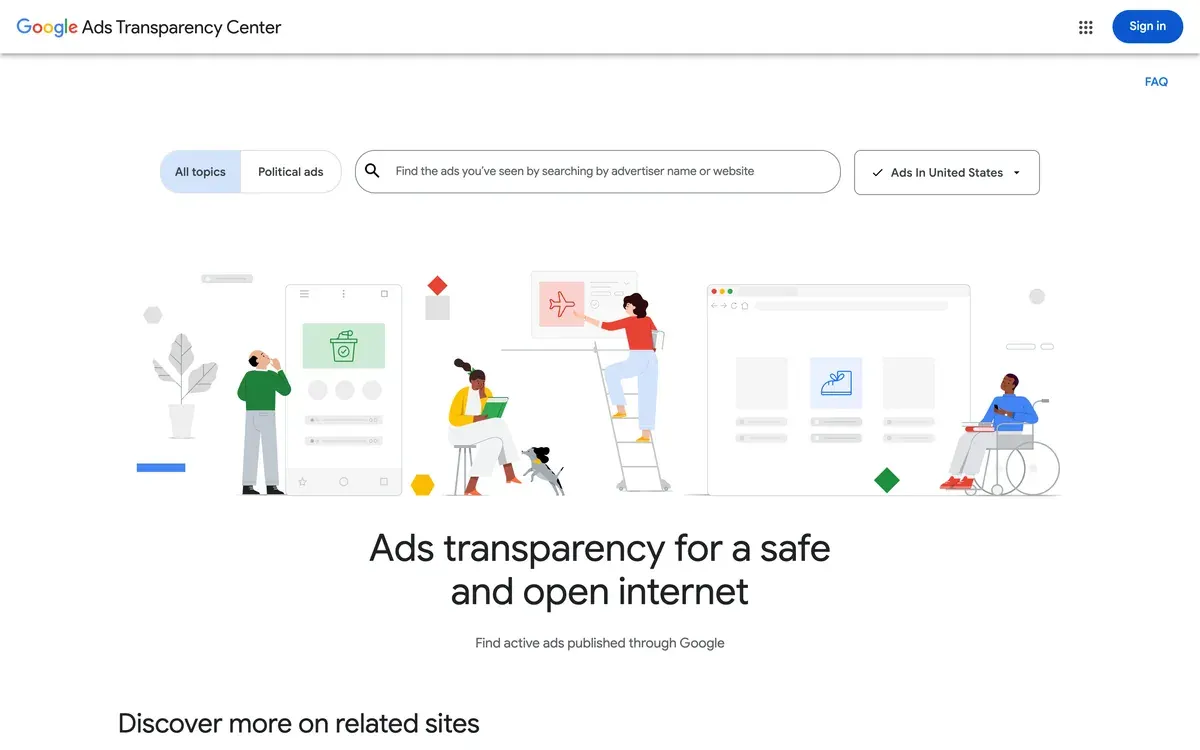
- Set the region and date range.
- Filter by format if the option shows.
- Click an ad to see its last shown date and format.
Google’s help page doesn’t state how far back commercial ads go. Try a custom date range on the brand you care about.
How do you see competitor ads on TikTok?
TikTok has two free tools, and neither does what a US marketer hopes for. A true TikTok ad spy, meaning a search of any brand’s ads anywhere, is what paid tools sell.
Top Ads is the first tool. It shows a chosen set of high performers, and TikTok says all of them are “authorized by advertisers”, so a rival who hasn’t authorised its ads isn’t there.
- Open TikTok’s Creative Center and log in. Logged out, you see only five ads.
- Click the Inspiration tab, then Top Ads.
- Filter by region, industry and campaign objective, or search a product.
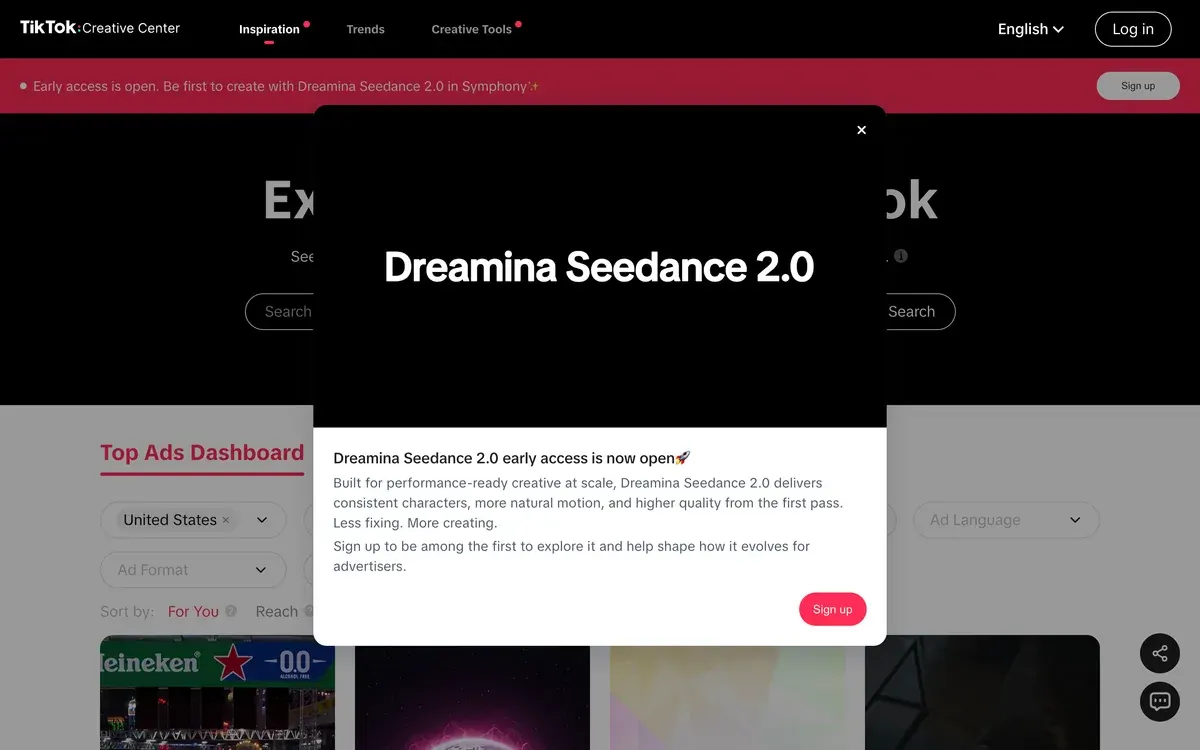
- Sort by reach or click-through rate. On desktop you can also sort by conversion rate.

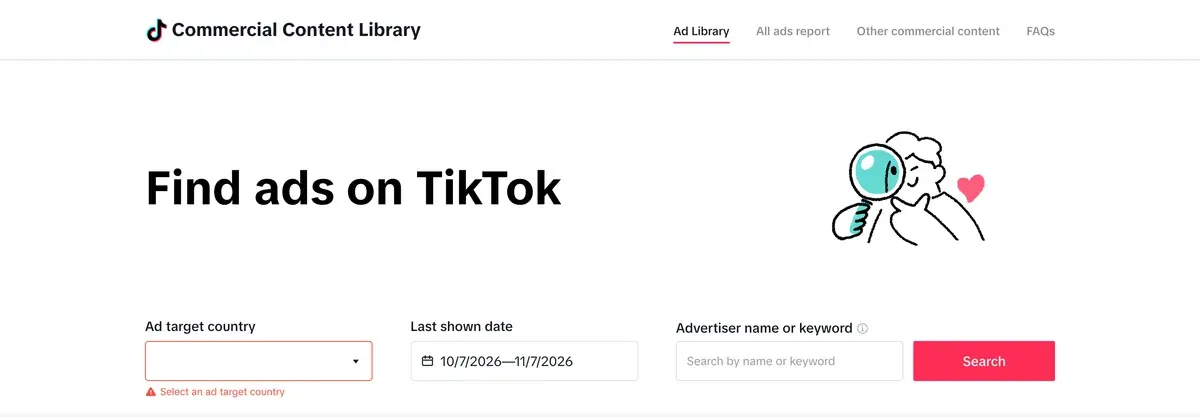
The Commercial Content Library is the second. It lets you search real advertisers, but it covers ads shown in the European Economic Area, Switzerland and the UK. A US-only campaign doesn’t appear.
- Open library.tiktok.com.
- Pick a European market where your rival also sells.
- Search the brand.
How do you see competitor ads on LinkedIn?
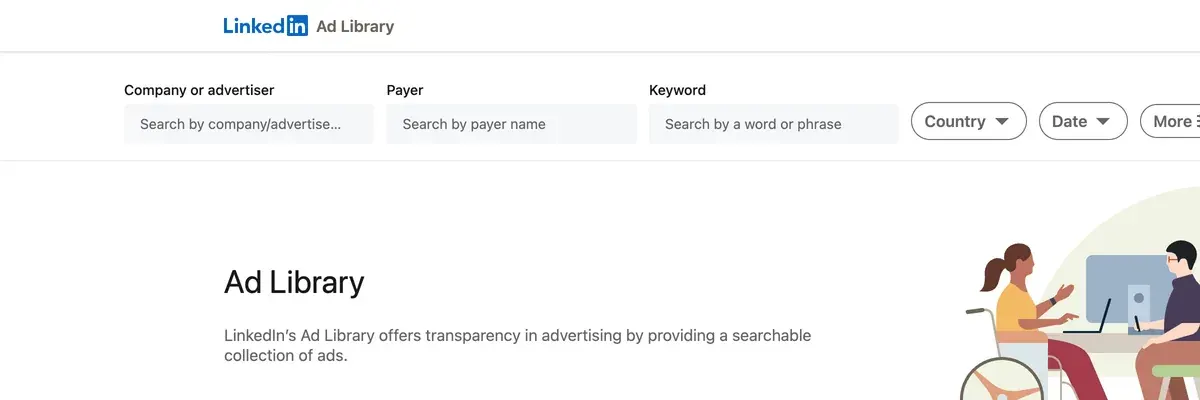
LinkedIn’s Ad Library lets you view competitor ads for a year after their last impression, so it suits business sellers.
- Open linkedin.com/ad-library.
- Search the advertiser or company name. You can also search by payer or keyword.
- Filter by country and date range.
- Open an ad to see its preview, format, advertiser and payer.
Some ads appear as restricted, with the preview and names withheld “to comply with the law”. For ads aimed at the EU, LinkedIn adds impressions, targeting and run dates. A year of history shows you which messages a rival returned to, which Meta can’t show.
How do you read run length as proof?
A long run is the main free signal you get when you research competitor ads, and it proves less than people assume. It shows that someone keeps paying. It doesn’t show the ad makes money, since none of these libraries reports sales, and Meta’s commercial ads show no spend.
TikTok’s Top Ads is the partial exception, because it ranks by click-through rate and, on desktop, conversion rate.
Compare ads inside one brand, never across brands. A small shop’s old ad may just be one nobody has looked at. The same age at a brand that replaces its ads constantly means something, because that team kills what fails.
| Signal | What it suggests | The trap |
|---|---|---|
| The oldest live ad at a busy advertiser | It survived their own cuts | It could be a small retargeting ad |
| Several cards of one concept | They are spending behind the idea | Could be a single test split out |
| Same offer on Meta and Google | The offer works, whatever the format | They may just buy both by habit |
| A fresh batch of one format | A new idea in trial | It proves nothing yet |
| An ad gone after a few days | Weak evidence that it failed | A dated sale ends the same way |
Scroll sideways for all 3 columns
Write down what you see, and date it. Three rounds of notes on one rival teach you more than a one-off look, because ads that survive between rounds are the ones worth studying.
What can you copy from a competitor’s ad?
You can reuse the idea and the shape of an ad. You can’t reuse its files, its promises or its people. The US Copyright Office says “Copyright does not protect ideas, concepts, systems, or methods of doing something”.
| Element | Reuse it? | Why |
|---|---|---|
| Structure and pacing | Yes | Copyright doesn’t protect ideas or methods |
| Hook style | Yes | “Three things I wish I knew” is a form anyone can use |
| Offer type | Yes | A free trial or a bundle is a commercial idea |
| Their footage or music | Never | The advertiser or a licensor holds the rights |
| Their exact script | Never | Words on screen are their creative work |
| Their claims | Never | You need your own proof |
| A person’s face or voice | Never | Rebuilding a creator with AI needs that person’s consent |
| Their brand name or logo | Never | It implies a link that doesn’t exist |
Scroll sideways for all 3 columns
A rival’s line about cutting returns is their statement about their product. The FTC says “Advertisers must have evidence to back up their claims”, and you need that evidence before the ad runs. Likeness has its own rules, set out in AI UGC and the law.
How do you turn a found ad into your own?
Write the found ad down as beats: hook, problem, proof, offer, call to action. Then write your own product into each beat. That takes a notebook and costs nothing.
Creatify’s Ad Clone automates the same job. You paste a reference ad and your product link.
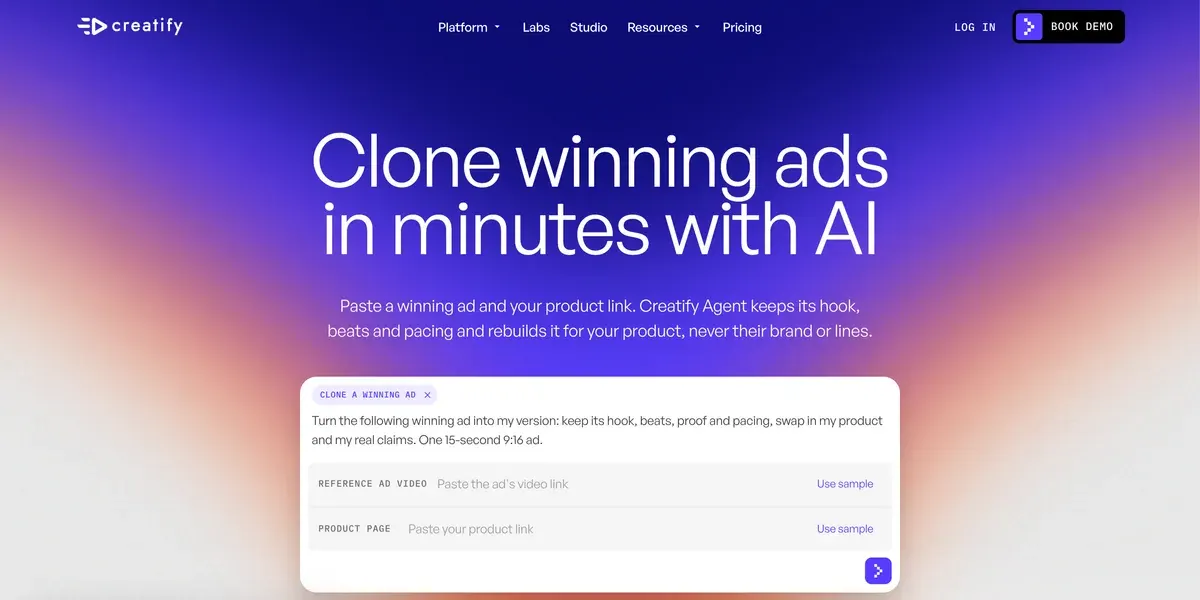
The agent keeps the structure and pacing, then writes a new script and video for your product. Creatify says the agent drops “the reference’s brand, people or exact lines”. You can ask for a new hook or a different presenter in the same chat.
It takes TikTok, Instagram or direct video links, or a file. Creatify’s page says “YouTube links don’t work yet”, so a YouTube find goes in as your own written beats. The agent can also look for long-running ads in the Meta Ad Library itself.
The plan and the credits are less clear. Creatify’s plan table ticks Ad Clone from Pro at $55 a month, and Standard doesn’t list it.
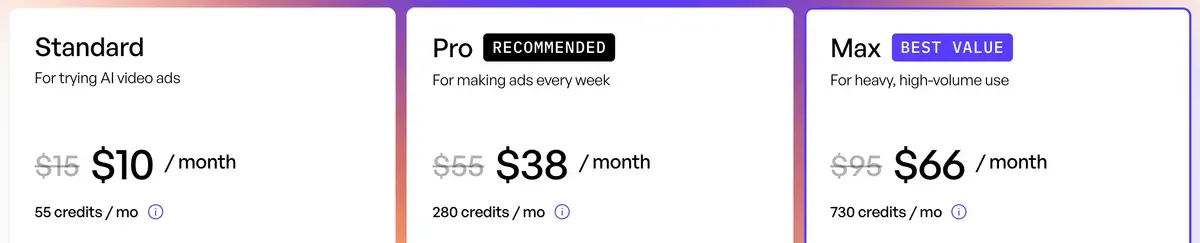
The Ad Clone page says the Free plan’s 10 credits are “enough for your first cloned video ad”, and free exports carry a watermark. Creatify’s FAQ gives 1 credit a second, so those 10 credits cover a 10-second clone. Expect a short first test on Free, and budget for Pro if you want 30-second ads.
Free Plan
Once you create an account, you will automatically be enrolled in our free plan, which includes 10 credits per month that can be used for Avatar Video, Video Ad, and Image Ads.
Please note that videos rendered on the free plan will include a watermark.
This means with 10 credits, you can create up to 2 videos provided each video is no longer than 15 seconds.
At that rate a 30-second clone takes 30 credits. On Pro that is $5.89 if every credit is used, at prices read on . The credit article says Ad Clone follows the Agent’s rules, whose use “cannot be determined upfront”. So take the figure as a floor, and watch your balance on the first few.
Rebuilding structure is a separate thing from clearing an ad legally. The page says “Cloning here doesn’t copy content”, and Creatify’s Moderation Policy still bans “intellectual property violations”. The list above stays your job. Users also report outputs that miss the brief (17 of 61 sources: Trustpilot, Trustpilot), so check product names and every claim.
Skip Ad Clone if the ad’s power comes from a real customer, a real demo or a founder. Structure won’t carry those, and a generated version loses the proof. Film your own version, or hire a real creator. Skip it too if you only make one or two ads a month, since the notebook method does the same job.
When are the free libraries not enough?
The free route breaks in two places: Meta drops stopped commercial ads outside the EU from view, and tracking ten rivals by hand gets slow. If you hit either, you need a swipe file, meaning a saved library of ads that stays after they stop.
Foreplay saves ads to a swipe file on Basic at $59 a month, and its competitor tracking starts on Workflow at $175 a month. Creatify’s Pro plan includes a competitor ad tracker. Our ad spy tools list compares what each adds for that money. If you are checking a handful of rivals once a month, the free libraries and a dated folder of screenshots cover you.
Questions about competitor ads
How can I see my competitors’ ads for free?
Use Meta’s Ad Library, Google’s Ads Transparency Center, TikTok’s Top Ads and LinkedIn’s Ad Library. All four are free, and only TikTok’s Top Ads asks you to log in for the full view.
Can you see how much a competitor spends on ads?
Not for commercial ads in these libraries. Meta shows spend ranges only for ads about issues, elections or politics.
Is it legal to copy a competitor’s ad?
Copyright doesn’t protect an idea, so reusing a structure or hook style is open to you. Copying footage, a script, a claim or a person’s likeness is where the risk begins.
How do I find competitor display ads?
Search the advertiser’s name in Google’s Ads Transparency Center, then pick out the ads with an image format.
More pages for Creatify users, sorted by job, in the Creatify hub
Sources
- Meta: Ad Library tools, all active ads searchable; issue, election and political ads kept 7 years; ads reaching the EU or associated territories archived one year after the last impression. Checked
- Google Ads Help: Transparency and ad disclosures, Search, Display, Gmail and YouTube; search by advertiser or website name; filter by date and location. Checked
- Google: Announcing the launch of the new Ads Transparency Center, 29 March 2023; ads run, region, last date shown and format. Checked
- TikTok: How to use the Top Ads Dashboard, May 2025; filters, sort options, five ads when logged out. Checked
- TikTok: About Top Ads, ads in Top Ads are authorised by advertisers inside TikTok Ads Manager. Checked
- TikTok: Commercial Content Library, ads available to users in the European Economic Area, Switzerland and the UK; no account needed. Checked
- TikTok: TikTok Commercial Content Library, the library’s own search page. Checked
- LinkedIn: LinkedIn’s Ad Library, search fields, ads after 1 June 2023, kept one year after last impression, restricted ads, EU details. Checked
- Federal Trade Commission: Advertising FAQ’s: A Guide for Small Business, advertisers need evidence for claims before the ad runs. Checked
- US Copyright Office: What Does Copyright Protect?, copyright does not protect ideas, concepts, systems or methods. Checked
- Creatify: Ad Clone, reference links accepted, YouTube excluded, what the agent keeps and drops, Free plan statement. Checked
- Creatify: Creatify credit usage, billing and validity, updated 19 August 2026; Ad Clone follows the Agent’s credit rules; variable use. Checked
- Creatify: Creatify FAQs, updated 20 September 2026; Ad Clone at 1 credit a second. Checked
- Creatify: Creatify pricing, plan cards and comparison table; Ad Clone and competitor ad tracker from Pro. Checked
- Foreplay: Foreplay pricing, Basic has no Spyder competitor tracking; Spyder starts on Workflow. Checked
- Creatify: Moderation Policy, undated; bans fraudulent and deceptive practices and intellectual property violations. Checked

Alexandre S.
Alexandre S. is a creative ad strategist and copywriter with ten years' experience in digital marketing across multiple channels.
Related pages
-
 Guide Creative fatigue on Meta ads and the Andromeda update
How to spot creative fatigue in Meta Ads Manager, why Andromeda rewards many distinct creatives, and how AI tools make that volume. Checked 15 Oct 2026.
-
 Guide AI UGC prompts
The prompt fields Google, Kling, Luma and ByteDance publish for UGC clips, side by side, and the credit rules that bill a failed prompt. Read 2 October 2026.
-
 Best list AI ad script generators
Tools that write UGC ad scripts, from free assistants to script-to-video apps, and the terms barring an AI actor’s made-up testimonial. Checked 2 October 2026.
-
 Best list Creative testing tools
The split is free inside Meta, TikTok and Google. Creatify, Atria, Superads, Madgicx and Motion priced by what each adds at your spend. Checked 7 Nov 2026.


