YouTube video to Shorts with Klap
To turn a YouTube video into Shorts with Klap, paste the link, pick a clip length and press Generate. Klap’s YouTube to Shorts page says one video gives up to 30 vertical clips, each captioned and scored. You can publish them back to your channel without downloading anything.
Klap bills by the clip it makes, and the length of the video does not count (pricing FAQ). A 60-minute video costs the same as a 30-minute one when both give 20 clips.

Step 1: Check the video can be clipped
Klap pulls the video straight from YouTube, so the link has to be one it can read. Its API error list names the refusals: private, members-only, age-restricted and US-blocked videos, and anything under 10 seconds.
Klap’s converter page asks for “your own upload or a public video you have rights to clip”.
Step 2: Paste the link and sign in
Paste the URL into the homepage box, then sign in.
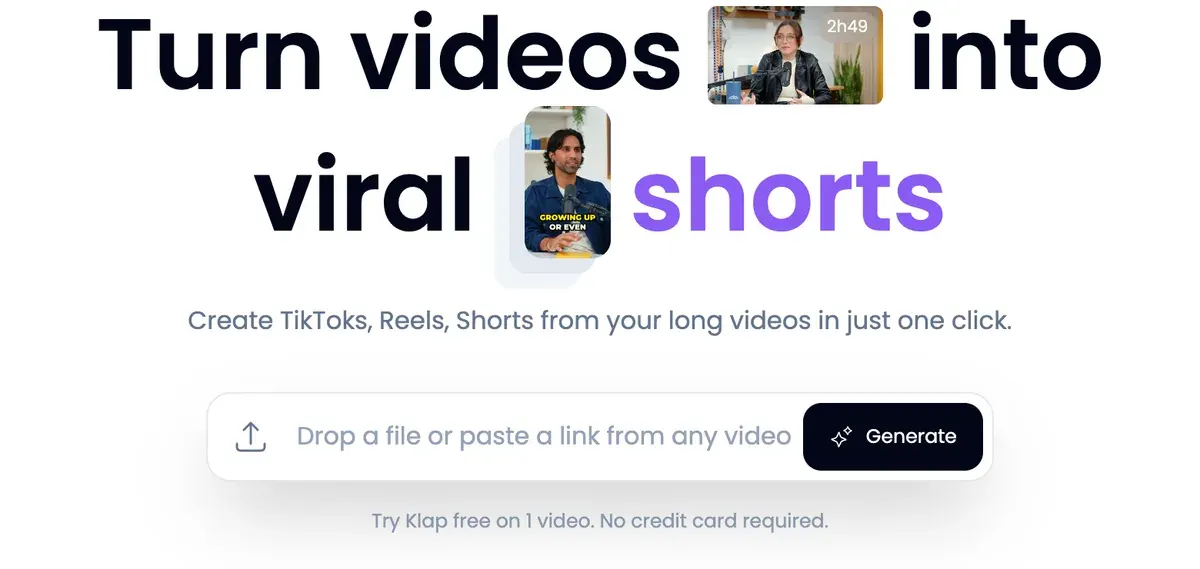
The first video is free with no card. You can preview and edit the results, but downloading and posting needs a paid plan (pricing FAQ). Klap’s free plan, explained covers how far it goes.
Step 3: Choose the settings that shape each clip
Klap’s walkthrough lists six settings on that screen:
- Format: Shorts.
- Duration: the walkthrough says “1 minute”.
- Language: English by default.
- Reframe: turns 16:9 vertical, keeping the speaker in shot.
- Dimensions: Portrait for Shorts.
- Captions: on. Klap’s converter page says they are tuned “for muted viewing” and come in 99+ languages.
The duration advice predates YouTube’s change: Shorts run up to 3 minutes for uploads since 15 October 2024 (YouTube Help). Klap’s API docs default to 60 seconds and allow 120 at most. One minute stays the safe length for clips with music or third-party footage.
Step 4: Generate, and cap the clip count
Press Generate Shorts. Klap’s docs say clipping “takes several minutes”, and their example project is ready in about 12 minutes.
Left alone, Klap picks the clip count from the video’s length. Its podcast page gives 26 to 30 clips from an episode of 2 hours or more, and each one uses your allowance. If the batch would pass what is left, Klap stops with clip_limit_reached.
Set the number before you generate: Klap’s converter FAQ says you can adjust “the target Shorts length and count”. Clips you never post still use your allowance.
Step 5: Review the clips, highest score first
Klap ranks the batch with a Virality Score from 0 to 100, its own estimate of how far each clip travels. Start at the top.
Then open the editor to fix caption words, change the hook title (the line on screen in the first seconds) or add b-roll, the cutaway footage. Seven of 28 public reviews say Klap saves editing time and is easy to use (Trustpilot, Trustpilot).
An independent walkthrough shows the whole run.

Step 6: Post to YouTube, or download
Connect your YouTube channel and schedule the clips from Klap’s calendar, or download them on a paid plan. Paid exports carry no Klap branding (pricing FAQ).
Spread a batch of 20 over several days. Klap’s error list includes “YouTube’s daily posting capacity is reached for that day. Choose another day”. A podcast channel has its own workflow in Klap for podcasts.
Which Klap plan your upload rhythm needs
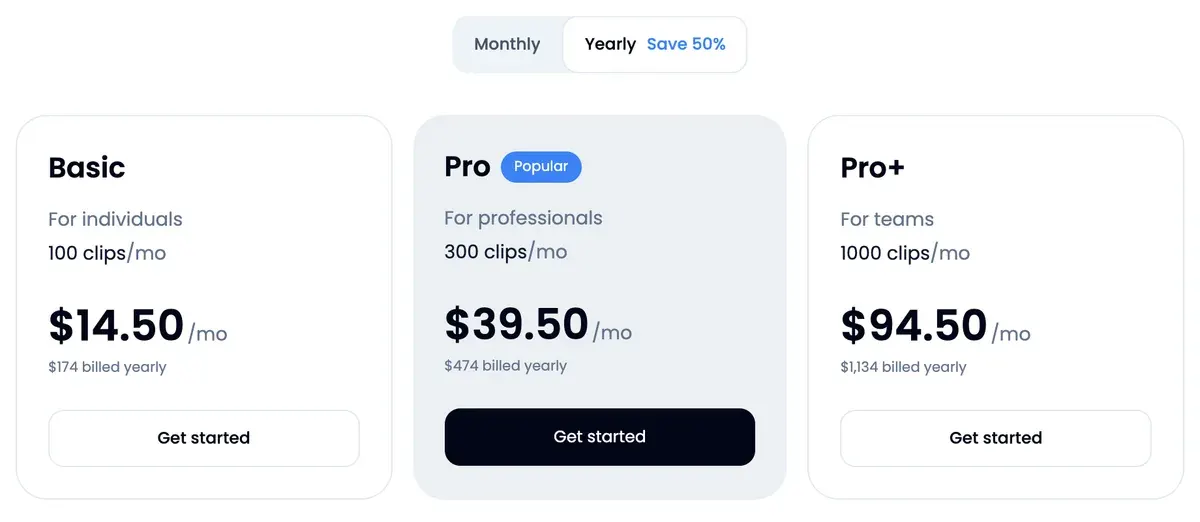
One weekly video at 20 clips fits Basic, at $29 a month, with no room to spare in a five-week month (Klap pricing, prices read on ).
| Upload rhythm | Clips per video | Clips a month, at most | Plan | Cost per video |
|---|---|---|---|---|
| One video a week | 10 | 50 | Basic, 100 clips | $6.69 |
| One video a week | 20 | 100 | Basic, 100 clips | $6.69 |
| Two videos a week | 20 | 200 | Pro, 300 clips | $9.12 |
| One video a day | 30 | 930 | Pro+, 1,000 clips | $6.21 |
| A back catalogue of 40 videos | 30 | 1,200 at once | Basic, billed yearly | $4.35 |
Scroll sideways for all 5 columns
Method: the plan price spread over the videos clipped in a year, with five-week months (31 days for the daily row) setting the “at most” column. Yearly plans hand over the whole year’s clips on day one: 1,200 on Basic for $14.50 a month billed yearly.
That last row is the cheap way to clip an old channel: forty videos at 30 clips each use exactly Basic’s yearly allowance. One creator’s run on a 45-minute video shows what a single long upload returns.

The reader code takes 30 per cent off the first payment on a monthly plan. Klap promo code shows when it beats yearly billing.
YouTube’s rules for Shorts made from long videos
Three YouTube rules decide whether your clips stay up and earn.
Length and shape come first. A Short runs “Up to 3 minutes”, “With a square or vertical aspect ratio” (Upload YouTube Shorts; Shorts help). Klap’s clips run 120 seconds at most (API docs), so any length it makes fits.
Upload YouTube Shorts
Length. Create short-form videos that are up to 3 minutes long with our multi-segment camera.
Format. You can upload vertical videos saved to your computer or smartphone as Shorts.
Content ID comes second. “Shorts longer than one minute that have an active Content ID claim, regardless of the policy, will be blocked on YouTube” (YouTube Help). Clips with a song or someone else’s footage are safer at 60 seconds or less.
Reused content comes third, for channels in the YouTube Partner Program. YouTube’s monetisation policies bar repurposed content shown “without adding significant original commentary, substantive modifications, or educational or entertainment value”. Clips of your own video are your own work.
Reused content
Definition. Reused content refers to channels that repurpose content that’s already on YouTube or another online source without adding significant original commentary, substantive modifications, or educational or entertainment value.
Not eligible. Content downloaded or copied from another online source without any substantive modifications.
Permission. This policy applies even if you have permission from the original creator.
Clips of another creator’s video, posted as they come out of Klap, sit close to that policy’s example of “Content downloaded or copied from another online source without any substantive modifications”.
Before you pay for a month
Klap’s pricing FAQ says you cancel “on your billing page”. Five of 28 reviews report trouble cancelling or a charge after asking to cancel (Trustpilot, Trustpilot). Cancel from that page the day you decide and keep the confirmation.
If Klap’s picks miss on your free video, Klap alternatives sets seven other clippers beside it. Klap vs OpusClip compares the billing.
Sources
- Klap: YouTube to Shorts converter, paste a YouTube URL, up to 30 Shorts per video, a 0 to 100 Virality Score, publish back to YouTube; your own upload or a video you have rights to clip. Checked
- Klap blog: How to Create YouTube Shorts from Existing Video, published 23 September 2025; the settings screen with format, duration, language, reframe, dimensions and captions, then Generate Shorts. Checked
- Klap: Klap pricing, three plans counted in clips; source length does not use the plan; yearly plans deliver the year’s clips at once; cancel on the billing page. Checked
- Klap API docs: Projects and clips endpoints, clip length 1 to 120 seconds, 60 by default; clip count set by Klap from the video’s length when left empty; 10 seconds to 3 hours on paid plans; clipping takes several minutes. Checked
- Klap API docs: Errors, private, members-only, age-restricted and US-blocked YouTube videos are refused; clip_limit_reached; YouTube daily posting capacity. Checked
- YouTube Help: Upload YouTube Shorts, Shorts run up to 3 minutes with a square or vertical aspect ratio. Checked
- YouTube Help: Create YouTube Shorts, Shorts of up to 3 minutes; vertical videos uploaded as Shorts. Checked
- YouTube Help: Understand three-minute YouTube Shorts, uploads from 15 October 2024; Shorts longer than one minute with an active Content ID claim are blocked. Checked
- YouTube Help: YouTube channel monetization policies, the reused content policy, with examples of clips that can and cannot earn. Checked

Alexandre S.
Alexandre S. is a creative ad strategist and copywriter with ten years' experience in digital marketing across multiple channels.
Related pages
-
 Profile Klap AI video clipping
Klap AI cuts long videos into captioned vertical shorts and bills per clip: $29 a month buys 100 on Basic. Plans, API and user reports, checked 16 Nov 2026.
-
 Pricing Klap pricing
Klap costs $29, $79 or $189 a month for 100, 300 or 1,000 clips, half that billed yearly. Price per clip, free try limits and API rates, checked 16 Nov 2026.
-
 Best list AI clipping tools
Eight AI clipping tools for podcasts and streams, compared on cost per minute or per clip, free plans, longest video and ad rights, read 16 November 2026.
-
 Guide Clipping for money
Clipping for money: Content Rewards says campaigns that fill mostly pay 0.80 to 2 dollars per 1,000 views, minus a 10% fee. Checked 16 November 2026.


