Realistic AI image prompts
A realistic AI image prompt describes a photo someone could have taken. It says who is in it, where, under which light, from how far and on what camera. Write those parts in a fixed order and the result reads as a photo someone took.
The prompts on this page are written for Soul 2.0, a photo-real image model on Higgsfield. They are plain text, so they paste into most image models.
| Part | What to write | Example line |
|---|---|---|
| 1. Person | Age, background, three or four face features, one asymmetry | “a small chip on one front tooth” |
| 2. Wardrobe | Each item, then a closing lock | “small silver studs, no other jewellery” |
| 3. Place and time | A named place, a season, a time of day | “a corner launderette on a wet Saturday morning” |
| 4. Camera | Height, distance in metres, framing | “1.5 metres away, waist up, face in the upper third” |
| 5. Light | One source, landing on one cheek | “window light from her left on that cheek” |
| 6. Moment | An action caught halfway through a sentence | “tells the lens the machine just ate a sock” |
| 7. Capture look | The device, its flaws, what it is not | “front-camera selfie, the phone never visible” |
| 8. Skin | Texture that fits the distance | “at waist-up framing, no macro pores” |
Scroll sideways for all 3 columns

Why AI photos look fake
Four tells give AI photos away, and each has a cause inside the prompt.
- Skin like wax: perfectly even colour, no shine, no marks. The prompt asked for beauty and nothing else.
- Passport framing: the face dead centre, staring at the lens. Nobody said who holds the camera, or from where.
- Light from nowhere: a soft glow on both cheeks in a room with one window. No source was named.
- Gloss words: “8K”, “ultra detailed”, “hyper-realistic”. These push the model towards polished stock imagery, the opposite of a snapshot.
Each part of the order fixes one of them.
How to write a realistic image prompt, part by part
Start with the person. Age and background set the bones; three or four face features make the face specific. Add one asymmetry, such as a scar through one eyebrow or a dimple in the left cheek only. One small flaw makes the face belong to a person.
Close the wardrobe with a lock: “no other jewellery, no hat, her hands are empty”. Anything you leave open, the model fills with rings and bags.
Name the place and the time, in the same sentence. “A launderette” gives a generic set. “A corner launderette on a wet Saturday morning” gives grey light, damp coats and a reason to be there.
Then place the camera the way a photographer would: height, distance in metres, framing. Add “face in the upper third” and the centred passport framing goes.
Name one light source and say which cheek it lands on. The other side falls into shade or takes another colour. That difference between the two cheeks is how a viewer reads depth.
Add a moment. Catch the person halfway through a sentence, such as “she grins and tells the lens this is a bad idea”. The face and hands then move together, and the still feels like a frame from a video.
Capture looks you can paste
A capture look tells the model which device took the photo. Each block below names the device, then its flaws, then what the photo is not. Paste one at the end of your prompt.
For an ordinary phone photo from someone’s camera roll:
Ordinary recent phone camera-roll photo, standard mode with no portrait blur. Moderate depth of field keeps the room recognisable, mild phone sharpening, slight softness away from the face. The stated light leaves the two cheeks and the neck in unequal tones, with no studio fill.
For a selfie on the front camera:
Front-camera selfie at arm's length: slight wide-angle stretch near the edges, the arm leading out of frame, the phone itself never in the picture, the background readable behind the shoulder.
For a phone photo at night:
Handheld phone photo at night, lit only by the lights named above. Slight sensor noise in the shadows, white balance a little off where warm and cool light mix, dark areas kept dark with no HDR flattening, faces readable, edges of the background softer.
For a phone flash:
Phone flash fired straight on: bright hard highlights on the nearest surfaces, small blown reflections on anything glossy, deep shadow just behind the subject, the background falling off fast.
For a clean phone photo taken today:
Clean present-day phone photo: neutral white balance, accurate skin colour, natural contrast, crisp fine detail, no film grain, no vintage filter, no faded colour.
Name the era it is not. Without that last line, the model can add grain and warmth on its own.
For a 35 mm film still:
A still from a 35 mm film shot on a cinema camera: soft roll-off in the highlights, faint halation around the brightest edges, fine natural grain, warm true-to-life film colour. It reads as a real frame from a film of that year, with no digital filter look.
For a brand film frame, usually without people:
A frame from a high-end commercial shot on a digital cinema camera with vintage prime lenses: creamy highlight roll-off, gentle contrast with soft lifted blacks, fine organic texture. Palette: [four or five named colours]. It reads as a frame from an expensive ad, with nothing of a stock photo or a phone picture.
Skin, hair and expression at the right distance
Skin detail has to match how far away the camera is. A close-up shows texture; a waist-up shot does not. Ask for “visible pores” in a waist-up photo and the model paints the same pore pattern over the whole face.
For waist-up framing or wider, describe skin as a photo shows it. That means uneven colour, a little shine on the forehead or nose, softer outer cheeks and ordinary creases under the eyes. Add “no macro pores at this distance”. Save pores, peach fuzz and fine lines for real close-ups.
Ask for hair in uneven groups with a few loose strands. A single smooth mass looks like a wig.
Ask for “a live expression”, such as a half laugh or a raised eyebrow, in place of a model’s pout.
Write fixes as the thing you want: “teeth a natural off-white”, “irises their normal size and matte”, “skin uneven in tone”. Keep each “no” to one concrete thing the model would otherwise add, as the wardrobe lock and the capture looks do. A long list of vague “no” words gives the model those words to draw.
Realistic AI image prompts to copy
Six full prompts, one per job an ad usually needs. The four with a person follow the order above; the food shot and the brand plate drop the person and keep the rest. Swap the details for your product and audience, and keep the order.
Talking UGC selfie
Woman, 31, Irish, pale skin with freckles across her nose, copper hair in a loose knot, grey-green eyes, a small chip on one front tooth. She wears a navy fleece zipped halfway over a white T-shirt and small silver studs, no other jewellery. She sits on the bench of a corner launderette on a wet Saturday morning, two drums turning behind her and a folded pile of towels beside her. She holds the phone herself at arm's length, a little above eye level, framing her from the crown to mid-chest, face in the upper third. Grey daylight from the shop window on her left lights that cheek; the right side takes the cooler glow of the strip lights. Her free hand is up mid-gesture as she tells the lens the machine just ate a sock, one eyebrow raised, half laughing. Front-camera selfie: slight wide-angle stretch near the edges, the arm leading out of frame, the phone itself never in the picture. Unretouched skin with uneven tone and a little shine on the nose, no macro pores, hair in loose uneven strands.
The free hand matters: one hand always holds the phone, so every action uses the other.
Product held in a real room
Man, 47, Welsh, weathered fair skin, grey stubble, deep laughter lines, a crooked nose from an old break. He wears a faded green work jacket over a grey jumper, no watch, no rings. He sits on an upturned crate in a garden shed in late October, seed trays and hand tools on the shelf behind him. In his left palm he holds a small matte green tin with a plain unprinted lid, and with his right thumb he works a dab of balm into the cracked knuckles of his left hand. His daughter takes the photo from 1.5 metres away at his seated eye level, framing him from the waist up, face in the upper third. Low afternoon sun through the small window to his right warms that cheek and the tin; the left side of his face falls into the shed's shade. He looks up at her mid-word, explaining why the soil splits his hands every autumn. Ordinary phone camera-roll photo, no portrait blur, the shed readable behind him. Skin uneven in tone, soil in the creases of his knuckles, no macro pores at this distance.
Keep the tin plain and put your real product in afterwards with a reference edit (next section), so the label is the one you sell.
Night phone snapshot
Woman, 26, Vietnamese British, warm light-brown skin, a straight black bob grown out to her jaw, dark eyes, a small mole under her left eye. She wears a black puffer jacket over a green cafe apron, plain gold studs, no other jewellery. She sits on the top deck of a night bus heading home at one in the morning, rain streaking the window, a takeaway coffee in her right hand and her left hand on the rail of the seat in front. Her friend takes the photo from across the aisle at seated eye level, framing her chest up, face in the upper third. Orange street light sweeps across her right cheek through the window while the bus's cool white strip lights glow behind her. She has turned towards her friend mid-yawn, laughing, swearing she will never take a double shift again. Handheld phone photo at night: sensor noise in the shadows, mixed white balance, dark areas kept dark, the window reflections soft. Skin with a little shine and tired under-eyes, no macro pores.
Flash food shot
A hand pulls a slice of pepperoni pizza away from a paper plate on a crowded kitchen counter at a house party, well after midnight, strings of melted cheese stretching between the slice and the plate. The hand has short unpainted nails, a plaster round the index finger and a faint pen mark on the back. Around the plate: open cans, a bottle of chilli oil on its side, a stack of paper napkins, fairy lights blurred along the tiles behind. A friend takes the photo on a phone held at counter height about 40 centimetres away, the slice in the centre of the frame and the plate cut off by the bottom edge. Phone flash fired straight on: hard bright highlights on the grease and the cheese, small blown reflections on the cans, deep shadow just behind the plate, the room falling away into warm darkness. Casual and messy, the photo someone takes before the first bite. No faces, no readable text on any can or bottle.
Film-still portrait
Man, 38, Ghanaian British, deep brown skin, short hair with a sharp side parting, a thin moustache, a small scar on his chin. He wears a mustard knitted polo shirt with a wide collar and a plain steel watch, no other jewellery. He sits at the counter of a roadside cafe on a coast road in Cornwall in August 1984, both hands round a white mug of tea, a laminated menu face down beside him, net curtains and a strip of sea behind. The camera is at eye level two metres away, framing him from the waist up, face in the upper third. Late afternoon sun through the window on his left lights that cheek and the steam from the mug; his right side sits in warm shade. He has turned on his stool to answer someone off frame, about to smile, one eyebrow lifting. A still from a 35 mm film shot on a cinema camera: soft highlight roll-off, faint halation round the window, fine grain, warm film colour of 1984. Skin with natural sheen on the forehead, no macro pores at this distance.
Brand plate with no product
An empty pale limestone shelf beside a frosted bathroom window at seven in the morning, a folded linen hand towel and a small sprig of eucalyptus in a glass at the left end, the right two thirds of the shelf left clear for a product. Fine water droplets on the window, a faint film of steam on the corner of a mirror at the edge of the frame. The camera sits at shelf height about 70 centimetres away on a 50 mm lens, the shelf running across the lower third, the window filling the background. Soft cool daylight through the frosted glass from behind and to the left, a warmer bounce off the towel. A frame from a high-end commercial on a digital cinema camera with vintage primes: creamy highlight roll-off, soft lifted blacks, gentle contrast. Palette: chalk white, warm stone, eucalyptus green, pale steel blue. No people, no bottles, no readable text or logos.
The clear space is the point. Composite your real product onto the plate in your editor, where its label stays exact.
Where to run these prompts on Higgsfield
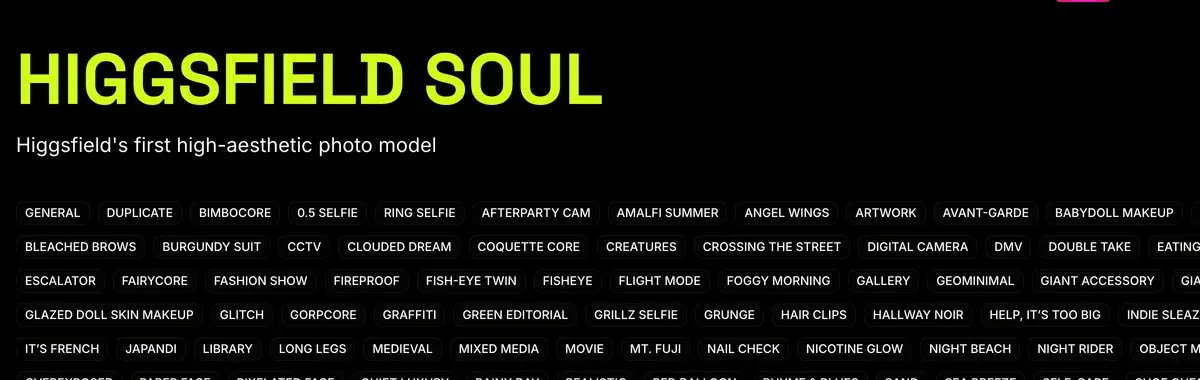
The first image comes from Soul 2.0. Higgsfield’s Soul help article lists seven ratios from 9:16 to 16:9 and batches of 1 to 4. Soul 2.0 costs 0.12 credits an image on Higgsfield’s pricing table, read 19 October 2026.
Soul takes a text prompt or a reference image, never both. The help article says: “When a reference image is attached in Soul, Soul 2.0, or Soul Cinema, the prompt field becomes unavailable.”
How do I generate with Higgsfield Soul 2.0?
Soul 2.0 gives you more control. You can combine a prompt, a preset or Moodboard, a Soul ID character, and a Soul HEX color palette in the same generation.
Without a reference image, all inputs are available together: prompt, preset or Moodboard, Soul ID, and Soul HEX.
With a reference image, the prompt field becomes unavailable. Soul 2.0 uses the reference as the primary direction. You can still apply a Soul ID character and a Soul HEX palette alongside it.
So use Soul 2.0 for the first shot of a new face or scene. Without a reference image, a preset or Moodboard, a Soul ID and a Soul HEX colour palette can join the prompt. Higgsfield’s Soul page lists the style presets.
Independent creator Mira AI walks through a Soul 2.0 photo session on YouTube.

More shots of the same person come from a reference edit. Download the Soul image and attach it in Nano Banana Pro or GPT Image 2.5. Then change one thing: “same woman, same face and hair, now folding towels at the counter, same light”.
Higgsfield’s GPT Image 2.5 article gives it “up to 16 reference images” and says its Sunburst version “is built for precise editing on premium campaign work”.
Nano Banana Pro costs 2 credits an image on the same pricing table; its limits are on Nano Banana on Higgsfield.
For video, the still becomes the first frame. Upload it to Seedance and prompt only the movement and the camera, since the scene is already in the picture (Seedance on Higgsfield).
A face you reuse across a whole campaign needs a Soul ID, covered in what is Higgsfield Soul 2.0. Casting one creator and making them talk is the job of realistic AI UGC characters on Higgsfield.
Five of 52 public sources praise Soul’s photorealistic stills or Cinema Studio’s camera moves (Reddit, Trustpilot). Eight report generations that are slow or fail and still cost credits (YouTube, Reddit). Check each prompt in a batch of one before running four.
When the photo still looks fake
Before you spend credits on another try, find which part of the order is missing.
| What you see | The one change |
|---|---|
| Plastic, airbrushed skin | Cut gloss words; describe uneven tone and a little shine |
| Too polished, like a stock photo | Add a capture look and one ordinary mess in the room |
| Flat light, both cheeks lit | Name one source and the cheek it lands on |
| Face centred, staring at you | Say who holds the camera, how far away, face in the upper third |
| A uniform pore pattern | Match skin to framing: no macro pores at waist-up |
| Gibberish text on signs or labels | Keep text out of frame; add it in your editor |
| The video warps | Prompt only the motion; keep the camera move small |
Scroll sideways for all 2 columns
Where the method comes from
The order and the capture looks on this page follow a lesson in AI Video Bootcamp. It is a paid course on Skool, built by the PromptWise team.
The course calls the model “Realism Pro”. PromptWise’s own models page lists it as “Realism Pro (Soul 2)”, and Higgsfield sells the same model as Soul 2.0.
Image models (15)
Others: Flux.2 Pro, Realism Pro (Soul 2), Grok Image, Ideogram 4.5
The example prompts here are written for this page.
More prompt sets by job: AI influencer prompts, AI product photography prompts and Higgsfield prompts for ads. Every Higgsfield page sits on the Higgsfield hub.
Questions about realistic AI image prompts
Is Realism Pro a Higgsfield model?
No. “Realism Pro (Soul 2)” is the name PromptWise gives Soul 2 on its models page. On Higgsfield the same model is called Soul 2.0.
Which Higgsfield model should I use for realistic photos?
Soul 2.0 for the first image of a new person or scene, at 0.12 credits an image. Nano Banana Pro or GPT Image 2.5 then carry that face into more shots through reference edits.
Why does my AI image skin look plastic?
The prompt asks for beauty and nothing else. Cut “8K” and “hyper-realistic”, name one light source, and describe skin with uneven tone and a little shine at the right distance.
Next on Higgsfield: its list of the most realistic image models
Sources
- Higgsfield help centre: How do I use Soul to generate images?, Soul, Soul 2.0 and Soul Cinema; seven ratios from 9:16 to 16:9; batches of 1 to 4; the prompt field becomes unavailable when a reference image is attached; modified 9 September 2026. Checked
- Higgsfield: Higgsfield pricing, Compare table read in a browser on 19 October 2026: Soul 2.0 at 0.12 credits an image, Nano Banana Pro at 2. Checked
- Higgsfield: GPT Image 2.5 on Higgsfield, Flare and Sunburst variants, up to 16 reference images; published 8 September 2026. Checked
- PromptWise: Models and pricing, Image models table lists Realism Pro (Soul 2) under Others. Checked
- Trustpilot, Reddit and YouTube: Higgsfield user reports, 52 public sources synthesised, checked 28 September 2026. Checked

Alexandre S.
Alexandre S. is a creative ad strategist and copywriter with ten years' experience in digital marketing across multiple channels.
Related pages
-
 Guide What is Higgsfield Soul 2.0?
What Higgsfield Soul 2.0 and Soul ID do, how to train a consistent character, what it costs, and the likeness rules that apply in ads. Checked 16 October 2026.
-
 Guide AI influencer prompts
A five-part formula and 17 copy-ready prompts for one AI influencer: the base face, 12 photo-set shots and 4 video clips, with per-tool notes.
-
 Guide AI product photography prompts
Prompt templates for packshots, lifestyle, flat lays and on-model shots, with vendor controls that help keep a real label as shot. Checked 2 October 2026.
-
 Hub Higgsfield AI hub: every model, studio and guide
What Higgsfield AI is, which models and studios it runs, and every adtestbench page on it, from free credits to refunds, sorted by the job you want done.


