CapCut for ads
Verdict on CapCut
Edit ads from your own footage in CapCut for free; keep unmarked templates out, and CapCut music off Meta and YouTube. A video that mixes in one asset without the “commercial use” mark is personal use only (Materials License 2, read on ).
Commercial Sounds stop at CapCut and TikTok, and 10 of 64 user reviews report charges after cancelling or a trial.
CapCut
- Best for
- Editing your own footage into short social videos and TikTok ads on a free or cheap plan, with auto captions.
- Not for
- Ads built from CapCut templates or stock unless every asset is marked commercial use. Meta or YouTube ads with CapCut music, since Commercial Sounds cover CapCut and TikTok only.
| Made by | Bytedance Pte. Ltd. (TikTok USDS Joint Venture LLC for US users) |
|---|---|
| Category | All-in-one suites, AI video generators |
| Makes | Edited video (timeline editor); template videos; auto captions and subtitles; text to speech and custom voices; AI-generated video clips (Seedance 2.0, 2.0 Mini, 2.5, Sora 2, Veo 3.1); AI images (Seedream, GPT Image 2, Nano Banana Pro); graphic designs (Design Studio); background removal and enhancement |
| Entry price | From $9.99 a month |
| Cost per output | $0.033 to $0.083 per second of Seedance 2.0 Mini at list price, if every credit is used. Method |
| Use in ads | Own footage can run in paid ads on any plan. CapCut templates and stock only when marked commercial use, with no unmarked asset in the video; library music never; Commercial Sounds only on TikTok and CapCut. Terms |
| Free plan | Yes. Paid ads on the free plan: Allowed with conditions |
| Free trial | 7-day CapCut Pro trial for new users with no card needed to start; availability varies by region, platform, billing channel and promotion (pricing page FAQ) |
| Languages | Interface in many languages; auto captions and text to speech languages were not listed on the pricing page |
| API | No |
| Status | Active |

What CapCut does for ad work
CapCut is ByteDance’s video editor. You cut clips on a timeline, add captions and music, and export a finished video. It runs on phones, on Windows and Mac, and in a browser, with one account across all of them.

Templates are CapCut’s other half. A template is a ready-made edit with its cuts and effects in place. You swap your clips into a ready-made TikTok hook, and templates are also where most of the ad limits sit.
The AI side runs on credits, a monthly allowance each AI action draws down. Pro’s US card lists 1,200 AI credits a month for Seedance 2.0 Mini, Seedance 2.5 and other models (US pricing capture, 8 November 2026).
CapCut Pro is the professional tier, at $19.99 a month in the US, with Ultra and Teams above it. Prices, plans and the cancel steps sit on CapCut pricing. Making an ad with the AI tools step by step is in the CapCut AI video generator guide.

Free exports carry no watermark when you edit in the standard editor. CapCut’s help article (18 March 2026) says “Templates often include a small CapCut watermark at the end of the video”, an outro clip you can delete.
CapCut desktop, online and on a phone
CapCut Desktop, the CapCut app for PC and Mac, needs Windows 7 or later, or macOS 10.14 or later, and downloads for free.
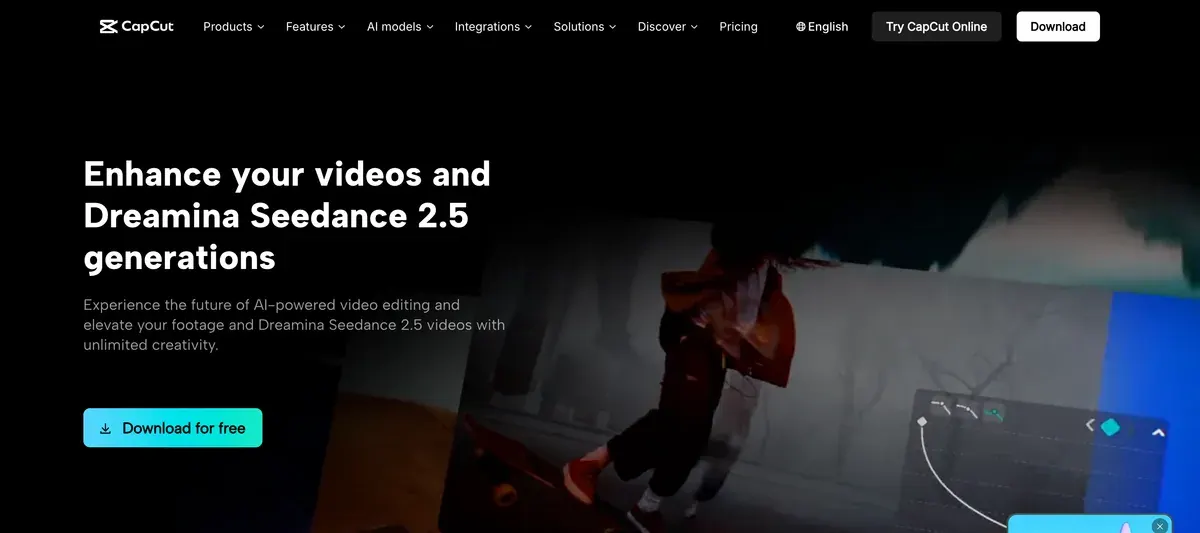
Its download page lists auto captions “from video and audio”, script to video, an AI writer, keyframes and a colour wheel.
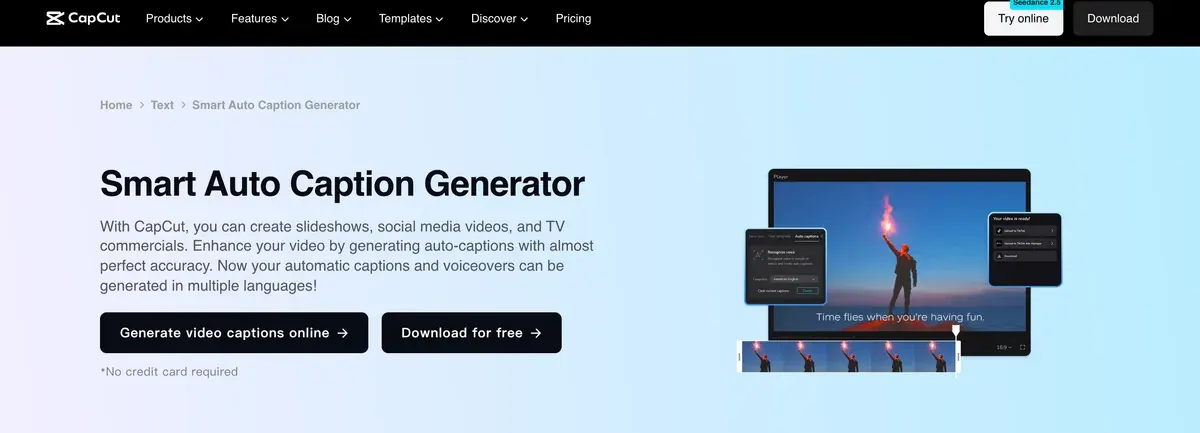
It also sells generated clips: “Create AI videos with Dreamina Seedance 2.5, then refine them in CapCut.” CapCut Online runs the editor in a browser, and the phone app edits on the same account.

Can you use CapCut in paid ads?
Your own footage stays yours on any plan. CapCut’s own assets are another matter. A second document, the Materials License Agreement (last updated 22 January 2026), decides what its templates and music may do. No plan changes it, Pro and Teams included.
Section 1 marks the assets allowed in business use: they carry “specific marks (e.g., “commercial use”, “commercial” marks)”. Section 2 lets those run “as promotional, marketing or advertising materials for distribution via other online media”. The same section bars using them to vouch for a product’s “authenticity, legality, quality”.
The trap is the mix. If a video combines marked and unmarked material, “you can only use such content for the personal and non-commercial use, but not for any commercial use or purpose” (section 2). One unmarked sticker or font is enough.
CapCut Materials License Agreement, section 2
Dual Use Materials only in digital form, as promotional, marketing or advertising materials for goods or services on e-commerce platforms, provided that such content must not be used to endorse authenticity, legality, quality or other aspects of the products or services; and as promotional, marketing or advertising materials for distribution via other online media.
Mixed content if the content you create on the Platform incorporates both Dual Use Material and Non-commercial Use Material, you can only use such content for the personal and non-commercial use, but not for any commercial use or purpose.
| Asset | In a paid ad | Clause |
|---|---|---|
| Your own footage, voice and photos | Yours to use on any plan (CapCut claims no ownership) | Terms 10 |
| Templates, stock clips, effects, fonts marked “commercial use” | Allowed online, if nothing unmarked is mixed in | Materials 1 and 2 |
| Templates and stock without the mark | Personal use only | Materials 2 |
| Library Sounds | Personal use only | Materials 3 |
| Commercial Sounds | CapCut, TikTok and TikTok for Business only | Materials 3 |
| Any CapCut material in tobacco, pharmaceutical, healthcare or supplement ads | Barred | Materials 4 |
Scroll sideways for all 3 columns
Music is where cross-platform ads break. Library Sounds are for videos made “only for personal entertainment and non-commercial purposes”. Commercial Sounds work inside CapCut, TikTok and TikTok for Business, and “Any uses of Commercial Sounds outside of the Permitted Platforms require you to obtain separate permission” (section 3).
CapCut Materials License Agreement, music
Selecting Sounds Sounds are made available to individual users to include in their video content, so long as the video content is only for personal entertainment and non-commercial purposes. You shouldn’t use a Sound for any commercial purpose–including associating the music with, or promoting, a brand or business–unless you have obtained the necessary rights to use the music in that manner.
Selecting Commercial Sounds Commercial Users may show or share their video that includes a Commercial Sound within CapCut, TikTok and TikTok for Business (“Permitted Plaforms”). Any uses of Commercial Sounds outside of the Permitted Platforms require you to obtain separate permission and license the necessary rights directly from all necessary rights holders.
So the TikTok cut of an ad can keep a Commercial Sound, and the Meta or YouTube cut needs music licensed elsewhere.

Section 4 bars CapCut and music materials from “advertising or promotional materials for tobacco products, pharmaceutical, healthcare, herbal or medical products”, dietary supplements included. A supplement brand edits with its own footage and its own music, or not in CapCut at all.
The licence runs per exported video. Re-edit an exported video that used a paid material, and section 1 asks you to pay for it again. Neither document says whether an agency may edit with CapCut materials for a client, so the AI commercial use matrix marks client work Unclear.
The other clause to know concerns your uploads. The Terms of Service (15 April 2026) say “We don’t own your User Content”. The same section 10 grants CapCut a perpetual, worldwide, sub-licensable licence to it.
It also gives CapCut the right “to use your username, image and likeness to identify you as the source of any of your User Content”, “including for use in sponsored content”. US users fall under the CapCut US Terms of Service (15 April 2026). They carry the same licence and the same likeness grant (US terms, as published for Pippit).
For the AI labels TikTok, Meta and Google ask for on generated clips, see TikTok’s AI label and AI ad disclosure rules.
Where CapCut is the wrong pick, and what to use instead
CapCut edits footage you already have. Three ad jobs start somewhere else.
Pippit is ByteDance’s product video tool, under the same CapCut terms. It turns a product link into a video with avatars and schedules TikTok posts, which CapCut’s editor does not. Its free plan output is watermarked, and its pricing page sets paid prices in the visitor’s local currency. See the Pippit profile.
For an AI presenter reading your script, Creatify makes avatar ads from a product URL. Standard costs $15 a month for 55 credits, and the free plan gives up to 2 video ads a month (Creatify pricing, checked ). MakeUGC runs UGC-style actor ads from $59 a month (MakeUGC pricing, checked ). See Creatify for UGC ads and MakeUGC.
For a desktop timeline you own outright, Filmora sells a Perpetual licence for Filmora 16 at $79.99, and Basic at $4.17 a month billed yearly with watermark-free 4K export (Filmora shop, checked ). Its built-in music is barred from commercial use on every plan, so it does not solve the music problem. The full match-up is CapCut vs Filmora, and for designers, Canva vs CapCut.
Every option by job is on CapCut alternatives, and more video tools sit in the AI video hub.
-
 Product video
Pippit
ByteDance’s commerce video agent: product links and files into videos with avatars, then scheduled posts to TikTok.
Price unverified
-
 AI UGC and avatars
Creatify
Avatar and product video ads from a URL or script, batch variants, an AI agent that launches ads, a competitor tracker.
From $15 a month · checked
-
 AI UGC and avatars
MakeUGC
UGC-style video ads with 1,000+ AI creators, B-roll and product-in-hand shots; API and MCP access on every plan.
From $59 a month · checked
- All-in-one suites
Filmora
Wondershare’s desktop video editor with credit-billed AI: captions, translation, voice cloning and Veo or Sora clips.
From $4.17 a month, billed yearly · checked
CapCut users like the editor and dislike the billing
The two review sites disagree. The US App Store lists 4.6 from 1.1 million ratings. Trustpilot shows a TrustScore of 1.2 from 1,400 reviews, and all 10 reports of charges after cancelling counted below come from Trustpilot.
Reviewers praise how easy it is to learn (5 of 64 sources: Trustpilot, App Store). They also like having music and effects bundled with captions in one free app (3 of 64: US App Store, UK App Store).
Billing leads the complaints. Users report charges after cancelling or after a free trial, with refunds refused or never paid (10 of 64: Trustpilot, Trustpilot). Others say a paid Standard or Pro plan never activated while billing went on (7 of 64: Trustpilot, App Store).
The AI tools draw two more. Credits get spent on failed or wrong results (8 of 64: Trustpilot, Trustpilot). And tools that used to be free now sit behind Pro, often found only at export (8 of 64: Trustpilot, App Store).
Support answers with bots or repeated replies (8 of 64: Trustpilot, App Store). Bugs cost work too: failed autosave, broken trims, audio out of sync (7 of 64: Trustpilot, UK App Store).
CapCut pros and cons
Pros
- Your own footage stays yours on any plan, the free one included, with no CapCut licence limit on it (terms 10)
- No watermark from the standard editor; template outros are deletable (help article)
- Commercial Sounds cleared for TikTok and TikTok for Business ads (Materials License 3)
- Phone, desktop and browser editors on one account (desktop page)
- Easy to learn (5 of 64 sources: Trustpilot, App Store)
Cons
- One unmarked asset makes a whole ad non-commercial (Materials License 2)
- No CapCut music cleared for Meta or YouTube ads (Materials License 3)
- Supplement, healthcare and pharmaceutical ads barred from all CapCut materials (Materials License 4)
- A perpetual licence to your uploads and likeness, sponsored content included (terms 10)
- Charges after cancelling or a trial (10 of 64 sources: Trustpilot, Trustpilot)
- Credits lost on failed AI results (8 of 64 sources: Trustpilot, Trustpilot)
Questions buyers ask about CapCut
Is CapCut free?
Yes. The free plan edits and exports without a watermark from the standard editor, with free templates and basic tools (US pricing capture). AI credits need Pro, Ultra or Teams; Standard, sold in the mobile apps, adds templates and creative materials without credits.
Can I use CapCut music in Facebook or Instagram ads?
No. Library Sounds are personal use only, and Commercial Sounds are licensed for CapCut, TikTok and TikTok for Business. Use any other placement and section 3 asks you to get “separate permission”.
Is CapCut on PC and Mac?
Yes. CapCut Desktop runs on Windows 7 or later and macOS 10.14 or later, and CapCut Online runs in a browser (desktop page).
Who owns videos made in CapCut?
You do, for your own content: “We don’t own your User Content” (terms 10). CapCut still takes a perpetual, sub-licensable licence to it. Any CapCut template or stock inside stays licensed per exported video (Materials License 1).
Sources
- CapCut: CapCut Desktop video editor, Windows 7 or later and macOS 10.14 or later; auto captions, script to video, an AI writer and Seedance 2.5 clips refined in the editor. Checked
- CapCut: CapCut pricing, served in a local currency by visitor location; the Free, Pro, Ultra and Teams cards and the trial FAQ. Checked
- CapCut, via the Wayback Machine: CapCut pricing, US capture of 8 November 2026, Pro at 19.99 dollars a month with 1,200 AI credits, Ultra at 79, Teams at 12.49 a seat. Checked
- CapCut: CapCut Materials License Agreement, last updated 22 January 2026; sections 1 to 4 on commercial-use marks, mixed content, Sounds, Commercial Sounds and barred ad categories. Checked
- CapCut: CapCut Terms of Service, last updated 15 April 2026; section 7 on renewal and refunds, section 10 on the licence to your content and likeness; US users fall under the CapCut US Terms of Service. Checked
- TikTok USDS Joint Venture: CapCut US Terms of Service, as published for Pippit, last updated 15 April 2026; the same perpetual, sub-licensable licence to your User Content and the same likeness grant, sponsored content included; section 9 on Company Content. Checked
- CapCut help: Is it possible to export videos from CapCut without a watermark?, dated 18 March 2026; template outros and some premium assets add the watermark. Checked
- Apple: CapCut on the App Store (US), 4.6 from 1.1 million ratings as listed; Standard Monthly Subscription 9.99 dollars and Pro Monthly Subscription 19.99 dollars among the in-app purchases. Checked
- Trustpilot: CapCut reviews, TrustScore 1.2 from 1,400 reviews as listed. Checked
- Creatify: Creatify pricing. Checked
- MakeUGC: MakeUGC pricing. Checked
- Wondershare: Filmora shop, individuals. Checked

Alexandre S.
Alexandre S. is a creative ad strategist and copywriter with ten years' experience in digital marketing across multiple channels.
Related pages
-
 Category Best AI video generators for ads
23 AI video generators and model shops compared on cost per clip and ad-use terms, checked 25 September 2026.
-
 Pricing CapCut pricing
CapCut is free; Pro costs $19.99 a month or $179.99 a year in the US with 1,200 AI credits. Standard, Teams, the trial and cancelling, checked 15 Nov 2026.
-
 Alternatives CapCut alternatives
Six CapCut alternatives sorted by ad job, from desktop editing and template ads to AI presenters, with prices and ad licences checked 15 Nov 2026.
-
 Compare Canva vs CapCut
Canva is a design tool that edits video; CapCut is a video editor. Template licences for ads, AI ownership and prices, read 15 November 2026.
-
 Compare CapCut vs Filmora
CapCut exports your own footage free with no watermark; Filmora stamps free exports. Plans, AI credits and the music rules for ads, read 15 November 2026.
-
 Best list Video editors for UGC ads
UGC video editors for ads: auto captions, cuts, B-roll, free-plan watermarks and which music you may run in a Meta ad. Checked 21 October 2026.


