CapCut alternatives
Verdict on CapCut alternatives
Switch from CapCut by job: Filmora for desktop editing you own, Creatify for avatar ads made from a product link. Neither fixes the music: CapCut’s Commercial Sounds stop at CapCut and TikTok (Materials License 3, read on ) and Filmora’s built-in music is barred from ads.
Filmora’s free exports carry a watermark and Renderforest’s free plan is non-commercial, so for free edits of your own footage CapCut keeps the edge.
For a desktop timeline on a one-time licence: Filmora
The Perpetual licence keeps Filmora 16 for good; individual plans add “Video is made by Filmora” to the description for commercial use.
For template promo videos for your own business: Renderforest
Paid plans let you use exports “to advertise your own products or services”, with no per-asset commercial mark to check.
For a finished ad from a script, with a written licence to commercialise it:  invideo AI
Terms 4(h) license you to “commercialise Outputs you generate”, and 4(f) lets invideo train on your data.
For product videos from a store link, scheduled to TikTok:  Pippit
ByteDance’s link-to-video agent under the same CapCut terms, with avatars and TikTok scheduling built in.
For avatar presenter ads from a product URL:  Creatify
An AI actor presents your product from a URL or script; the free plan makes up to 2 video ads a month.
| Tool | Monthly from (USD) | Free plan | Paid ads on the cheapest paid plan | Official site |
|---|---|---|---|---|
| CapCut The tool you are replacing | $9.99 | Yes | Allowed with conditions (Standard) | Visit CapCut |
 Canva (Canva AI and Canva Grow) | Unverified | Yes | Allowed with conditions (every paid plan) | Visit Canva |
 Creatify | $15 | Yes | Allowed with conditions (Standard) | Visit Creatify |
| Filmora | $4.17billed yearly | Yes | Allowed with conditions (Basic) | Visit Filmora |
 invideo AI | $20 | Yes | Allowed with conditions (Starter) | Visit invideo AI |
 Pippit | Unverified | Yes | Allowed with conditions (every paid plan) | Visit Pippit |
| Renderforest | $15 | Yes | Allowed with conditions (Lite) | Visit Renderforest |
Scroll sideways for all 5 columns
Prices checked between 15 Nov 2026 and 16 Nov 2026. The prices of Canva (Canva AI and Canva Grow) and Pippit are unverified.

Why people switch from CapCut
Two things push ad work off CapCut: the licence on its own assets and music, and the billing complaints in user reviews.
The first is the mix rule. CapCut templates and stock may run in ads only when marked “commercial use”. If a video combines marked and unmarked material, “you can only use such content for the personal and non-commercial use” (Materials License Agreement 2, 22 January 2026).
The second is music. Commercial Sounds are licensed for CapCut, TikTok and TikTok for Business, and “Any uses of Commercial Sounds outside of the Permitted Platforms require you to obtain separate permission” (section 3). So the Meta cut of a TikTok ad needs music licensed outside CapCut.
Billing is the third. Trustpilot lists a TrustScore of 1.2 from 1,400 reviews, against 4.6 from 1.1 million ratings on the US App Store. Users report charges after cancelling or a trial (10 of 64 sources: Trustpilot, Trustpilot). Others report tools moving behind Pro (8 of 64: Trustpilot, App Store).
The licence clauses in full are on the CapCut profile, and the plans on CapCut pricing.
Filmora: a desktop editor for PC and Mac
Filmora is Wondershare’s desktop timeline editor for Windows and Mac, a CapCut alternative for PC. Basic costs $4.17 a month billed yearly with watermark-free 4K export, and the Perpetual licence costs $79.99 once for Filmora 16 (Filmora shop, checked ).
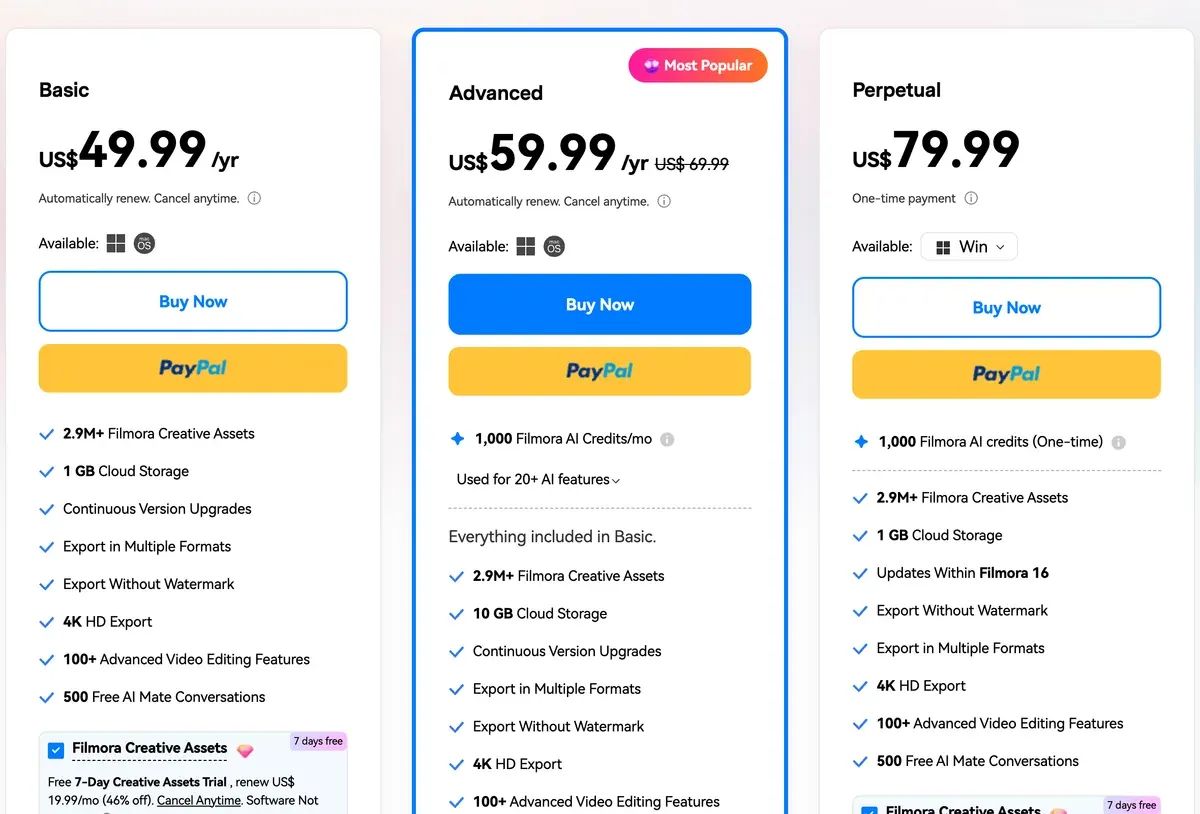
It beats CapCut when you want to own the software outright and edit offline on a desktop. Auto Reframe uses motion tracking to keep the main subject in frame while it resizes to 16:9, 9:16 or 1:1. One edit then serves several placements.

It does not fix the music problem. Wondershare’s EULA bars the built-in music and sound effects from commercial use, as tracks “intended for individual use only”. Individual plans also need “Video is made by Filmora” in the video description for commercial use. Free exports carry a watermark.
The match-up line by line is CapCut vs Filmora; the AI side is on Filmora for ads.
Renderforest: template promo videos for your own products
Renderforest is a browser suite of animated and ad video templates. Lite costs $15 a month for 800 AI credits a month (Renderforest pricing, checked ).
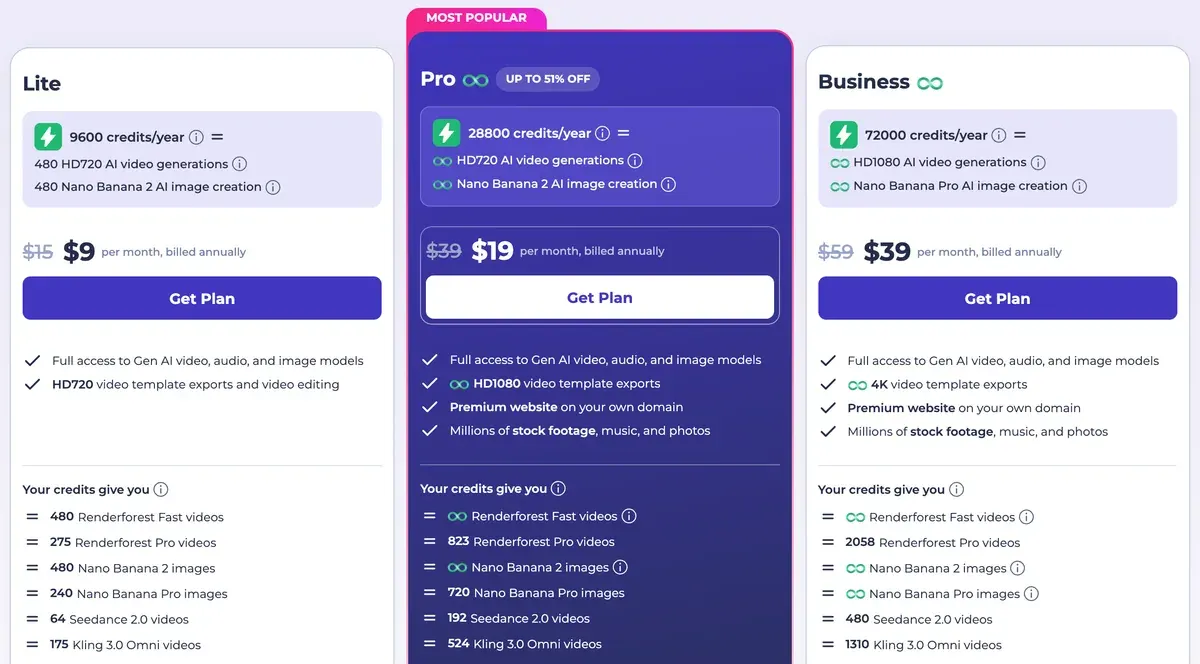
It beats CapCut on template licensing. On a paid plan, Renderforest’s terms let you use exported videos “in commercial projects” and “to advertise your own products or services”. No per-asset mark decides it.
The limit is whose products. Lite and Pro are “exclusively intended for personal use” and bar videos “on behalf of entities other than your own”, so agency work needs Business at $59 a month. Lite exports templates at HD720, and the free plan is non-commercial and watermarked. See Renderforest for ads.
 invideo AI: a finished ad from a script
invideo AI writes a script into an edited video with stock, a voice and generated shots, then opens it on a timeline. Starter costs $20 a month (invideo pricing, checked ).
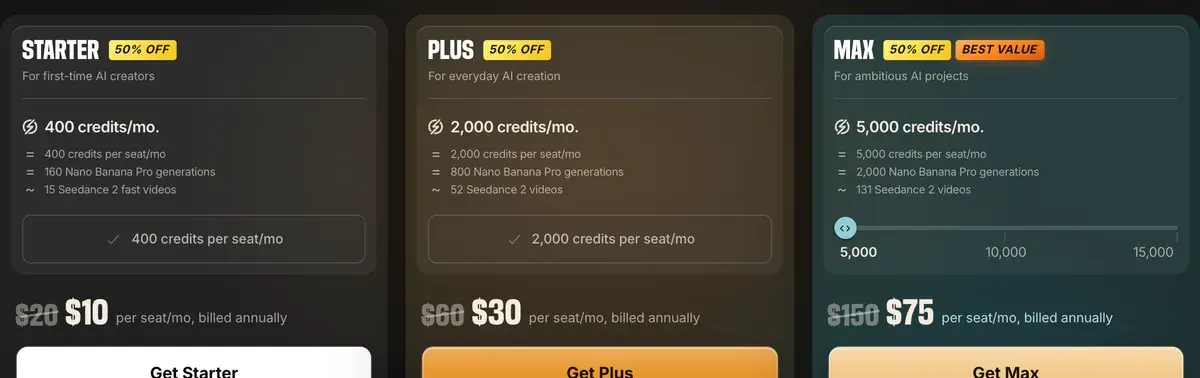
It beats CapCut when the ad leans on generated clips. CapCut’s terms state no ownership rule for AI output. invideo’s terms (12 August 2026) license you to “commercialise Outputs you generate through the Services” (4(h)), and that licence survives cancelling.
The trade is your data. Section 4(f) says invideo “may use your User Data to train, fine-tune or otherwise adjust the parameters of its artificial intelligence and machine-learning models”. See invideo AI for ads.
 Pippit: product videos from a store link
Pippit is ByteDance’s commerce video agent, a sibling of CapCut. It turns a product link or files into videos with avatars and talking photos, then schedules posts to TikTok.
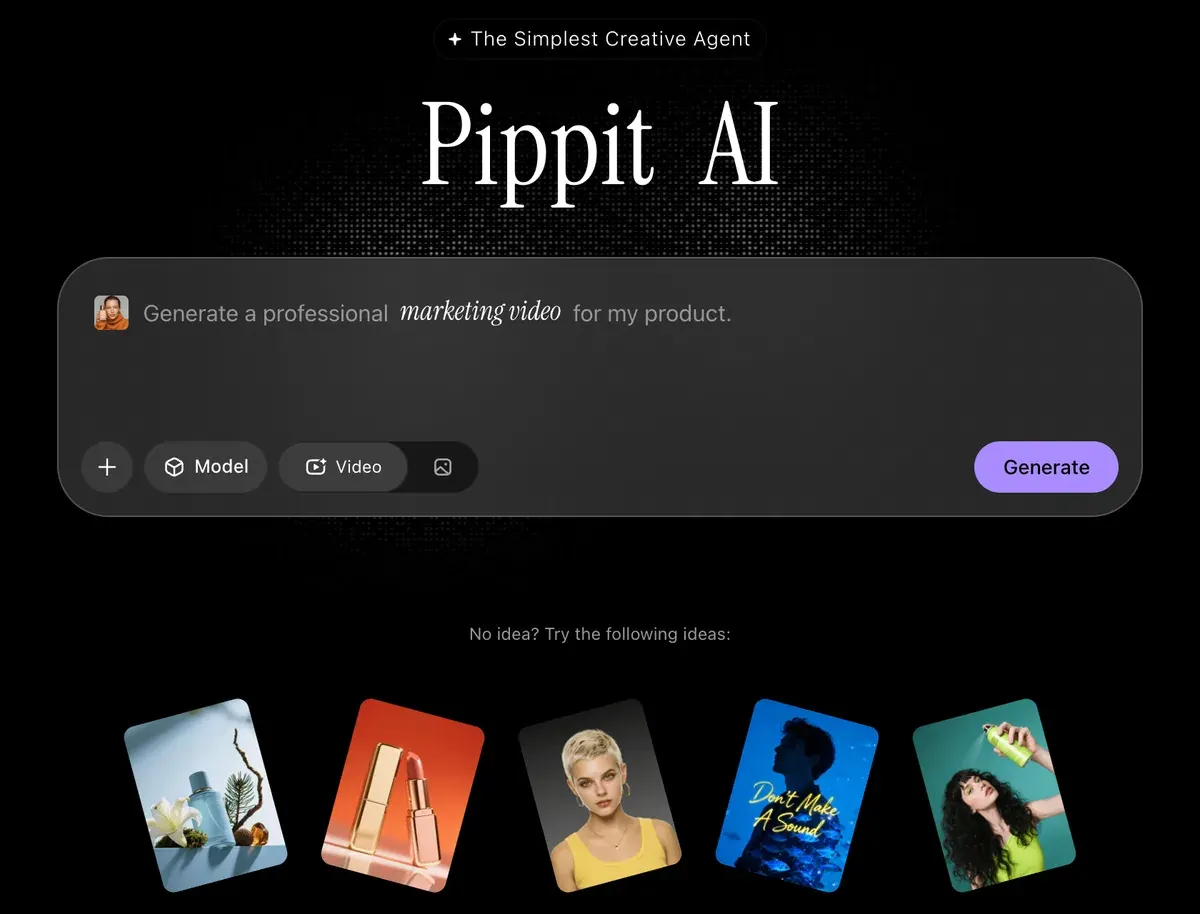
It beats CapCut when you start from a product page and want a video without filming. Its free plan gives daily credits and its output is watermarked. Its pricing page prices paid plans in the visitor’s local currency, as discount offers with no stated renewal price.
The licence is CapCut’s own. Pippit’s terms (15 April 2026) allow its templates and clips “for commercial purposes, subject to compliance with the CapCut Materials License Agreement” (section 9). So the mix rule and the music limit come with it. See the Pippit profile.
 Canva: design first, with light video
Canva is a design platform with AI generation, brand kits and bulk resizing. It fits a team that makes static ads and short video side by side, in one brand kit. Canva has a free plan, and its pricing page sets Pro’s price by the visitor’s country.

It beats CapCut on statics: bulk resizing turns one design into the sizes each placement asks for (Canva pricing, checked ). CapCut has the deeper video timeline. On the licence, Canva’s AI Product Terms (effective 26 June 2026) let you use your output “for any lawful purpose”, while AI edits of Canva library photos stay licensed content.

Each tool’s template licence and the price lines are compared on Canva vs CapCut.
 Creatify: AI presenter ads from a product URL
Creatify makes avatar ads: an AI actor presents your product from a URL or a script, with batch variants.
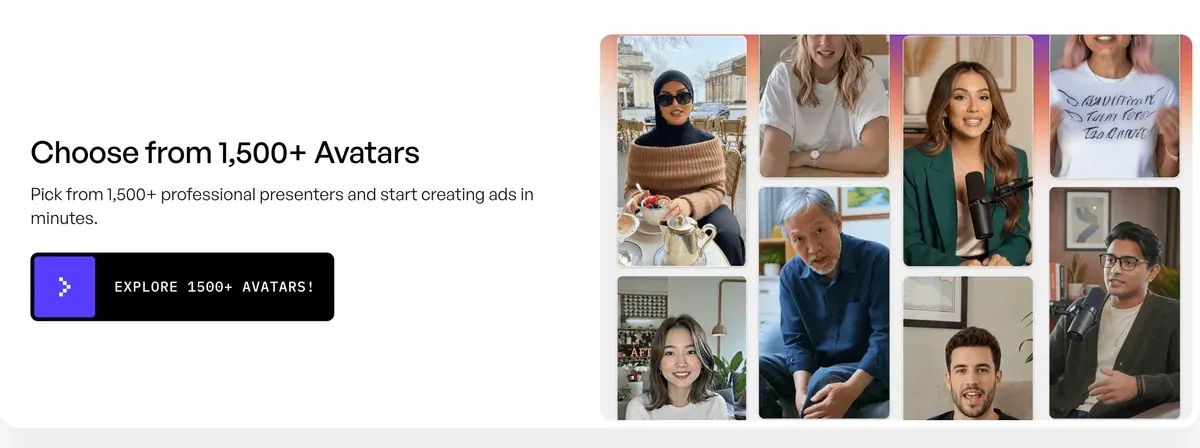
Standard costs $15 a month for 55 credits, about $2.73 per video if every credit is used (Creatify pricing, checked ).
It beats CapCut when you have no footage and no presenter. The free plan gives 10 credits a month, up to 2 video ads.
Read the rights by tier. Creatify’s terms say “Users of the Free Tier have limited rights” without listing them (section 1), so the AI commercial use matrix marks free-plan ads Unclear. On paid plans, a breach of section 6.2 means “all rights granted to you shall revert to Creatify”. See Creatify for UGC ads.
When to stay with CapCut
Stay if you edit your own footage and run it on TikTok. Your own clips stay yours on any plan, the free one included, and auto captions come without a card.
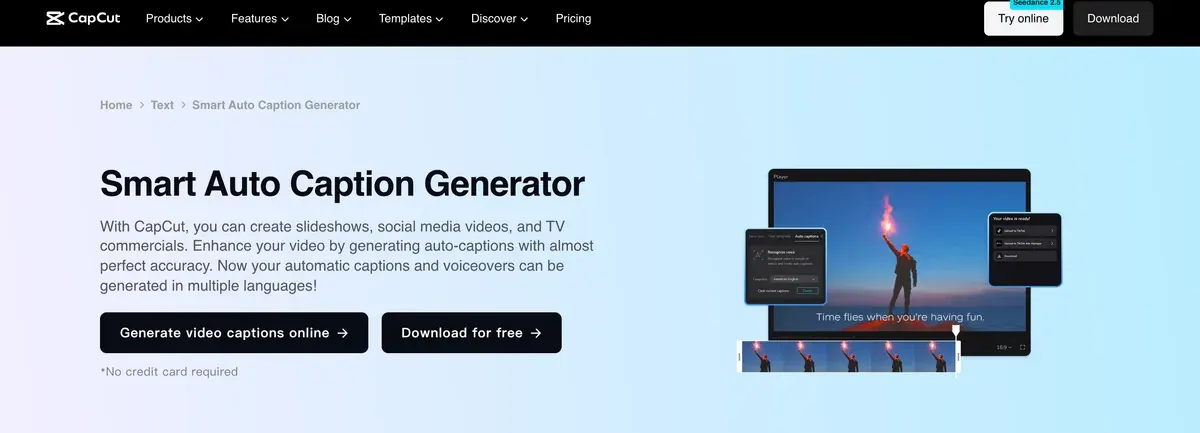
Commercial Sounds are cleared for TikTok and TikTok for Business ads.
For Meta and YouTube, you can keep CapCut and license the music elsewhere. Envato Core costs $16.50 a month billed yearly, and its Elements License grants “a non-exclusive, commercial, worldwide and revocable right” to use an item in one project (checked ). Each project needs its own licence. See Envato for ads.
Left out, and why
Captions is a phone and web editor with its own AI actors. It is left out because the AI commercial use matrix marks paid ads Unclear on its app plans. MakeUGC is left out too: it edits only the actor ads it generates, so it replaces no part of CapCut’s editor.
More editors sorted by job are on video editors for UGC ads, and every video tool we track is in the AI video hub.
Questions buyers ask about CapCut alternatives
Is there a free CapCut alternative?
None of the four free plans set out here matches CapCut’s for ads. Filmora’s free exports carry a watermark, Renderforest’s free plan is non-commercial, and Pippit’s free output is watermarked. Creatify’s free plan makes up to 2 video ads a month, under terms that leave free-tier rights unlisted.
What is a good CapCut alternative for PC?
Filmora, for a desktop timeline on Windows or Mac. Basic is sold yearly, and the Perpetual licence is a one-time payment for Filmora 16 (Filmora shop).
Where do I get music for a CapCut ad on Facebook?
From a stock licence such as Envato’s, which covers a track per project. CapCut’s Commercial Sounds stop at CapCut and TikTok, and Filmora bars its built-in music from commercial use.
Sources
- CapCut: CapCut Materials License Agreement, last updated 22 January 2026; sections 2 and 3 on mixed content, Sounds and Commercial Sounds. Checked
- CapCut: CapCut Terms of Service, last updated 15 April 2026; section 10 on the licence to your content and likeness. Checked
- CapCut, via the Wayback Machine: CapCut pricing, US capture of 8 November 2026. Checked
- Wondershare: Filmora shop, individuals, Basic and Advanced yearly cards, the Perpetual licence and the Free watermark line. Checked
- Wondershare: Wondershare End User License Agreement, undated; the
Video is made by Filmora
line on individual plans (section 1) and the bar on built-in music (sections 1 and 2). Checked - Wondershare: Filmora Auto Reframe guide, undated; AI motion tracking keeps the main subject in focus while resizing to ratios such as 1:1, 9:16 and 16:9. Checked
- Canva: Canva pricing, priced by the visitor’s country. Checked
- Renderforest: Renderforest pricing. Checked
- Renderforest: Renderforest Terms and Conditions, last updated 14 October 2022; Video Maker uses and the Restrictions on Lite and Pro. Checked
- invideo: invideo pricing. Checked
- invideo: invideo Terms of Service, effective 12 August 2026; sections 4(f) and 4(h). Checked
- Pippit: Pippit pricing, priced in the visitor’s local currency; free plan with daily credits. Checked
- Pippit: Pippit Terms of Service, the CapCut terms for US users, last updated 15 April 2026; section 9 on Company Content. Checked
- Creatify: Creatify pricing. Checked
- Creatify: Creatify Terms of Service, effective 23 September 2024; sections 1 and 6.2. Checked
- Envato: Envato Elements License. Checked
- Trustpilot: CapCut reviews, TrustScore 1.2 from 1,400 reviews as listed. Checked

Alexandre S.
Alexandre S. is a creative ad strategist and copywriter with ten years' experience in digital marketing across multiple channels.
Related pages
-
 Category Best AI video generators for ads
23 AI video generators and model shops compared on cost per clip and ad-use terms, checked 25 September 2026.
-
 Profile CapCut for ads
CapCut edits your own footage into ads for free, but its templates and music carry ad limits. The licence clauses and user reports, read 15 Nov 2026.
-
 Pricing CapCut pricing
CapCut is free; Pro costs $19.99 a month or $179.99 a year in the US with 1,200 AI credits. Standard, Teams, the trial and cancelling, checked 15 Nov 2026.
-
 Compare Canva vs CapCut
Canva is a design tool that edits video; CapCut is a video editor. Template licences for ads, AI ownership and prices, read 15 November 2026.
-
 Compare CapCut vs Filmora
CapCut exports your own footage free with no watermark; Filmora stamps free exports. Plans, AI credits and the music rules for ads, read 15 November 2026.
-
 Best list Video editors for UGC ads
UGC video editors for ads: auto captions, cuts, B-roll, free-plan watermarks and which music you may run in a Meta ad. Checked 21 October 2026.


